
Your Samsung Z Flip 5 still switches on, but the hinge feels different, the battery barely lasts, or the inner screen has picked up a worrying mark. So it sits in a drawer: fixing it might cost more than the phone is worth, selling it feels complicated, and your photos and banking apps are still on it.
The way out is a three-way check. Get an actual repair quote, weigh it against what the phone could still fetch in Singapore, and decide what happens to your data before it leaves your hands. A faulty Flip 5 can still hold trade-in value, and a repaired one usually more.
That's the thinking behind myhalo's zero e-waste approach, which spans repair, certified ReLoved resale and cash buyback, and aims to make the whole process convenient, safe and responsible. A Flip 5 in a drawer becomes recovered value instead of e-waste.
Table of Contents
- Galaxy Z Flip 5 Specs and Launch Details at a Glance
- Foldable Care Habits That Protect the Hinge and Screen
- Common Faults, Their Causes and First Checks
- What Drives Second-Hand Value for the Flip 5
- Repair Routes Compared for Each Fault
- How to Back Up and Reset Your Flip 5 Step by Step
- Erasing Data From Damaged or Non-Booting Phones
- Choose Repair, Resale or Recycling for Your Flip 5
Galaxy Z Flip 5 Specs and Launch Details at a Glance
Start with Settings > About phone and record the model number. Then check storage under Settings > Battery and device care > Storage, or the equivalent menu on your software version. If the phone won't start, use the original box or purchase invoice, but let the assessor verify the device itself.
The Hitec Mobile Singapore listing records the Galaxy Z Flip5's local release on 11 August 2023, with listed launch prices of S$1,148 for 256GB and S$1,268 for 512GB. Those are historical reference points, not today's resale prices or a guide to what a repair should cost.
Galaxy Z Flip 5 key specifications
| Specification | Value | Why It Matters |
|---|---|---|
| Model number | SM-F731B | Confirms the Singapore model family when booking repairs |
| Storage | 256GB or 512GB, no microSD slot | Capacity influences resale value and can't be upgraded later |
| Inner display | 6.7-inch Dynamic AMOLED 2X, 2640 x 1080, up to 120Hz | A major repair-cost driver because it's a specialised folding assembly |
| Flex Window | 3.4-inch, 720 x 748 | Handles cover-screen tasks, but its glass and touch function still need checking |
| Chipset and RAM | Snapdragon 8 Gen 2 for Galaxy, 8GB RAM | Suitable hardware for everyday apps when the phone is otherwise healthy |
| Battery | 3,700mAh dual battery, non-removable | Replacement requires opening the phone professionally |
| Charging | 25W wired, up to 50% in about 30 minutes with compatible equipment | Charger compatibility matters when checking charging performance |
| Water resistance | IPX8 | Refers to controlled fresh-water testing, not unrestricted water protection |
| Weight and size | 187g; 85.1 x 71.9 x 15.1mm folded | Its compact shape needs a correctly fitted case and sensible storage |
| Launch details | Singapore release 11 August 2023; S$1,148 for 256GB, S$1,268 for 512GB | Establishes the original price tier, not current market value |
Turn the specification sheet into a useful record
Storage, identity and condition belong together. A quotation based only on “Samsung Flip” leaves too much room for misunderstanding. Record the model, capacity, colour and whether both screens work, then photograph the frame, cover glass and unfolded display.
Keep the device identifier private when sharing photographs publicly. A repairer or buyer may need it during assessment, but it doesn't belong in an open marketplace photograph.
The processor tells you what the phone was built to do; it doesn't prove that this particular handset works properly. A responsive home screen can hide a failing camera, damaged charging port or intermittent display fault.
Before requesting a quote: Prepare a short fault description, clear condition photos and proof of purchase. Accurate information makes it easier to compare offers on the same basis.
Don't use the original purchase price to justify an expensive repair. What matters now is the phone's usefulness to you, its current condition and the cost of restoring dependable operation.
Foldable Care Habits That Protect the Hinge and Screen
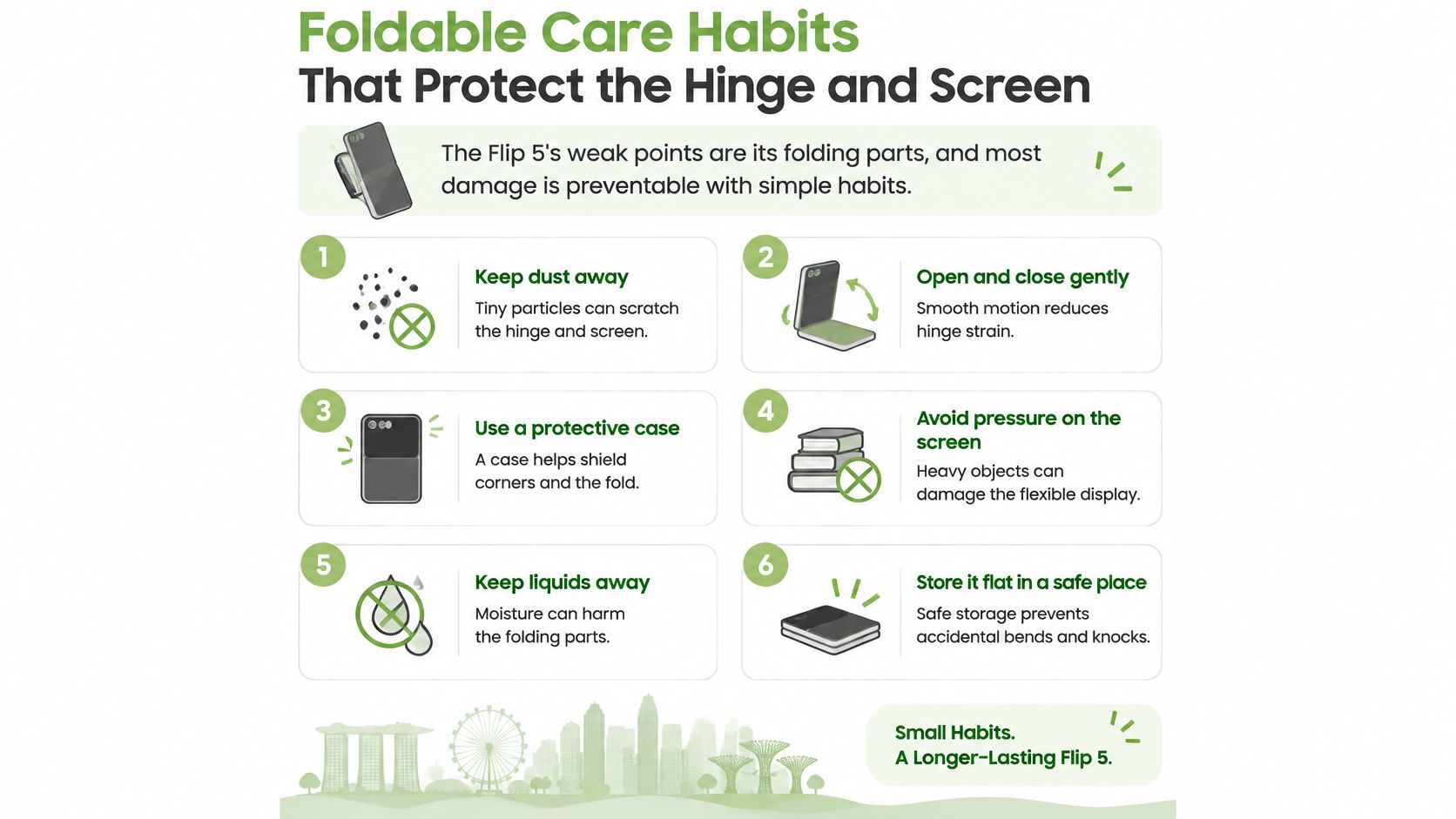
The folding screen and hinge deserve more attention than the outer case. Simple habits reduce avoidable damage, although no care routine can prevent every component failure or accidental drop.
A practical everyday routine
Keep it closed and separate from loose objects. Use a clean pocket or bag compartment away from keys, coins and sandy items, because particles trapped between the halves can mark the inner screen.
Use a light touch on the inner display. Tap with your fingertip rather than a nail or pen, and don't press harder to investigate a mark.
Open and close it gently with both hands. Support each half and stop at its natural opening position instead of flicking it open or forcing the hinge.
Clean only the accessible hinge exterior. Use a dry microfibre cloth or very soft brush without pushing bristles into gaps, and never add liquid, sharp tools or compressed air.
Choose protection made for the exact model. The case must allow free folding, while a lifting inner protector deserves professional assessment rather than another layer stuck over it.
Keep charging cool and uncomplicated. Use a compatible charger on a ventilated surface, and don't leave the phone charging in a hot car or beneath bedding.
The Mister Mobile Singapore product listing describes 25W wired charging, reaching up to 50% in approximately 30 minutes with compatible equipment, and an IPX8 rating. IPX8 means protection against fresh-water immersion under controlled test conditions, not dust resistance, saltwater protection or permission to rinse the phone.
Protect without interfering with the fold
A substantial case isn't automatically a better case. If it binds against the hinge, presses a button continuously or prevents complete closure, remove it rather than trying to make it fit.
For the display, distinguish ordinary surface dirt from a lifting protector or damaged panel. Our mobile display protection guide explains the protection choices, but don't scrape at the crease or peel the inner layer to diagnose a fault.
After keeping up this routine, check for changes rather than expecting the phone to look untouched. It should close normally, move smoothly and show no new pressure marks. A new grinding sensation, spreading line or lifting screen layer is a reason to stop experimenting and arrange an inspection.
Common Faults, Their Causes and First Checks
A visible crease is different from a black patch, spreading line or failed touch area. The checks below help describe a fault accurately; they aren't a formal diagnosis, and a possible cause isn't proof that a particular component needs replacing.
Common Z Flip 5 faults and first checks
| Symptom | Likely cause | First check |
|---|---|---|
| Crease or dead patch on the inner screen | Normal fold contour, panel damage, pressure or trapped debris | View a plain white screen without pressing it; a dead patch, flickering or growing line needs inspection |
| Hinge feels gritty or leaves a gap | External debris, internal obstruction or hinge wear | Gently clean the exterior with a dry soft brush; stop folding if grinding or resistance remains |
| Battery drains fast or runs hot | Background apps, weak signal, an ageing battery or heat exposure | Review battery usage in Device care and run available diagnostics; stop charging if unusually hot |
| Case lifts or phone looks swollen | Possible battery swelling, a safety hazard | Stop charging, power off if safe and book a technician immediately |
| Charging slow or intermittent | Faulty cable, incompatible charger, debris or a worn USB-C port | Try a known-good cable and compatible charger; don't wiggle the plug or scrape the port |
| Cover screen touch unresponsive | Cracked Flex Window glass, software trouble or a touch-sensor fault | Check for cracks and restart if safe; persistent failure needs assessment |
| Phone stops working after getting wet | Liquid entry or exposure beyond protected conditions | Power off, don't charge and arrange inspection |
| Blurry or missing camera image | Lens debris, software trouble or camera-module damage | Wipe the lens with a clean microfibre cloth, restart and test again |
Know when to stop checking
Swelling needs immediate action. If the case lifts or the phone looks swollen, don't puncture, squeeze or try to flatten it. Keep it away from heat and combustible materials while arranging professional handling.
Liquid exposure also changes the approach. Don't repeatedly switch the phone on to see whether it has recovered, and don't use a hairdryer or rice as a substitute for inspection. Charging a wet or damaged handset can make an already uncertain situation worse.
For ordinary battery drain, a charger test checks charging behaviour, not battery capacity. Device care can help identify a power-hungry app, but it can't certify that every part of the battery system is healthy.
A phone that works while open but fails during folding needs inspection, not repeated folding to reproduce the fault for a video.
Record whether the problem occurs open, closed, charging or unplugged. Note any recent drop, liquid exposure or repair, and be honest about intermittent symptoms. That information helps both a technician and a resale assessor avoid treating a partially working handset as a fully functional one.
What Drives Second-Hand Value for the Flip 5
Storage and condition are the starting points for valuation. With comparable condition, a higher-capacity handset can attract a stronger offer, but serious screen or hinge damage can outweigh that advantage.
Samsung's Singapore Galaxy Z Flip5 launch announcement identifies 256GB and 512GB configurations without microSD expansion, and local sales channels including M1, Singtel and StarHub. Record the capacity before seeking an offer, especially if you no longer have the original packaging.
What an assessor should check
The inner display deserves close attention. A normal fold contour shouldn't automatically be described as damage, but dead pixels, black patches, lifting layers and unreliable touch affect what another owner can safely use.
Next comes the hinge. Smooth movement and normal closure matter more than a polished frame, because a buyer needs confidence that the phone folds without binding or damaging the display.
Battery behaviour, outer-glass condition and frame damage then help complete the picture. Cameras, microphones, speakers and fingerprint recognition must also work. Don't describe a handset as fully functional because calls and messaging still work.
Account access can block an otherwise attractive sale. For carrier-originated phones, check account removal, outstanding contractual issues, eSIM status and any network restrictions. An eSIM is a digital mobile-line profile stored on the handset, not a physical card you can pull out.
Company management needs separate attention. A work profile, remote-management enrolment or organisation-owned account may require the employer's administrator to release the phone. Available security updates also matter to a buyer who intends to keep using it.
Place the phone in the right grade
- Working with clean screens: Consider trade-in or certified resale after functional testing and account clearance.
- Working with a display concern or tired battery: Obtain an as-is offer and a repair estimate before spending money.
- Cracked, non-booting or extensively damaged: Request a recovery assessment, with parts reuse or recycling considered after data handling.
For wider grading context, our guide to factors that affect mobile-phone resale value explains why small descriptions can make a meaningful difference.
Get an instant quote before deciding. Treat the initial offer as a starting point subject to assessment, and disclose every fault so the final figure doesn't arrive as a surprise.
Repair Routes Compared for Each Fault
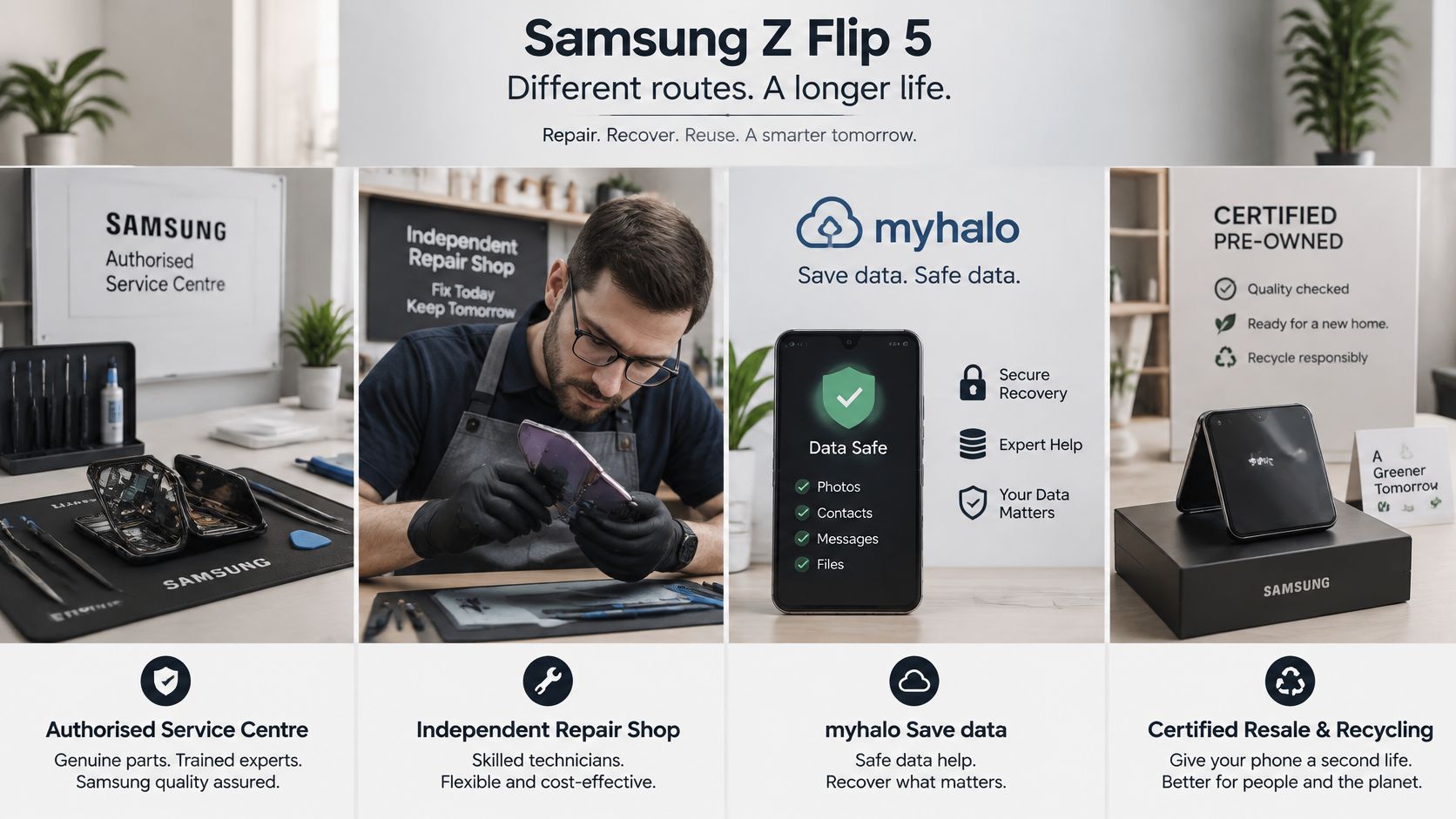
Your choice isn't authorised repair versus an independent shop alone. You may need repair, data recovery, secure erasure or an exit through resale and recycling, and those jobs don't necessarily belong in the same quotation.
Repairable doesn't mean economical. Samsung Singapore's screen repair-pack guidance provides an authorised service route, with the final quotation issued after technician inspection. An advertised pack or preliminary estimate isn't a promise that it covers every fault on your phone.
Repair routes compared
| Route | Best for | Watch out for | Data handling |
|---|---|---|---|
| Authorised Samsung service centre | Inner screen, hinge or battery assessment, particularly where warranty or Care+ may apply | Bring the relevant order confirmation; coverage and price require inspection | Back up before the service visit |
| Independent repair shop | Comparing out-of-warranty battery or port-repair options | Get parts specifications, workmanship cover and exclusions in writing | Confirm storage, access and reset arrangements before leaving it |
| myhalo Save data and Safe data | Failed phones requiring recovery or secure erasure | Agree the scope and quotation before drop-off | Secure data destruction, with certificates on request |
| Certified resale or buyback | A usable phone, or a fault that isn't worth repairing | The assessed grade and storage determine the offer | Complete and verify erasure before transfer |
| Certified recycling route | Devices with no practical reuse or recovery value | Recycling isn't a cash-buyback route | Resolve internal-data handling before depositing the phone |
Compare the whole outcome
For an otherwise sound phone with a failed battery, repair can preserve a familiar device without the disruption of replacement. Samsung's Galaxy Z Flip5 support page provides pathways for diagnostics, warranty checks and repair booking, including authorised battery-service options.
An inner-screen or hinge fault needs a different calculation. If you intend to sell immediately, compare the expected repaired sale proceeds, minus repair costs, with the as-is offer. Include additional identified faults, not just the first symptom.
If you intend to keep using it, compare the repair cost with a suitable replacement instead. A repair that doesn't increase resale proceeds enough may still make sense when it restores a dependable phone you want to keep.
Decision rule: Don't authorise work until you know what is included, what remains faulty and what happens if inspection reveals additional damage.
Check existing protection before paying independently. Historical protection-plan allowances don't establish your present entitlement; deductibles, exclusions and policy status still matter.
Our Samsung phone repair guide can help you prepare repair questions. Where practical, obtain competing written quotes and compare like-for-like work, including parts, warranty and data-handling requirements.
How to Back Up and Reset Your Flip 5 Step by Step
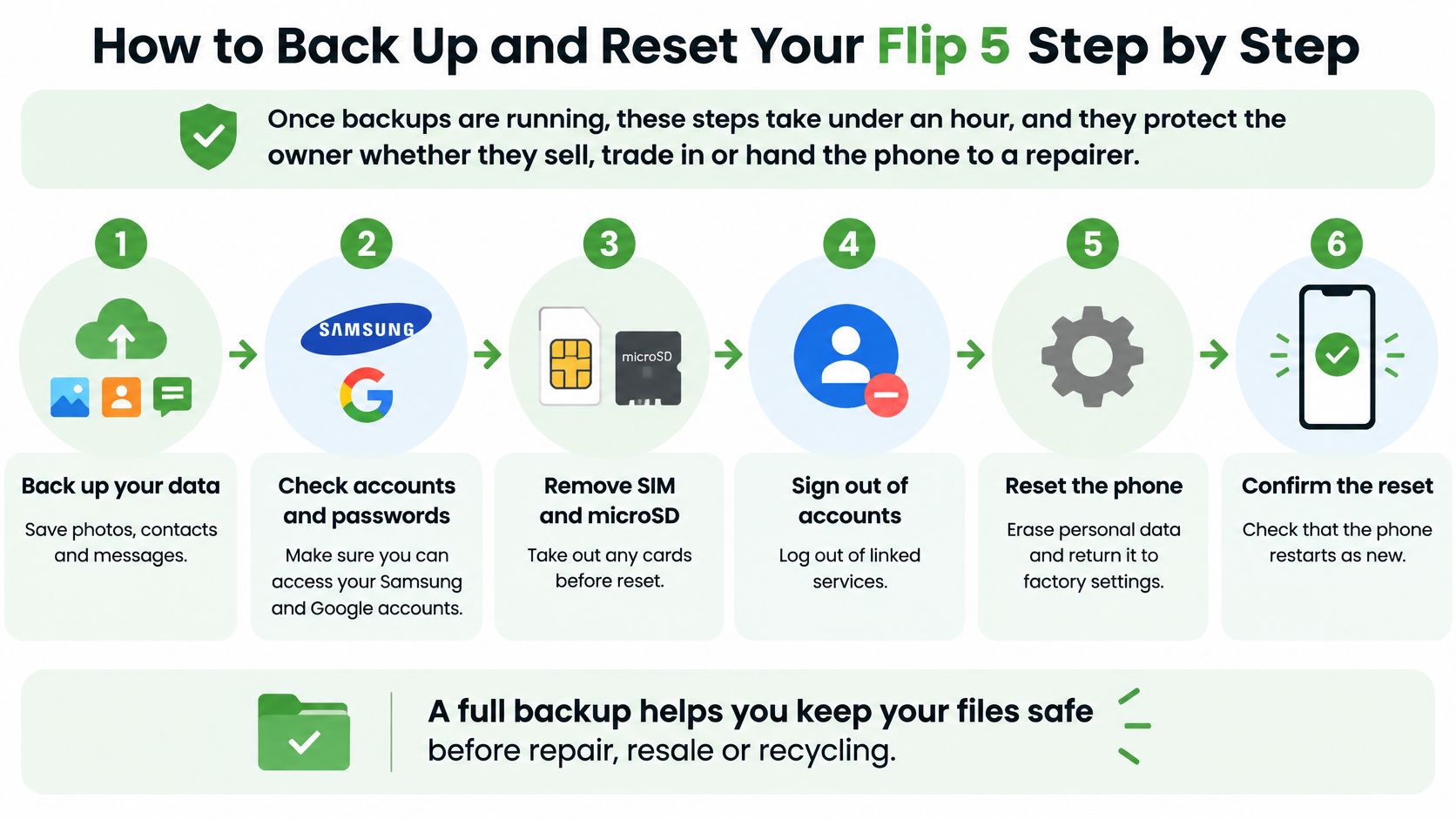
A working phone gives you the simplest route to protecting your files before handover. Don't rush the backup: transfer time depends on the amount of data, your connection and whether important apps need their own export process.
Prepare the phone for handover
Back up and test the backup. Save photos, contacts, messages and documents to your chosen cloud service or computer, then open sample files from the destination rather than trusting a completion notification.
Transfer app access before removing accounts. Move authenticator entries using the app's transfer process, check recovery codes and confirm banking or work access on your replacement device.
Sign out of Google and Samsung accounts. Check that you know the passwords first, then remove the accounts through Settings and disable associated device-finding features where applicable.
Remove mobile-line access. Take out the physical SIM and transfer or delete any eSIM profile after checking the replacement line works; this model has no microSD card to remove.
Install available software updates. Open Settings > Software update > Download and install, using a stable connection and sufficient charge.
Factory-reset only after verifying your files. Go to Settings > General management > Reset > Factory data reset, review the warnings and complete the process.
Check release and return arrangements. Confirm that no company management or network restriction remains, then use the agreed return packaging and the deadline stated in your trade-in terms.
The infographic's generic card-removal instruction doesn't mean there's a memory-card slot in this handset. Its files remain in internal storage until they're properly erased.
Verify the result, not just the button press
The phone should restart at the initial setup screen without your wallpaper, messages or accounts. A welcome screen alone isn't conclusive proof that account protection has been cleared, so confirm during the agreed handover check that setup doesn't demand the previous owner's credentials.
Samsung's Singapore security-update announcement established at least four years of security updates for eligible Galaxy devices launched since 2019, including eligible Z-series products. That historical policy isn't a substitute for checking the updates available to your handset today.
For a repair rather than permanent transfer, confirm the service centre's preparation requirements before resetting. If the screen fails, the phone can't complete setup or you can't remove an organisation's controls, don't hand it over as a verified, erased device.
Erasing Data From Damaged or Non-Booting Phones
A dead inner screen can leave you holding a phone that works but can't be safely controlled. A handset that refuses to boot is worse: you can't see your files, yet internal storage may still hold everything.
Removing the SIM does not erase the phone. The SIM carries your mobile line, not your photographs, downloaded documents, app data or cloud-linked access.
Choose the path that matches its condition
- Working phone: Complete a verified backup and reset, then record the date, device identifier and person who checked the result. Keep that record with the sale or transfer paperwork, because a documented erasure supports a stronger resale or trade-in offer.
- Damaged phone that still powers on: Recover accessible files without worsening the damage, then arrange controlled handling. A usable cover screen doesn't prove you can complete every backup or account-removal step.
- Non-booting or water-damaged phone: Arrange specialist recovery or destruction assessment. Repeated failed start-up attempts are not proof of erasure.
Consumer trade-in and replacement programmes generally ask for a completed backup, a factory reset and card removal before handover, with a return deadline set in that programme's own terms. Clearing that checklist completes the handover, yet it produces no detailed erasure record for a business audit.
Recovery and destruction have different goals
If precious photos or business files matter, decide whether to attempt recovery before authorising destruction. Recovery aims to retrieve information; secure destruction aims to make it inaccessible. No provider can promise both outcomes from every damaged storage device, so choose the priority first and let it drive the quote you accept.
Use your Google and Samsung account controls from another trusted device to review active sessions and request remote actions where appropriate. Remote erasure only works if the handset receives and completes the command, so a pending request isn't evidence of success.
For company or school equipment, retain a chain-of-custody record, meaning a documented history of who held the device and when. Require the final report to identify the asset, the handling method and the outcome, and to distinguish a phone prepared for reuse from one sent for material recycling. In Singapore's resale market, that paperwork is also what lets a damaged handset move into a responsible reuse route instead of being written off.
Keep proof of purchase as well. Overseas-bought phones may need service in their purchase region, so check regional eligibility before assuming local warranty coverage.
The myhalo promise: Letting go of old technology should feel safe, not uncertain. Privacy needs a documented process, while responsible handling keeps usable devices and parts out of waste wherever practical.
A destruction certificate should describe completed work, not merely confirm collection. For a failed phone, agree whether the priority is file recovery or privacy, and request the matching documentation before the device changes hands.
Choose Repair, Resale or Recycling for Your Flip 5
Repair a limited fault on an otherwise sound phone. Sell or trade in a usable handset you no longer need. Recycle only after checking whether the device or its parts still have a responsible reuse route. Non-booting doesn't automatically mean worthless, and water damage doesn't remove the need to protect data.
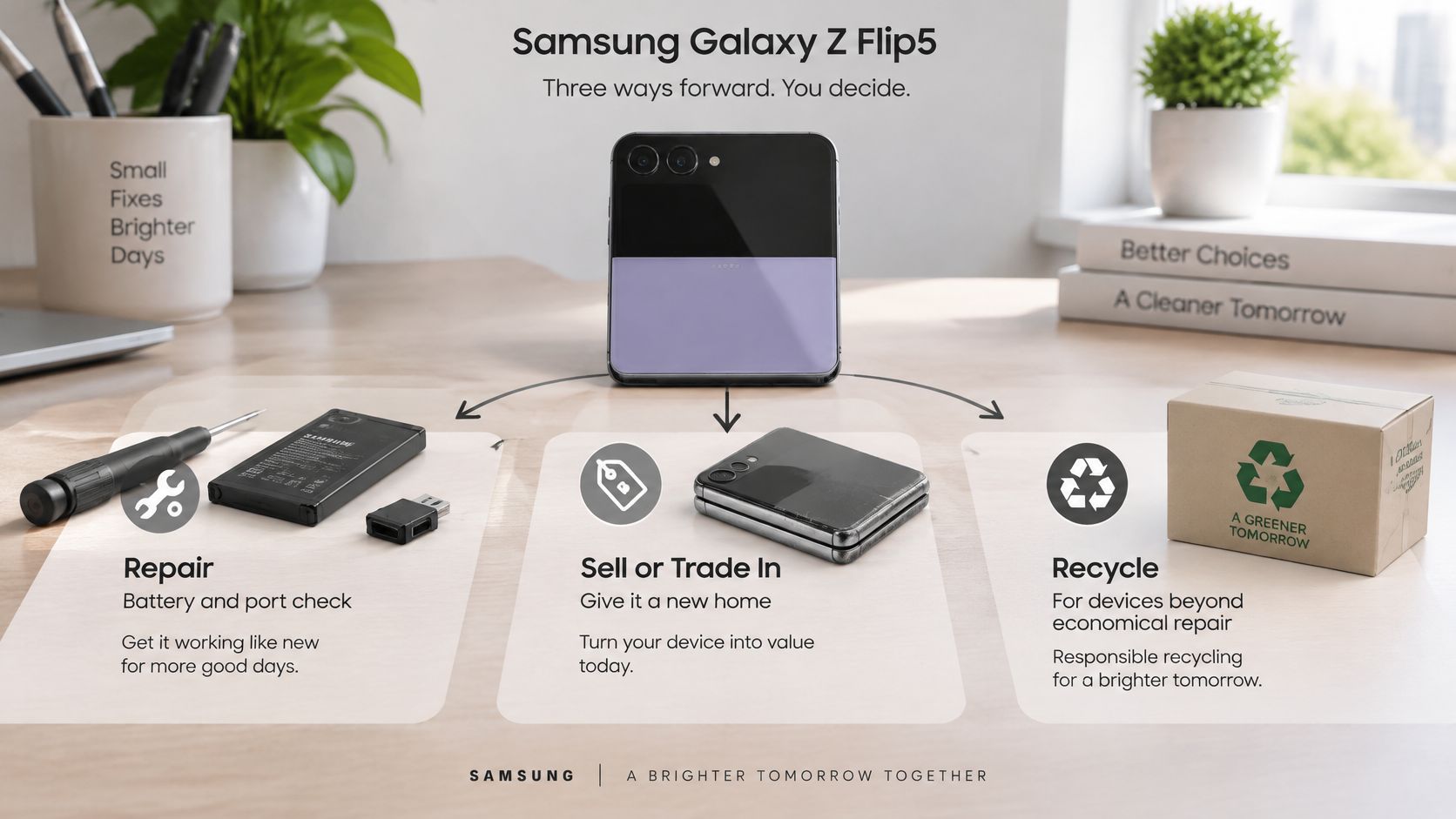
Make the decision with the facts in front of you
- Usability: Does it power on, respond reliably and display a clean image?
- Repair scope: Is the problem limited to a battery or port, or does it involve the folding assembly and other components?
- Financial outcome: Does paying for repair leave you better off than accepting an as-is offer or buying a suitable replacement?
- Privacy: Can you verify erasure, or does the device need controlled data handling first?
- Configuration: Have you recorded the correct capacity rather than requesting a quote for the wrong version?
Get the condition-based offer, establish the data plan, and only then authorise repair or transfer. Our guide to trading in your old phone helps with preparing a handset for assessment.
At myhalo, we offer Samsung screen and battery replacement, instant trade-in quotes for Apple devices, Samsung devices and gaming laptops, and a Buyback / Sell service that gives cash against your device. The right choice still depends on assessment, not a promise that every damaged phone should be repaired.
Give end-of-life phones a proper destination
The National Environment Agency's e-waste study found that 60% of Singapore residents either don't know or are unsure how to recycle e-waste. If you're uncertain, you're not alone, but ordinary rubbish isn't the answer.
Singapore's regulated collection system includes bins at community centres, supermarkets and electronics retailers, as described in the Ministry of Sustainability and the Environment's parliamentary reply. Check the collection point's accepted items and use an appropriate staffed route for swollen or damaged batteries rather than dropping them into a general collection bin.
A clear decision frees up more than drawer space. It lets another person use a sound phone, gives recoverable parts another purpose, or sends exhausted equipment through proper recycling, with your privacy addressed first.
myhalo can help you assess your Samsung Z Flip 5, compare repair with buyback, and arrange data recovery or secure destruction with certificates on request. Visit myhalo to start with your phone's condition and storage details, and let our Declutter your e-clutter, Safe data and Save data initiatives help you feel lighter and do good.