
iPhone battery replacement in Singapore typically costs between S$45 and S$175, depending on whether you choose Apple or an independent repair provider, with most third-party shops completing the swap in under an hour. The right choice depends on your battery health, warranty status, urgency, budget, and how carefully the shop handles your data.
You're halfway through lunch at a CBD kopitiam, your iPhone 13 was fully charged in the morning, and it's already showing 15%. You start searching for a power bank before the next meeting, wondering whether the phone is failing or whether you've been using it more heavily than usual.
That frustration is common, but it doesn't automatically mean you need a new iPhone. Lithium-ion batteries chemically age as they're used, and Singapore's warm, humid conditions can make heat management especially important. A battery replacement often gives an otherwise capable phone a more practical second life, which is better for your wallet and better for reducing e-waste.
This guide covers how to diagnose the problem, compare Apple with independent repair counters around places such as Bugis and Sim Lim, prepare for a drop-off, and protect your photos, messages, accounts, and other private information. If you want more everyday battery habits, see these phone battery care tips for Singapore users.
Table of Contents
- Why Your iPhone Battery Is Failing and What to Do Next
- Signs Your iPhone Battery Needs Replacement
- Apple Official Service Versus Independent Singapore Repair Shops
- Professional Repair Versus DIY Battery Swaps
- What to Expect During an In-Store Drop-Off in Singapore
- Warranty Coverage and Data Security You Can Trust
- Frequently Asked Questions About iPhone Battery Replacement
Why Your iPhone Battery Is Failing and What to Do Next
Your iPhone can still work well while its battery loses capacity. Chemical ageing happens each time the battery stores and releases energy. Heat, intensive gaming, navigation, video calls, and direct sunlight can make the decline more noticeable, especially in Singapore's warm, humid conditions.
The warning usually appears during ordinary routines. Transport apps, QR payments, messaging, work authentication, and calls can drain a weakened battery before the evening commute. Needing a top-up does not automatically mean the rest of the iPhone is outdated. Replacing the battery can extend the phone's useful life and keep it out of the waste stream.
Start with a diagnosis, not a booking
Open Settings, Battery, Battery Health & Charging and check Maximum Capacity before you compare repair counters. For AppleCare+ customers, below 80% of original capacity is the relevant threshold for battery service eligibility. Check Apple's current terms before booking, since coverage depends on having an active plan.
A percentage alone does not explain every fault. Sudden shutdowns, severe drain during simple tasks, or a screen lifting from the frame deserve prompt attention. A lifted screen can indicate a swollen battery, so stop charging the phone and arrange an assessment rather than pressing it back into place.
Practical rule: If the iPhone still performs well and the battery is the only serious problem, repair it before replacing the whole device.
Independent shops around Bugis and Sim Lim advertise battery replacements starting at roughly S$45 to S$60, while Apple's Singapore support pages list out-of-warranty fees including S$145 and S$175, depending on model and service path. Confirm the quote in writing, ask whether the part is genuine or compatible, and check how the old battery will be handled for proper recycling.
Before handing over the phone, back up your data, remove sensitive access where practical, and ask the technician not to browse your photos or messages. Confirm battery health after the repair, collect the warranty terms, and keep the receipt. For habits that may slow future wear, follow these phone battery care tips for Singapore users.
Signs Your iPhone Battery Needs Replacement
Your iPhone doesn't need a battery swap every time it feels warm or loses charge quickly. A recent iOS update can temporarily increase background activity while the phone completes indexing, and settings such as Background App Refresh, location access, and push notifications can create noticeable drain.
The strongest decision comes from combining the Maximum Capacity reading with physical and performance symptoms. Apple's Singapore service policy uses the measured capacity threshold rather than a subjective complaint about poor battery life, so check the diagnostic screen first. Apple explains that normal battery wear isn't covered under standard warranty, while AppleCare+ service applies when capacity falls below 80%. See Apple's Singapore repair coverage guidance.
Check these warning signs
- Below 80% Maximum Capacity: Treat this as a strong service signal, especially if the phone also struggles to last through normal use.
- Unexpected shutdowns: A phone that powers off while showing meaningful charge may no longer deliver stable peak power.
- Sluggish performance: Apps can open slowly, scrolling can feel uneven, and the phone may reduce performance to avoid shutdowns.
- Rapid everyday drain: Messaging, navigation, camera use, or music playback shouldn't leave you constantly searching for a charger.
- Swelling or lifting: A screen separating from the frame, a raised back, or a phone that rocks on a flat surface can indicate a swollen battery.
A swollen battery needs prompt attention. Stop charging it, don't press the screen back into place, and keep it away from heat until a technician can inspect it.
Run a quick self-check
- Check Maximum Capacity and whether Settings recommends service.
- Review Battery usage by app and look for one unusually active app.
- Restart the iPhone if the drain began after an update or app installation.
- Check whether the phone is hot during simple tasks, not only during gaming or charging.
- Inspect the frame and display for lifting or gaps.
If battery health looks reasonable and one app dominates usage, adjust settings before booking a repair. If the reading is low and the physical symptoms match, a battery replacement is more sensible than a factory reset.
Apple Official Service Versus Independent Singapore Repair Shops
Singapore's repair market gives you two clear routes. Apple Official Service prioritises Apple-supported parts, formal service processes, and warranty integration. Independent repair shops compete on lower pricing, speed, and convenience, but their parts and workmanship can vary, so you need to ask better questions.
Apple's Singapore support pages list paid battery service prices that vary by model, including S$145 and S$175, while covered AppleCare+ service can be free when the battery falls below 80% of its original capacity. Independent listings show examples from S$45 to S$60 for selected iPhone 12 through iPhone 15 series replacements. Check the Singapore iPhone battery price list before treating any quoted price as final.
| Factor | Apple Official Service | Independent Repair Shop |
|---|---|---|
| Price | Higher out-of-warranty pricing, varying by model | Lower advertised prices, varying by model and part |
| Parts | Apple-supported service route | Quality varies, from premium aftermarket to other third-party options |
| Battery reporting | More likely to retain Apple-supported part status | Reporting may differ depending on the battery and repair method |
| Warranty | Coverage depends on Apple service terms and your plan | Shop-specific warranty, which must be confirmed in writing |
| Turnaround | May involve an appointment or device handover | Often same-day, with many swaps completed in under an hour |
| Best fit | AppleCare+, newer phone, or preference for official service | Out-of-warranty phone, tighter budget, or urgent repair |
Choose based on the phone, not the logo
If your iPhone has active AppleCare+, check Apple first. The official threshold can turn a paid repair into covered service, so skipping that check makes no financial sense.
For an older iPhone that works well apart from its battery, a reputable independent counter can be the practical choice. Ask whether the replacement is genuine Apple, original-grade, or aftermarket, whether Battery Health reporting will behave as expected, whether the shop will reseal the device, and what the written warranty covers.
A low quote isn't automatically a bargain. If the shop can't explain the part, testing process, warranty, or data-handling expectations, walk away. For a broader look at local repair choices, compare the guidance in this Singapore mobile phone repair guide.
Professional Repair Versus DIY Battery Swaps
DIY battery replacement looks simple in a video because the difficult parts are edited out. Opening an iPhone means working around strong adhesive, delicate flex cables, compact connectors, and a lithium-ion cell that shouldn't be bent or punctured.
The most serious failure mode is a damaged cell. Puncturing or crushing it can trigger heat and combustion. Other common mistakes include tearing display or sensor cables, damaging the charging assembly, stripping pentalobe screws, and failing to reseal the frame properly.
What can go wrong at home
- Punctured battery: A metal tool in the wrong place can damage the cell and create a safety hazard.
- Torn flex cable: Damage near the display or front sensor assembly can affect Face ID or other functions.
- Logic board short: Disconnecting components in the wrong order can damage the board and threaten stored photos, messages, and account access.
- Poor adhesive replacement: Gaps around the display can reduce the phone's protection from moisture and dust.
- Cracked display: A stuck screen or excessive suction can turn a battery job into a much larger repair.
Professional benches use equipment such as anti-static mats, controlled suction tools, pentalobe screwdrivers, and battery pull tabs. Trained technicians also know when to stop rather than forcing a component.
Safety comes before saving money: A battery job is only cheap if the phone leaves the bench working properly.
Data protection is another reason I don't recommend DIY for the average user. A failed repair can leave the phone unable to boot, and recovery may become harder if the logic board is damaged. Back up to iCloud or a trusted computer before any repair, even when the shop expects the data to remain untouched. Learn more about the role of suitable replacement components in this guide to phone repair parts.
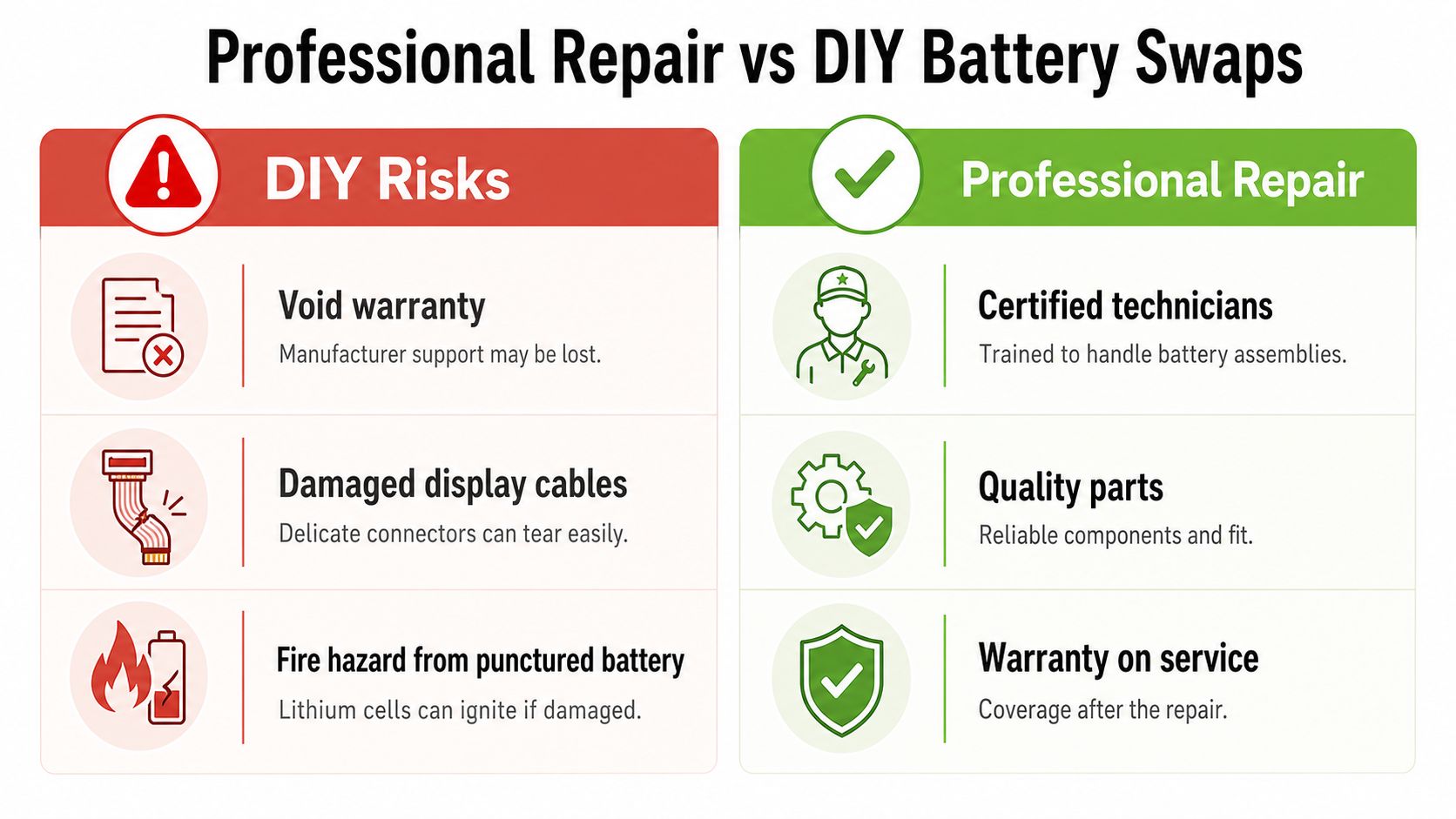
A skilled hobbyist with the correct tools may accept those risks. For most Singapore users, professional service is the better cost-to-risk decision, particularly when the phone contains irreplaceable memories or work credentials.
What to Expect During an In-Store Drop-Off in Singapore
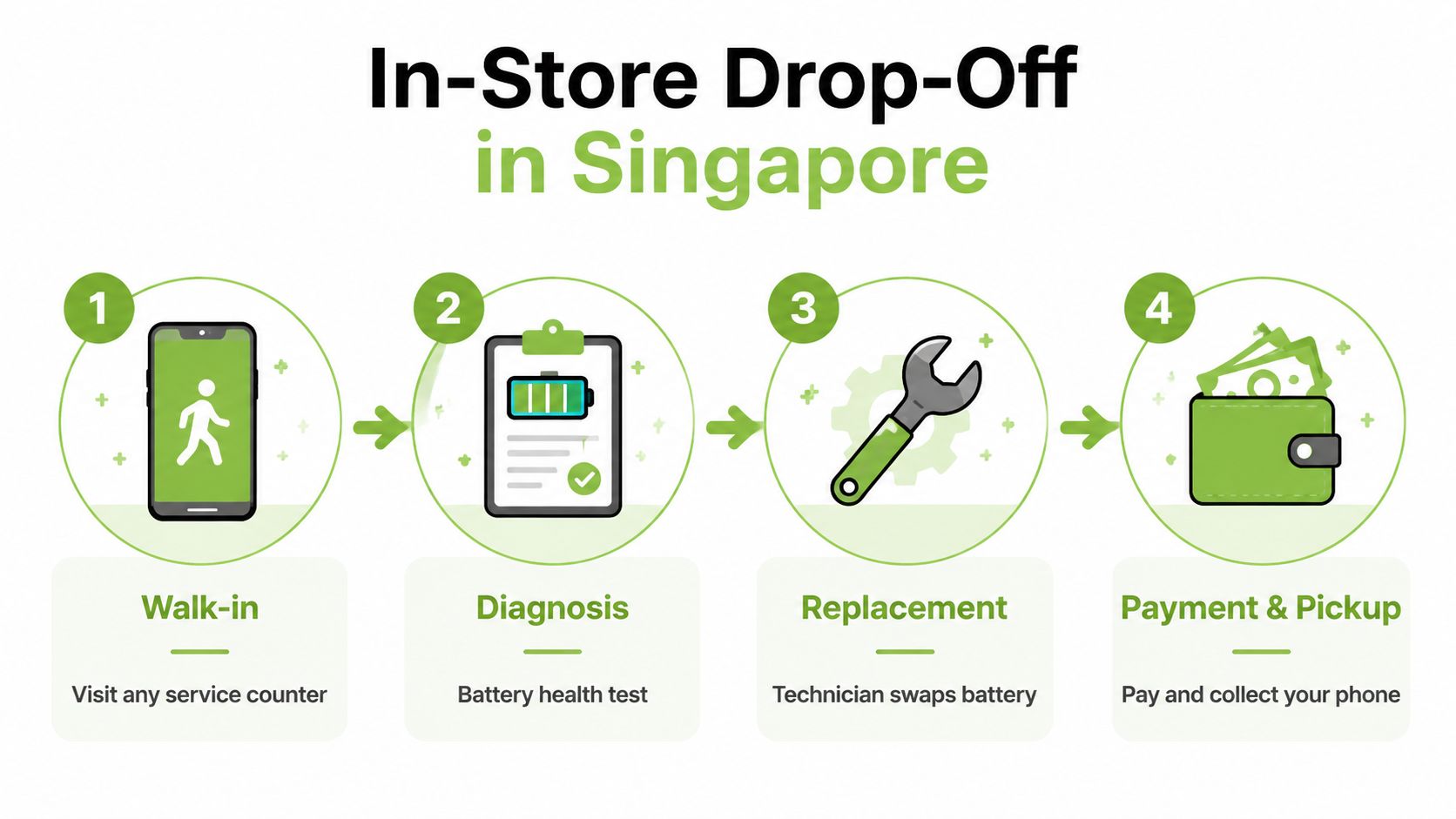
A proper repair counter should make the process feel predictable. Whether you visit a Bugis Junction counter, a Sim Lim Square shop, or a neighbourhood mall, the same basic sequence should apply: prepare, diagnose, approve, repair, test, and collect.
Before you hand over the phone
Back up your iPhone to iCloud or a local Mac. Make sure you know your Apple ID password, and ask whether the technician needs Find My iPhone disabled for the service. Don't share your passcode casually. If a technician needs it for testing, enter it yourself where possible, or remain present during the checks.
Take a quick look at the phone before leaving it behind. Note the screen condition, camera glass, frame, buttons, and charging behaviour. This avoids confusion about pre-existing marks and gives you a reference for the collection test.
At the counter
The technician should inspect Battery Health, charging response, power behaviour, and temperature before recommending a replacement. Ask for the exact price before work begins, including the battery type, labour, warranty, and any possible extra charge if the phone has previous damage.
You'll usually have two choices, wait nearby or leave the device for collection. If you leave it, request a receipt that records the model, visible condition, quoted work, and collection details.
During the repair, a careful technician opens the phone on an anti-static mat and disconnects the battery before working around other components. Depending on the model and part, the technician may discuss battery management hardware and how Battery Health reporting could appear after installation. Fresh display adhesive should be applied during reassembly, but resealing doesn't make a repaired phone equivalent to factory-sealed protection.
Most independent shops aim to complete a straightforward swap during the same visit. Don't rush the collection just because the replacement itself is quick. Testing matters more than speed.
Before you leave
Test startup, charging, battery reporting, cameras, speakers, microphones, buttons, Wi-Fi, Bluetooth, mobile data, and Face ID or Touch ID. Confirm that the display sits flush and that no warning, flicker, or unusual heat appears.
Collect the written warranty and ask what it covers, what exclusions apply, and how to return if the replacement behaves abnormally. Use the phone normally after collection and monitor charging and drain rather than trying to force a special calibration routine.
Warranty Coverage and Data Security You Can Trust
Warranty status should shape your choice before price does. AppleCare+ battery service may be covered when the battery falls below 80% of its original capacity. Outside that condition, normal wear usually follows a paid repair route, with official fees depending on the model. Check Apple's current terms before booking.
Independent warranties vary by shop. A responsible Bugis or Sim Lim provider should state the coverage period, whether it covers the replacement cell and workmanship, and how it handles premature failure, charging faults, or swelling. “Warranty included” means little until those details are written down.
Data security deserves the same attention as the repair price. A battery swap should not require erasing your phone, but back up first and limit passcode access. Ask where the device will be kept, who can handle it, and whether the counter records its condition at handover and collection. For sensitive devices, a documented chain of custody process records who handled the phone and when.
myhalo Promise: Repairing a working iPhone keeps useful hardware in circulation, while responsible handling protects the information inside it. Safe data, convenient repair, and responsible reuse belong in the same decision.
Battery replacement also supports zero e-waste. You keep the phone, display, camera system, and other working components in use instead of discarding the whole device because one part has aged. The old battery should go through an appropriate recovery or recycling route, never a general rubbish bin.
Choose an independent shop when its warranty and handling process are clear. Choose Apple when official service records and coverage matter more than the potentially higher cost. For a phone that still meets your needs, repairing the failing component protects your data, reduces waste, and gives the device more useful time before an upgrade.
Frequently Asked Questions About iPhone Battery Replacement
Does a third-party replacement cancel AppleCare+?
AppleCare+ eligibility and repair coverage depend on Apple's terms and the device's service history. If coverage matters, confirm with Apple before using an independent shop. Apple's official rule for battery service is tied to capacity falling below 80%, not just to complaints about faster drain.
How long will a replacement last in Singapore?
It depends on usage, charging habits, heat exposure, and the quality of the replacement cell. Ask the shop for its written warranty and avoid prolonged heat, especially while charging.
Can shops replace batteries in iPhone 14 and iPhone 15 models?
Independent shops can service newer models, but battery reporting and part-status messages can vary. Ask exactly what will appear in Settings before approving the work.
Will Face ID stop working?
A careful battery replacement shouldn't disable Face ID, but damaged sensor or display flex cables can create problems. Test Face ID before leaving the counter.
Should I repair an older iPhone or upgrade?
If the phone is otherwise reliable, replacing one worn component is usually the lower-waste option. Compare the repair quote with current trade-in offers, then check Battery Health in Settings before booking.
Your precious files and memories matter to us. Whether you need to protect your privacy with Safe data or rescue lost files with Save data, myhalo can help you repair, secure, and responsibly extend the life of your iPhone. Visit myhalo to arrange support for your battery replacement or wider device lifecycle needs.