

You've found an old laptop in a drawer, and it still powers on. The problem is that you have no idea what it's worth. A quick look at marketplace listings gives you several different prices, while the thought of handing over personal files makes you hesitate.
A professional sell laptop quote gives you a clearer path. You can find out whether the device should be sold, refurbished, or recycled, while preparing it properly for a safe handover. In Singapore, that choice matters because the refurbished electronics market was valued at USD 191.5 million in 2024 and is projected to reach USD 338.23 million by 2033, according to Singapore refurbished electronics market coverage. A quote isn't just a number. It connects an unused device with its next useful life.
Table of Contents
- Why Getting a Quote Beats Guessing Your Laptop's Value
- What Information You Need Before Requesting a Quote
- Factors That Shape Your Laptop's Trade-In Price
- Online Instant Quote Versus In-Store Assessment
- Protecting Your Data Before Handing Over Your Device
- What Happens After You Accept Your Quote
Why Getting a Quote Beats Guessing Your Laptop's Value
A laptop's resale value can shift after months in a drawer. Battery health may have declined, SSD condition may affect the assessment, and an activation lock can prevent a clean handover. Even a working MacBook Air can attract a lower offer if it has keyboard wear, no charger, or reduced demand.
Marketplace listings rarely show the full picture. Comparing similar-looking machines can lead you to price too low and lose value, or price too high and spend weeks answering questions without a serious offer. A formal sell laptop quote reviews the exact model, specifications, condition, and likely resale route, giving you a clearer figure before you commit.
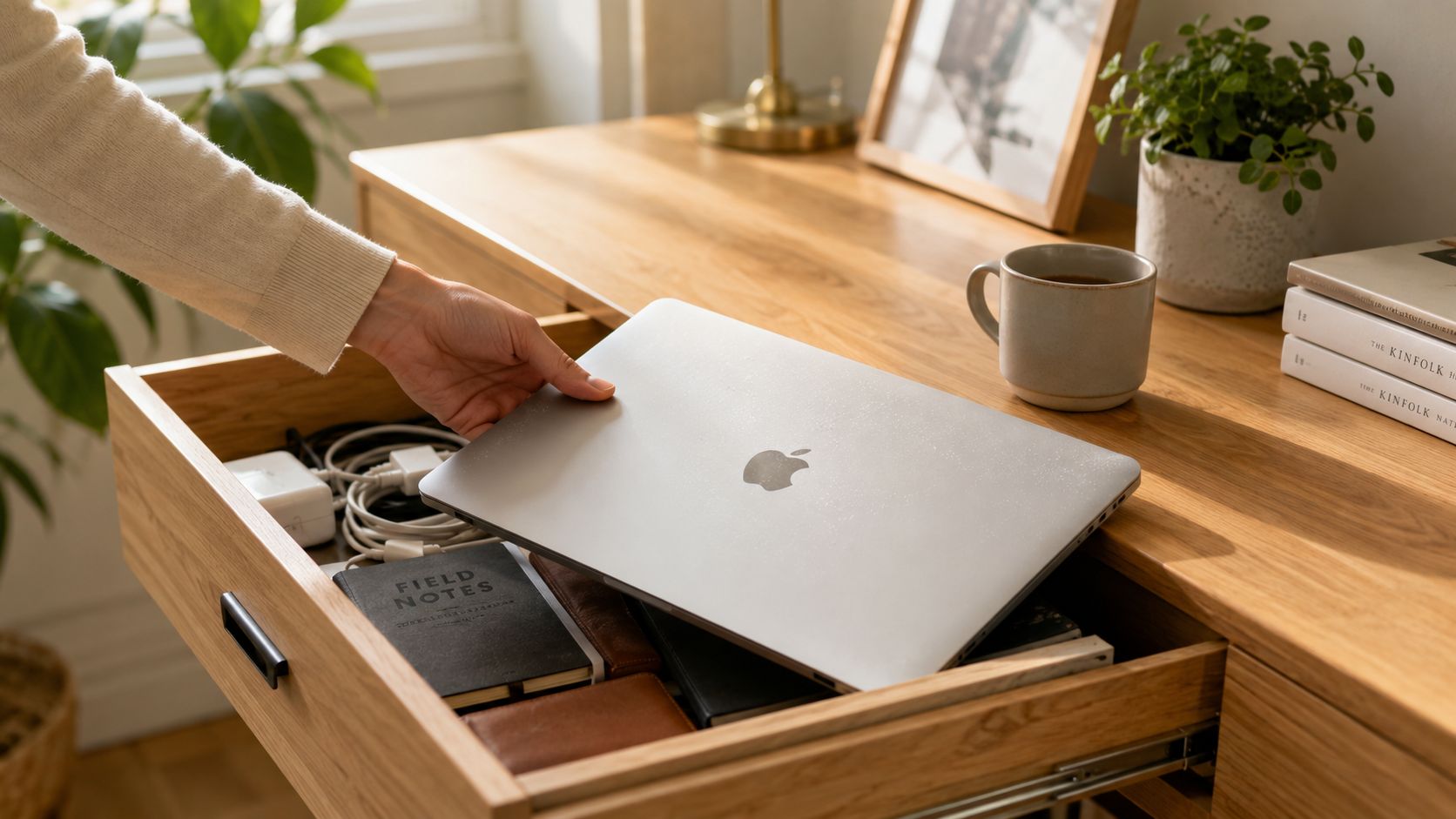
A quote helps you choose the right outcome
The first quote is a reference point, not a sales obligation. Use it to decide whether the laptop is suitable for:
- Selling: Receive an offer based on its usable resale value.
- Refurbishing: Restore a device when replacing a battery, screen, or other component makes sense.
- Upcycling: Send a laptop with limited resale potential towards parts recovery.
- Recycling: Choose an authorised e-waste pathway when the device cannot reasonably return to service.
Singapore buyers can save up to 70% compared with buying new, according to Singapore marketplace market coverage. That price difference supports demand for tested used devices, so a functional laptop may have more recoverable value than you expect.
Prepare before inspection. Charge the laptop, bring its original charger, record battery information, and remove Find My, Activation Lock, BIOS passwords, and management restrictions. Accurate details reduce surprises, while honest condition notes help prevent deductions after the device is checked.
Practical rule: Get the quote before deciding what the laptop is worth. Compare options afterwards, but do not base the decision on a guess.
For preparation tips that can help protect your return, read this guide to maximising trade-in profits. Clean details and a complete handover make the assessment easier.
What Information You Need Before Requesting a Quote
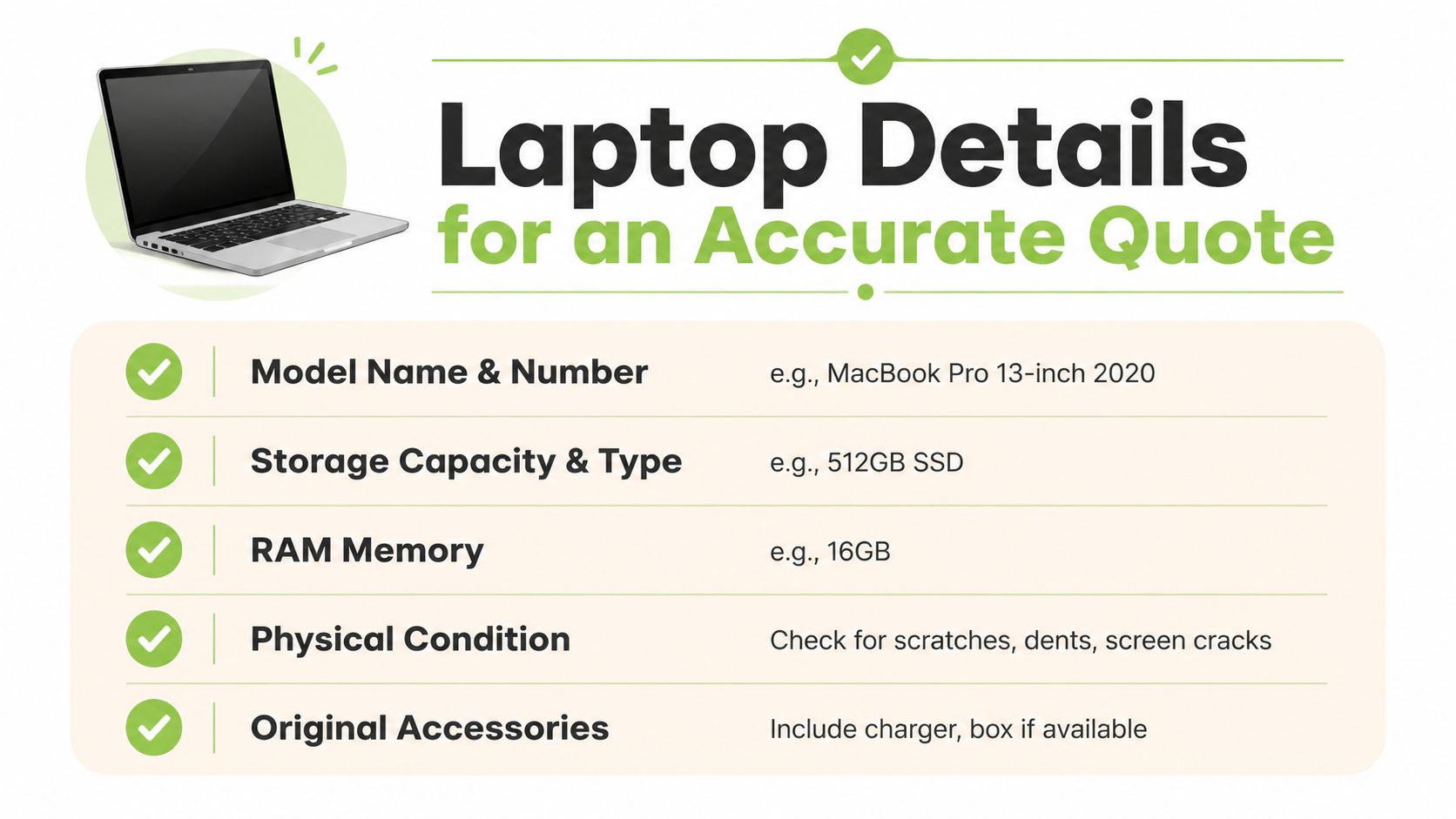
An accurate quote starts with accurate identification. “MacBook Pro” isn't enough because different screen sizes, processors, storage options, and release years can carry very different resale prospects.
Write down the details before opening an online quote form or visiting a counter.
Build your laptop profile
- Model and year: Record the full name, such as “MacBook Pro 14-inch M2 Pro 2023”, rather than only the product family.
- Processor: Note the chip or CPU generation, such as Apple M2 Pro or Intel Core i7-1260P.
- Memory: State the RAM capacity, for example, 16 GB.
- Storage: Include both capacity and type, such as 512 GB SSD. An SSD is the fast storage drive used for files and the operating system.
- Battery condition: Check battery health or cycle information if your operating system provides it. Battery performance can change the offer even when the laptop otherwise works.
- Physical state: Record screen scratches, dead pixels, keyboard wear, dents, hinge movement, liquid exposure, and port problems.
- Accessories: Gather the original charger first. Add the box, dongles, and other supplied accessories if you still have them.
- Account locks: Check for Find My or Activation Lock on Apple devices, and linked Microsoft accounts, BIOS passwords, or management locks on Windows machines.
Why honest details protect the offer
Quote systems rely on the information you provide. If you select “fully working” but omit a cracked display, faulty USB port, or weak battery, the preliminary figure may not survive inspection. That doesn't mean the service is changing the rules. It means the initial information didn't describe the unit accurately.
Take clear photos of the lid, screen while powered on, keyboard, palm rest, ports, base, and charger. For a broader preparation checklist, use myhalo's laptop trade-in preparation guide. The more complete your submission, the less likely you'll face a surprise revision.
Factors That Shape Your Laptop's Trade-In Price
Two laptops with the same model name can receive different offers because their usable condition isn't the same. The quote needs to separate cosmetic wear from functional faults, and minor issues from problems that prevent immediate resale.
Battery condition is one of the clearest examples. A laptop with a tired battery may still run from the charger, but a future owner expects portable use. Storage health matters too. SSD means solid-state drive, the storage component that holds the operating system and files. A drive with health concerns may need replacement or additional testing before resale.
The details behind quote volatility
- Display: Cracks, dead pixels, marks, or uneven backlighting can move a device from resale stock towards repair or parts recovery.
- Keyboard and ports: Missing keys, liquid damage, loose hinges, or non-working USB and charging ports require inspection and may reduce the offer.
- Cosmetic grade: Dents and heavy scratches affect presentation, especially for devices intended for certified resale.
- Accessories: A missing original charger creates a practical replacement cost and can delay testing.
- Locks and sign-in status: Activation locks, BIOS passwords, or enterprise controls can block resale until the owner removes them.
- Demand and age: A newer gaming laptop may remain attractive because of its graphics hardware, while an older business ultrabook may have fewer likely buyers despite a clean exterior.
Independent Singapore price guidance illustrates the spread clearly. A fully working laptop with a 13th-generation Intel Core i5 or i7 may fetch approximately S$250 to S$700, while a faulty or cracked-screen unit may fetch only S$10 to S$150, as shown in Singapore laptop price guidance. These are broad examples, not a guaranteed offer for every model.
| Factor | Condition | Estimated Price Impact (SGD) |
|---|---|---|
| Processor and model | 13th-generation Intel Core i5 or i7, fully working | S$250 to S$700 total indicative range |
| Functional condition | Faulty or cracked-screen unit | S$10 to S$150 total indicative range |
| Battery | Healthy versus significantly degraded | Varies after inspection |
| Storage | Healthy SSD versus a drive requiring replacement or testing | Varies after inspection |
| Accessories | Original charger included versus missing | Varies after inspection |
The table shows why a single “same model” price can mislead you. For more context on local pricing logic, read this guide to used laptop prices in Singapore. A fair assessment looks at the whole device, not just the logo on the lid.
Online Instant Quote Versus In-Store Assessment
An online quote is convenient when you already know the model and the laptop has a straightforward condition. You enter the device details, describe its state, and receive a preliminary figure without making a trip. That suits a student with a relatively recent MacBook Air, no dents, and a charger ready for handover.
An in-store assessment is more useful when the laptop is older, worn, repaired, or difficult to identify. A technician can inspect the display, ports, keyboard, battery behaviour, storage, and account status rather than relying only on your description.
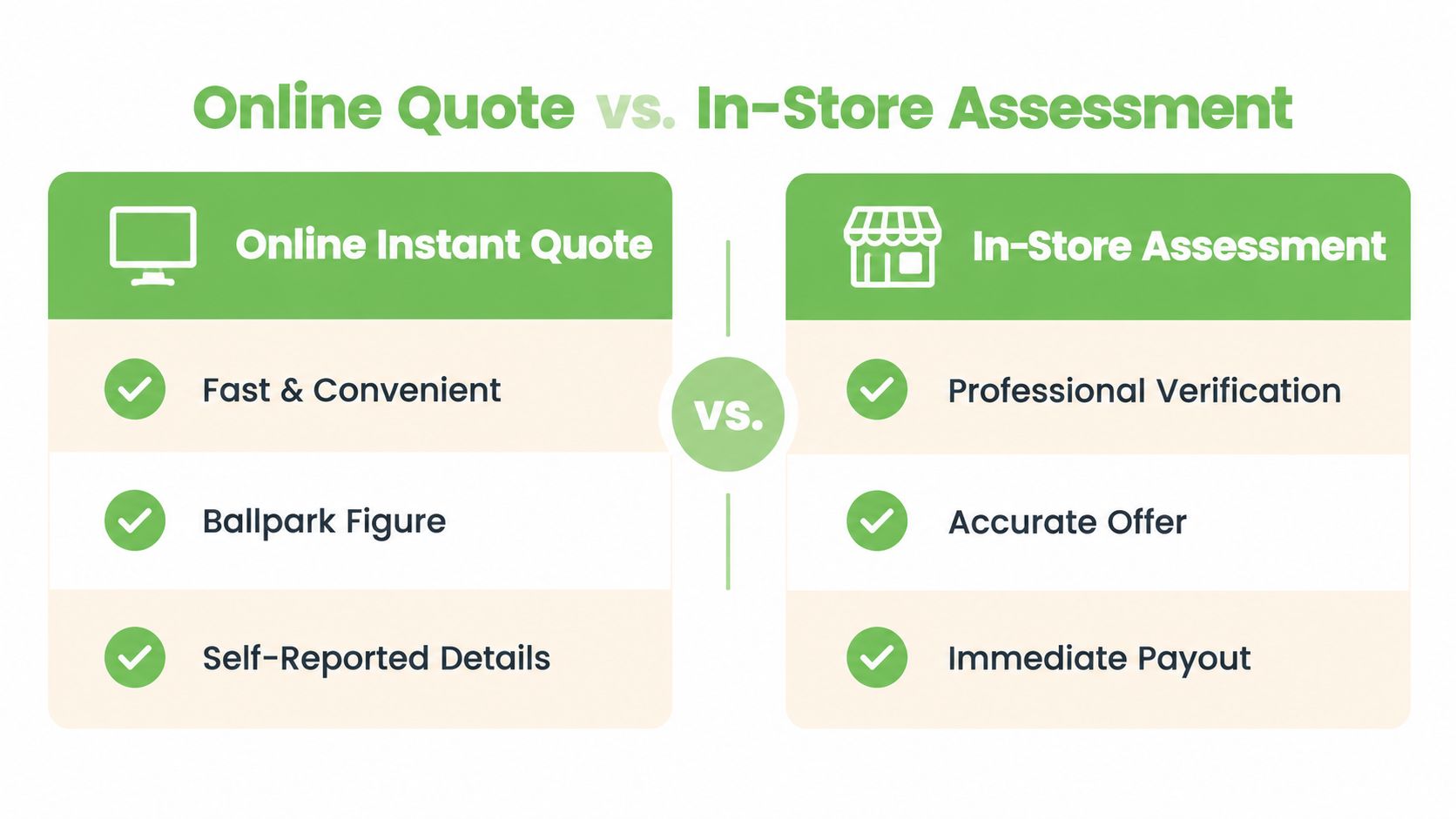
Choose the route that matches your device
Online works well when:
- The model is clear: You know the exact specifications and release family.
- The condition is simple: The laptop is fully working and has no hidden cosmetic issues.
- Speed matters: You want a ballpark figure before deciding whether a visit is worthwhile.
In-store makes more sense when:
- The machine is older: You aren't sure which configuration you own.
- The condition is mixed: It has a replaced battery, keyboard wear, display marks, or intermittent faults.
- You want verification: A physical assessment can distinguish a cosmetic issue from a deeper hardware fault.
- You need immediate support: A counter team can help identify the unit and explain the next step.
The two routes should follow the same basic logic, accurate identification, honest grading, secure data handling, and a clear acceptance decision. A preliminary online figure isn't the same as a final inspected offer, but it gives you a useful starting point. If you want to compare the wider local process, see this overview of trade-in options in Singapore.
Protecting Your Data Before Handing Over Your Device
A good quote isn't worth risking your private files. Before handing over a laptop, treat data preparation as part of the sale, not as an optional final task.
Start with a backup. Copy documents, photos, browser information, project files, and anything else you need to an external drive or trusted cloud account. Open a few important files from the backup so you know the copies work.
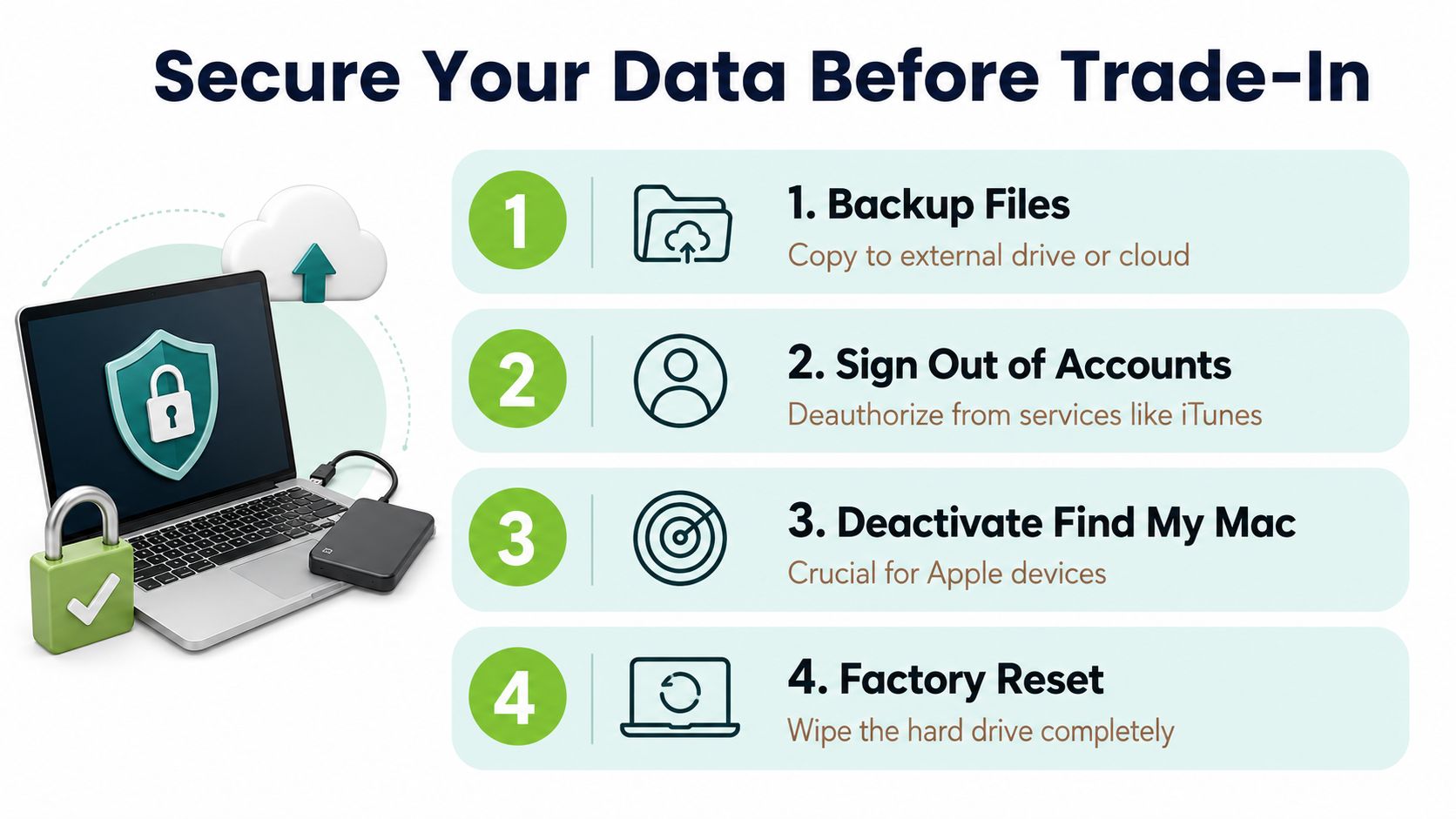
Follow the handover checklist
- Back up files: Save personal and work data somewhere separate from the laptop.
- Sign out of accounts: Remove Apple, Microsoft, Google, email, cloud storage, subscription, and business accounts.
- Remove locks: Disable Find My and Activation Lock on Apple devices. Remove BIOS passwords and management controls from Windows laptops where applicable.
- Reset the operating system: Use the official macOS or Windows reset process and choose the option that removes all personal content.
- Check removable media: Take out SD cards, SIM cards, USB drives, and any other storage.
- Clean the exterior: Wipe the keyboard, screen, and casing carefully so the condition is easy to inspect.
A basic reformat isn't always enough for SSD or NVMe storage. Where higher assurance is required, secure erasure or controlled destruction may be appropriate. Singapore's e-waste rules require licensed recyclers to permanently erase or destroy data-bearing devices before preparation for reuse, recycling, disposal, or transfer, as set out in the Singapore e-waste regulatory requirements.
CNA reports that Singapore recyclers degauss laptop hard disk drives and shred solid-state drives as part of legally required sanitisation for data-bearing devices sent to licensed recyclers, according to its report on laptop data sanitisation. Completing your own backup, sign-out, and reset steps still helps the assessment move faster and prevents account locks from delaying or blocking resale.
What Happens After You Accept Your Quote
After you accept the offer, the next steps are straightforward. You hand over the laptop through the agreed drop-off or collection route, the team records the device details, and payment is processed according to the service terms. Keep the digital receipt or transaction record for your own files.
The laptop then receives a pathway based on its condition. A working device may be tested, graded, and prepared for certified resale. A repairable unit may go to a technician for component-level work, while a device that can't return to service can be dismantled for parts recovery and responsible recycling.
Singapore has collected more than 34,000 tonnes of e-waste since 2021, and close to 10,000 tonnes were collected in 2025 alone, according to The Straits Times' report on Singapore's e-waste collection. Laptops are included in the national recycling scheme, and collection infrastructure is expanding to 1,057 points islandwide by mid-2026, up from about 870 a year earlier, as reported in the same source.
The useful outcome isn't always resale. A laptop can create value through repair, reuse, component recovery, or responsible recycling, depending on what inspection finds.
That distinction matters if you're deciding between a quote and free drop-off. Official NEA e-waste recycling guidance says working used goods can be traded or donated rather than recycled, while laptops placed in e-waste bins must fit the relevant slot limits. Back up your data and factory reset before either route.
Ready to clear the drawer and protect your information at the same time? Visit myhalo for a laptop sell-quote assessment, secure data support, and responsible pathways for repair, resale, upcycling, or recycling. Join the Declutter your e-clutter movement and help give your old device a safer, more useful next chapter.