

You open a drawer looking for one charging cable and find a small museum instead. An old iPhone with a cracked screen. A tablet you meant to fix. A laptop that still powers on, sort of. Earbuds without a case. Cables that belong to devices you can't even identify anymore.
That's a very normal Singapore story.
Working Singaporean adults hold an average of 3.3 inactive small electronic devices at home, many of which are partly or fully non-functional and still contain important data, according to myhalo's internal survey summary. That mix of clutter, uncertainty, and privacy worry is exactly why device trade in can feel harder than it should.
The good news is that trade in Singapore doesn't have to be confusing. It can be simple, safe, and surprisingly meaningful. When an old phone gets repaired, resold, or upcycled for parts instead of being forgotten in a drawer, that's not just a transaction. It's one small, joyful step towards a zero e-waste world. You clear space. Someone else gets a useful device. Fewer materials go to waste.
If you've ever wondered whether your device is still worth anything, whether broken gadgets can still be useful, or how Singapore's role as a global trade hub connects to all this, you're in the right place.
Table of Contents
- Your Guide to a Stress-Free Device Trade In
- Preparing Your Device for a High-Value Trade In
- Choosing Your Path Trade In, Repair, or Upcycle
- Getting Your Quote Online vs In-Store
- Tips to Maximise Your Device Trade-In Value
- Beyond the Home Corporate IT Lifecycle Management
Your Guide to a Stress-Free Device Trade In
A stress-free trade in usually starts with one moment. You pick up an old device and ask, “Should I keep this, fix it, sell it, or finally let it go?”
Individuals don't delay because they're lazy. They delay because they're careful. They worry about family photos, banking apps, work emails, and all the little pieces of personal history that live inside a phone or laptop. They also worry they've waited too long and the device has no value left.
That's why a good trade-in experience should feel calm from the start. You should know what happens to your data, how the device is assessed, and what the next life of that device might look like. In Singapore, where people upgrade often and live in compact spaces, this matters even more. Every shelf and drawer counts.
Practical rule: If a device has been untouched for months and you still don't have a real plan for it, it's probably time to assess it properly.
A phone with a healthy battery and clean screen may move naturally into resale. A laptop with a faulty keyboard may still be worth repairing. A dead device may still contribute usable parts. Those are very different outcomes, but all of them can support the same circular goal: keeping electronics in use for as long as possible.
This is also where the emotional part matters. Letting go of old tech can feel oddly personal. Devices carry memories, habits, and “just in case” thinking. But once the data is handled properly and the next step is clear, the feeling changes. The clutter stops feeling like unfinished business and starts feeling like progress.
Preparing Your Device for a High-Value Trade In
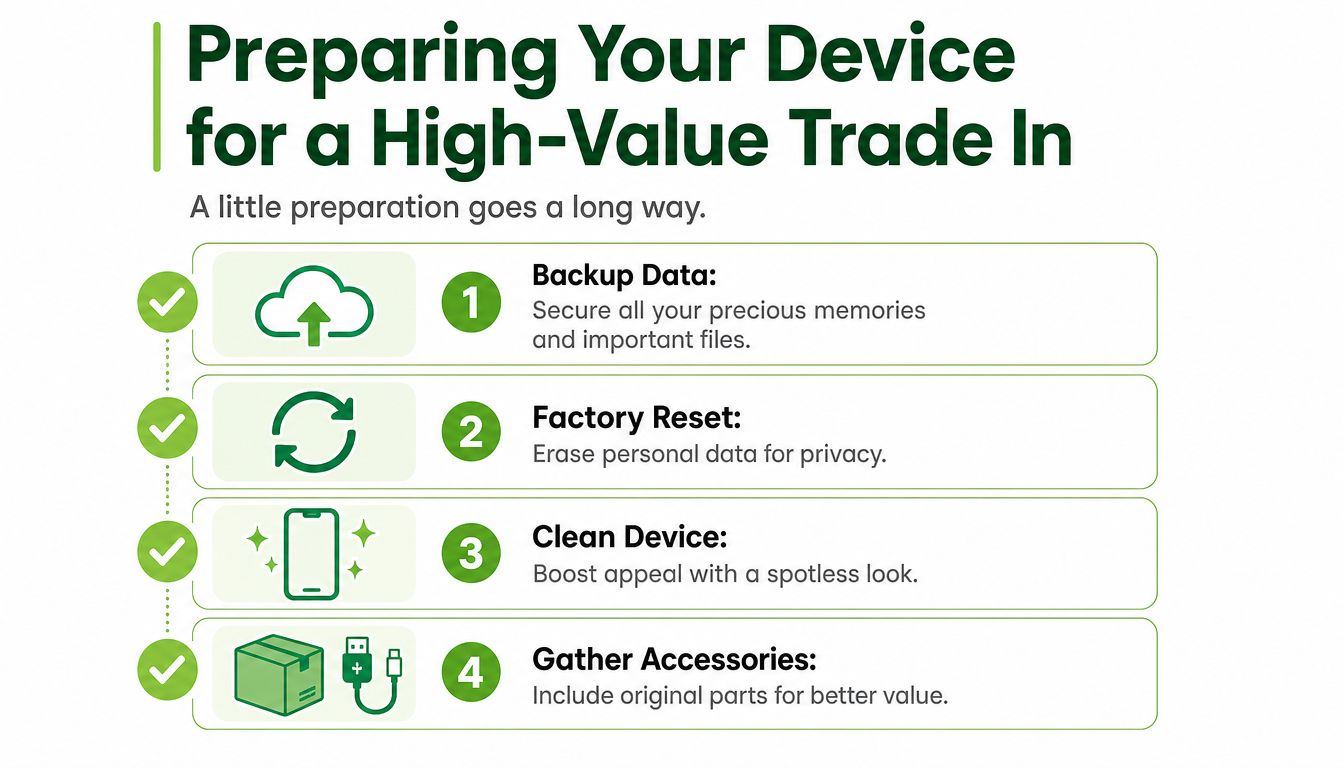
A little preparation can change both your peace of mind and your final offer. You don't need technical skills. You just need a short checklist and a careful order.
Start with the data
Before you think about scratches, chargers, or resale value, think about your files.
Back up what matters first. Photos, WhatsApp chats, contacts, notes, and documents should exist somewhere other than the device you're handing over. If you use an iPhone, this guide on backing up an iPhone properly is a practical place to start.
Sign out of key accounts. Apple ID, Google account, email, banking apps, cloud storage, and messaging apps should all be checked. A factory reset works best when activation locks and account ties have been removed correctly.
Run a factory reset. This clears the device for its next stage, whether that's resale, repair assessment, or parts recovery.
If you're unsure, get help before handing it over. Some people reset too early and lose files they meant to keep. Others skip the reset because they're afraid of doing it wrongly. If you want an extra primer on secure wiping basics, this explainer on how to protect your data from identity theft gives a useful overview.
For data handling, process matters. According to Vulcan Post's interview coverage of myhalo, the company enforces ISO 27001 and Cyber Security Essential certifications, requires annual PDPA refresher training for staff, and stores encrypted data records for up to two years in a restricted, locked area.
Safe data isn't just about deleting files. It's about making sure the whole chain of handling is organised and accountable.
Small prep steps that affect value
A buyer or assessor sees condition quickly. You can help that first impression without doing anything complicated.
Clean the exterior gently. Wipe fingerprints off the screen, remove dust from camera edges, and clear dirt from keyboard corners. A device that looks cared for is easier to assess fairly.
Gather original accessories. Chargers, cables, stylus pens, keyboard covers, and even the original box can make the package more complete.
Be honest about faults. A battery issue, cracked panel, or Face ID problem should be declared early. Hidden problems usually slow down the process.
Charge the device if possible. A phone or laptop that powers on makes testing faster.
Here's a simple way to understand it:
| What you do | Why it helps |
|---|---|
| Back up files | Protects personal memories and work data |
| Reset properly | Reduces privacy risk |
| Clean the device | Improves presentation during assessment |
| Include accessories | Supports a stronger overall package |
Preparation doesn't have to be perfect. It just needs to be thoughtful.
Choosing Your Path Trade In, Repair, or Upcycle
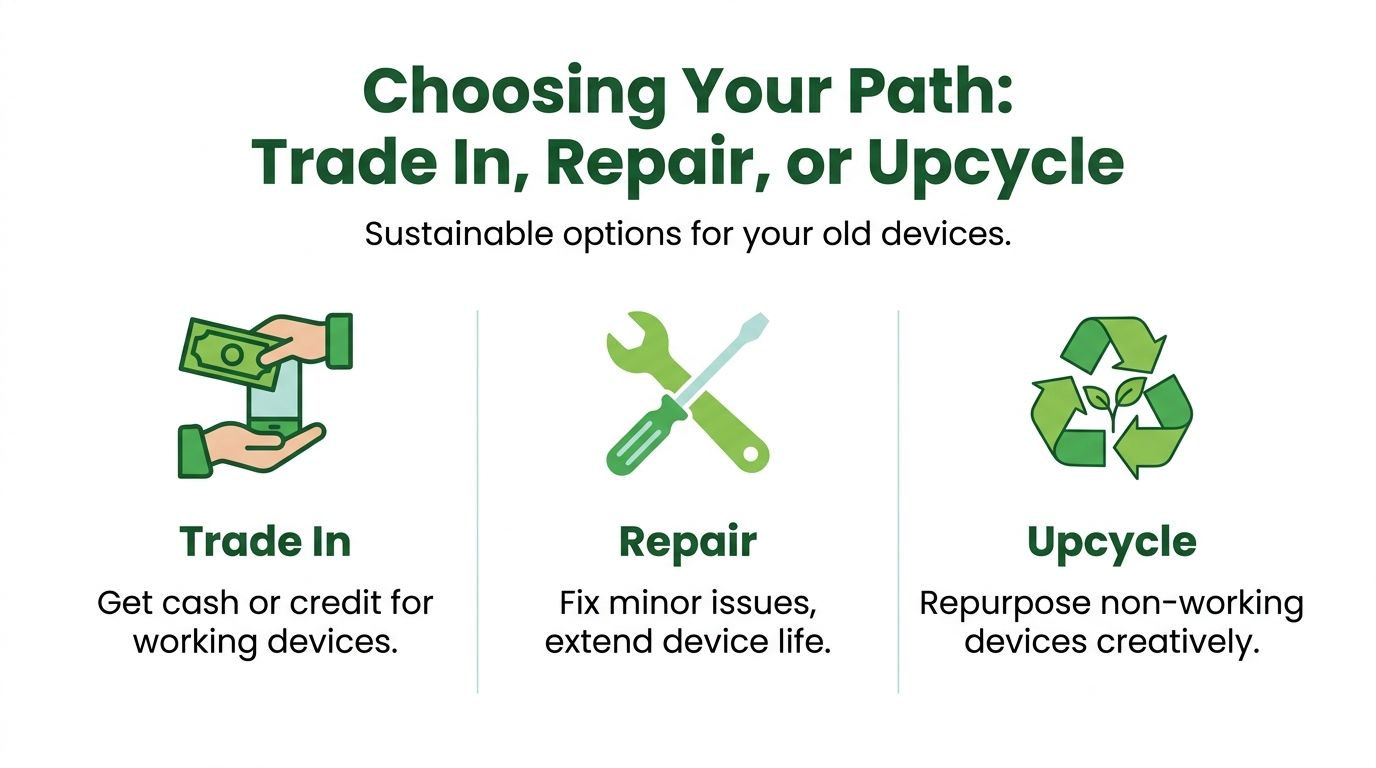
Not every old device should follow the same route. The right path depends on what still works, what needs fixing, and what outcome matters most to you.
A simple way to decide
Some choices are straightforward.
If your device is fairly recent, functional, and you're ready to move on, a trade-in or buyback route usually makes sense. You exchange the device for cash or credit, and the product enters its next life through resale or refurbishment.
If the device still suits your needs but has one or two problems, repair may be the smarter move. A battery replacement, screen fix, or charging-port repair can extend a product's usable life without the cost of replacing everything.
If the device is too old, too damaged, or uneconomical to restore fully, upcycle becomes the useful path. With myhalo's upcycle pathway, parts from non-working devices can be harvested to support other repairs instead of being discarded.
A quick comparison helps:
| Path | Best for | Typical outcome |
|---|---|---|
| Trade in | Working devices you no longer need | Cash or credit, then resale/refurbishment |
| Repair | Devices you still want to keep using | Extended device life |
| Upcycle | Faulty or non-working devices | Parts recovery and reduced waste |
Why broken devices still matter
It often surprises many people. They assume “broken” means “worthless”. In practice, the circular electronics market works very differently.
In Singapore, the certified and seller-refurbished electronics market is valued at USD 45 billion in 2024 and is projected to reach USD 85 billion by 2033, with a projected 8.5% CAGR from 2026 to 2033, according to this market overview. That tells you something important. There is real demand for devices that are restored, certified, and put back into use.
That demand creates room for more than one outcome. A good-condition laptop may be resold after testing. A damaged phone may donate a working camera module or motherboard component. A tablet with a weak battery may be worth repairing because someone else wants a budget-friendly secondary device.
A circular device economy works because value doesn't disappear the moment a device leaves your daily routine.
For everyday users, that means you don't need to guess blindly. You don't need to decide that every old gadget should be sold immediately, and you don't need to assume every damaged device belongs in a recycling bin either. The better question is simpler: what is this device still capable of becoming?
Getting Your Quote Online vs In-Store
Some people want a quote in two minutes while sitting on the sofa. Others want a human being to look at the device, answer questions, and explain any deductions face to face. Both preferences are reasonable.
The online route
The online route suits people who already know their model and want a fast sense of value. You choose the device category, enter the model, describe the condition as accurately as you can, and review the estimate.
This approach works well for common items such as iPhones, Samsung phones, MacBooks, gaming laptops, tablets, and wearables. It's especially helpful if you're comparing several devices at once from home. Many households don't have just one inactive gadget. They have a small pile.
Online estimates are most useful when you're honest about condition. A device listed as “excellent” but showing screen burn, major dents, or battery swelling won't sail through final assessment. Clear self-reporting saves time and keeps expectations realistic.
The in-store route
In-store assessment feels different. You bring the device to a service counter, hand it to someone who can inspect it directly, and talk through what you're seeing together. That can be reassuring if the device has mixed issues, uncertain history, or signs of prior repair.
It also helps when the item is unusual. Maybe it's an overseas set. Maybe it's a gaming laptop with upgraded storage. Maybe it switches on only intermittently. Those details are often easier to evaluate in person than through a form.
A face-to-face quote can also reduce the emotional friction that stops people from acting. Once you've made the trip and heard a clear explanation, the decision becomes more concrete. Keep it, repair it, trade it in, or upcycle it. The uncertainty starts to disappear.
If you feel stuck between “I should deal with this” and “I'll do it later”, an in-person assessment can break the deadlock quickly.
In practical terms, the best route depends on your device and your personality. Online is convenient and efficient. In-store is tactile and clarifying. The useful part is having both.
Tips to Maximise Your Device Trade-In Value
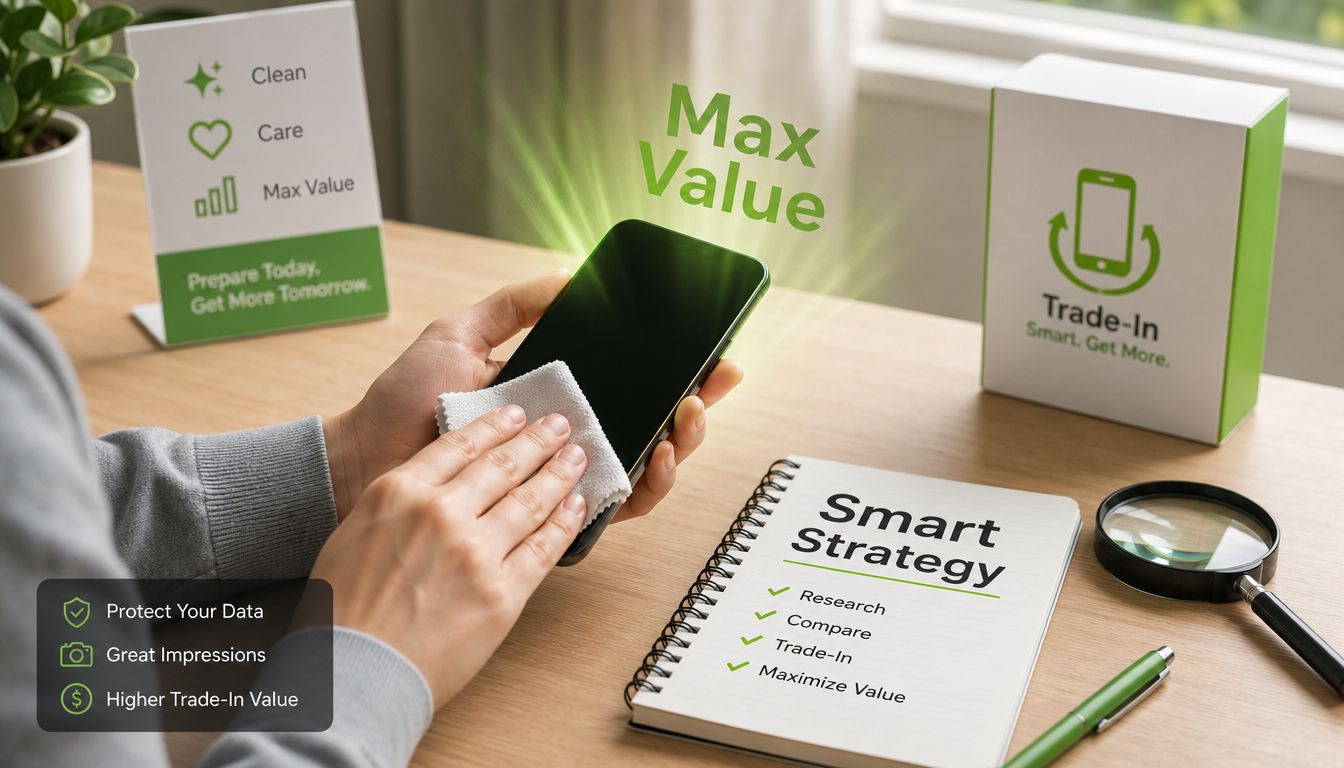
Trade-in value isn't magic. It usually comes down to timing, presentation, honesty, and choosing the right channel.
Value starts before the handover
The first tip is simple. Don't wait forever.
Older electronics often lose appeal as newer models flood the market. If you already know you're upgrading, start checking your options early. Readers who want a broader perspective on timing decisions may find this guide on an early trade in on a lease useful, even though the examples aren't limited to consumer electronics in Singapore.
The second tip is to present the device properly. Clean it. Charge it. Bring the accessories. Mention repairs or faults upfront. People often focus only on technical specs, but assessors also look at completeness and care.
For a more detailed checklist, this article on how to maximise your trade-in profits adds practical pointers for common phone-selling situations.
- Trade earlier when you can: Delaying rarely improves the outlook for mainstream consumer devices.
- Disclose the true condition: Honest reporting speeds up final assessment.
- Include extras: A charger or box won't transform a result on its own, but it can strengthen the package.
- Don't self-reject too quickly: Damage matters, but it doesn't always erase value.
Specialists often see value others miss
This is the biggest misconception in trade in Singapore. Many people think only neat, working, local-set phones qualify.
According to Deep Market Insights' Singapore overview, specialists in Singapore accept phones in any state, from sealed brand new to completely non-working, because internal components from faulty devices are harvested for repairs. The same source notes that acceptance criteria can cover over 1,000 models, unlike many telco programmes.
That matters because specialist assessment follows a wider logic. A cracked phone may still contain a healthy motherboard. A non-working set may still yield cameras, speakers, housing parts, or chips that support another repair. An overseas model that a telco programme declines may still fit into a specialist resale or parts channel.
Here's a useful reminder before you compare offers:
Don't ask only, “Can this phone still work?” Ask, “What in this phone is still useful?”
A quick explainer can help if you want to see resale thinking in action:
The hidden value of old electronics is one of the happiest parts of circular living. Something that feels finished in your home may still have a meaningful next chapter somewhere else.
Beyond the Home Corporate IT Lifecycle Management
At home, an old phone may feel like clutter. In a business, old devices become a governance issue.
A company replacing laptops, desktops, tablets, or phones isn't just moving hardware around. It is handling sensitive data, employee access, procurement records, and sustainability obligations. That's why IT lifecycle management matters. It covers the full journey, from deployment and use to redeployment, retirement, and final disposition.
Why businesses need a proper end-of-life plan
A casual disposal process creates avoidable risk. Devices can contain customer records, staff information, internal documents, saved credentials, and cached files. If a company can't show how that data was handled, the operational problem quickly becomes a compliance problem too.
A proper end-of-life plan usually includes:
- Asset tracking: Identify what the organisation owns and where it sits.
- Data erasure or destruction: Ensure devices are processed through documented, defensible methods.
- Condition grading: Separate items for reuse, resale, redeployment, repair, or parts recovery.
- Audit support: Keep records that help internal teams answer security and procurement questions.
- Environmental reporting: Show what was reused, refurbished, or diverted from waste streams.
For organisations that need a structured pathway, corporate IT asset disposition services are designed around those practical needs.
Good ITAD is less about “getting rid of old devices” and more about controlling risk while preserving useful value.
How trade connects to circular IT
Singapore's wider trade story now becomes relevant.
Singapore's total import and export value in 2024 reached about USD 1.2 trillion, up roughly 5% from USD 1.14 trillion in 2023, with re-export trade making up over 60% of that volume, according to Tendata's Singapore trade overview. That huge flow helps explain why Singapore is so effective as a hub. Goods move in, move out, and connect across markets quickly.
For circular electronics, that kind of openness matters. Singapore's trade diplomacy, including efforts to reduce non-tariff barriers, supports circular economy services by enabling the import of certified refurbished devices and the export of salvaged components, as discussed in this US-ASEAN Business Council article on Singapore's trade partnerships. In plain language, the broader trade system helps make repair, refurbishment, resale, and parts recovery more workable.
That matters for businesses upgrading fleets of devices. A retired corporate laptop doesn't have only one possible ending. Depending on condition and policy requirements, it may be securely wiped and redeployed, refurbished for a second user, sold into a secondary market, or dismantled for valuable component recovery. Open trade frameworks make those pathways more viable.
This is one reason Singapore stands out in conversations about sustainable technology use. The country's role as a trade hub isn't separate from circular device services. It helps enable them.
If you're ready to handle old devices with less stress and more clarity, myhalo offers pathways for secure trade-in, repair, upcycling, and corporate IT asset disposition. That means homes can clear e-clutter more confidently, and organisations can retire devices with stronger control over both data and sustainability outcomes.