
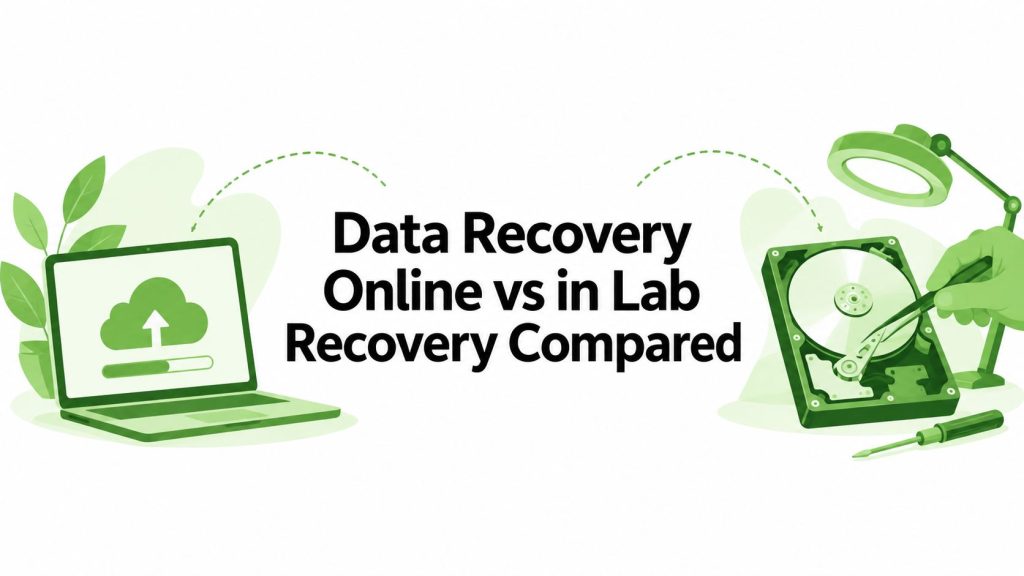
You've deleted the wrong folder, your laptop suddenly says the drive needs formatting, or an external disk has stopped mounting just before an important deadline. In Singapore, the first search is often data recovery online, because it feels faster, simpler, and less stressful than handing a device to a lab. Sometimes that's the right instinct. Sometimes it's the quickest way to make a difficult recovery harder.
The choice isn't between a website and a shop. It's between logical recovery, where the storage media still works but the files are missing or inaccessible, and physical recovery, where the drive, memory chip, connector, or internal components need specialist handling. Choosing the wrong route can overwrite recoverable files, worsen hardware damage, expose sensitive information, or leave you paying for a service that never matched the problem.
Singapore's risk environment makes this decision more urgent. Veritas found that 49% of Singapore organisations experienced data loss from non-ransomware sources, while 68% reported a successful ransomware attack over the same two-year period covered by its report. The same report recorded average data loss ranging from 14% to 16% across on-premises, private cloud, public cloud, and edge environments, showing that recovery concerns extend across modern IT systems, not just old hard drives. Veritas' Singapore Data Risk Management Report 2023 provides the local context.
| Decision point | Data recovery online | In-lab recovery |
|---|---|---|
| Best suited to | Deleted files, formatting, logical corruption | Clicking drives, water damage, failed components |
| Main requirement | A drive that still communicates reliably | Specialist hardware diagnosis and controlled handling |
| User involvement | Often guided remotely | Usually courier or physical drop-off |
| Main risk | Overwriting data or unsafe software use | Transport, chain of custody, and higher complexity |
| Typical outcome | Files returned digitally or to storage media | Data transferred to new media after diagnosis |
This guide gives you a practical way to decide which path fits your device, files, urgency, and privacy obligations.
Table of Contents
- Introduction When Data Recovery Online Feels Like Your Only Option
- What Data Recovery Online Really Means and How It Works
- How Online and In Lab Workflows Compare Step by Step
- Cost Time and Success Rates You Should Expect in Singapore
- Security Privacy and Compliance Risks to Check Before You Proceed
- Which Files and Drives Suit Data Recovery Online and When to Choose Lab Help
- How to Choose a Trusted Provider and Take the Next Step Safely
Introduction When Data Recovery Online Feels Like Your Only Option
A common Singapore scenario starts. You plug a USB drive into your laptop at home, at the office, or in a co-working space, and the folder that held family photos, invoices, project files, or schoolwork isn't there. The drive may appear with the wrong name, ask to be formatted, or fail to show up at all. A quick search for data recovery online brings up software, remote assessments, courier services, and advice that often treats every failure as the same problem.
They aren't the same problem.
If you accidentally deleted files and the drive still opens normally, a controlled software-based recovery attempt may be sensible. If a hard disk clicks, spins down repeatedly, smells burnt, or disappeared after a drop, installing recovery software can put the remaining data at greater risk. A water-damaged laptop also needs a different first response from a formatted memory card.
The distinction matters because data recovery is not a single technique. Online recovery generally helps with logical problems, such as deletion, formatting, or damaged file-system structures. In-lab work becomes more appropriate when the storage hardware itself has failed or when the device needs cleanroom handling, component inspection, or specialised equipment.
Singapore businesses also need to think beyond one failed device. Proofpoint reported that 80% of organisations in Singapore experienced data loss in the previous year, with affected organisations averaging 13 incidents annually, and 98% reporting negative outcomes such as revenue loss or reputational damage. Proofpoint's Singapore data-loss reporting helps explain why recovery, incident response, backup testing, and secure device handling belong in the same conversation.
My practical view: If the device is healthy and the problem is file-level, online recovery can be convenient. If the device is unstable or physically damaged, stop experimenting and get a lab assessment.
The safest choice starts with a pause. Don't keep opening, formatting, copying to, or repairing the affected media until you know what failed. Your first objective isn't to recover everything immediately. It's to avoid turning a potentially recoverable case into a more complex one.
What Data Recovery Online Really Means and How It Works
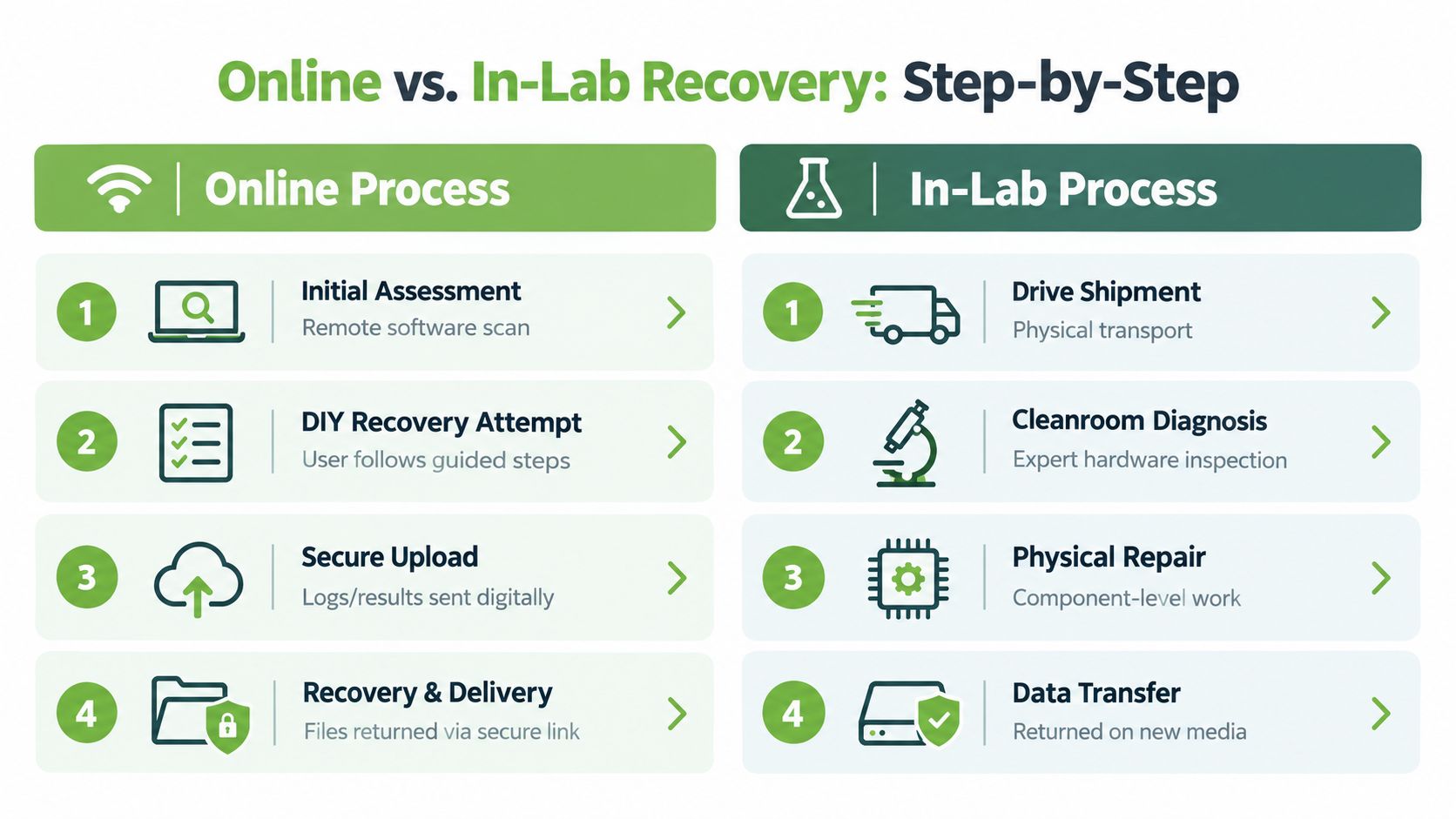
Data recovery online usually means a remote or software-led process. You describe the failure, complete an initial assessment, run a controlled scan, and review what the system can still identify. Some services provide guided instructions, while others ask you to send diagnostic information or upload selected logs and results through a secure channel.
This approach works best when the storage device still communicates consistently with the computer. The media may contain the original data, but the operating system can't locate it because files were deleted, a partition was altered, formatting damaged the directory structure, or the file system became corrupted.
By contrast, in-lab recovery deals with damage to the storage medium or its supporting hardware. A hard disk with clicking heads, a failed controller board, a damaged connector, a water-affected laptop, or a RAID array with failed members may need controlled diagnosis and physical intervention. A cleanroom is a controlled environment designed to limit airborne particles during sensitive drive work. It isn't a more advanced version of a remote scan. It's a different category of service.
The technical boundary that matters
Deleted files may remain on storage media even after they disappear from the normal folder view. Singapore's PDPC warns that commonly available software can recover files that were merely deleted, so pressing delete isn't the same as securely destroying the information. The disposal method must prevent the data from being recovered, either partially or fully, regardless of the method used. PDPC's guidance on securing personal data in electronic media sets out that distinction clearly.
That creates two very different objectives:
- Recover the files: Preserve the device, avoid writing new data, and use a suitable recovery process.
- Destroy the data: Sanitise or physically destroy the media so reconstruction isn't possible.
You can find a plain-language explanation of the broader process in myhalo's guide to what data recovery is. The important point is simple: online recovery is appropriate only while the device remains stable enough to scan without causing additional damage.
Encryption adds another layer. A provider may be able to recover encrypted storage, but the result depends on the encryption type, the recovery key, account access, and the condition of the underlying media. If backups were also compromised during a ransomware incident, a remote file-recovery attempt may not solve the wider operational problem. Treat the online scan as an assessment, not a guarantee.
How Online and In Lab Workflows Compare Step by Step
The two workflows diverge from the first diagnostic decision. Online recovery keeps the device with you and relies on software, guided actions, or digital exchange. In-lab recovery moves the device into a controlled intake process, where specialists can inspect the media directly.
Online recovery workflow
You normally begin by describing what happened. The useful details are practical: when the files disappeared, whether the device was formatted, whether it makes unusual sounds, whether it still appears in the operating system, and whether anything was saved after the incident.
A provider may then recommend a scan or a diagnostic utility. You follow the instructions on a separate computer or through a supported connection, ideally avoiding installation on the affected drive. The scan may show filenames, folders, or partial previews. That result helps determine whether the issue is logical and whether the files are worth pursuing.
If the process produces logs or scan results, you may send them digitally. A recovery quote or next-step recommendation can follow, with files returned through a secure link or transferred to separate storage. The convenience is obvious, but so is the responsibility. One wrong installation path or repair command can write to the source media.
In-lab recovery workflow
A physical case usually begins with a handover, either by courier or at a service counter. The provider records the device condition, serial details, accessories, visible damage, and your instructions about the data. That intake record becomes an important chain-of-custody touchpoint.
The lab then diagnoses the device without treating it like a normal working drive. Specialists may inspect connectors, boards, drive mechanics, flash storage, or RAID configuration before attempting a controlled recovery. If the media needs cleanroom work or component-level repair, the job may require parts, specialised equipment, and repeated imaging to preserve what can still be read.
| Criteria | Data Recovery Online | In Lab Physical Recovery |
|---|---|---|
| First action | Remote assessment or guided scan | Physical intake and condition recording |
| User control | You keep the device | Provider handles the device |
| Main diagnosis | File structure and accessible media | Hardware, components, mechanics, or array condition |
| Data transfer | Secure digital delivery or separate storage | Usually transferred to new media |
| Chain of custody | Digital access and upload controls | Intake records, transport controls, and handling records |
| Main failure risk | Writing to or scanning the wrong source | Additional physical damage during transport or repair |
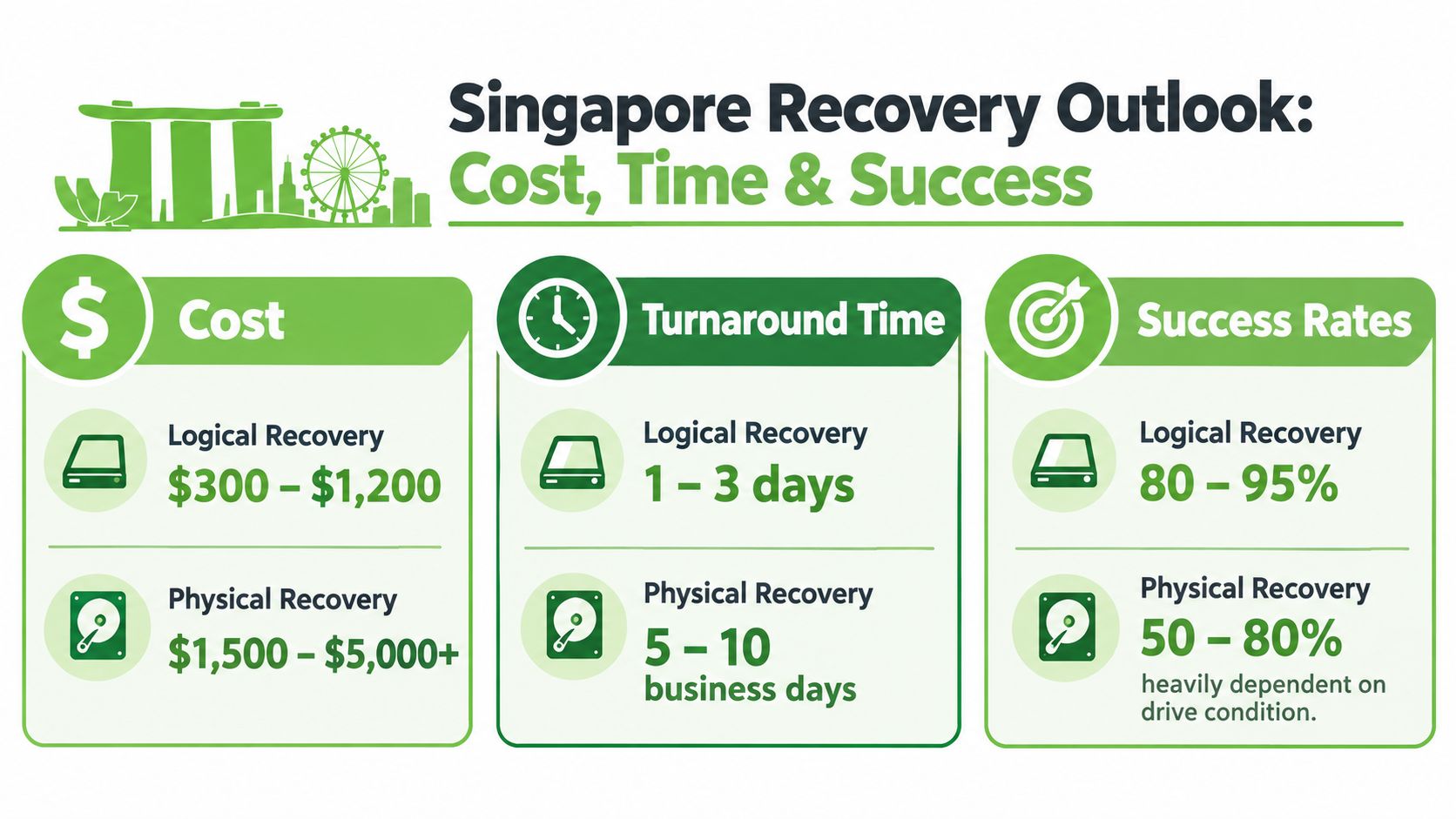
The biggest workflow difference is control. Online recovery leaves the device in your hands, while lab recovery places the device under documented specialist handling.
For Singapore-specific service considerations, this guide to data recovery centres in Singapore offers a useful reference point. Whatever route you choose, ask how the provider verifies recovered files, where the output will be stored, and what happens to temporary copies after handover.
Cost Time and Success Rates You Should Expect in Singapore
Price should follow the failure type, not the emotional value of the files. A family photo collection may be priceless to you, but a provider still needs to identify whether the problem is a logical error, physical damage, encrypted media, or a complex RAID or NAS configuration.
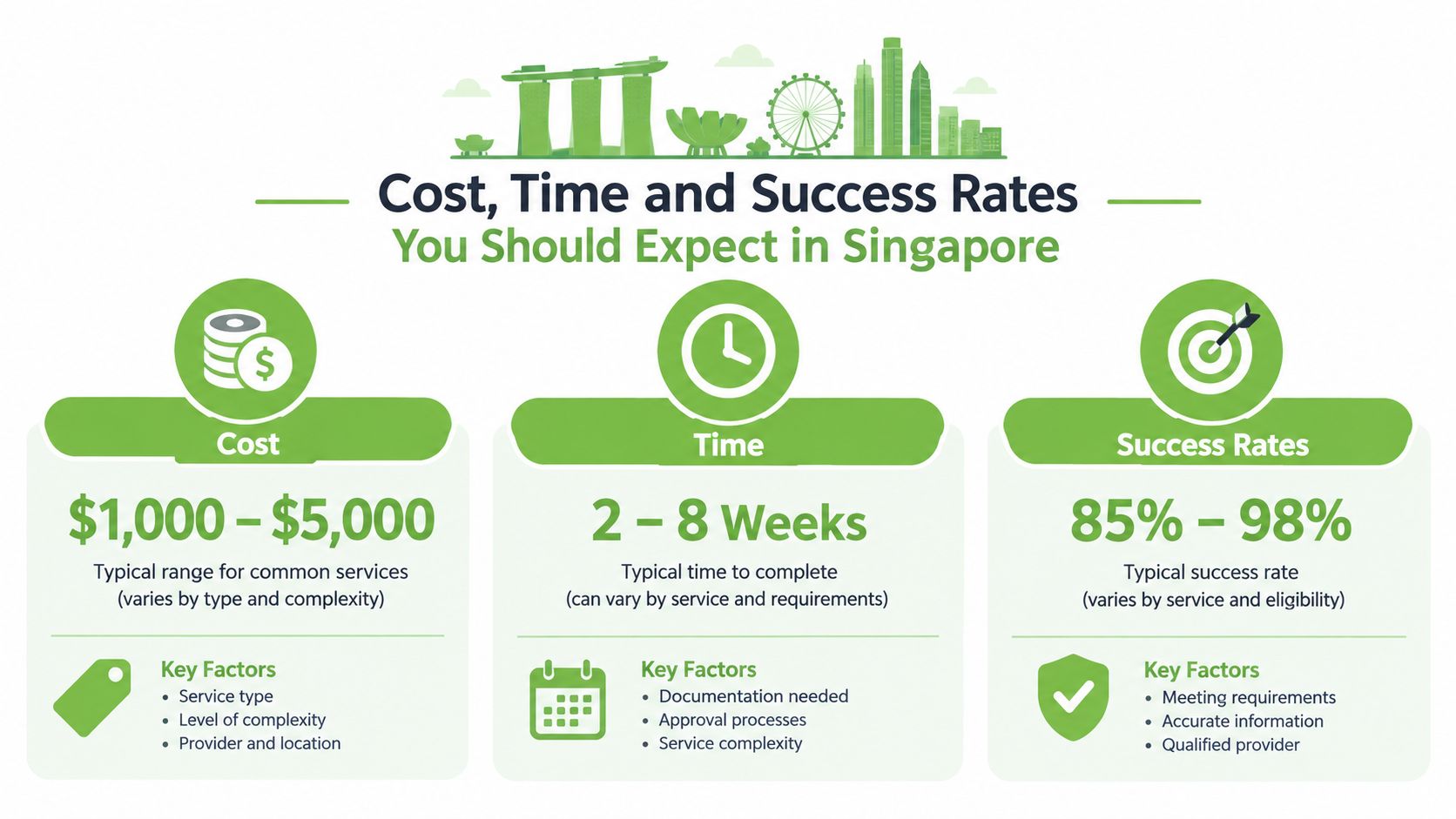
Singapore providers publicly show a clear price separation. One local recovery lab lists indicative pricing of around S$150 to S$180 for logical cases, compared with S$400 to S$1,800 for physical or cleanroom recovery. RAID, NAS, and server cases start from about S$400 in the same provider's published benchmark. CBL Data Recovery Singapore provides those indicative figures.
What the price bands tell you
A lower logical-recovery price generally reflects software diagnosis and file-structure work. That doesn't mean the case is unimportant or guaranteed. It means the provider may not need cleanroom access, mechanical repair, donor parts, or invasive handling.
Physical recovery costs more because the provider may need to stabilise failing hardware before reading the data. The job can also become more complicated when several disks form one RAID or NAS volume. A quote should state whether it covers diagnosis, parts, imaging, recovery, output media, and secure disposal of temporary copies.
Don't accept a generic “starting from” price as a final answer. Ask what condition would move your case into a different tier and whether you'll approve that change before work continues.
Success means more than a recovered folder
A recovery provider may retrieve some files without restoring the complete set. Corrupted sectors, overwritten data, missing encryption keys, and damaged metadata can all affect completeness.
Encrypted cases deserve particular attention. One Singapore provider states that more than 85% of encrypted-data recovery jobs are restored successfully, and that 90% of those successful cases are recovered in full. Those figures come from the provider's own published service information, its encrypted-data recovery page. Ask whether “success” means any readable data, a usable file set, or a complete recovery.
For a practical local overview of pricing and outcomes, see myhalo's Singapore data recovery cost and success-rate guide. The right decision weighs the file's value against the device condition, the chance of a complete result, and the cost of delaying other business or personal work.
Security Privacy and Compliance Risks to Check Before You Proceed
Recovery gives a provider access to your information. That access may include identity documents, customer records, photos, financial files, source code, passwords stored in documents, or confidential business material. Online services introduce remote-access and upload questions, while physical services introduce transport, intake, storage, and chain-of-custody questions.
Ask these questions before approving work:
- Who can access the data: Is access limited to assigned technicians, and does the provider record that access?
- Where files are stored: Are diagnostic copies, recovered files, and temporary images kept on protected systems?
- How delivery works: Will the provider use a secure transfer method or return the files on separate media?
- What happens after handover: Are temporary copies deleted, and can you receive confirmation?
- What happens if recovery fails: Can the device be securely sanitised or physically destroyed instead of being returned with data still present?
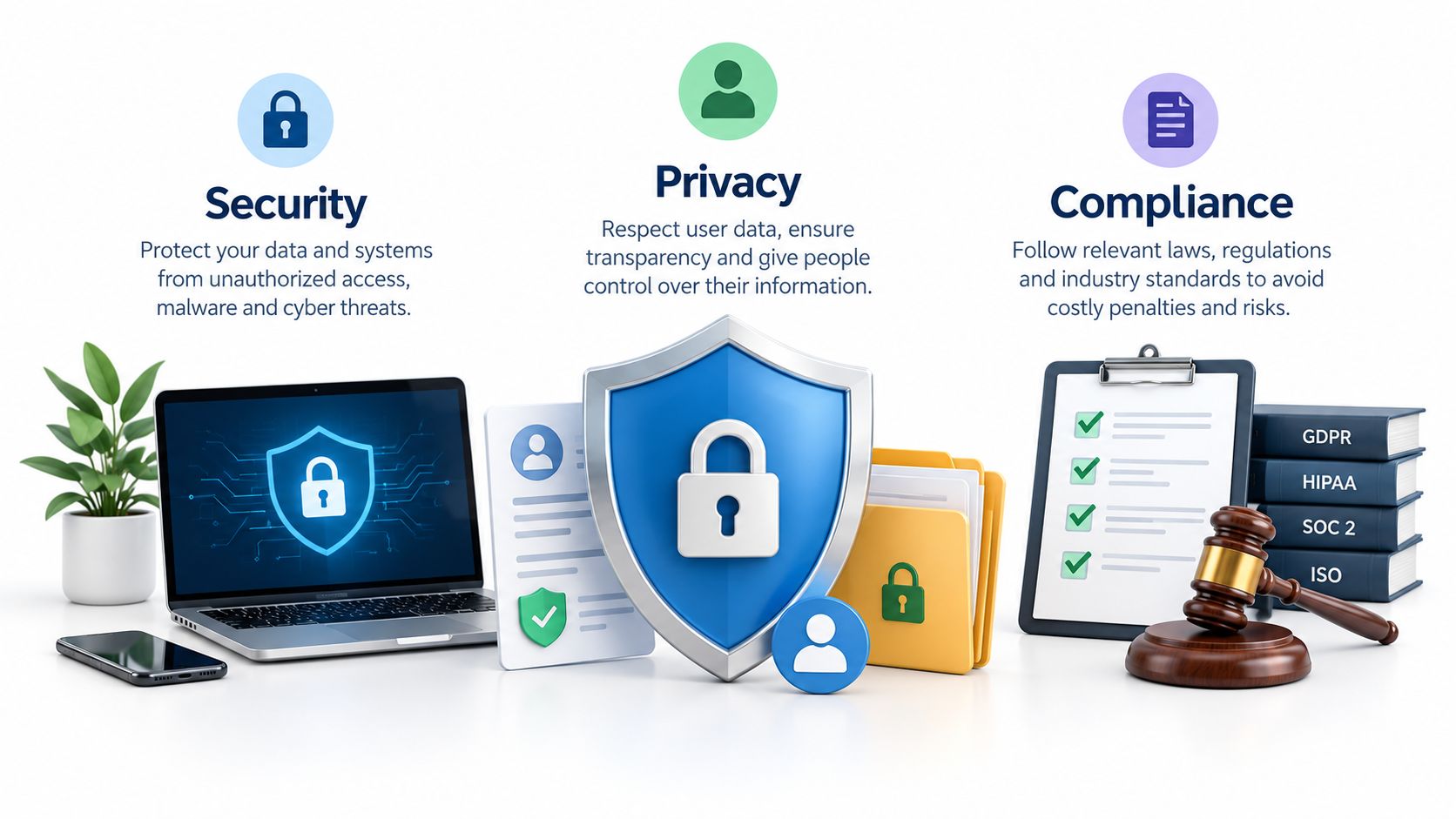
Recovery and sanitisation are opposite objectives
Singapore guidance draws a firm line between retrieving data and making it unrecoverable. IMDA identifies three practical sanitisation routes: dedicated software that overwrites selected files or the entire drive, specialised hardware such as a degausser, and physical destruction through crushing, drilling, or shredding. IMDA's guide to disposing of personal data also says organisations should secure the data before returning, selling, or discarding a device.
A licensed e-waste recycler in Singapore has a specific legal duty. Under the Resource Sustainability (E-waste Recyclers) Regulations, all data on a data-bearing device received for disposal must be permanently erased or destroyed before the recycler reuses, recycles, disposes of, or transfers it. A breach can risk a fine of up to S$10,000, and relevant records must be kept for five years, as set out in the Singapore legislation text.
For a wider example of how organisations communicate personal-data handling, PostgresGUI's Privacy Policy is a useful reference when reviewing what a provider says about collection, use, retention, and disclosure. It won't replace a recovery provider's own controls, but it shows the level of detail a privacy notice should provide.
Request chain-of-custody documentation for device handling when the device contains corporate, customer, or regulated information. If you no longer need the files, say so clearly. The provider should switch from recovery instructions to a documented sanitisation or destruction workflow.
Which Files and Drives Suit Data Recovery Online and When to Choose Lab Help
Use the failure symptoms to choose the route. Don't start with the service label.
Online recovery is a reasonable first step when
- You deleted photos or documents: The drive still opens, and you haven't saved new files to it. Stop using it and seek a controlled logical assessment.
- You formatted an SD card: The card is still recognised and hasn't been reused. Don't take more photos or copy files onto it.
- A USB drive shows corrupted folders: The device connects without unusual sounds or repeated disconnects. A logical scan may identify the original directory structure or file fragments.
- A laptop drive is encrypted: BitLocker or another encryption system may be recoverable if the device remains readable and you have the correct recovery key, account access, or credentials. Tell the provider about the encryption before any scan.
- The issue follows an operating-system problem: If the drive itself is stable but the computer can't boot, a separate working environment or professional assessment may help retrieve the files without writing to the source.
The rule is simple: stable device, logical symptom, no new writing. If any of those conditions change, move cautiously.
Choose lab help when the device is physically unstable
Clicking, grinding, repeated spin-up attempts, smoke, heat, liquid exposure, a broken connector, or a drive that vanishes from every computer are strong reasons to stop using online software. A lab can inspect the hardware and create a controlled image instead of repeatedly stressing the original device.
A NAS or RAID system also needs specialist handling when multiple disks fail, the array configuration is uncertain, or the file system won't mount. Don't rebuild, initialise, or replace disks casually. Those actions can alter the information needed to reconstruct the volume.
Ransomware changes the question again. Singapore-focused reporting found that 38% of surveyed organisations said their backup and recovery systems were fully compromised, while the same report said over 91% of IT and security leaders experienced at least one cyberattack in the previous year. Singapore Business Review's coverage of that breach survey supports a practical conclusion: online recovery of one endpoint won't restore trust in a compromised environment.
Isolate affected systems, preserve evidence, involve your incident-response or security team, and assess whether stolen data may be involved. Recovery comes after containment, not instead of it.
How to Choose a Trusted Provider and Take the Next Step Safely
A trustworthy provider explains the suspected failure in plain English before requesting approval for paid work. The assessment should separate logical recovery, physical recovery, encryption-related work, and secure destruction. It should also state what happens if no usable files can be retrieved.
Use this provider checklist
- Transparent diagnosis: Ask for the suspected failure and the next diagnostic step in writing.
- No-data-no-fee clarity: Confirm whether payment is due when no usable data is recovered. Define “usable” before work begins.
- Encryption experience: Ask about BitLocker, encrypted SSDs, mobile devices, and missing recovery keys. Encryption can affect recovery outcomes, so do not accept vague promises.
- Physical capability: For clicking drives, water damage, or failed components, check whether the provider can arrange specialist lab work.
- Documented custody: Confirm intake records, transport controls, access restrictions, and the process for returning or deleting data.
- Secure delivery: Ask whether recovered files use a protected link or dedicated return media.
- Destruction evidence: If the device will be retired, request written confirmation or a certificate of sanitisation or destruction.
- Sustainable next step: After recovery, consider repair, reuse, parts harvesting, or responsible recycling if the device is no longer needed.
Before contacting support, record what happened and when. Stop scanning, do not initialise the drive, and never save recovered files to the affected media. For a business incident, name the data owner and confirm who may approve recovery, copying, and destruction. These controls matter in Singapore, where backup compromise and legal sanitisation duties can turn a simple recovery job into a wider compliance issue.
AI-backed pricing makes online quotes convenient, but treat any result as an estimate until the device condition is verified. For planning around business continuity, review CloudOrbis Inc.’s guide to rescuing business data.
myhalo provides online assessment and physical counters at Bugis Junction, #03-25/26, and Sim Lim Square, #03-40. Its services cover data recovery, secure data management, documented IT asset disposition, and certificates on request, alongside repair, reuse, and parts harvesting. That supports a clear lifecycle: recover the files, document handling, then sanitise, reuse, recycle, or retire the device.
If you need privacy-focused Safe data handling or help recovering lost files, contact myhalo online or visit either Singapore counter. Keep the recovery decision tied to file value, device risk, encryption access, and the required sanitisation record.