
The phone slides out of your hand at the bus stop, lands face down in a puddle, and you pick it up with that cold feeling in your chest. Or it's the sink, the toilet, the kopi cup, the pocket of a bag that got rained on between the MRT and the office. It happens in a second, and then you're standing there holding a dripping phone and deciding what to do.
Here's the reassuring part. A wet phone isn't automatically a dead phone. Plenty of devices come back from a proper soaking because the owner did the boring things right in the first hour. Plenty of others that only caught a splash die a week later, because nobody dealt with what stayed inside. The difference is rarely luck. It's what happens in the next sixty minutes.
What follows is the sequence I'd follow with my own phone, sorted by the things that change the outcome: the liquid involved, the popular fixes that backfire, the money at stake, and how to protect your data and your rights before anyone opens the device.
Table of Contents
- The First Five Minutes After Your Phone Gets Wet
- What Each Type of Liquid Means for Your Phone
- Drying Myths That Make Water Damage Worse
- What Water Damage Repair Costs in Singapore
- Protecting Your Data Before Anyone Repairs It
- Confirm the Written Terms Before You Approve a Repair
The First Five Minutes After Your Phone Gets Wet
A phone that goes into water isn't a lost phone. It's a phone with a clock running on it, and what you do now changes what a technician finds when the back comes off.
Seven moves, in this order
1. Power it off straight away. If the screen is still alive, hold the power button and shut it down properly instead of letting it sit there running. Current flowing through wet components is what turns a spill into a short circuit, and a phone that's off gives you breathing room. The common slip is pressing the power button five times to see whether it survived, which is the same as asking the water to cause more damage.
2. Unplug the charger and strip everything off. Cable out, case off, earbuds out, magnetic wallet off the back. A case holds a film of water against the frame, and a connected cable keeps feeding current into a port that may already be wet inside. Do not plug it in later to see whether it charges. That single habit is the most expensive mistake in this list.
3. Take out the SIM and any memory card. Pop the tray and set both cards somewhere dry. Removing the tray opens a small escape route for moisture, and a card that stays dry can protect your contacts even if the handset never comes back. Don't dig at the slot with a paperclip or a pin.
4. Wipe the outside with a soft, dry cloth. Work around the ports, the speaker grilles, the microphone holes and the camera ring. Don't shake the phone to flick water out, because shaking moves liquid toward parts it hadn't reached, and don't push a cotton bud into the charging port. If the liquid was sea water or pool water, a short rinse comes before this step; there's a row for that below.
5. Don't switch it on to check. The screen can look perfectly dry while moisture sits behind it, inside the connectors and under the metal shields on the board. Power is what turns that trapped moisture into corrosion.
6. Keep heat, hair dryers, ovens and compressed air away. All of them push liquid deeper into the chassis, soften the adhesives holding the screen and back glass, and stress components that were fine before. A phone resting in a cool, airy spot is better off than one that's been baked.
7. Book the inspection the same day. Corrosion carries on working after the outside dries. The earlier someone can open the device, clean the board and test it properly, the better your odds.
Sudden water exposure isn't a freak event here. A peer-reviewed analysis of PUB records and local reporting counted 108 transient flooding events across 54 flooding days between 2017 and 2023, mostly driven by short cloudbursts (IOP Science). Those figures don't tell you how many phones died, but they do show that a soaked bag or a dash through a flooded walkway is a recurring Singapore condition rather than a one-off household accident.
Samsung Singapore's water-resistance guidance puts the same warning in manufacturer terms. Moisture can remain inside even after the exterior appears dry, and powering the phone while liquid is still in there accelerates short circuits and electrochemical corrosion (Samsung Singapore). The same guidance rules out hair dryers, ovens, compressed air and external heat, because they can drive liquid deeper, deform adhesives or damage parts through thermal stress.
What a technician does with it is controlled disassembly, a check of the liquid contact indicators, board-level cleaning, drying under controlled conditions, and functional testing only once residual moisture is ruled out. Singapore adds its own wrinkle: phones here move between air-conditioned offices and hot, humid outdoor air several times a day, so condensation builds inside devices that never touched a puddle.
The 30-second checklist to screenshot
- Powered off, and left off
- Unplugged, with the cable moved away from the phone
- SIM and memory card out, sitting somewhere dry
- Outside wiped gently, ports and grilles included
- No heat, no rice, no compressed air
- Inspection booked for today
The one thing I'd ask you not to do is wait to see whether it works. Waiting is the riskiest move available, and it usually costs more than the inspection would have.
What Each Type of Liquid Means for Your Phone
Powering off and removing the SIM apply to every liquid. What changes is the next move, because the residue left behind matters more than the water itself.
| Liquid | Main risk | First action |
|---|---|---|
| Fresh tap water or rain | Moisture in ports, speaker and microphone | Power off, remove SIM, dry the outside gently, book inspection |
| Pool water | Chemical residue and gradual corrosion | Power off, rinse briefly with clean water, dry thoroughly, book inspection |
| Sea water | Salt residue that stays corrosive after drying | Power off, rinse with clean water for 1 to 3 minutes, dry, don't switch on until checked |
| Sugary drinks (soda, juice, coffee) | Sticky residue that can short-circuit the board | Power off, don't charge, take it in for professional cleaning the same day |
| Soup or broth | Salt, oil and starch residue | Power off, don't rinse at home, have it cleaned by a technician |
| Toilet or sewage water | Contamination and bacteria | Power off, handle with gloves, have it cleaned and disinfected before use |
| Unknown liquid | Unknown corrosion risk | Treat it as corrosive: power off, keep it off, book inspection the same day |
Where the general advice stops working
Sea water is the case worth memorising. Samsung Singapore's guidance for salt water and other residue is to rinse the device with clean water for 1 to 3 minutes before drying it thoroughly, then leave it off until it has been checked (Samsung Singapore). Salt conducts electricity beautifully and keeps pulling moisture out of the air, so a beach phone can behave normally for a fortnight and then start restarting on its own. Rinsing is the one situation where adding water is the right call, and only when it's clean water.
Sugary drinks go the other way. Cola, juice and sweetened coffee dry into a tacky film that bridges contacts and holds moisture against the board, so a home rinse just spreads the problem into places you can't reach. Same-day professional cleaning is the cheaper route, every time.
Soup and toilet water are both worse than they look. Broth carries salt, oil and starch, and oil doesn't evaporate, so it keeps a wet film in contact with components long after the surface feels dry. Toilet or sewage water is a hygiene problem before it's an electronics problem: wear gloves, bag the phone, and let someone clean and disinfect it rather than wiping it on your shirt and holding it to your face.
The rule for anything unidentified: if you don't know what the liquid was, treat it as corrosive. Keep the phone off and book an inspection the same day.
Drying Myths That Make Water Damage Worse
Most of what people do to a wet phone comes from advice that's been passed around for fifteen years. Some of it is harmless. A few of these habits make the damage worse.
Rice, and the wait-and-see plan that comes with it. Rice might pull a little moisture out of the air around the phone, but it can't remove conductive or corrosive residue from inside the board, and loose grains and starch dust work their way into ports and under buttons. Huawei Singapore says the same from the manufacturer side: rice and passive drying may help surface moisture evaporate but can't clear corrosive residue from inside the phone, and water resistance itself declines with wear rather than lasting the life of the device (Huawei Singapore). A phone with no visible damage isn't automatically safe, because a seal that held last year may not hold after a drop.
Hair dryers and ovens. Heat feels logical and behaves badly. It drives liquid further in, softens the glue holding the display down and puts thermal stress on a battery that has already been through enough. A phone that survives the heat often comes back with a warped screen or a seal that will never sit right again.
Compressed air. Same mistake with more force behind it, and it can push water past seals into cavities it hadn't reached on its own.
Switching it on to see. The most common instinct and the most damaging one, because power through wet parts is exactly what creates the short. If you've already tried a charger to test it, the first symptom you'll usually meet is a charging port that won't work properly a few days later.
What to do instead is unglamorous and cheap. Power off, let the outside air dry in a cool, airy spot with the ports facing down, and get a diagnosis booked. No bag of rice, no hair dryer, no 48-hour vigil. The calm approach is kinder to your phone and to your wallet.
What Water Damage Repair Costs in Singapore
A repair quote is easier to assess when you know what the price covers. These are general typical ranges, not fixed tariffs; the final cost varies with the phone model and the extent of the damage.
| Damage depth | Typical cost (S$) | What drives the bill |
|---|---|---|
| Surface moisture and cleaning | 65 to 100 | Light cleaning and drying, usually no parts |
| Liquid ingress needing component replacement | 100 to 470 | Replacement of affected parts and labour |
| Corrosion, logic-board work or data recovery | 600 or more | Board-level repair, corrosion removal and recovery time |
| Replacement reference for high-value smartphones | 649 to 1,539 | Compare with the repair quote before deciding |
The estimated Singapore phone water-damage repair cost ranges show how widely the likely bill can vary.
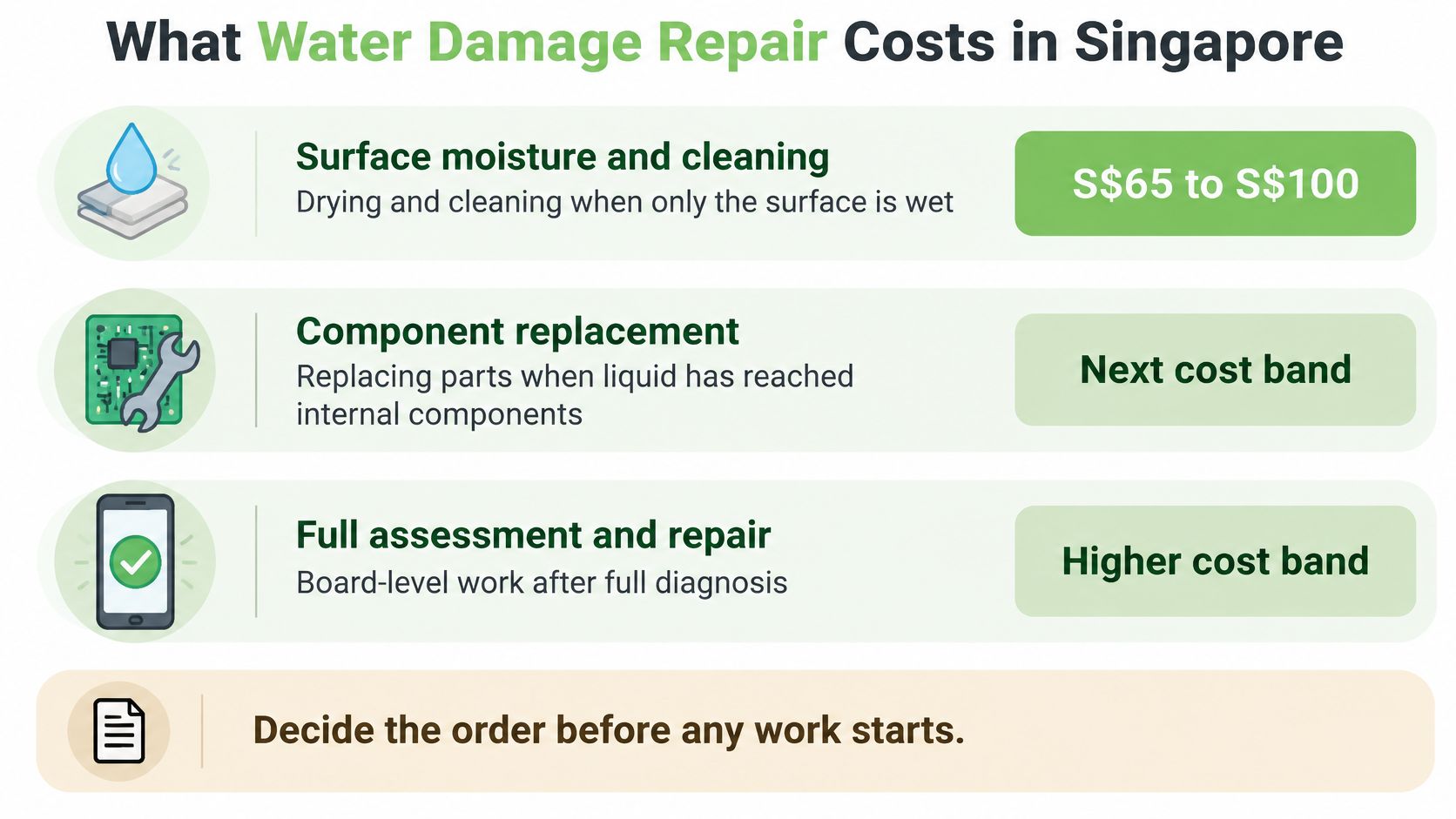
For more context on the figures, see this guide to water-damaged phone repair costs. The surface-cleaning range is S$65 to S$100; component replacement is S$100 to S$470, while corrosion, logic-board work or data recovery can reach S$600 or more. The replacement reference for high-value smartphones is S$649 to S$1,539. Treat these as comparison points, not a promise of what a particular repair will cost.
The quote depends on the model, liquid type, time spent wet, corrosion and parts availability. Board-level diagnostics or data recovery can also affect the bill. A phone that still powers on may have damage that is not apparent from its symptoms, so a proper inspection gives a more useful basis for deciding than appearance alone.
What a diagnosis actually involves
A technician can check liquid indicators and ports, then inspect the board under magnification for deposits associated with corrosion. Cleaning and functional testing follow the inspection, once the device is assessed for moisture. Testing a wet board can add risk without giving a reliable picture of what the phone will do after the damage is addressed.
Repair, replace or recycle
For a quote in the first two ranges, compare the repair cost with the value of keeping the phone in use. If the bill approaches the replacement reference, weigh it against a certified refurbished phone or a new model, rather than the price you originally paid. Singapore generates substantial e-waste, so keeping a repairable device in use can also reduce unnecessary disposal.
The Peak reports that Singaporeans replace their phones roughly every 2.7 years, citing local survey data (The Peak). A repair that extends a phone's useful life may therefore be a practical alternative to replacing it immediately.
A successful repair keeps the device in use and avoids the need to build a replacement. If repair is not viable, ask whether usable parts can be recovered and the remaining device recycled responsibly.
Protecting Your Data Before Anyone Repairs It
A wet phone can contain data worth more than the device itself. Decide whether the priority is restoring the phone or retrieving files before approving work, because the steps may differ.
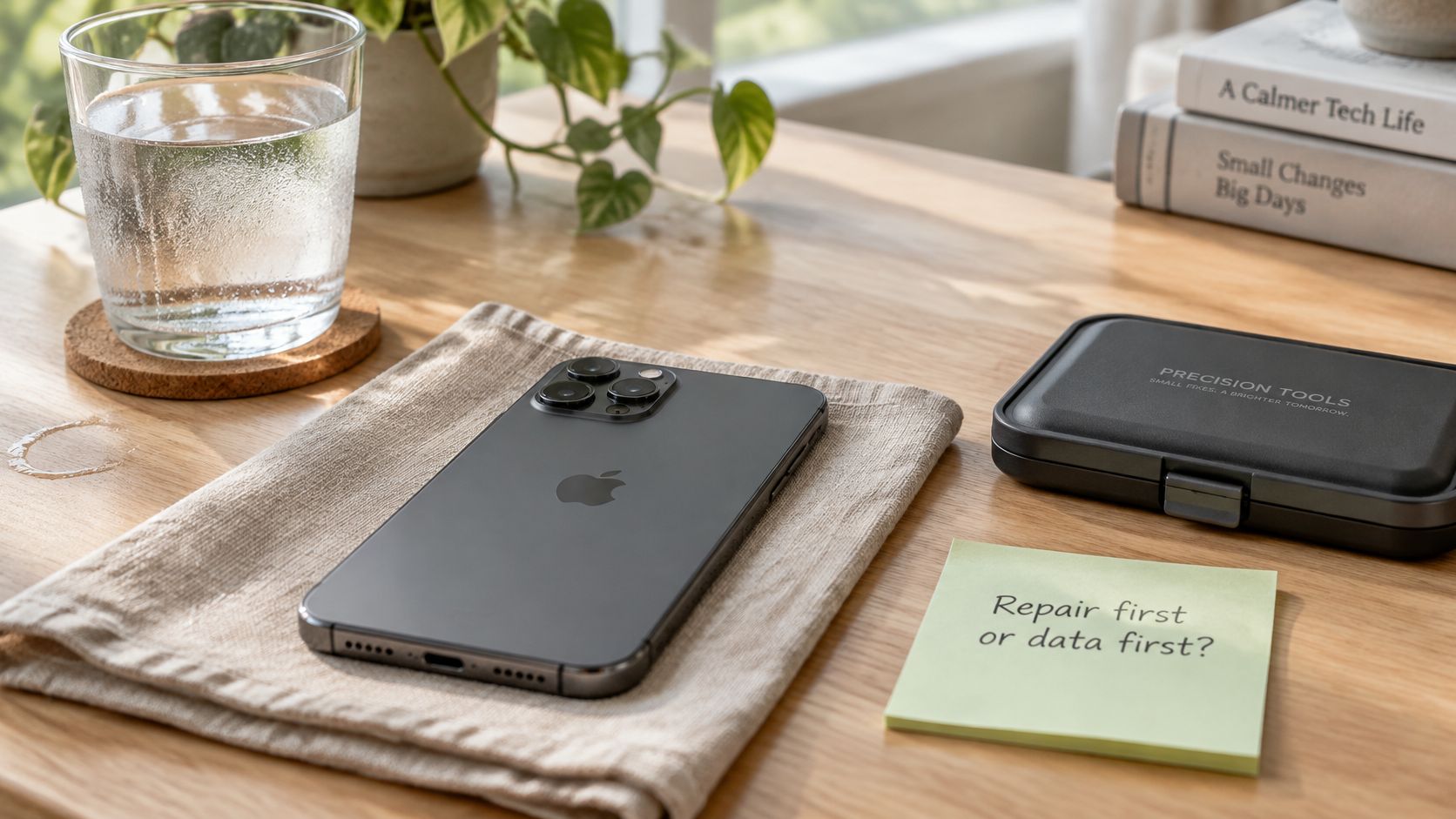
Repair and data recovery are separate tasks, and powering a wet phone to copy files can send current through a board that still needs repair. Liquid-damage recovery generally involves cleaning the affected board, then attempting to get the device working long enough to retrieve data. Success depends on the condition of the phone, so no recovery outcome is guaranteed. Before work begins, agree on the priority: repair first, data first, or replace.
Sort your situation first
- Cloud-backed data. Check that photos, contacts and messages have synced. If they have, repairing the phone can take priority without making the data question urgent.
- Removable storage. Keep the SD card you removed separate from the phone. It may hold photos or documents that can be accessed without working on the board.
- Encrypted internal storage. Recovery may require the passcode. Ask whether technicians need it and whether they will copy data or access it only during testing. These involve different levels of access.
- A locked phone that cannot authenticate. If the phone cannot be opened, retrieving data from internal storage may not be possible.
If the phone still responds, back up important files before anything else happens to it. The guide to backing up an iPhone explains cloud and computer options, and the same principle applies to Android phones.
Questions to ask before you hand over a passcode
Ask who needs the passcode, what they will use it for, and what happens to your data if the repair fails. If the device cannot be saved, ask what will happen to its data before it leaves the repair process. Limit access to what the work requires, and review these phone security steps for 2026 before sharing account access with a third party.
As more devices are repaired, more personal data may pass through repair benches. Treat photos, messages and account access as part of the repair decision, not an afterthought. Be clear about whether the goal is a working phone, recovered files, or both, and ask what the proposed work can realistically achieve.
Confirm the Written Terms Before You Approve a Repair
You do not need to diagnose the phone before seeking help. Tell the repair team what happened, which liquid was involved and when it happened, and whether the phone has been powered since. If you are unsure what is wrong, describe what you are seeing and the team can help identify a suitable next step.
Four points to get in writing
- Is the diagnostic fee refundable if you decide not to proceed?
- Which components and how much labour does the quote cover?
- Does the repair warranty exclude later liquid damage?
- Will the phone's water-resistance rating still apply after it has been opened?
The last point is easy to overlook. Opening a phone can compromise its original IP68 seal, so water resistance may no longer be guaranteed after repair. Some Singapore service terms describe repair warranties of 45 or 60 days, exclude water or liquid damage, and limit cover to specified replaced parts (Mister Mobile). Manufacturer warranties usually exclude damage caused by misuse or unauthorised repairs. Check the written terms for your specific device rather than relying on assumptions about what the warranty covers. Treat a repaired phone as splash-careful, not pool-proof.
The repair shop's process matters as much as the warranty wording. Use this guide on what to look for in a mobile repair shop to prepare questions for the counter, including what the quote covers and what happens if the repair does not restore normal function. myhalo's Repair and Rescue services focus on keeping devices functional and extending their useful life.
Keep the phone switched off until it has been assessed. That simple step can help avoid further damage while you decide whether to approve the work.
Water damage can be stressful, but you do not have to decide on a repair without clear terms. myhalo offers repair, buy and sell services for smart devices in Singapore. The team can inspect the device and advise whether a repair is worth considering before you commit. Bring in your phone or ask myhalo for a diagnosis.