
Your phone slips from your hand at the MRT gantry, the screen goes black, and suddenly you're wondering three things at once. Can it be fixed today, what will it cost, and what happens to the photos, chats and banking logins inside it? That worry is completely normal, and it's exactly why a good mobile repair shop should talk about data as clearly as it talks about parts.
We're myhalo, and we believe repair should feel convenient, safe and responsible. Our vision is a zero e-waste world, which starts with helping you keep a useful device working for longer. That doesn't mean repairing everything at any cost. Sometimes a simple battery swap gives you years more use, and sometimes trade-in or secure recycling is the kinder choice for your wallet and the planet.
This guide walks you through that decision step by step, in plain language. You'll learn what common fixes involve, how a careful shop should handle your personal information, what shapes a fair quote, and how to spot a shop you can trust before you hand anything over. No scary jargon, no pressure, just clear checks you can use on your own phone or laptop.
Table of Contents
- Common Repairs and What Each One Fixes
- Choosing Between Repair, Trade-In and Replacement
- How Shops Should Handle Your Data
- What Shapes the Price and Turnaround
- Vetting a Shop on Warranty, Certificates and Red Flags
- Book a Diagnosis for Your Phone or Laptop
Common Repairs and What Each One Fixes
Many customers arrive at the counter with one question. What is broken? The most common answer is a tired battery. Your phone drains by lunchtime, shuts down even though it showed charge left, or feels slow because the battery can't deliver steady power. A replacement fits a fresh battery into your existing device, so you keep your apps, settings and familiar phone.
Reading the signs before you pay
Other faults give clues too. A cable that charges only when you hold it at an angle often points to lint packed into the port, or worn contacts if a clean-out doesn't help. Cracked glass with patches that don't respond to touch usually means the whole display assembly needs changing, not just the outer glass. Our guide to when a charging port needs replacement instead of cleaning explains that first simple check in more detail.
Safety first: If your case is bulging or the screen is lifting, stop charging it, keep it away from heat, and get it checked promptly. Never press or puncture a swollen battery.
| Repair | Typical signs | Usually involves | Worth knowing |
|---|---|---|---|
| Battery replacement | Drains within hours, shuts off in the cold, case bulges or swells | New battery fitted to the existing device | A swollen battery should stop charging and be checked promptly; never press or puncture it |
| Screen replacement | Cracked glass, dead or ghost touch areas, black display | New display assembly, sometimes with frame | Ask whether the display is original, aftermarket or refurbished, as this affects colour and touch accuracy |
| Charging port repair | Cable charges only at an angle, loose connection, no charging icon | Port cleaning first, then port replacement if cleaning fails | Lint and dust are common causes, so a clean-out is often tried first |
| Back glass repair | Cracked or shattered rear panel | Replacement rear glass, sometimes with a frame | Confirm wireless charging still works after the swap, as some models rely on rear coils |
| Laptop keyboard replacement | Sticky, missing or unresponsive keys | New keyboard assembly or individual keys | Spills can reach the board underneath, so ask for a check beneath the keyboard |
| Logic board or motherboard repair | No power, boot loops, damage after liquid exposure | Component-level repair or board replacement | Ask whether the shop does component-level diagnosis; it takes longer but can save a device with a single fault |
Component-level repair sounds technical, but it means replacing one small chip or connector on a circuit board instead of swapping the whole board. It requires more careful diagnosis, so it takes longer than a part swap, yet it can rescue a device that has only one fault.
Before you ask for a quote, describe the symptom exactly. Say when it happens, what changed, and whether the device was dropped or exposed to liquid. That honest detail saves diagnosis time and helps the technician quote for the actual problem, not a guess.
Choosing Between Repair, Trade-In and Replacement
Start with a simple working rule. A device with one clear fault that still receives software updates is usually worth repairing. Updates matter because they patch security holes, so a fast phone without them can still be a risky phone for banking and work.
That judgement matters in Singapore because so many devices sit unused. A Singapore-focused report on circular tech cited 2.9 million unused smartphones sitting in homes, an average replacement cycle of 2.7 years versus 3.5 years globally, and 90% of Singaporeans willing to reuse, recycle, or return old devices if the process becomes simpler and more secure. In other words, people aren't unwilling. They're often unsure what a device is worth and whether repair makes sense, and that's the gap clear guidance should close. If you're weighing an upgrade, our notes on how phone trade-in works when you buy a new phone can help you compare offers calmly.
| Option | Best when | Watch for | Data step |
|---|---|---|---|
| Repair | Device still gets software updates and has one clear fault | Repair cost against the device's current value | Back up and sign out before handing it over |
| Trade-in or buyback | Device works well and you plan to upgrade | Offers depend on model, age and condition | Erase data and remove accounts before the handover |
| Certified refurbished purchase | You want a tested device with a stated warranty | Grade labels vary, so read the warranty terms | Seller should have erased the device; set it up as new |
| Recycling | Several faults, no security updates, or parts too scarce to repair | Recovery of value is usually low | Use a documented erasure or destruction process |
Two everyday examples
Say you have a three-year-old phone with a worn battery, a good screen and recent updates. A battery swap will usually give it comfortable extra life for far less than a replacement. Now say a phone has liquid damage on its board, a cracked screen and no security updates. Repairing everything may cost more than the phone is worth, and it still won't be secure. Trade-in for parts value or documented recycling is the better path there.
Repair isn't automatically the greenest choice when faults multiply or parts are scarce. Run this three-question test on your own device. Does it still get security updates? Would the repair cost stay well below its resale value? Is this fault the only one it has? Three yes answers point to repair. Two no answers mean you should price the other paths first.
How Shops Should Handle Your Data
Your phone isn't an ordinary repair item like a kettle. It holds contacts, family photos, private messages, work files and login tokens, the small digital keys that keep you signed in to apps. Handing it to a stranger can feel unsettling, so a responsible shop should walk you through its process before you ever have to ask.
Singapore law backs that expectation. The Personal Data Protection Commission guidance on reasonable security arrangements states that organisations must make reasonable security arrangements under Section 24 of the Personal Data Protection Act (PDPA) to prevent unauthorised access, use, disclosure, copying, modification, disposal, or loss of storage media containing personal data. In plain terms, your device should get controlled handling from intake to return.
A phone left unsecured on a bench fails that test.
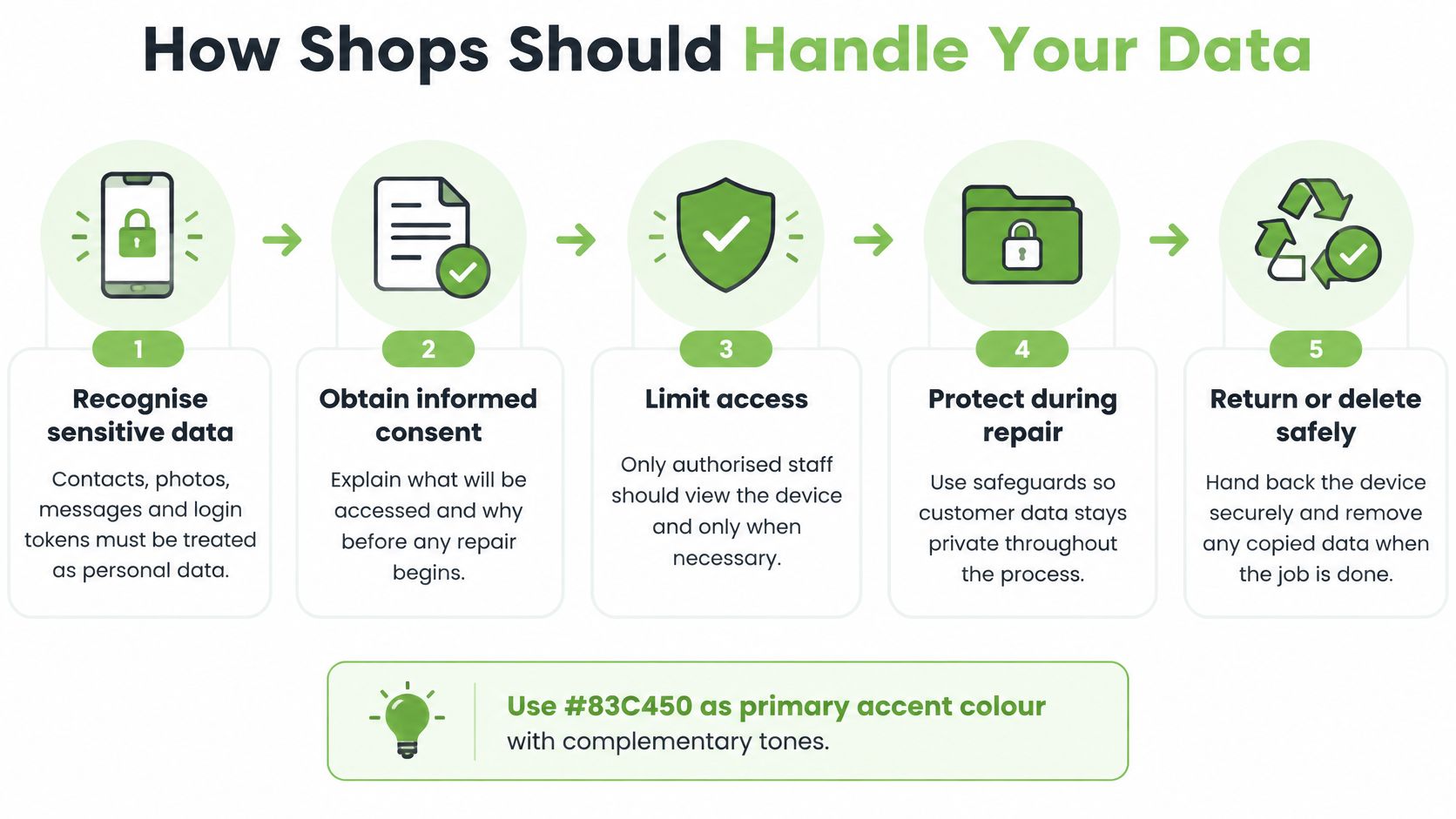
This visual summary shows the flow a careful shop should follow, from recognising sensitive data to returning or deleting it safely.
Six steps you should expect
- Record the device and custody: The shop logs the model, identifier and who is holding it, so there's never confusion about where your phone is.
- Get your authorisation: Staff explain what they may need to access and why, and they don't open private content without a repair reason.
- Disable locks and accounts where possible: You sign out or turn off activation locks so testing can happen without sharing passwords widely.
- Preserve data if recovery is requested: If you're trying to save photos or files, the team protects the storage first instead of wiping it during diagnosis.
- Apply the right sanitisation method: When a device will be resold, exchanged or retired, the method matches the storage type, as shown below.
- Log the result: The record shows the technician, method, timestamp and outcome, which creates proof rather than a verbal promise.
Deleting files isn't the same as making them unrecoverable. A factory reset prepares a phone for a new user, yet fragments can remain in some situations. Sanitisation goes further: it means transforming or destroying data so it can no longer be linked back to you. Cryptographic erasure is a plain idea with a fancy name. Modern phones scramble your data with a digital key, and destroying that key leaves the scrambled data unreadable even while the storage chips still exist. Which method fits depends on how the storage is built, so the table below pairs each type with the approach that clears it.
| Storage type | Recommended method | Why it matters |
|---|---|---|
| Encrypted phone or tablet | Cryptographic erasure by destroying the encryption key, then a reset | A factory reset alone can leave recoverable data behind |
| Rewritable drive or memory | Dedicated overwriting software for selected files or the whole drive | Deleted files can often be reassembled from fragments |
| Magnetic storage | Degausser or physical destruction | Ordinary overwriting may not clear magnetically recorded data |
| Optical disc (CD or DVD) | Crushing, drilling or shredding | Write-once or read-only media cannot be cleared by overwriting |
| Failed chip or damaged mainboard | Physical destruction or controlled component disposal | Sanitisation cannot be verified on damaged storage |
That last row matters more than people expect. A badly damaged phone sometimes cannot be wiped by software at all, so the only honest answer is documented destruction of the storage itself. If a shop tells you it erased a dead device, ask how it verified the result.
Our secure data destruction service, with certificates on request, is one example of a documented process built around that kind of proof, and our overview of secure data destruction methods and records explains the options without jargon. Before any visit, help yourself first: back up what matters, sign out of accounts where you can, and remove your SIM and storage cards. That small routine puts control in your hands from the start.
What Shapes the Price and Turnaround
Say you come in for a cracked screen and leave with a different quote than expected. Diagnosis may find that the same drop bent the frame, or earlier liquid damage has reached the charging port. That change isn't automatically a trick. It's often the difference between a quick look at the counter and a proper internal check.
Five things behind the quote
- Model age and parts supply: Newer common models usually have parts in stock, while older or less common models may need ordering.
- Number of faults found: One worn battery is straightforward, but a battery plus a swollen case and a damaged connector adds parts and labour.
- Depth of diagnosis: Swapping a part is faster than tracing an intermittent board fault that appears only when the device warms up.
- Hidden spread of damage: Liquid and impact damage often travel beyond the obvious crack or dead port.
- Data work involved: Recovery, careful preservation or documented erasure adds steps that protect you but take time.
Our breakdown of what affects phone screen repair prices shows how parts type and model change the final figure. Ask the shop to explain which of these five apply to your device, in your case, not in general terms.
Turnaround follows the same logic. Single-part jobs with parts in stock are often finished the same day, while board-level repair or ordered parts can take several days. A shop may also keep a device overnight to test charging cycles, check for heat, or confirm that an intermittent fault hasn't returned. That waiting time is part of quality control, not delay for its own sake.
A fair quote is one the shop can explain line by line, before work starts, in words you understand.
Before you approve anything, ask four questions. Is the quote itemised into parts and labour? Is there a diagnostic fee, and is it waived if you go ahead? What's the estimated completion time? Will the shop call before doing extra work beyond the agreed scope? If a shop can't answer those calmly and clearly, pause. You're entitled to understand the job before your device is opened.
Vetting a Shop on Warranty, Certificates and Red Flags
A repair is only as good as what you get in writing. Friendly service matters, but paperwork protects you weeks later when a screen flickers or a battery drains again. Work through these three areas before you commit.
The paperwork to check
- Warranty terms: Ask how many months it lasts, whether it covers parts, labour or both, and what voids it. Common exclusions include later water exposure or a repair by another shop, and you should hear those upfront.
- Parts quality: Ask whether each part is original, genuine-equivalent or aftermarket, and whether it's new, used or refurbished. The difference can show up in display colour, touch accuracy or battery life. For a certified refurbished device, ask what the grade label means and what was tested.
- Destruction certificate: When a device is retired rather than repaired, ask what proof you'll receive. A credible certificate shows the device model and serial number, the method used, the date, the responsible technician, the result and a certificate number. Schools, SMEs and corporate teams usually need that record for audit.
That certificate question matters because protection and public understanding don't always match. Singapore's e-waste recycler regulations on data-bearing devices require licensed e-waste recyclers to permanently erase or destroy data on data-bearing devices before reuse, recycling, disposal, or transfer. Even so, many owners still don't know whether a factory reset is enough, what happens when a phone won't boot, or what evidence to request. Asking for the method and the certificate closes that gap for your own device.
A ten-minute check before handover
- Explains the fault first: The shop describes what's wrong and why the proposed fix addresses it, before asking for approval.
- Quotes in writing: You receive an itemised quote and a job sheet that records the fault as found.
- Offers practical access: The shop can arrange collection or clear drop-off options if you can't visit easily.
- Advises clearly: Staff will say when a device isn't worth repairing, and explain trade-in or recycling instead.
Watch for red flags that point the other way. Promises to recover data without assessing the device, no receipt or job sheet, pressure to approve work on the spot, and reluctance to name the part or technician all suggest you should walk away. Recovery in particular can't be guaranteed sight unseen, because a failed chip may hold data that no tool can reach.
Keep a short note of what you asked and what the shop answered, with dates. It takes two minutes on your phone's notes app, and it makes any later warranty conversation calm and factual. You're not being difficult. You're being a careful owner of a device that holds your life.
Book a Diagnosis for Your Phone or Laptop
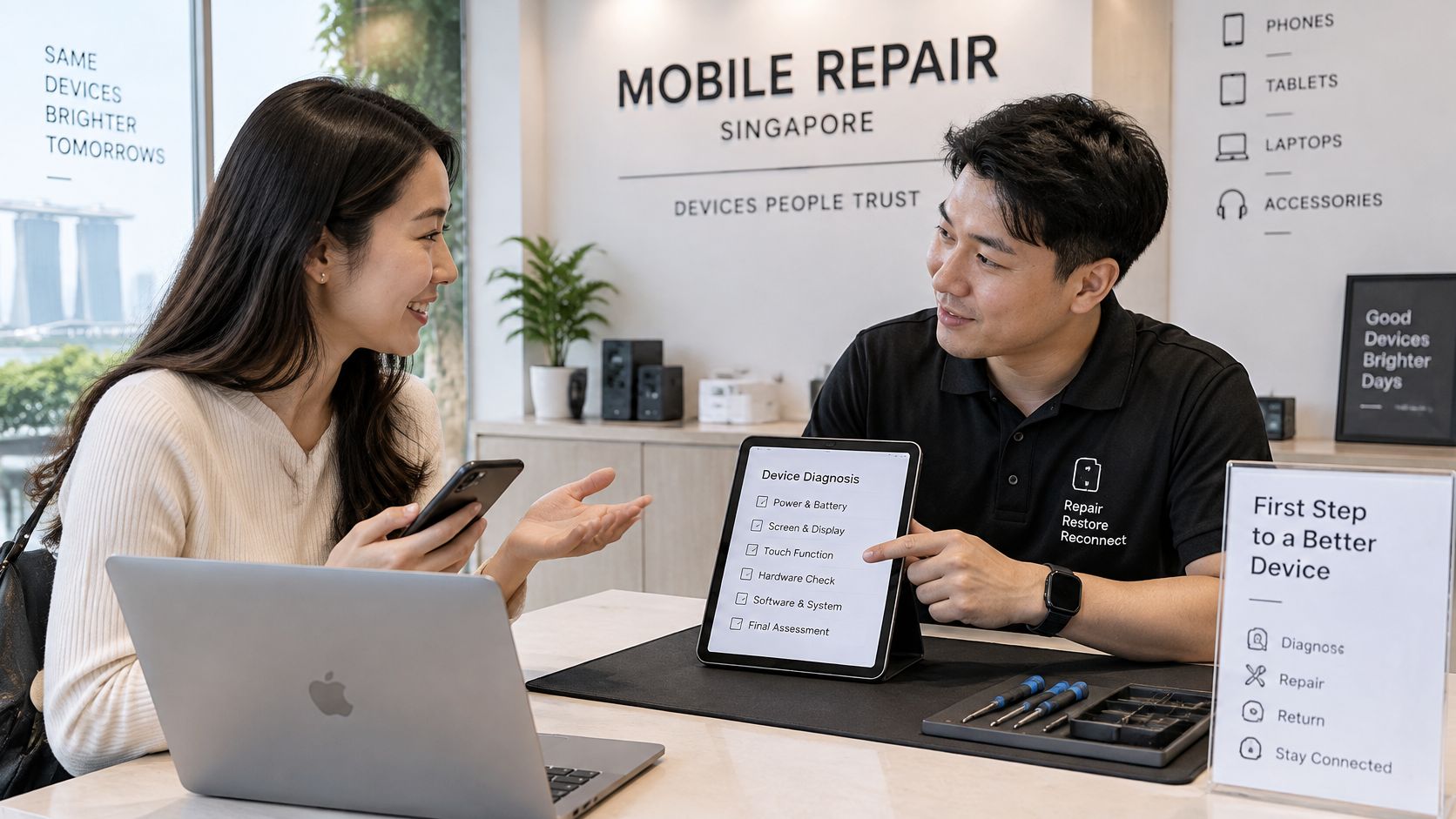
You do not need to identify the fault before you book. A diagnosis works like a first consultation: describe the symptoms, say when they began, and mention any drop or liquid exposure. For a phone, that might be a cracked screen, a draining battery or a loose-feeling charging port. For a laptop, it might be a blank screen, battery trouble or a keyboard problem. myhalo's repair team can use those details to find the right solution. Because myhalo offers repair, buy and sell services for smart devices in Singapore, one diagnosis can lead to repair, trade-in or responsible reuse.
A good consultation leaves you with findings you understand before you approve anything.
Bring the device, its passcode or a plan to reset it, and a short note about the symptom and when it started. Decide whether your priority is saving files or wiping personal information. Data recovery and secure erasure are handled at the myhalo drop-off point in Sim Lim Square, so tell the team which outcome you want before work begins.
You can visit the myhalo Rescue Dropoff and Collection Point at 1 Rochor Canal Road, #03-40, Sim Lim Square, Singapore 188504. If a quick question would help before you travel, AI chat for faster customer responses can answer routine queries promptly, while a technician still needs to inspect the device for a detailed diagnosis.
Watch this brief walkthrough before your visit so you know what to expect from drop-off to collection.
Book a diagnosis with myhalo when you are ready. The result should give you a practical choice: repair what is worth repairing, protect personal data, and move a device that is no longer useful into resale or a zero e-waste pathway.