
You plug in your phone before a busy Singapore morning, see the charging icon flicker, then watch it disappear. The cable only works at a certain angle, or the connector feels loose, and suddenly a perfectly usable phone seems ready for replacement. That frustration is real, but a charging failure doesn't automatically mean the battery or phone is finished.
Sometimes lint is packed inside the connector. Sometimes the cable or adapter has failed. Sometimes the port is worn, bent, contaminated, or damaged on the board. The right diagnosis can turn a costly upgrade into a simple clean or charging port replacement, keeping your phone useful and out of the drawer-orphan pile.
Table of Contents
- Why Your Phone Stops Charging and What It Really Means
- How to Diagnose Charging Port Problems Before Replacing Anything
- Tools Safety and Preparation for a Smooth Replacement
- How Charging Port Replacement Works in Practice
- DIY vs Professional Service Cost Warranty and When to Choose Help
- Testing Your Repair and Keeping Your Device Charging Longer
Why Your Phone Stops Charging and What It Really Means
A phone that won't charge reliably creates more than an inconvenience. You may miss calls, lose access to work files, or worry that the battery will die before you reach home. The natural reaction is to buy another phone, especially when Singapore's upgrade culture makes replacement feel easier than repair.
Singapore produces about 60,000 tonnes of e-waste each year, which NEA has compared with discarding about 70 mobile phones per person annually. NEA-backed reporting on Singapore's e-waste challenge also highlights repair where feasible, alongside reuse and donation. A working phone with one failed connector is exactly the kind of device that deserves a proper assessment before disposal.
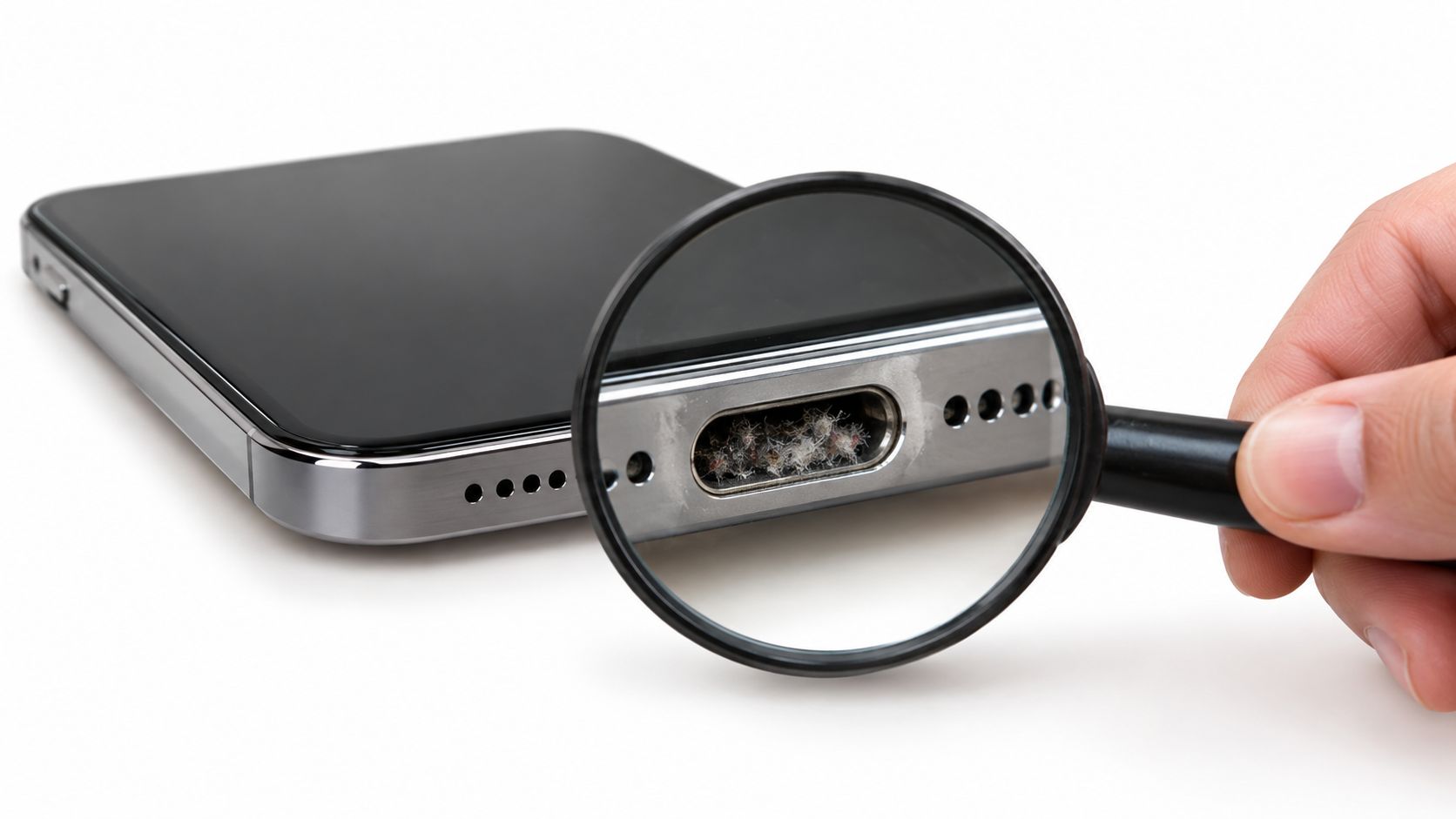
The port isn't always the culprit
Repeated plugging, pocket dust, cable strain, drops, and moisture can all affect charging. A phone may also show slow or intermittent charging because the adapter can't deliver stable power, the battery has deteriorated, or the logic board has a fault.
That distinction matters. Replacing a healthy port wastes money and a usable component, while ignoring a damaged connector can create more strain as you keep wiggling the cable. A careful repairer starts with accessories and inspection, not a parts swap.
Practical rule: A phone that still performs well, takes calls, and holds its data may need one small fix, not a whole new device.
Singaporeans replace smartphones on average every 2.7 years, compared with a global average of 3.5 years, and 2.9 million unused smartphones were reported to be sitting in homes across Singapore. Singapore circular-tech reporting puts the charging port in a useful decision point. Diagnose first, then choose between cleaning, component repair, reuse, trade-in, or responsible recovery.
For practical battery maintenance, this phone battery care guide for Singapore users is a useful companion. The aim is simple: keep a healthy phone in service for longer, without making repair stressful.
How to Diagnose Charging Port Problems Before Replacing Anything
Start with the easiest explanation and work towards the more technical ones. This order protects the phone and prevents you from paying for a replacement that won't solve the problem.
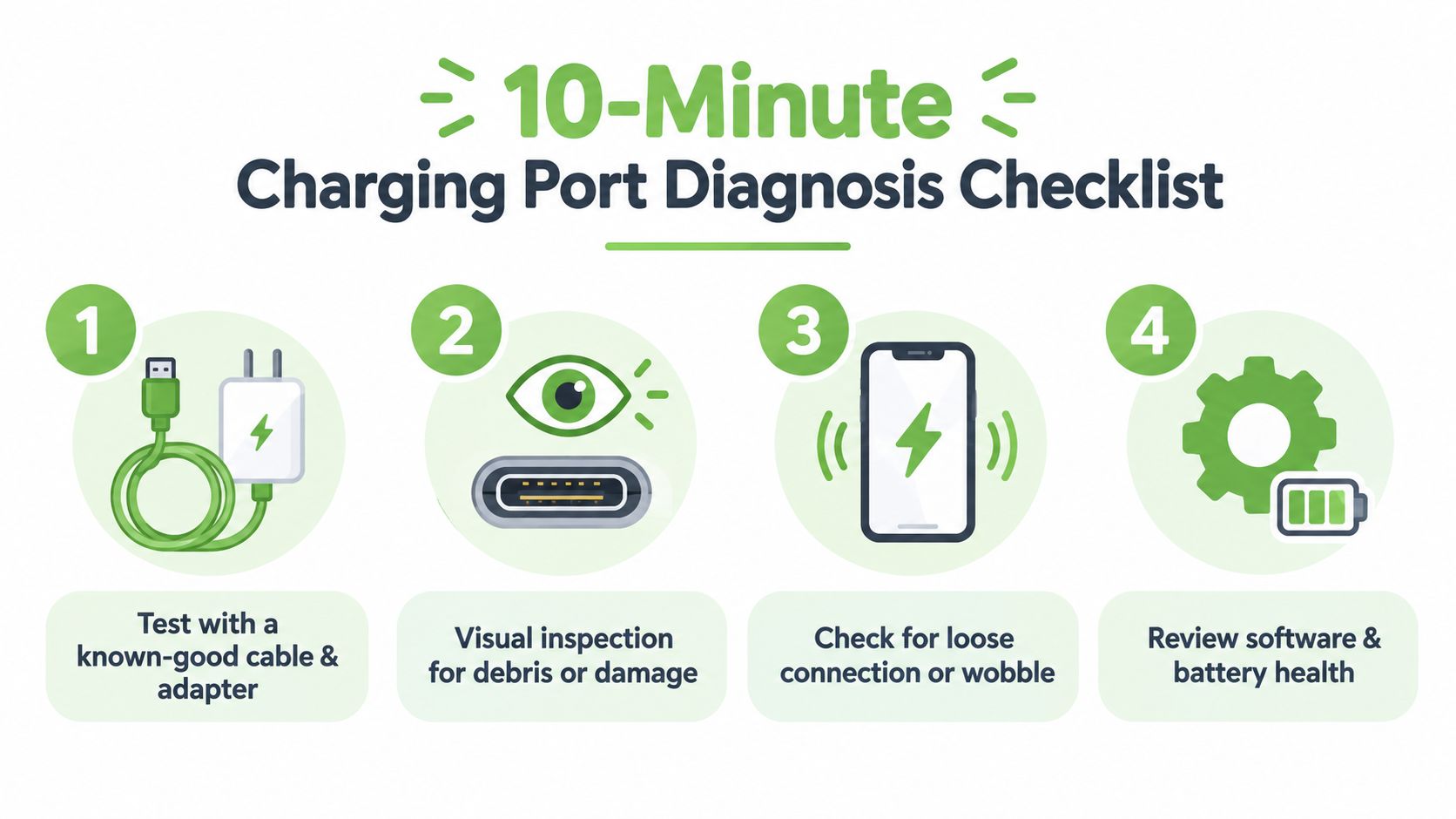
Use a clean triage sequence
Test the cable and adapter. Try a known-good cable and adapter that fit properly. Test another wall socket or power source as well. If the phone charges normally, the port may be fine.
Inspect the connector under bright light. Look for compacted lint, dust, bent pins, dark marks, corrosion, or anything stopping the plug from seating fully. Don't poke with a needle, paper clip, or other metal object. Metal can scratch contacts or bridge parts that shouldn't touch.
Check the connection without forcing it. A healthy plug should sit securely. If charging cuts out when the phone is moved slightly, note the pattern. A loose fit after careful cleaning points more strongly towards mechanical wear or connector damage.
Observe the charging behaviour. Slow charging, no accessory detection, repeated connection sounds, excessive heat, or a battery that drains unusually quickly can indicate different faults. A battery-health check, such as this guide on how to check battery health on iPhone, helps separate battery ageing from port trouble.
Clean only with a gentle method
Power the phone off before inspecting or cleaning. Use good light and a non-metal tool, such as a plastic pick, to lift loose debris carefully from the edges. Don't pour liquid into the port, force a tool deep inside, or direct compressed air aggressively into the connector.
Singapore's humid, high-use environment makes contamination and mechanical strain common contributors to intermittent contact. Cleaning may solve the issue when lint prevents the cable from reaching the contacts. If the connector remains loose, the phone fails with several known-good accessories, or you see corrosion or physical damage, stop testing and arrange a proper inspection.
A “not charging” message isn't a diagnosis. It describes a symptom, and the repair should target the confirmed cause.
Tools Safety and Preparation for a Smooth Replacement
Opening a phone safely requires patience more than force. The correct tools help you avoid cracked covers, torn flex cables, scratched boards, and damaged seals.
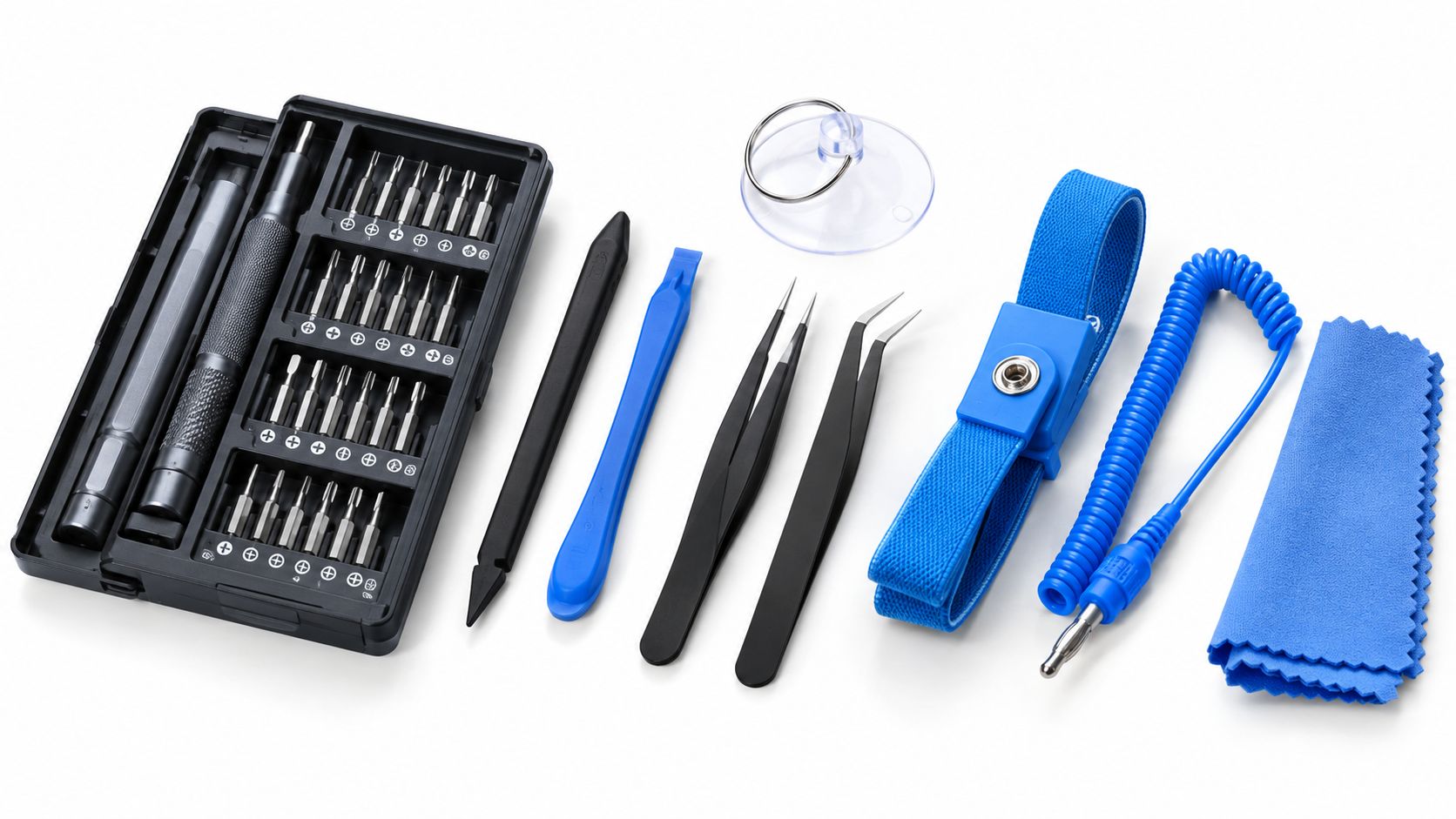
Prepare a clean, dry, well-lit workspace with:
- Precision screwdrivers: Use the correct driver size so screw heads don't strip.
- Plastic spudgers: These separate clips and connectors without scraping conductive contacts.
- Fine tweezers: Choose an anti-static pair for lifting small brackets and adhesive tabs.
- Suction cup: This helps lift a display or back cover after adhesive has been softened appropriately.
- Anti-static mat or wristband: This reduces the chance of static discharge reaching sensitive electronics.
- Organised screw storage: Keep screws in a tray or label their positions, because similar-looking screws may have different lengths.
Protect the battery before touching connectors
Switch the phone off completely. Once the housing is open, disconnect the battery before disconnecting the port assembly. A metal tool near a live connector can cause a short, and a punctured lithium-ion battery can become dangerous. Never bend, crush, or pry against the battery cell.
Work away from condensation and avoid opening a phone immediately after exposure to rain or liquid. Humidity alone doesn't prove liquid damage, but moisture and corrosion can make a simple connector job much more complicated.
Confirm the replacement part first
The central question is whether the port is modular or board-mounted. A modular port usually sits on a replaceable flex assembly, so a technician can remove the old part and fit a compatible replacement. A board-mounted port is soldered directly to the logic board and may need micro-soldering, which requires specialist equipment and steadier hand control.
Compatibility must be checked by exact model, regional variant, connector type, and assembly design. A local benchmark notes that a missing compatible spare part can add about two weeks when it has to be preordered, while a confirmed modular repair may take about 30 to 60 minutes. For background on choosing suitable components, see this guide to phone repair parts.
How Charging Port Replacement Works in Practice
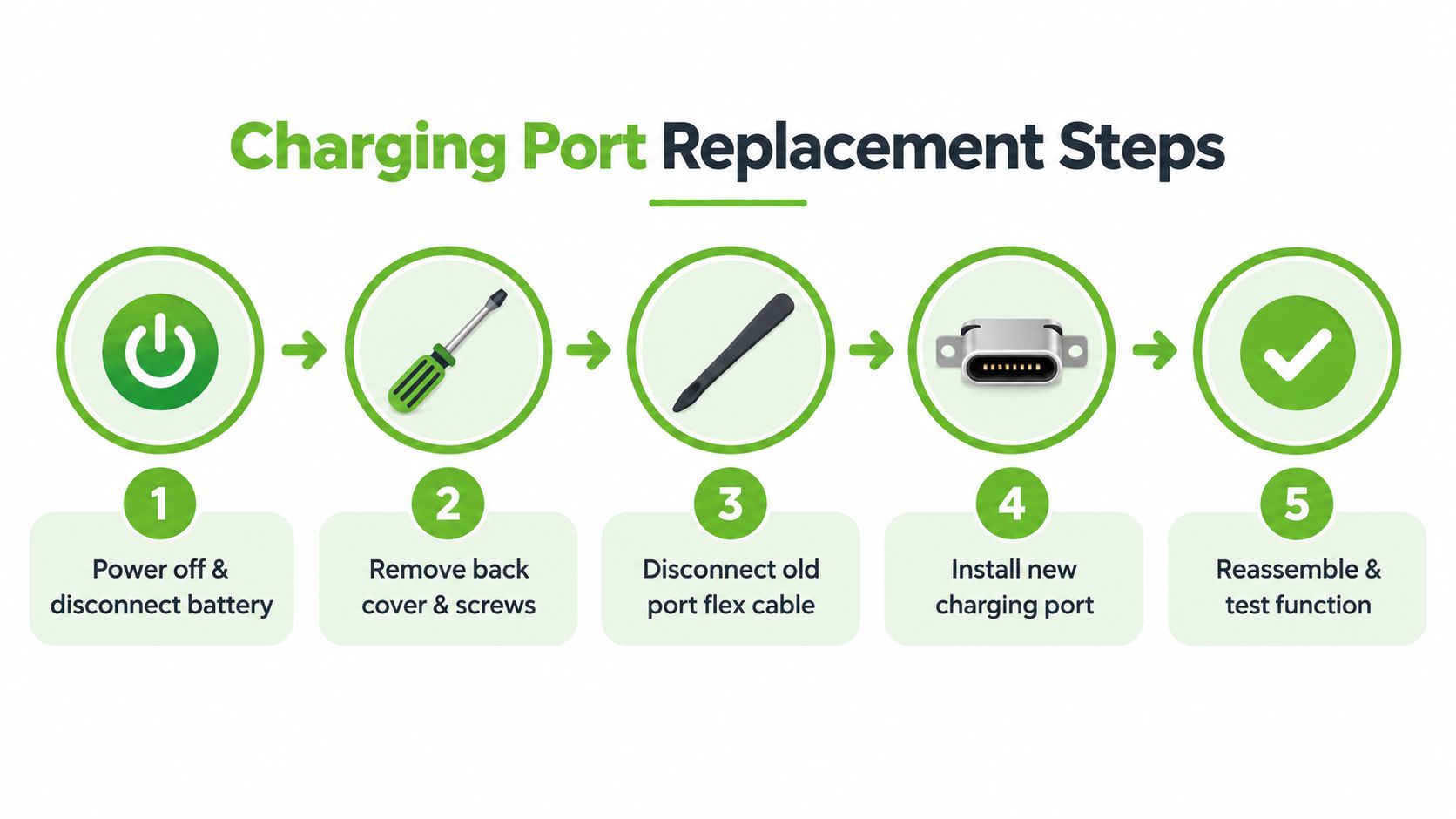
A proper replacement starts with controlled disassembly, not a quick tug at the connector. The technician confirms the model and fault, powers down the phone, warms or separates the adhesive as appropriate, and opens the housing without stressing the display or rear cover.
The battery is disconnected first. The old port assembly is then exposed beneath shields, brackets, or other internal parts. In a modular design, the technician releases the flex connector, removes the retaining screws or adhesive, and lifts out the old assembly. The new part must sit flat and align with the frame opening before the connector is pressed into place.
Modular and board-mounted repairs are different jobs
A modular flex-based swap is generally the more straightforward path. It still demands care because a poorly seated flex can produce intermittent charging, microphone problems, or failed data transfer. The technician should check connector fit, keep dust away from contact surfaces, and tighten screws firmly without overtightening.
A board-mounted port requires desoldering and micro-soldering. The technician has to remove the damaged connector without lifting board pads, clean the area, position the replacement accurately, and inspect the solder joints. This is not a sensible first repair for someone without microsoldering experience. Singapore pricing guides distinguish these jobs with micro-soldering surcharges of about S$30–S$80, reflecting the added labour and equipment requirements.
Reassembly is part of the repair, not an afterthought. Covers, brackets, seals, microphones, antennas, and nearby cables must return to their correct positions. The technician should avoid trapping flex cables, leaving adhesive gaps, or driving a screw into the wrong location.
For readers comparing related repairs, this explanation of how to replace a charging port on a laptop shows why larger devices can involve a different access and board layout.
A visual demonstration can help you understand the sequence, but watching a video doesn't remove model-specific risks:
DIY vs Professional Service Cost Warranty and When to Choose Help
DIY can look attractive when the phone seems to need only one small component. The trade-off is that the part price isn't the whole cost. You also take on opening risk, compatibility checks, adhesive replacement, testing, and the possibility of damaging a display, battery, connector, or board.
Published Singapore service benchmarks place a standard phone port replacement at about S$25–S$120, while board-level charging IC or trace work can rise to roughly S$120–S$300 or more. A local benchmark also reports around 30 to 60 minutes for a typical confirmed replacement. These figures are guides, not a promise for every model or fault. See iPhone charging port repair in Singapore for a local repair option where the port can be inspected before a component is replaced.
| Factor | DIY Approach | Professional Service |
|---|---|---|
| Initial expense | Lower if you already have suitable tools and the correct part | Pays for diagnosis, labour, part selection, and testing |
| Time | Can take much longer if the model is unfamiliar | A confirmed modular job is often completed within the local benchmark |
| Technical risk | You may damage clips, seals, battery, display, or board | A trained technician handles disassembly and fault isolation |
| Warranty | Usually limited to the part seller's terms | Ask what parts and labour coverage applies before approval |
| Fault certainty | Easy to replace the wrong component | Testing can separate port, cable, battery, and board faults |
| Board-mounted port | High-risk without microsoldering equipment | Better suited to a specialist bench repair |
Choose help when the fault isn't simple
Professional service makes more sense when the connector is board-mounted, the phone has liquid exposure, the port looks corroded, or charging remains intermittent after accessory and debris checks. It also helps when the phone contains important files and you don't want to risk a failed opening attempt.
Repair anxiety is understandable. NEA guidance encourages repair and reuse, but local coverage cited only 14% of respondents as having repaired a phone in the previous 24 months, while 22% said repairs were too expensive. NEA's repair and reuse channels provide useful context for choosing repair, donation, resale, or recycling routes.
A responsible service should explain the diagnosis, quote the likely path, discuss warranty terms, and respect your data. If repair no longer makes sense, myhalo's Repair and Rescue, Safe data, and Declutter your e-clutter services offer different routes for repair, secure handling, and responsible device recovery.
Testing Your Repair and Keeping Your Device Charging Longer
A repair isn't complete when the charging icon appears. Test the phone with the original cable and a known-good cable, then try a suitable adapter and power source. Confirm that charging remains stable rather than starting and stopping after a few seconds.
Gently check for intermittent disconnects by moving the cable slightly, without forcing the connector. A good post-repair check should also look at stable power negotiation, charging speed, heat, microphone function where the port assembly includes related components, and data transfer if the connector supports it.
Build habits that protect the new connection
- Guide the plug straight in: Avoid twisting the cable or charging while the phone is being pulled sideways.
- Use sound accessories: A poor-fitting or damaged cable can place unnecessary strain on the connector.
- Keep the port clear: Inspect it periodically under good light, and use a gentle no-metal cleaning method when appropriate.
- Charge on a stable surface: Don't let the phone hang from the cable or remain under pressure while connected.
- Respond to warning signs early: Intermittent contact is easier to assess before wear becomes board damage.
For cable and adapter compatibility, this practical USB-C charging guide can help you choose accessories that fit your device and charging needs.
Keeping one phone in use longer supports a wider circular system. Singapore collected more than 34,000 tonnes of e-waste in the first four years after its extended producer responsibility scheme began in 2021, as reported by The Straits Times on national e-waste collection. The regulator also requires recyclers to recover at least 70% of raw materials from collected ICT equipment, according to reporting on Singapore's e-waste recovery targets. Repair, reuse, parts harvesting, and secure recycling each have a place.
When a phone can't be saved, protect its information before letting it go. IMDA explains that deleting files or emptying the recycle bin isn't enough, and recommends methods such as overwrite software, degaussing, or physical destruction for personal data on old devices. Singapore's overall recycling rate was 50% in 2024, while the domestic rate was 11%, according to Singapore recycling-rate context from WMRAS. Secure data handling and the right recovery route matter.
Your precious files and memories matter to us. Whether you need to protect your privacy with Safe data or rescue lost files with Save data, myhalo can inspect your charging problem, support Repair and Rescue, and guide you towards repair, certified ReLoved reuse, trade-in, or responsible recovery at Bugis Junction, Sim Lim Square, or online. Reach out to myhalo today and keep your device journey convenient, safe, and responsible.