
Replace your iPhone battery when Maximum Capacity is below 80% and symptoms affect daily use. If the battery is swollen, unusually hot or lifting the screen, stop charging and using the phone and arrange an immediate assessment, whatever the percentage says.
A phone that needs a lunchtime top-up isn't automatically ready for retirement. The useful distinction is between ordinary wear you can comfortably live with, unreliable power that disrupts your day, and physical warning signs that need urgent attention.
To decide when to replace an iPhone battery in Singapore, start with the reading, then look at how the phone behaves. A battery-only repair can keep a perfectly useful handset going without the expense or hassle of replacing everything.
Table of Contents
- The Battery Health Numbers That Signal Replacement
- Safety Signs That Mean Replace It Now
- Replace or Keep, and Real Cases
- What a Battery Replacement Costs and How Long It Takes
- How to Hand Over the Old Battery Safely
- Book Your Battery Check Before the Phone Fails
The Battery Health Numbers That Signal Replacement
Maximum Capacity estimates how much charge your battery can hold compared with when it was new. Open Settings > Battery > Battery Health & Charging, then check the reading alongside any service recommendation or peak-performance message.
Apple's battery service guidance gives the main benchmarks: iPhone 14 models and earlier are designed to retain up to 80% of original capacity after 500 complete charge cycles, while iPhone 15 models and later are designed to retain 80% after 1,000 cycles, under ideal conditions. These are design targets, not guarantees or expiry dates.
A complete charge cycle means using an amount equal to the battery's full capacity, even across several partial charges. Plugging your phone in doesn't automatically add a complete cycle, so counting charging sessions won't give you an accurate wear estimate.
Read the percentage alongside the symptoms
The bands below are practical triage categories, not separate Apple service rules. They assume the phone has no physical damage or unusual heat.
Maximum Capacity bands and what each one means
| Maximum Capacity reading | iPhone 14 and earlier | iPhone 15 and later | What to do |
|---|---|---|---|
| 90% or higher | Generally healthy if runtime is normal | Generally healthy if runtime is normal | Keep using normally |
| 80% to 89% | Watch runtime as the battery ages | Watch runtime rather than assuming remaining life | Keep using; plan service if runtime drops |
| Below 80% | Below the capacity benchmark; cycles can't be inferred from the reading | Below the capacity benchmark; cycles can't be inferred from the reading | Replacement is strongly indicated; compare costs |
| Below 80% with shutdowns or fast drain | Prompt battery assessment | Prompt battery assessment | Back up, then book service this week |
| Any reading with swelling, heat or a lifting screen | Stop using and get it inspected | Stop using and get it inspected | Stop charging and follow the safety steps below |
The model distinction matters, but it doesn't let you calculate a battery's condition from its age. A newer-generation battery has a different cycle target, yet temperature, workload and charging habits still affect its actual condition.
Nor does the same capacity reading prove that two phones have experienced the same wear. A phone used for navigation and video calls all day faces different demands from one used mainly for messages.
Make a useful note before booking
Record the Maximum Capacity reading, any service message and what happens during a normal day. Note whether the phone loses charge while idle, shuts down during ordinary tasks or needs charging earlier than it used to.
Practical rule: Use Battery Health to support a decision, not to overrule what the phone is doing.
If cycle information is available on your model, use that rather than counting top-ups. Otherwise, describe your usage and let the technician assess the battery instead of trying to reconstruct an exact cycle total.
Safety Signs That Mean Replace It Now
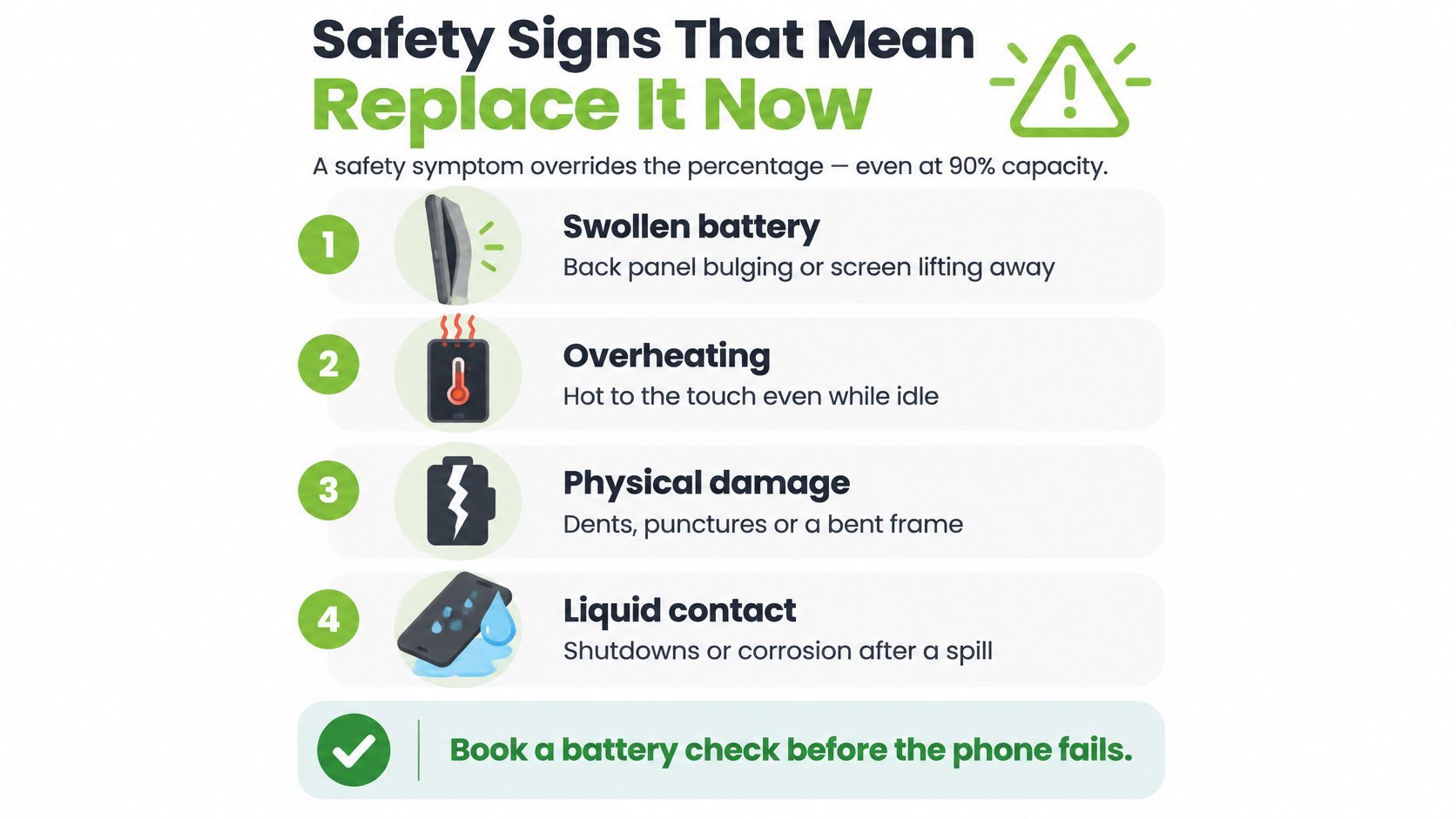
A reassuring Battery Health reading doesn't make a physically damaged battery safe. Swelling, unusual heat and a lifting display override the percentage, because they can indicate a damaged lithium-ion cell rather than ordinary capacity loss.
Apple's Singapore handling guidance says devices with swollen, damaged or defective batteries shouldn't be mailed, and loose batteries must not be sent. Arrange an appropriate assessment and handover instead of putting the phone in a parcel.
Check the physical warning signs
- Swelling or screen lift. A bulging back or a display separating from the frame can mean the battery is expanding. Don't press the screen back into place or tighten a case around it.
- Unusual heat. Persistent heat during light use, while idle or during charging needs attention. Warmth during demanding tasks isn't the same thing, but unexplained or worsening heat shouldn't be ignored.
- Physical or liquid damage. A dented housing, bent frame or liquid exposure can affect more than the battery. Tell the technician what happened rather than assuming a battery swap will fix everything.
- Unexpected shutdowns. A phone that switches off with charge remaining needs diagnosis. Without heat or swelling, this is primarily a reliability problem, not proof that the battery presents an immediate fire risk.
Use this visual checklist to recognise physical warning signs before continuing to charge the phone.
Stop charging, not just heavy use
A damaged lithium-ion cell can enter thermal runaway, an uncontrolled rise in temperature that creates a fire risk. Don't puncture, compress or attempt to extract the battery yourself, and don't refrigerate the phone.
Fast drain, dimming and slowdowns without physical warning signs call for troubleshooting. They don't carry the same urgency as a swollen battery, although they can still make replacement worthwhile.
For a phone that's safe to handle, follow this sequence:
- Protect your files. Back up only if the phone remains cool and stable. Don't keep a hot or swollen phone running just to finish a backup.
- Power it off. Disconnect charging and keep it away from heat and combustible materials.
- Arrange assessment. Contact an authorised provider promptly and describe the symptoms before travelling.
Our guide to iPhone battery swelling explains what to look for when the housing or screen starts changing shape. If the phone is smoking, hissing or rapidly heating, move away and seek emergency assistance rather than handling it.
Replace or Keep, and Real Cases
Keeping the battery makes sense when the phone remains safe and dependable. Replacing it makes sense when the battery is the main reason an otherwise useful phone no longer meets your needs.
Apple's battery replacement guidance distinguishes normal wear from a covered defect: ordinary battery wear isn't covered by the standard one-year warranty, and service terms differ by coverage and provider. Being eligible for covered service and deciding whether a paid repair is worthwhile are related, but different, questions.
Compare the trade-offs honestly
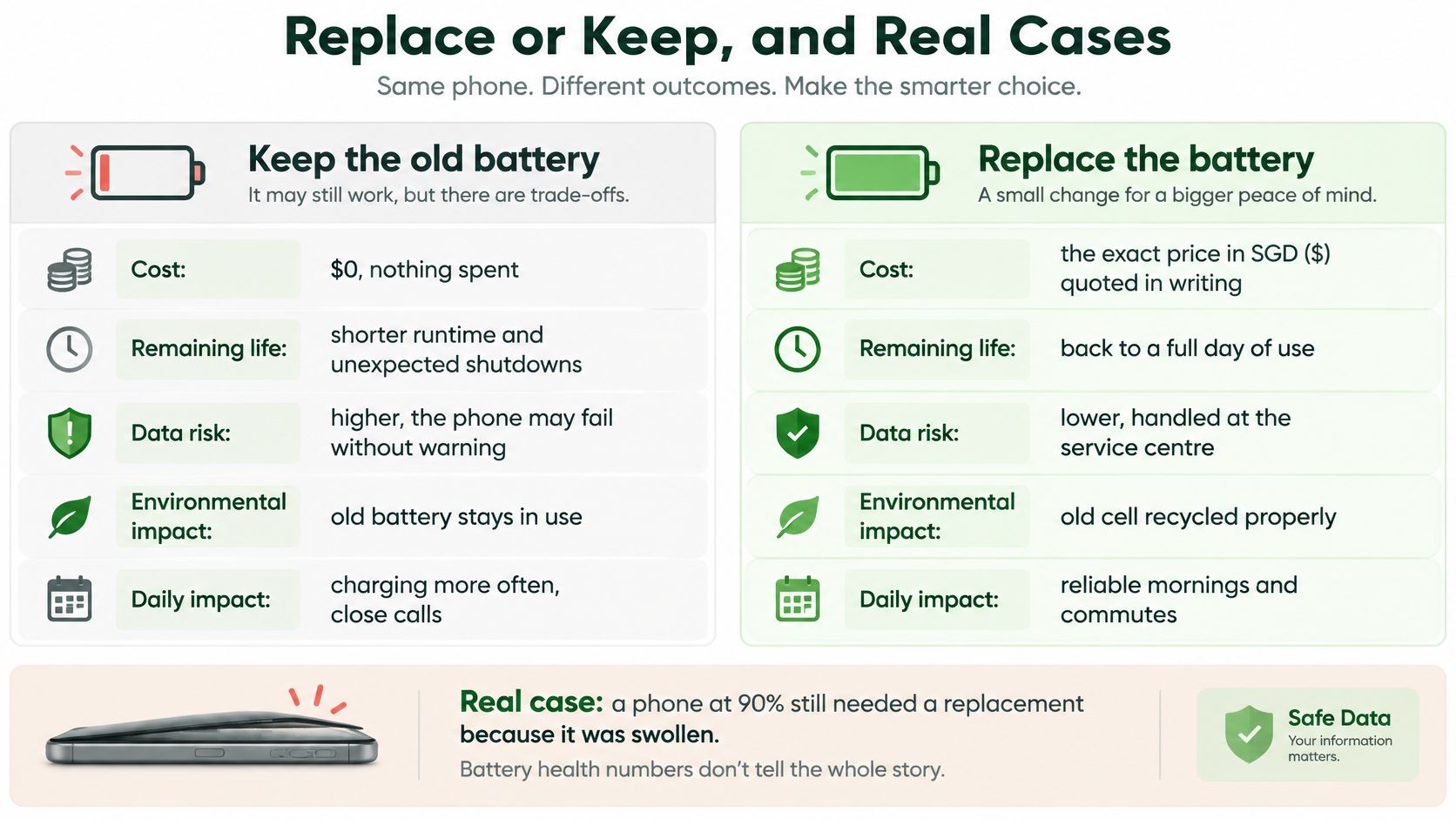
Keep the existing battery: You avoid a service fee and leave your setup untouched. The compromise is accepting shorter runtime, more charging and the possibility of an interruption when you're navigating, paying or taking a call.
Replace the battery: You pay for the part and labour and spend some time without the phone. In return, a correctly diagnosed battery repair can restore useful capacity and performance without discarding a working display, camera and processor.
A replacement won't fix every power complaint. An app consuming power in the background, a charging fault or liquid-damaged circuitry needs its own diagnosis.
The comparison below is a starting point, not a promise of a particular runtime or a guarantee against data loss. Your workload and the condition of the rest of the handset still matter.
Ask whether the rest of the phone is worth keeping
Before approving the repair, ask yourself:
- Will I still want to use this phone? Consider storage space, app compatibility, camera needs and other damage.
- Is battery reliability the main problem? If the handset otherwise does its job, a battery-only repair is easier to justify.
- Is the fee sensible compared with upgrading early? Compare the complete repair quote, not just an advertised starting price.
A backup reduces the consequences of data loss; it doesn't make any repair risk-free. Check that your important photos and documents are accessible from the backup before handing over the phone.
Four illustrative cases and the verdict for each
These are hypothetical decision examples, not customer histories or predictions of how quickly a particular model should degrade.
| Case | Symptoms and coverage | Verdict |
|---|---|---|
| iPhone 14, two years old, 84% Maximum Capacity | Lasts a working day, no shutdowns | Keep and monitor; plan service if runtime drops |
| iPhone 15, 18 months old, 79% Maximum Capacity | Covered by AppleCare+ | Book an assessment for covered battery service |
| iPhone 13, three years old, 88% Maximum Capacity | Shuts down at 30% on cold mornings | Arrange prompt diagnosis; replace if battery failure is confirmed |
| Any model, even at 92% Maximum Capacity | Swollen battery, screen lifting | Stop using and get it inspected immediately |
For the covered example, AppleCare+ Singapore provides battery replacement at no additional charge when the battery retains less than 80% of its original capacity, subject to applicable terms and assessment.
If several faults appear together, use a broader mobile phone troubleshooting approach rather than buying a battery on guesswork.
Act when the battery stops your day from working, not simply when a number crosses a line.
What a Battery Replacement Costs and How Long It Takes
A Singapore price list published by Red White Mobile in 2025 quoted independent battery replacements ranging from S$20 for an iPhone 6 to S$70 for an iPhone 12 mini. Treat that as a historical guide for those models, not a current quote for every iPhone or repair provider.
Your exact model, the replacement part and the service route set the bill. An older handset's advertised price is a poor budget for a different model, so check whether you qualify for covered service before paying independently.
Compare the complete service route
Battery replacement routes and prices
| Route | Price guide | Key condition |
|---|---|---|
| AppleCare+ battery service | No additional charge for eligible battery service | Capacity must meet the coverage threshold and applicable terms |
| Apple battery service outside warranty | Apple's model-specific service quote | Confirm the quote and timing before handing over the phone |
| Independent shop, iPhone 6 to iPhone 12 mini | Historical price range quoted above | Check battery warranty and part quality |
| Other certified providers in Singapore | Written quote for your exact model | Confirm the certification, part and service scope |
How long the job takes depends on the route. Apple service arrangements can involve an assessment or sending the device away, while a shop appointment may allow an on-site replacement when the correct part is already in stock. A swollen battery or one causing shutdowns deserves the fastest safe route, while a battery that is wearing out leaves you room to compare quotes.
Ask whether the quoted time covers diagnosis, fitting, testing and any post-repair configuration. Planning around a realistic collection window beats assuming you will have the phone back before lunch.
Ask about the part, not just the price
Before booking, get clear answers to these questions:
- Battery condition. Is the replacement battery new or refurbished, and what exactly is being supplied?
- Warranty coverage. What faults does the replacement battery warranty cover, and how would you make a claim?
- Battery Health reporting. Will the reading work correctly after the swap, and are any messages or configuration steps expected?
- Complete price. Does the written quote include labour, applicable charges and any additional work already identified?
Compare written quotes on the same basis. A cheaper figure stops being a saving when it excludes work you need or leaves the part unclear.
We offer repair, buy and sell services for smart devices in Singapore. Whichever route you choose, start with a clear diagnosis and a complete written quote.
If you rely on the phone for work or banking, plan how you will manage while it is away. Keep the contact numbers you need accessible elsewhere and confirm collection arrangements before leaving the handset.
How to Hand Over the Old Battery Safely
An old iPhone battery does not belong in household rubbish or a blue recycling bin. Lithium-ion cells need a dedicated collection route, and the simplest option is usually to leave the removed battery with the technician who replaced it. You avoid storing a used cell at home, and the battery enters a managed disposal path straight after the repair.
Make the handover straightforward
- Keep the battery inside the phone until service. There is no need to pull the old cell out yourself before the appointment. A battery that stays installed is easier to handle than a loose one.
- Ask for the old battery to be retained. Confirm before the work starts that the shop keeps removed batteries for proper collection, and ask where yours goes after fitting.
- Handle a loose battery carefully. Keep it away from keys, coins and other metal objects, and do not carry it loose in a bag. For a swollen, damaged or hot cell, get handling instructions instead of charging, discharging or packaging it yourself.
- Confirm acceptance before travelling. If you are not using the technician's take-back option, check that an NEA-supported collection point accepts phone batteries and the condition yours is in. Not every collection bin accepts every battery type or condition.
- Get a handover record. A receipt or job note stating that the old battery was retained is useful for workplace devices and for your own records.
Our Singapore battery recycling guide can help you plan the next step without treating every recycling bin as interchangeable.
Responsible handover: The easiest battery to recycle safely is the one you never have to remove, store or transport yourself.
Book Your Battery Check Before the Phone Fails
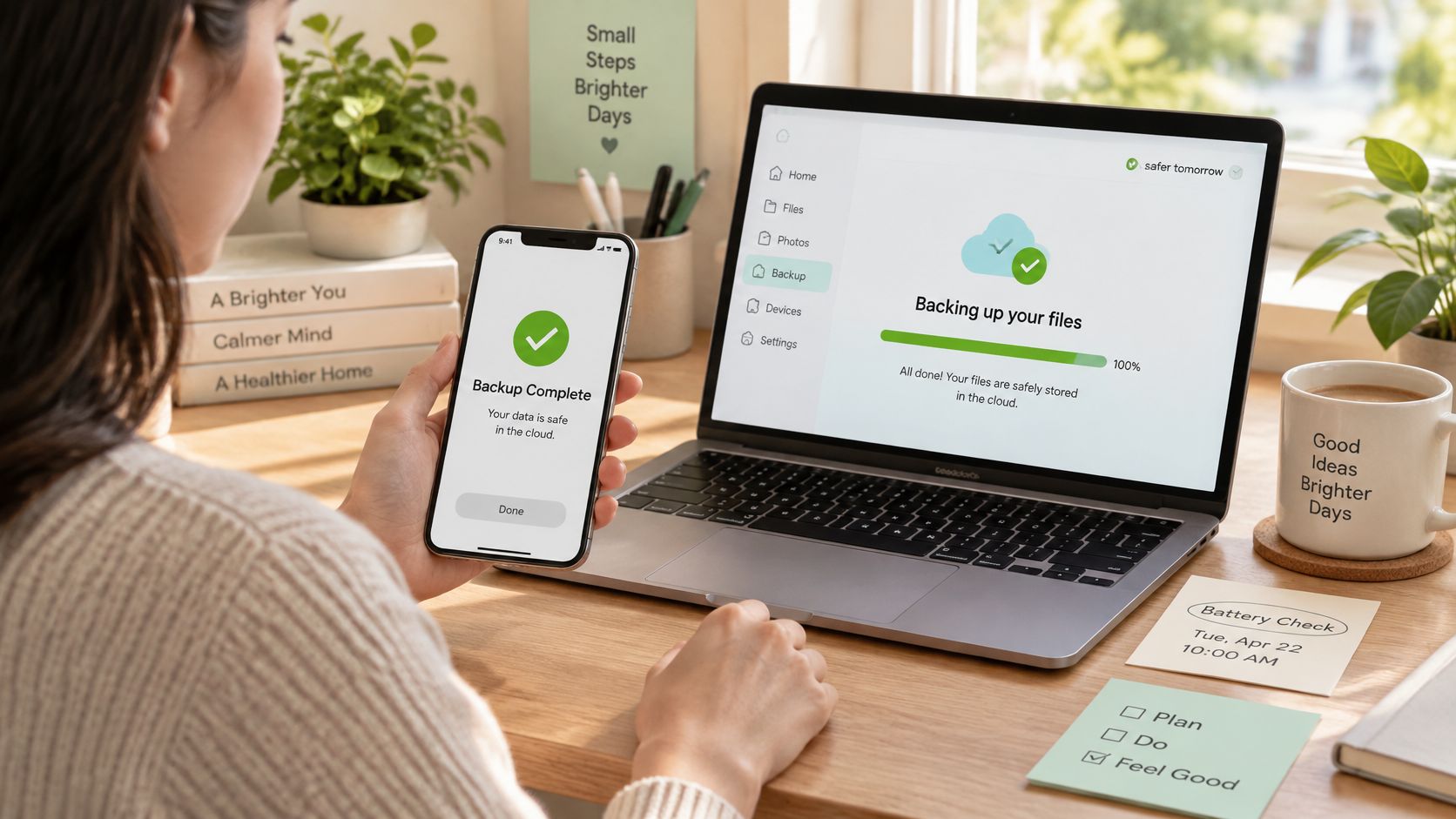
Back up first, then book the assessment. Use iCloud or a computer and confirm your photos, messages and important files are included, provided the phone is safe to operate. Sorting this at home means the repair visit stays about the battery, not your data.
Bring the symptoms, not just the percentage
Tell the technician what interrupts your day: losing navigation on the way home, switching off during calls or needing a charger during light use. Include any recent drop, liquid exposure or change in charging behaviour. Those details carry more weight than the health figure alone, because the 80% mark is a service threshold, not an automatic deadline. A phone just above it that dies mid-call needs attention sooner than one just below it that still gets through the day.
Our guide to choosing a mobile repair shop helps you assess the service process before handing over your device. Get the agreed work, price and expected collection arrangements in writing so you know what you're approving.
A good repair visit protects both the device and the information on it. If you still need files that aren't backed up, say that recovery takes priority and agree on the sequence before any wiping is discussed.
For another angle on preparing your device, watch the video below.
Keep useful tech in use
Treat the health percentage as a planning signal, and let safety symptoms and daily impact make the final call. Keep a safe, useful device working while it still serves you, and act when waiting stops making sense. That way of working supports a zero e-waste goal: repair what still serves you, protect your information and pass on unwanted tech through managed routes. Manageable steps, taken at the right time.
At myhalo, we offer iPhone battery replacement alongside screen replacement, back glass repair and charging port repair, while our Rescue service keeps devices valuable, functional and out of e-waste. If you're retiring a device, ask about secure data destruction with certificates on request; if files are stuck on a failed device, ask about data recovery. Reach out with your iPhone model and symptoms, and we'll help you decide whether a new battery is worth it.