
A drop, a quick flip, and there it is: the spider-web crack across your iPhone. You run your thumb over the glass, open a message, raise the brightness, and wonder whether you need a simple glass repair or a complete display replacement. That uncertainty is normal, but rushing to the cheapest quote can leave you with poor touch response, missing True Tone, a warning message, or a repair that doesn't make sense for the phone's remaining life.
Singapore has a large installed base of smartphone users. The IMDA Singapore Digital Society Report 2023 recorded 97% smartphone ownership among residents, based on data through 2022. An iPhone screen repair isn't just a cosmetic transaction. The part you choose, the technician's calibration work, the warranty, your data handling, and the destination of the removed screen all affect the phone's long-term value.
Table of Contents
- That Cracked Screen Moment We All Know
- What an iPhone Screen Assembly Actually Is
- Spotting the Signs Your LCD Needs Attention
- OEM, Genuine, or Aftermarket Parts Compared
- Cost and Turnaround Factors That Move Your Quote
- Inside the Repair Process Step by Step
- Data, Warranty, and What Happens to the Old Screen
- Getting an Instant Quote and Booking With Confidence
That Cracked Screen Moment We All Know
The phone slips outside a hawker centre, lands face down, and stays silent for half a second. You pick it up, press the side button, and see the familiar lock screen under a network of cracks. Touch still works, but one corner feels sluggish. Or perhaps the screen is black while calls and vibrations continue normally.
The first question is simple: has the glass cracked, or has the display assembly failed? Those are different jobs. A damaged cover lens with normal image output and reliable touch may have a different repair route from a panel with lines, dark patches, flicker, dead pixels, or ghost touch.
Don't press harder on the damaged area to test it. That can spread cracks and make small fragments more dangerous. Take a clear photograph of the phone's front and back while the display still works, then back up anything important before handing it over. If you want to prevent the same sort of accident later, a good iPhone screen protector guide is a useful place to start.
Counter advice: Don't accept a quote that says only “screen repair”. Ask which layer is being replaced, what part grade is installed, whether calibration is included, and what happens to the old panel.
A sensible repair decision protects more than the display. It preserves access to communications, banking, authentication, work files, photos, and familiar settings. It also keeps a serviceable phone in use instead of treating one broken component as a reason to discard the whole device.
What an iPhone Screen Assembly Actually Is
A modern iPhone display assembly is a stack of connected parts, not a single sheet of glass. The visible cover lens sits above the touch-sensitive digitiser, which detects your finger. Beneath that is the image-producing panel, with flex cables carrying power and data back to the logic board. The assembly may also include a frame or bracket and adhesive layers that hold everything in position.
That distinction matters because “LCD” and “OLED” describe different display technologies. An LCD uses a backlight behind a liquid crystal layer, while an OLED panel produces light from its own pixels. The result can differ in thickness, contrast, black levels, colour behaviour, power use, and the way the display responds to calibration. They aren't interchangeable labels for the same part.
Older iPhone models commonly use LCD-based assemblies, while many newer Pro models use OLED. A repair quote must match the exact iPhone model and the actual technology being installed. If the invoice says LCD but the technician installs another type of panel, the paperwork isn't describing the repair clearly enough.
Apple's repair documentation explains that displays carry model-specific calibration values, including information linked to display performance and the ambient-light sensor. The Apple repair process for iPhone displays also specifies controlled heating for adhesive removal and a model-specific display press for reinstallation.
Why the part label matters
The label on your quote affects more than the price. It tells you what to expect from:
- Brightness: A weaker panel may look noticeably dimmer outdoors.
- Colour: Whites can appear warmer, cooler, yellow, blue, or washed out.
- Touch response: Poor digitiser quality can create missed taps or inconsistent swipes.
- Calibration: The replacement may need factory calibration values transferred through Apple's Repair Assistant.
- Features: Automatic brightness, True Tone, touch behaviour, and display diagnostics may depend on correct installation and calibration.
Ask the counter to write down the exact part type, not just “LCD replacement”. That one line gives you a basis for comparing quotes and checking the result at collection.
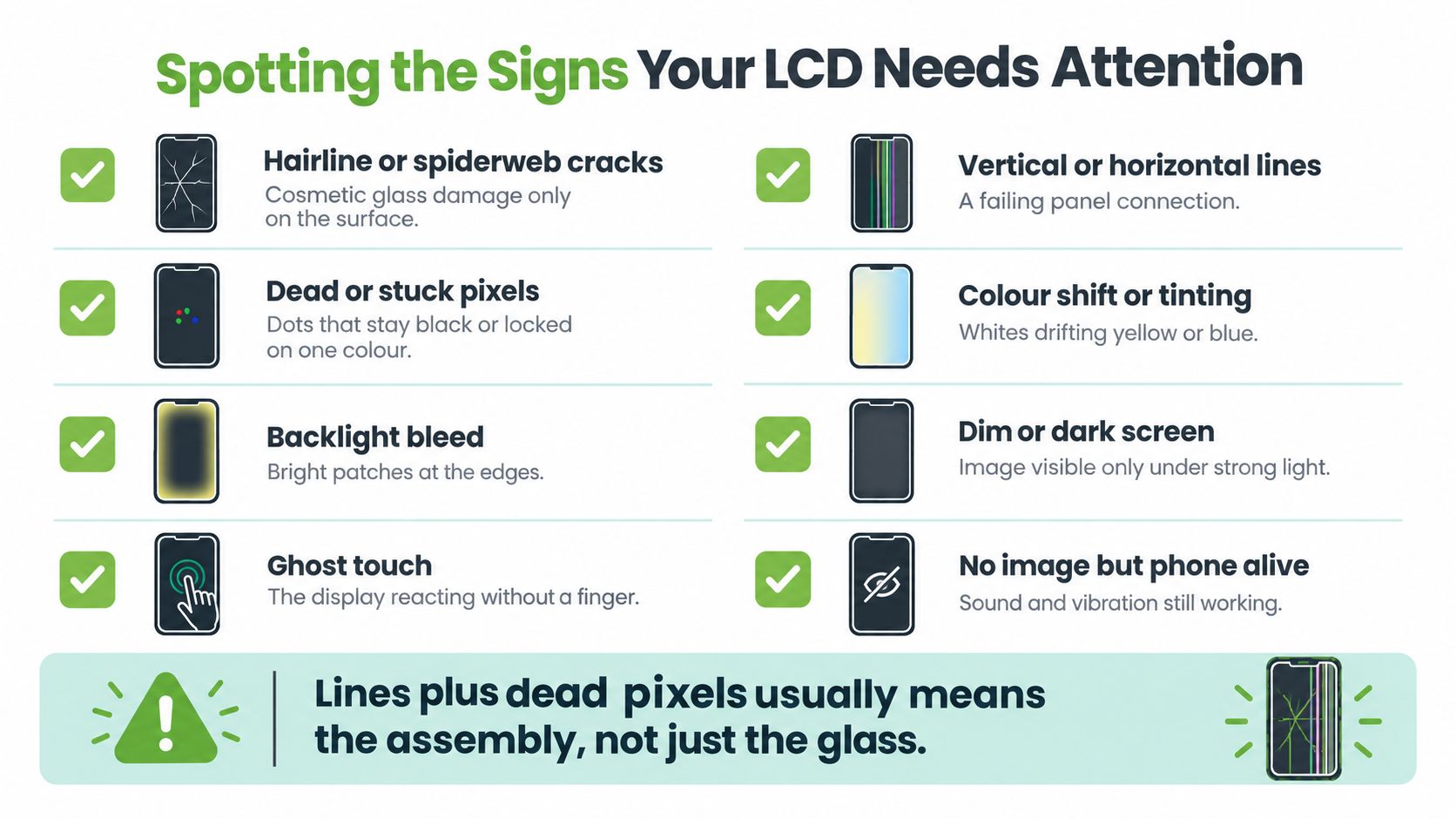
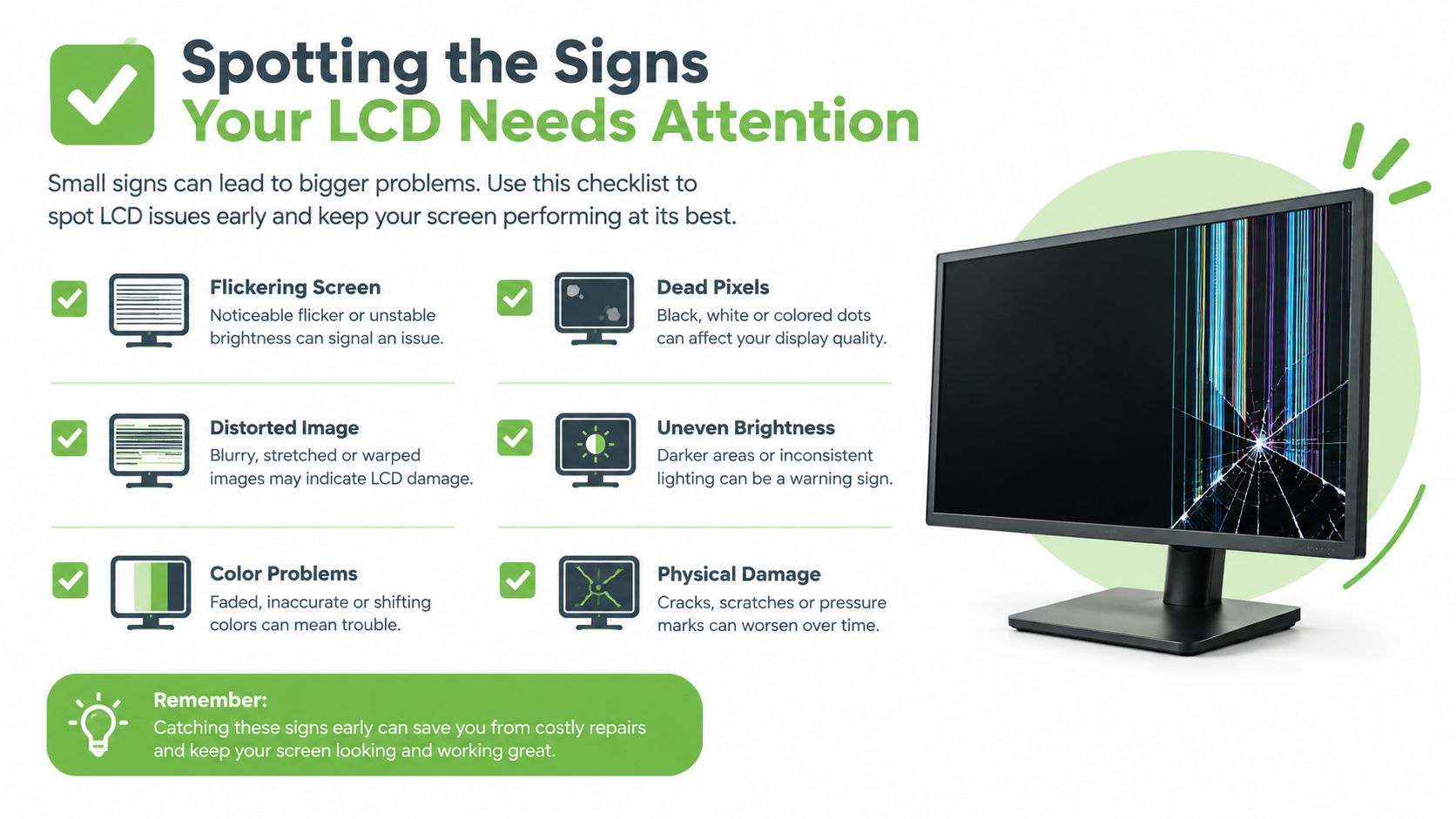
Spotting the Signs Your LCD Needs Attention
A cracked cover doesn't automatically mean the panel underneath is dead. Start with a controlled check while the phone is still usable. Open Notes, type across the full keyboard, swipe from every edge, and drag an icon around the display. If your finger consistently works everywhere, the touch layer may still be healthy.
Next, raise and lower brightness while viewing a plain light background. Look for areas that remain dim, uneven patches, sudden flicker, or colours that change as the brightness moves. Tilt the phone against a dark background to look for bright edge patches. A screen that shows an image only under strong light may have a backlight or panel fault, not merely a cracked lens.
Use the symptom, not the crack, to choose the repair
- Surface cracks only: The glass looks damaged, but the image, brightness, and touch remain normal.
- Lines across the panel: Vertical or horizontal lines usually point to a panel connection or assembly fault.
- Dead or stuck pixels: Dots remain black or stay fixed on one colour.
- Colour shift: Whites drift yellow, blue, green, or grey compared with the rest of the screen.
- Ghost touch: The phone registers taps, swipes, or app openings without your finger.
- Dark spots: Splotches can grow and indicate damage below the outer glass.
- No image with sound or vibration: The phone may be alive even though the display assembly has failed.
- Intermittent touch: A zone may work after a restart and fail again when the phone warms or moves.
A glass-only route makes sense only when the underlying display and digitiser pass testing. If the panel has lines, dead pixels, black areas, flicker, or unreliable touch, replacing only the glass is the wrong economy. The technician should isolate the fault before opening the phone and explain whether you need glass work, a panel, or the complete assembly.
OEM, Genuine, or Aftermarket Parts Compared
Singapore repair counters usually describe replacement parts in three practical tiers. The names aren't always used consistently, so ask what the shop means by each term rather than relying on the label alone.
OEM pull parts come from donor iPhones. They can offer a close match for brightness, colour, touch feel, and calibration behaviour, but availability depends on the donor supply and exact model. They generally cost more because the part is treated as an original component rather than a newly manufactured copy.
Genuine-refurbished assemblies use original display components that have been reworked, often with a new glass and digitiser laminated onto the original panel. For an older iPhone that still has a healthy battery, camera, charging port, and logic board, this can be a sensible middle path.
Aftermarket panels are made by independent manufacturers. Quality ranges widely between suppliers and grades. A good one may work well for an everyday phone, while a poor one can feel dull, respond unevenly, drain the battery faster, or lose display features after installation.
| Part Tier | Source | True Tone / Calibration | Price Band (SGD) | Best For |
|---|---|---|---|---|
| OEM pull | Donor iPhone component | Ask whether the original calibration data is retained and transferred | Higher, model-dependent | Owners prioritising a close original experience |
| Genuine-refurbished | Original panel with refurbished glass and digitiser | Confirm calibration and feature testing in writing | Mid to higher, model-dependent | Older iPhones worth keeping in service |
| Aftermarket | Independent replacement manufacturer | Varies by supplier and grade | Lower to mid, model-dependent | Budget repairs where the trade-offs are accepted |
The price difference can be substantial even for one model. A Singapore independent repair listing shows an iPhone 17 Pro Max replacement at S$575 for an original LCD option and S$358 for an OLED option, a S$217 difference between the listed component categories on its iPhone display pricing page. Another local listing gives a genuine-display range of S$355 to S$545 across supported iPhone models, so a flat “screen repair” price doesn't tell you enough.
Use the phone repair parts guide to prepare your questions, then match the part to your plan. For a newer phone you expect to keep, pay for the better display experience. For an older phone nearing trade-in, choose a reliable mid-tier part only if the warranty and final testing are clear. The cheapest panel isn't the cheapest outcome if it needs another repair.
Cost and Turnaround Factors That Move Your Quote
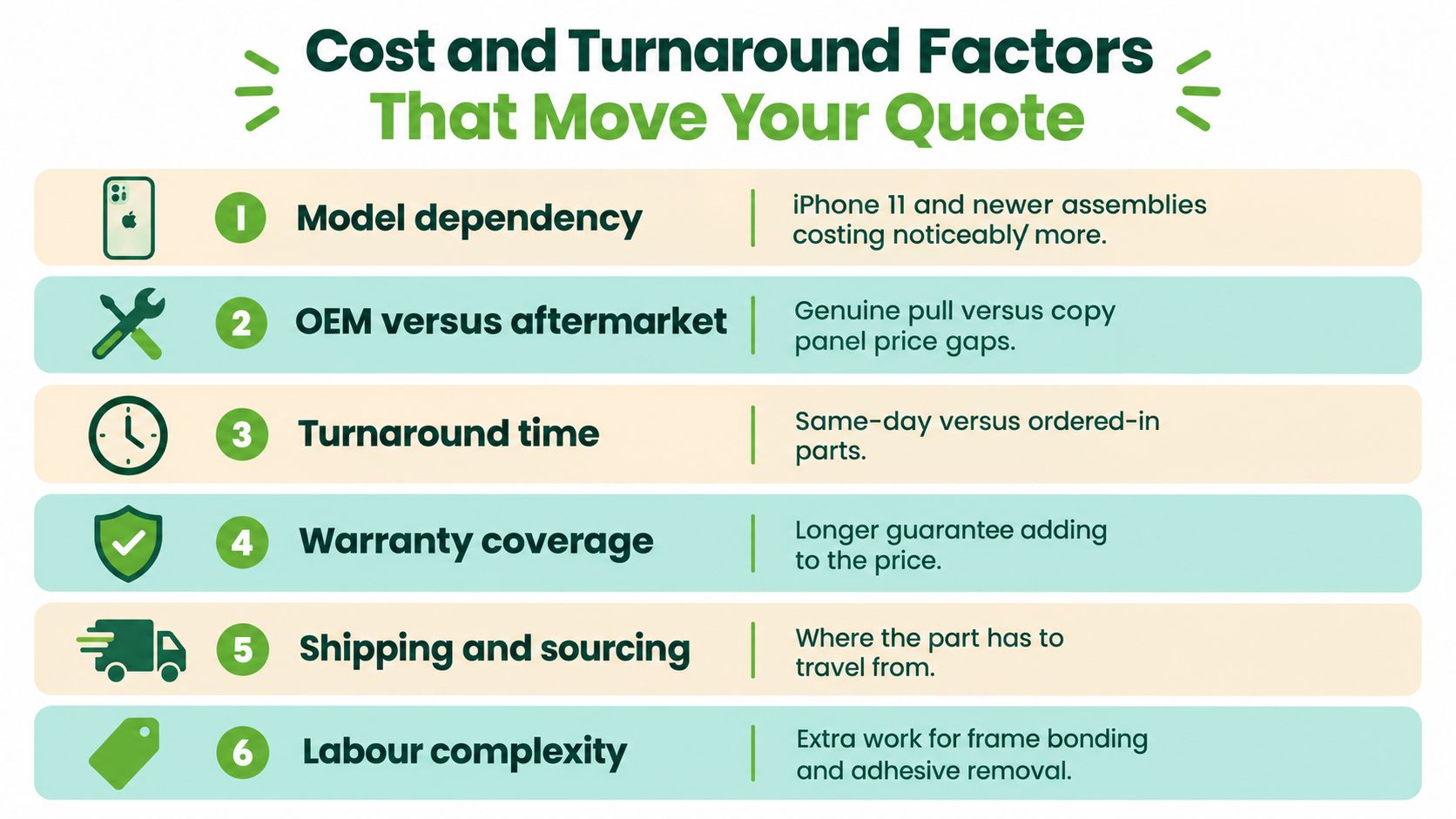
A repair quote changes because the job changes. Your exact model, the display technology, the replacement part, the frame condition, adhesive work, calibration, and warranty all affect the final amount. The Singapore iPhone screen repair pricing guide is useful for understanding why a quote should be itemised rather than presented as one unexplained figure.
The quote levers you can actually control
- Model dependency: Different iPhone generations use different assemblies and part supplies. Confirm the exact model in Settings, not only the name you remember.
- Part grade: Original, refurbished, and aftermarket options carry different costs and display characteristics.
- Calibration: Apple identifies display calibration values for functions such as automatic brightness, colour response, and touch behaviour. Ask whether the quote includes the required software step.
- Frame condition: A bent housing can prevent an even fit. Repairing or replacing the frame may add work, and forcing a new panel into a distorted frame is poor practice.
- Hidden damage: Stripped screws, damaged flex cables, a swollen battery, or liquid-corrosion indicators can change the job after opening.
- Sourcing: A part already available locally may allow faster service than one that needs to be ordered.
Turnaround depends on the model, the part in stock, the queue, and what the technician finds inside. Don't accept an exact collection promise until the shop has confirmed the correct component and inspected the phone.
Your written quote should separate part cost, labour, calibration, adhesive or resealing work, GST, warranty duration, and exclusions. If a shop can't tell you what happens when the replacement shows a dead pixel or touch fault, the low price isn't a complete quote.
Inside the Repair Process Step by Step
A professional display replacement begins before the first screw comes out. The counter should record the model and serial details, photograph the phone's existing condition, and run a pre-repair check. That check should cover touch, display output, cameras, speakers, microphone, charging, Face ID where applicable, and the proximity sensor.
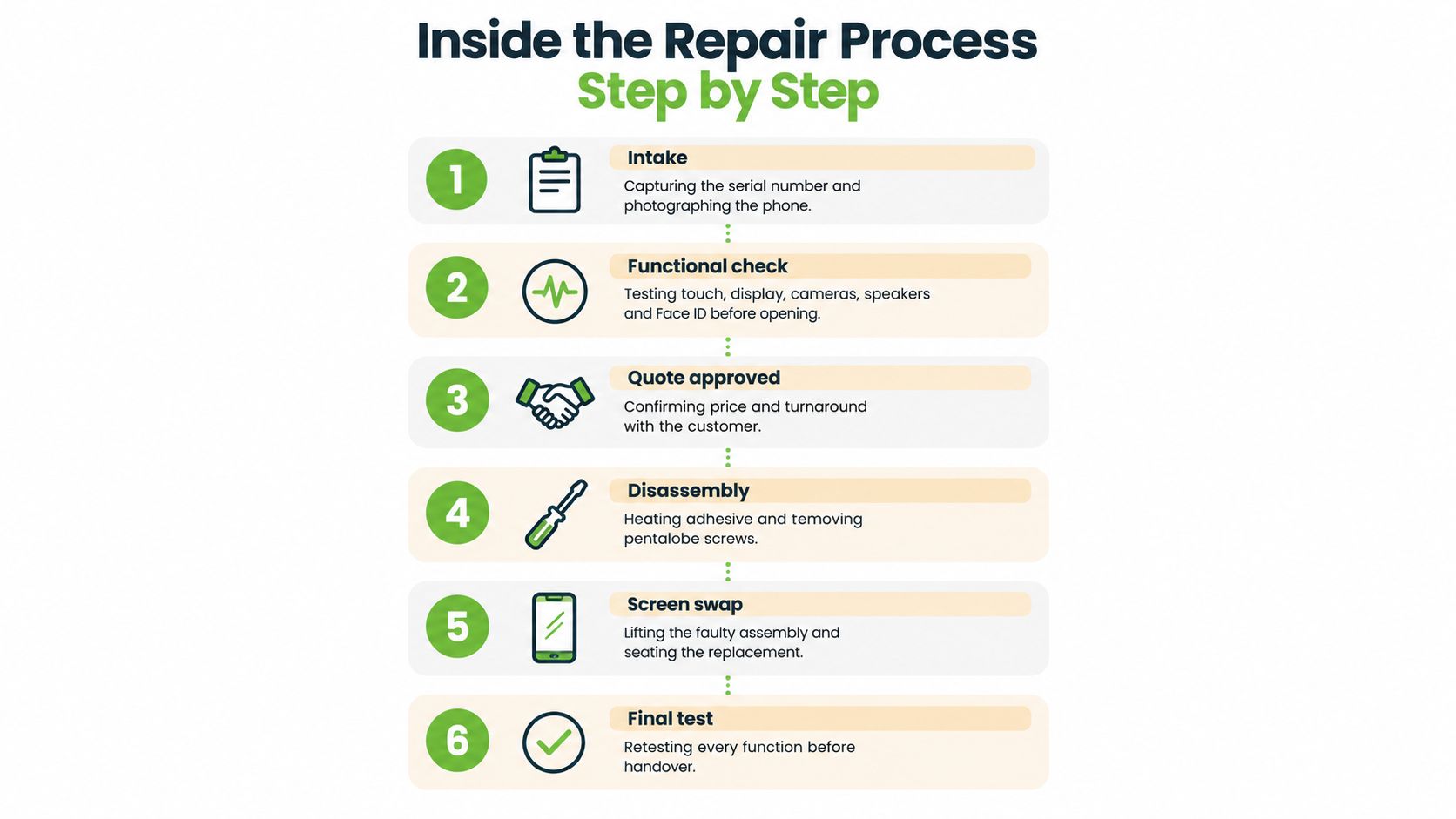
Once you approve the quote, the technician powers down the phone, removes the pentalobe screws, inspects the frame, isolates the battery connector, and releases the display cables. Controlled heat softens the adhesive. The technician then lifts the faulty assembly without pulling or folding delicate flex cables.
The replacement must sit evenly in the housing. Fresh gasket adhesive helps close the original seam, but opening a phone means you shouldn't treat its previous water-resistance expectations as unchanged. A careful technician checks the frame, clears old adhesive, seats the display accurately, and avoids uneven pressure that can stress the panel or create gaps.
The checks that should happen before handover
- Touch grid: Test taps, swipes, typing, pinch-to-zoom, and edge gestures across the entire panel.
- Brightness ramp: Move from low to high brightness and look for flicker, dark zones, colour changes, or uneven illumination.
- Sensor and biometric functions: Check the proximity sensor and Face ID-related functions where applicable.
- Display features: Confirm True Tone or equivalent features and check the phone's repair history after installation.
- Audio and cameras: Test the earpiece, loudspeaker, microphone, front camera, and rear camera.
- Cosmetic fit: Inspect the bezel, frame, adhesive line, screw placement, and display alignment.
Apple states that customers can seek personal support through a Genius Bar or Apple Authorised Service Provider, where technicians inspect the iPhone and explain available options. Its Singapore iPhone repair guidance also lets customers view current or recent repair information through My Support or the Apple Support app.
At pickup, spend five minutes checking the phone before leaving. Ask for the warranty document, the installed part description, and confirmation that calibration and final testing were completed.
Data, Warranty, and What Happens to the Old Screen
A screen swap doesn't erase your photos, messages, banking apps, or authentication data. Back up your iPhone before service, remove unnecessary access, and ask the technician what diagnostics require an open device. You shouldn't hand over your passcode casually. If testing needs access, ask why, agree on the minimum required access, and stay present where practical.
Use a proper iPhone backup checklist before leaving the phone at a counter. If the phone is being traded in, passed to another person, or retired because the repair no longer makes financial sense, backup alone isn't enough. You must also sign out of relevant Apple services and securely erase the device.
The PDPC guidance on disposing of personal data says organisations must make reasonable security arrangements under Section 24 of the Personal Data Protection Act. It describes complete deletion from rewritable electronic media as sanitisation, which makes data disposal a separate step from physical repair. A later PDPC guide on media disposal says data must be made unrecoverable and identifies smartphones as portable computing devices.
Ask where the removed panel goes
A responsible repair provider should explain whether the damaged display is:
- Reused: A working panel may support refurbishment.
- Harvested: Usable components can help rescue another device.
- Recycled: Glass and other material can enter controlled processing.
- Disposed of: This should be the last route for an assembly with recoverable value.
Singapore's NEA e-waste study and responsibility framework reported that the country generated more than 60,000 tonnes of electrical and electronic waste annually in 2018, equivalent to about 11 kilograms, or approximately 73 mobile phones, per person. The same source estimated that households accounted for 30,000 tonnes of discarded electrical and electronic goods, while only about 6% of domestic e-waste was recycled.
The practical lesson is clear. Repair the screen when the rest of the phone is healthy, but don't repair blindly. If the battery, charging system, housing, and logic board all have serious faults, compare repair with trade-in, certified resale, or controlled parts harvesting. The best lifecycle decision isn't always the lowest repair quote.
Apple identifies a 90-day service guarantee, or the remaining warranty term if longer, for genuine-part repairs in Singapore. Third-party providers should state their own parts and workmanship warranty in writing, including exclusions for drops, liquid exposure, and new damage.
Getting an Instant Quote and Booking With Confidence
A trustworthy booking flow should begin with the exact iPhone model and generation. Don't choose “iPhone screen repair” as a generic service and hope the counter works it out later. Select the display technology, compare OEM, genuine-refurbished, and aftermarket options, and ask what changes in brightness, touch feel, True Tone, calibration, and resale value.
The quote should itemise:
- Replacement part, including its grade and technology.
- Labour, including adhesive removal and installation.
- Calibration, including any display serial or feature restoration work.
- GST and other charges, with no unexplained additions.
- Turnaround, based on stock and model.
- Warranty, including what defects and accidental damage exclusions apply.
- Data handling, including whether a passcode is required and how the device is protected.
Don't book until those details are visible or confirmed in writing. If the phone has liquid exposure, a bent frame, a black display, or several faults, send photographs and request a manual assessment instead of relying on a basic quote.
For a Singapore walk-in customer, convenience matters, but it shouldn't come at the expense of clarity. Choose a repair counter that can explain the part, test the phone before and after service, protect your data, and account for the old screen responsibly.
Your precious files and memories matter to us. Whether you need to protect your privacy with Safe Data or rescue lost files with Save Data, myhalo can assess your iPhone repair, reuse, buyback, and responsible recycling options. Visit myhalo to request a transparent quote or speak with the team about your damaged display.