
Your phone hits the concrete, the screen goes black, or it slips into the toilet before you can grab it. Then the panic starts: photos, WhatsApp conversations, work files, authenticator codes, and contacts may all be trapped inside. The most important decision isn't which recovery app to download. It's what you avoid doing next.
Data recovery for Android depends on the phone's condition, whether it is open, and whether its original storage and security hardware are still usable. Singapore users often need help after a lost, stolen, damaged, or inaccessible phone. One local survey found that 52% of adults had experienced mobile phone loss or theft, while only 37% had password protection enabled. Among victims, 89% couldn't remotely secure or erase their phone, and 72% said remote securing and erasure would make them more likely to buy a device or software. (Singapore mobile phone loss and security survey)
If your Android is failing right now, keep calm and protect the original data before attempting anything ambitious. This guide gives you the decision path, from safe first actions to the point where a professional is the only sensible option. For a plain-language introduction, read this guide to what data recovery means.
Table of Contents
- When Your Android Phone Goes Wrong
- First Things to Do in the First Hour
- DIY Tools That Help and Tools That Hurt
- Hard Limits of Android Recovery: Encryption, Locks and Board Failure
- How a Professional Recovery Service Works
- Choosing a Service You Can Trust
- Protecting Your Files Before the Next Mishap
When Your Android Phone Goes Wrong
A cracked screen after a drop onto concrete is frightening, but it may be a display problem rather than a storage problem. A sudden black screen can mean a failed screen, battery, charging circuit, or main board. Water from a toilet or pool creates a different emergency because corrosion can continue spreading after the phone appears dry.
A failed update may leave the phone trapped in a boot loop. A child playing with the device may trigger too many attempts and leave you staring at a lock screen you can't open. These situations look similar from the outside, but they don't have the same recovery path.
The first few minutes matter. Every restart, app installation, charge attempt, and reset changes the condition of the phone or its storage.
Stop treating the phone as an ordinary gadget. If it has suffered water exposure, don't keep testing it. If it still rings or vibrates but the display is dark, don't assume the data has disappeared. If the phone shows a lock screen, the PIN, pattern, or password may be the key to making the stored files usable.
Make the diagnosis before making a repair
Ask yourself three questions:
- Does the phone show signs of life? Vibration, sound, notification lights, warmth, or a computer connection may indicate that the board still operates.
- Is the phone free of carrier restrictions? Modern Android storage is tied to the device's security state. A working phone without the owner's credential can still be inaccessible.
- What happened immediately before the failure? Water, impact, deletion, an update, a forgotten PIN, and a factory reset point to different risks.
Don't factory-reset a phone just because it won't boot. Official Singapore guidance for hacked phones may recommend a reset to remove malware, but a reset also erases the data on the device, creating a direct conflict between security cleanup and recovery. (Singapore Android recovery guidance)
Your task is simple for now: preserve the phone in its current state. The next section gives you the actions that protect the best possible recovery route.
First Things to Do in the First Hour
Stop using the phone as soon as something goes wrong. Deleted files aren't always immediately destroyed, but new photos, messages, app caches, downloads, and system activity can write over available storage. If the missing files matter, don't take another photo, browse social media, or install a scanner.
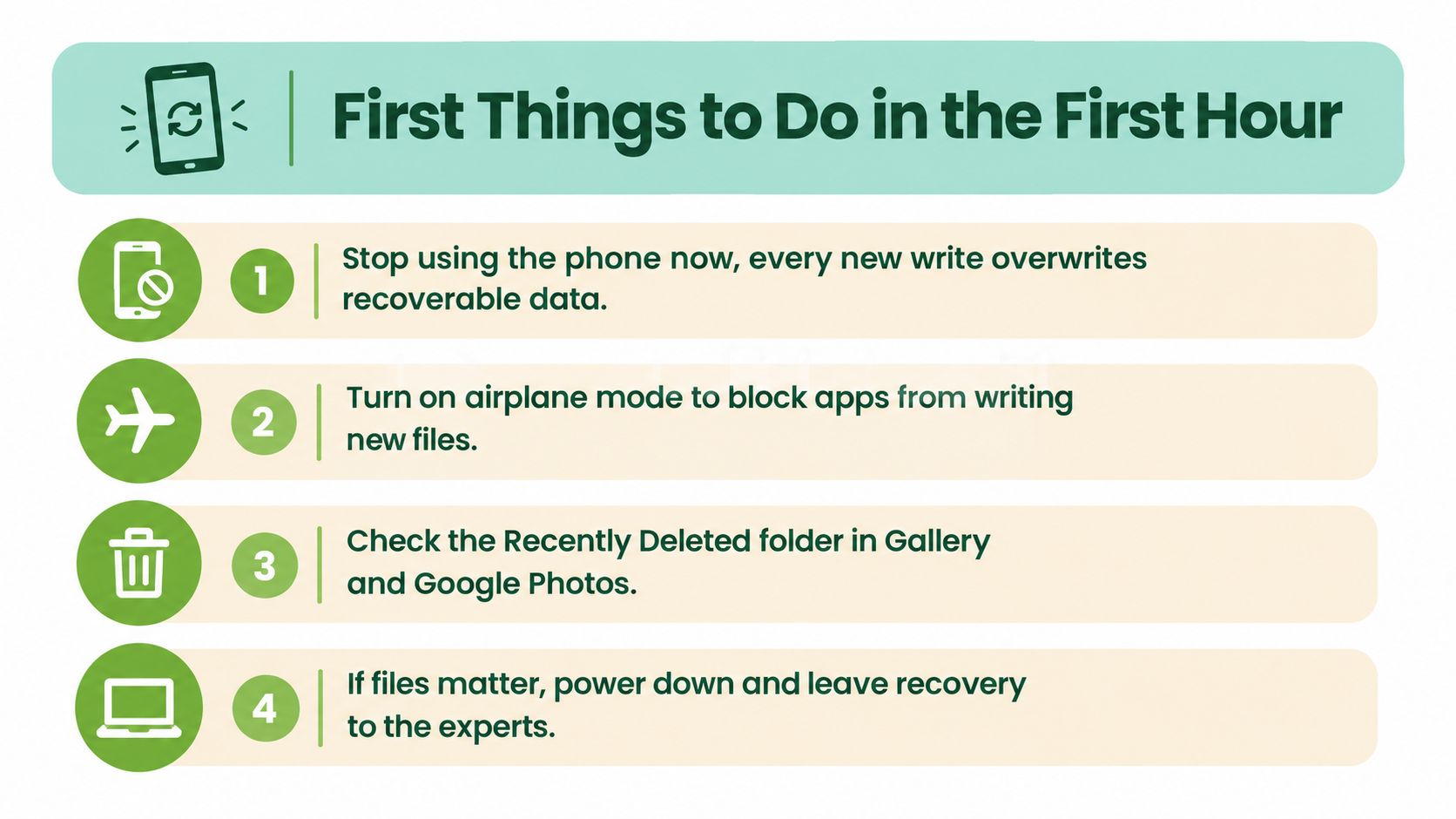
Turn on airplane mode only if the phone is working and already in use. This can limit background syncing and app activity while you check cloud copies. Don't use airplane mode as a reason to keep experimenting with a wet or overheating device. Power it down instead.
Water damage changes the rules. Don't plug a wet phone into a random charger, and don't keep trying different cables to see whether it wakes up. Electricity through a wet or corroded board can damage power paths and storage access circuits. Keep the device switched off and take it for controlled inspection.
A phone stuck in a boot loop shouldn't be restarted over and over. Repeated boots can change system state and may complicate access to encrypted storage. Don't flash firmware, root the phone, open the bootloader, or start a factory reset while you still want the original files.
Check the safe copies first
Use another trusted device to check Google Photos, Google Drive, Google One, WhatsApp backups, and the manufacturer's cloud service. A copy already stored in the cloud is safer to retrieve than the only copy on a damaged handset. If you use a removable card, remove it carefully and follow a dedicated guide to recovering data from an SD card.
If the display is broken but the phone still powers on, don't peel away glass or pull the battery. A professional may be able to stabilise the original handset long enough to access it and copy the data. Your job is to preserve that possibility, not to make the phone look repaired.
DIY Tools That Help and Tools That Hurt
The popular advice is to download several recovery apps and try them one after another. That advice is too broad and can be actively dangerous. DIY recovery has a narrow use case: the Android phone must still boot, the storage must be readable, and you normally need the device to be open or otherwise accessible.
A computer-based tool such as Dr.Fone, DiskDigger, or an ADB pull may help with recently deleted photos or messages in a functioning, unlocked phone. These tools are more reasonable for non-critical files where you accept the possibility that nothing useful will be found. They aren't magic windows into a dead or locked handset.
Free editions often limit scanning or recovery and may show thumbnails rather than the original files. A tool also can't solve board failure, water corrosion, a broken USB port, or storage that remains encrypted. If the phone won't boot or you can't access it, installing another app won't create entry that the operating system is withholding.
Compare the risk before you scan
| Tool or Method | Where It Helps | Where It Hurts |
|---|---|---|
| Dr.Fone or similar PC software | A working Android phone that can connect to a computer and expose accessible files | It can't repair a dead board or defeat modern encryption |
| DiskDigger | Limited attempts on a functioning phone, especially for non-critical deleted media | Installing it on the same phone can write to the storage you're trying to preserve |
| ADB pulls | Copying accessible files when USB debugging was already enabled and the phone accepts the computer | It isn't a back door around a lock screen or damaged operating system |
| Multiple scanner apps | Comparing options on a spare test device or a phone with verified backups | Repeated installations and scans can overwrite recoverable space |
| Online “free recovery” offers | Rarely, an initial consultation may help identify the correct path | Shipping a private phone overseas can create privacy, ownership, and recourse problems |
Don't install recovery software on the affected phone. Don't accept a partial factory reset as a harmless troubleshooting step. A reset can destroy the encryption state or erase the user data partition, leaving a later laboratory recovery with nothing usable to extract.
The same caution applies to opening the phone without the right tools. Board-level work requires controlled diagnosis, not force. A specialist uses equipment designed for storage access and board repair, rather than improvising with household tools. See this overview of data recovery equipment to understand why a professional bench is different from a download.
DIY is appropriate when the data is replaceable and the device remains healthy. If the files are irreplaceable, stop before the first risky experiment.
Hard Limits of Android Recovery: Encryption, Locks and Board Failure
Android recovery stops at the phone's security design. A raw memory read can produce a complete-looking block of data that remains useless without the passcode or the device's decryption path. Singapore recovery labs describe a practical workflow built around reviving the original handset enough to image its storage, then decrypting and extracting the files. Singapore Android encryption and recovery workflow
Samsung Galaxy phones, for example, use UFS flash storage soldered to the main board. The storage is encrypted by default and tied to the screen lock. Removing the chip from a phone without its PIN, pattern, or password does not make the files readable. Samsung Galaxy storage and encryption explanation
Secure boot, verified boot, and manufacturer security layers add further barriers. A professional may repair the original board, preserve its security relationship, and access the phone with the owner's credential. A replacement motherboard cannot restore files stored on the old board. The original hardware and its security path matter more than the phone's brand.
Use the scenario, not the brand, to choose your path
| Scenario | Best Path | Why | Realistic Chance |
|---|---|---|---|
| Accidental deletion on a working phone you can open with your own credential | Check cloud folders first, then consider a cautious PC tool | The operating system and storage remain accessible | Worth a limited DIY attempt |
| Broken screen with vibration or sounds | Preserve the phone and seek board or display assistance | The data may still be intact, but access depends on the original handset | Often a professional case |
| Boot loop after an update | Do not flash or reset it, request a diagnostic | Software access may be damaged while storage remains present | Potentially recoverable |
| Water exposure or overheating | Power down and stop charging | Current and corrosion can damage the board further | Professional case |
| Dead board with original storage intact | Board-level diagnosis and controlled imaging | The original board may need revival before extraction | Depends on board and security condition |
| Forgotten PIN on an encrypted phone | Use the owner's credential or accept that access may be blocked | A raw chip read does not replace the decryption key | Limited without the credential |
| Factory reset completed | Check cloud backups and other synced copies | The local user data may have been securely erased | Often a write-off for local-only files |
A factory reset is not accidental deletion. On a current encrypted phone, secure wiping can make local files unrecoverable. Account locks also matter, and a legitimate provider should never promise to bypass them. If you do not have the credential, treat access as a security problem rather than a software problem.
Provider-reported figures, such as one Singapore lab citing about 98% under preserved-hardware conditions, are benchmarks, not guarantees for your phone. Another provider advertises over 90% successful mobile recovery. Those figures depend on the device, the failure, the security state, and whether anyone has already altered the phone. Review the stated conditions and success information from Singapore recovery provider conditions and success information before treating any percentage as relevant to your case. Professional recovery is the only sensible path when the files are irreplaceable and the original board or encrypted storage remains inaccessible.
How a Professional Recovery Service Works
A proper Singapore recovery service starts with questions, not disassembly. You should be asked what happened, when it happened, whether the phone was wet or dropped, whether it still vibrates, whether you know the screen credential, and which files matter most. That intake tells the technician whether the case is logical, board-level, or storage-level.
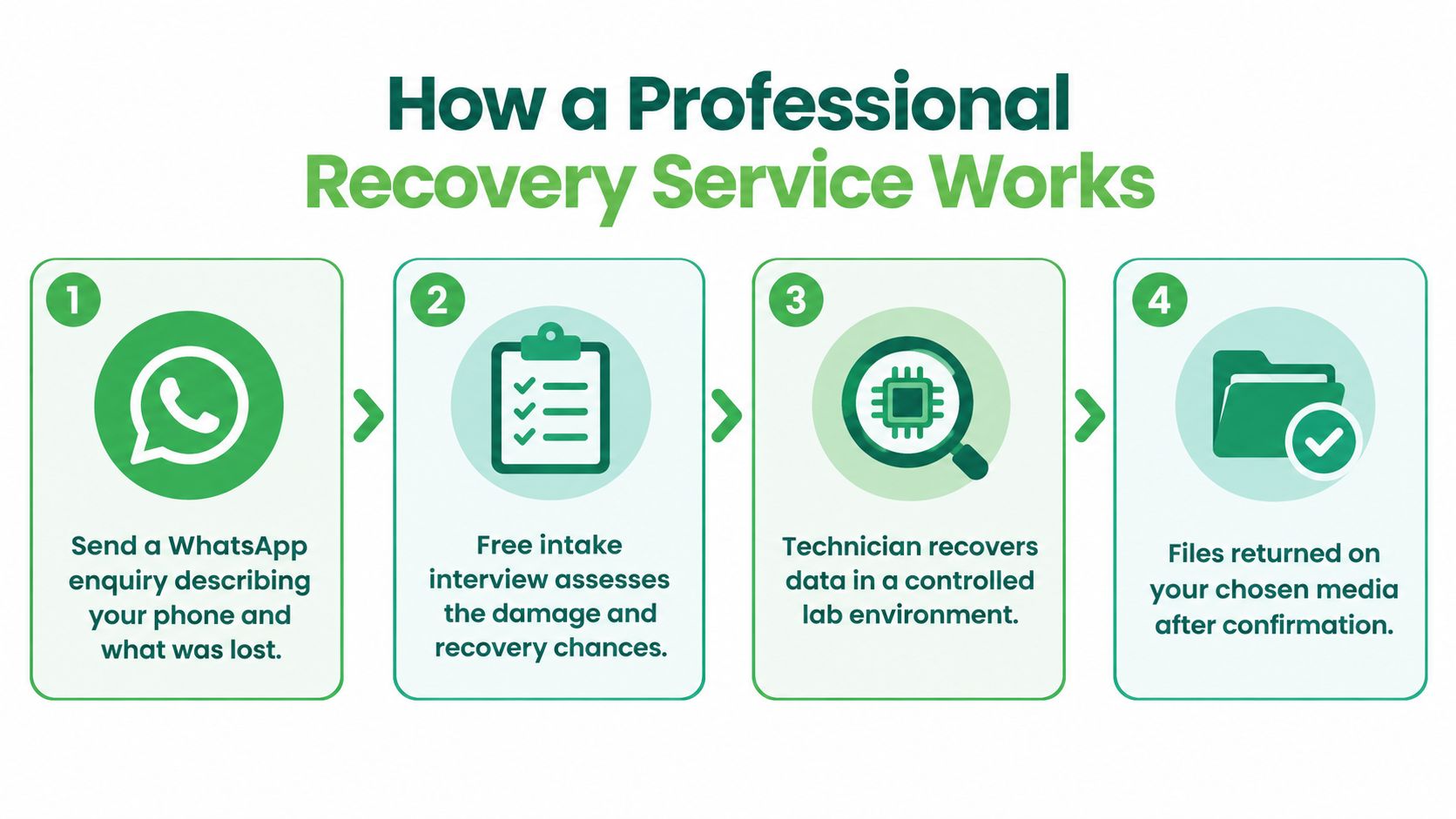
Ask for a diagnostic before approving invasive work. The provider should explain what can be attempted, what might reduce the chance of success, and whether the fee applies only if usable data is recovered. A written quotation is far safer than an open-ended repair promise.
The original board comes first
For a dead or water-damaged phone, the technician may work under magnification to stabilise the original board. The objective isn't necessarily to make the phone a reliable daily device. It's to preserve the original storage and security environment long enough to create a controlled image.
Modern Android storage may use UFS flash soldered directly to the board. A chip-off attempt can therefore produce encrypted output unless the technician can preserve the relevant board, processor, and security path. The lab may use logical extraction, board-level repair, or chip imaging depending on the model and failure.
The recovery team should work from an image or carefully controlled copy where possible. Hash verification can confirm that the copy hasn't changed during handling. You should receive a preview of recoverable folders before making the final payment, with files returned on fresh media or through a secure transfer method tied to verified ownership.
Ask about cost in Singapore
Published Singapore service summaries quote approximately S$100 to S$250 for logical recovery, S$150 to S$450 for board-level recovery, and S$300 to S$800 or more for chip-off extraction. These are indicative service ranges, not a quote for your phone, and the actual path depends on the damage and encryption state. (Singapore mobile recovery methods and pricing)
A trustworthy provider will separate diagnosis from wishful promises. The service should tell you what happens if the original board can't be stabilised, whether unsuccessful work is chargeable, and how the recovered files will be handed over.
Here is a short visual explanation of the workflow:
Choosing a Service You Can Trust
Don't choose a recovery company because its advertisement is the cheapest. Choose the provider that can explain ownership, privacy, failure conditions, and the technical limit before taking your phone.
The first requirement is original-owner-only handover. Recovered photos and documents should go to the verified account holder, not a reseller, courier contact, or unrelated third party. A responsible provider should also explain what happens to temporary copies, diagnostic images, and any storage media left behind.
The second is a written commercial boundary. Look for a no-recovery-no-pay arrangement or a fixed quotation tied to a defined scope. “We expect to recover everything” isn't a protection. The job sheet should state what the technician will attempt and what you'll pay if the files can't be produced.
Privacy belongs in the intake conversation
Ask whether the service follows ISO-aligned data-handling practices, documents chain of custody, and offers a signed NDA for corporate or sensitive personal files. You don't need to understand every laboratory instrument, but you do need a clear answer about who can view the data and where it will be stored.
Avoid unverified online offers that send devices overseas without a clear legal entity, local contact, ownership process, or return path. If a provider won't let you visit a Singapore counter or won't identify who handles the phone, the low price isn't worth the exposure.
For a wider framework for comparing providers, We Fix PC Laptop data recovery tips is useful when you're checking questions about quotes, capabilities, and service terms. A local counter such as myhalo can be considered when you want an in-person route for device rescue and secure data handling, but you should still ask for the same written guarantees.
Protecting Your Files Before the Next Mishap
The best recovery job is the one you never need. Backups turn a cracked screen, failed update, or accidental deletion from a crisis into a hardware inconvenience. They also give you freedom to choose a repair or replacement based on value, rather than gambling everything on a damaged handset.
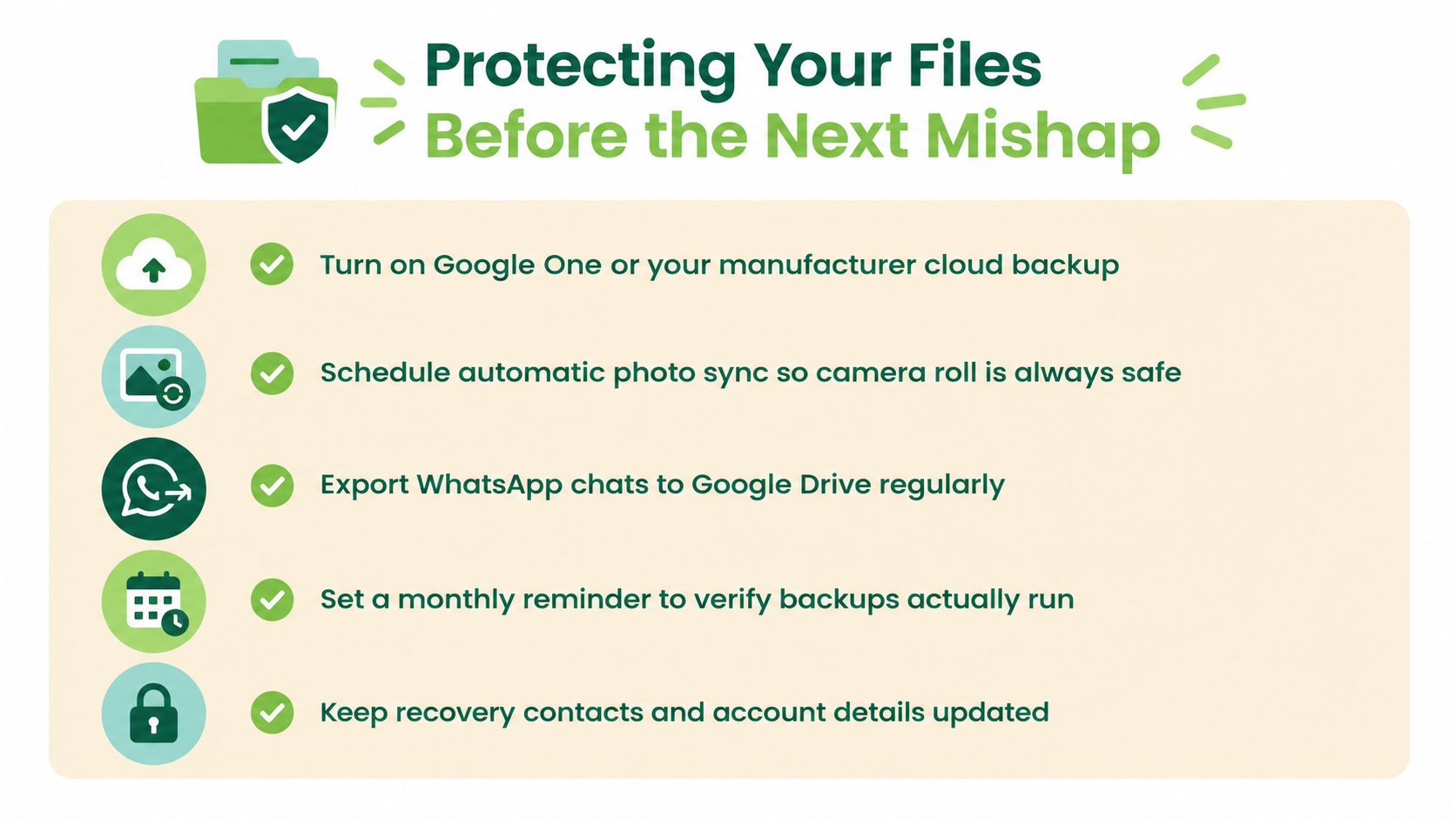
Use this checklist as a screenshot-ready routine:
- Turn on cloud backup: Enable Google One or the manufacturer's backup service, then confirm that the correct account is connected.
- Sync photos automatically: Set Google Photos or another trusted photo service to upload the camera roll without waiting for a manual transfer.
- Export chat histories: Keep WhatsApp chat backups in Google Drive and review whether important conversations are included.
- Verify the backup: Set a monthly reminder to check recent backup dates, available storage, and whether the account can restore files.
- Protect the lock-screen credential: Keep the PIN, pattern, or password in a secure offline location that your trusted family member or executor can access when appropriate.
- Prepare before updates: Keep the phone charged above 20% before a software update and avoid starting an update when the battery or charging connection is unreliable.
- Use dependable charging equipment: Avoid cheap third-party cables and chargers that may damage the charging circuit or board.
- Save a local recovery contact: Store a trusted Singapore recovery counter's details before a failure leaves you searching in a panic.
Keep precious files in more than one place, but don't scatter sensitive data across services you no longer control. Review old phones before selling, recycling, or trading them in, and use secure data destruction when a device is beyond repair. Responsible device reuse and safe data handling belong together, because a phone shouldn't become electronic waste because its owner is afraid of the files inside.
If the next mishap has already happened, stop experimenting once the safe checks are exhausted. A Singapore service counter such as myhalo can assess the original device, attempt data rescue, and help you move towards repair, reuse, or secure disposal instead of adding another abandoned phone to the drawer.
Your precious files and memories matter to us. Whether you need to protect your privacy with Safe data or rescue lost files with Save data, our caring team is right here to help. Reach out today before another restart, reset, or charging attempt makes recovery harder.