
A battery that drains before your MRT ride home can make your iPhone 11 feel unreliable, especially when you depend on it for payments, directions and messages. That does not automatically mean it is time for another handset. The right repair depends on the phone's condition and whether the service gives you confidence in its reliability.
Check your AppleCare+ coverage before comparing quotes. Battery replacement has no additional charge when maximum capacity is below 80% and your coverage applies. For out-of-warranty service, Apple or an Authorised Service Provider confirms the final fee after inspecting the phone.
The quote is only part of the true cost. Check what the repair warranty excludes, how long you will be without your phone, how your photos and work files are handled, and where the old battery will go. The route table and checklist bring those trade-offs together.
Table of Contents
- What an iPhone 11 Battery Replacement Costs, Warranty and Turnaround
- How to Check Your iPhone 11 Battery Health in Three Steps
- Warning Signs Your iPhone 11 Battery Is Wearing Out
- DIY Battery Swap Versus an Authorised Repair
- Back Up and Wipe Your Data Before Handing Over Your iPhone
- Where Your Old Battery Should Go in Singapore
- Decide Whether to Repair, Trade In or Upgrade
What an iPhone 11 Battery Replacement Costs, Warranty and Turnaround
If your iPhone 11 needs charging before the day is over, the repair decision comes down to more than the quote. Check what the price includes, what the warranty excludes, how long you may be without the phone, and who handles the removed battery.
Check coverage first. AppleCare+ battery service has no additional charge when the battery's maximum capacity is below 80% and the phone has eligible coverage. For an out-of-warranty repair, Apple provides an estimate rather than a fixed price, and the final fee depends on inspection.
Compare the repair routes
The table separates Apple's coverage terms from a dated independent-shop price reference. Apple's Singapore battery-service guidance gives the coverage terms and explains that out-of-warranty pricing is an estimate. QCD Technology's service-pricing listing listed S$129 for a standard battery replacement in 2024, or S$103.20 for eligible Premium members after a 20% discount. Treat those QCD figures as historical, not as current quotes.
| Route | Price information | Timing to confirm | What to check |
|---|---|---|---|
| AppleCare+ with maximum capacity below 80% | No additional battery-service charge under Apple's coverage terms | Ask about appointment and collection timing when booking | Battery Health reading and coverage status |
| Out of warranty at Apple or an Authorised Service Provider | Apple gives an estimate, not a fixed price; final fee depends on inspection | Ask for the expected appointment and collection window | Final fee and any additional findings |
| Independent shop, standard price reference | QCD listed S$129 in 2024; not a current quote | Ask the provider for its expected completion time | Battery grade, warranty and disposal arrangements |
| Independent shop, eligible Premium member | QCD listed S$103.20 after a 20% discount in 2024; eligibility applies | Ask the provider for its expected completion time | Membership conditions and current price |
| Battery-only DIY kit | Get a current kit quote | Depends on your experience and any complications | Tools, safety risks and possible warranty consequences |
Singapore Authorised Service Providers may set their own fees, so compare written quotes rather than relying on a search-result price. Ask whether the amount includes labour and applicable taxes, and whether inspection or another fault could change the bill.
Turnaround is provider-specific. Parts availability, appointment schedules and inspection findings can all affect when you get the phone back. No fixed completion time is stated in the price references above. Before booking, ask for the expected drop-off and collection times, and arrange another way to handle work authentication or family contact if you cannot be without your phone.
Read the warranty before paying
Warranty length alone does not tell you what a repair covers. StarHub's published battery-replacement terms exclude swollen batteries and provide a limited three-month warranty for battery manufacturing defects. That is one provider's policy, not a standard term for every repair shop.
Ask whether the warranty covers a faulty replacement battery, installation-related problems, repeat diagnostics and labour. Get the exclusions in writing, including what could lead to another charge. A replacement battery warranty may not cover every complaint about battery drain.
Practical rule: Compare the complete written offer, not just the price beside “battery replacement”.
Before authorising work, check:
- Battery details: What grade is being installed, and what capacity should you expect?
- Diagnostic findings: Does the provider believe the battery is causing the problem?
- Warranty exclusions: What is covered, and what could mean another charge?
- Final billing: Are labour and applicable taxes included?
- Removed-cell handling: Who is responsible for safe recycling?
- Service documentation: What will appear in Parts and Service History?
Clear answers make the options easier to compare. A lower quote with unclear warranty coverage, timing or battery disposal may leave you with costs the headline price does not show.
How to Check Your iPhone 11 Battery Health in Three Steps
Start with the phone's own readings rather than guessing from its age. Apple's battery-health guidance explains how maximum capacity and peak-performance information help identify significant degradation.
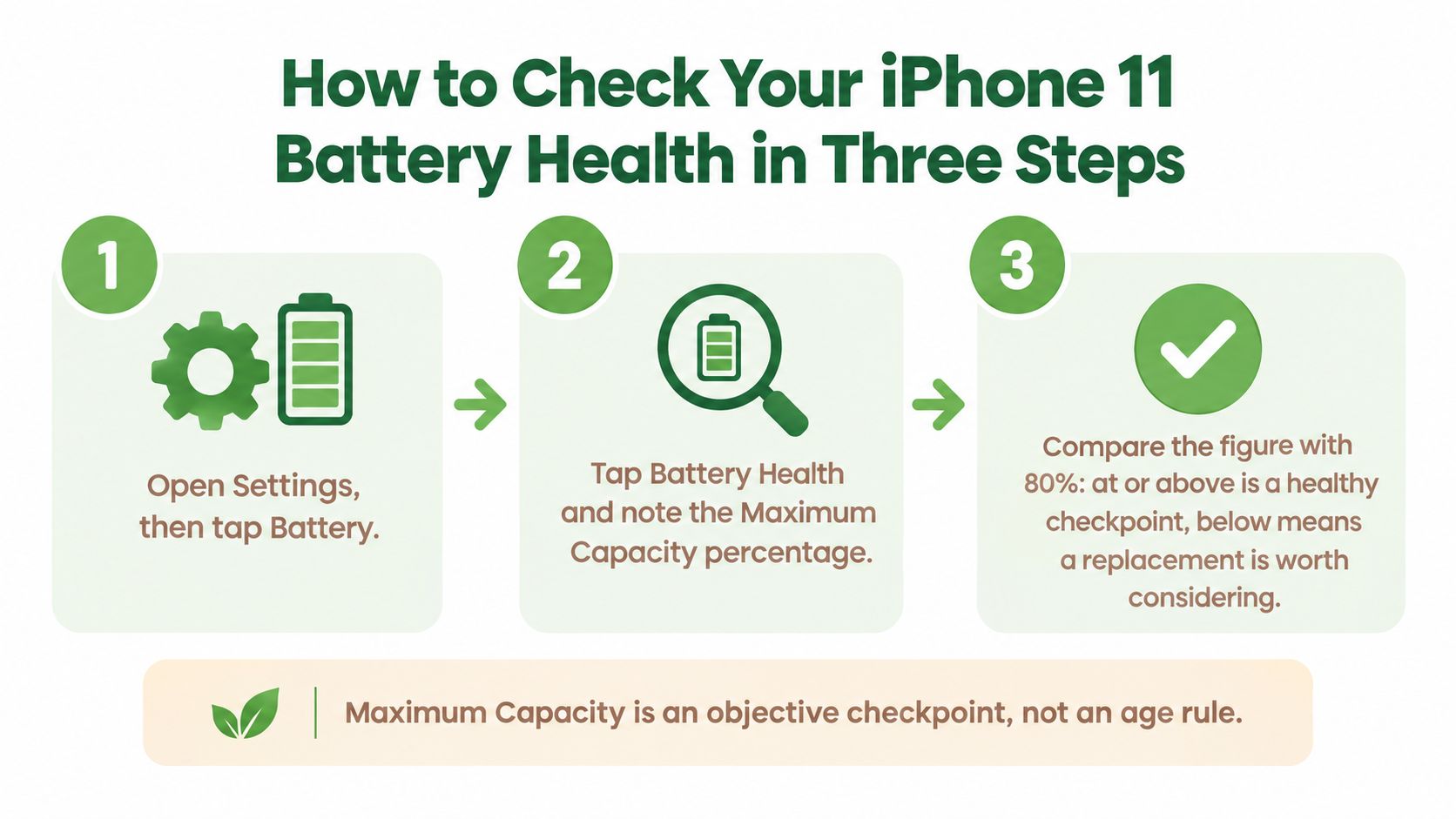
- Open Settings, then Battery and Battery Health. Note the maximum-capacity percentage. This compares the battery's present capacity with its original capacity.
- Read the peak-performance status. Record any service recommendation or performance-management message, including its exact wording.
- Open Settings, General, then About. Look for Parts and Service History to check whether a battery intervention is already recorded.
Use this visual as a reminder of the capacity check.
Read the percentage alongside the symptoms
The coverage benchmark introduced above is an objective checkpoint, not an automatic diagnosis. A reading below it strengthens the case for replacement, especially alongside short runtime or shutdowns. A reading above it doesn't guarantee that everything is healthy.
Rechargeable batteries naturally lose capacity and performance over time. If the percentage looks reassuring but the phone switches off unexpectedly, ask for diagnosis rather than insisting on a battery swap.
Apple's Parts and Service History guidance confirms battery-history visibility for iPhone 11 models running iOS 15.2 or later. If the same component has been serviced repeatedly, the screen shows only the most recent service, not the complete repair chronology.
For a guided visual walkthrough, you can also use this video.
Keep a before-and-after record
Bring screenshots of Battery Health and Parts and Service History, plus any earlier repair invoice. After collection, repeat the checks and keep the new invoice and warranty together.
Optimised Battery Charging can help the replacement age more slowly. Apple explains that it uses on-device learning to delay charging beyond 80% until the phone expects you'll need it. It reduces time spent fully charged, but it can't restore a chemically degraded battery.
Warning Signs Your iPhone 11 Battery Is Wearing Out
An old garden hose may still hold water but struggle to deliver a strong jet. A worn battery can behave similarly: having charge available isn't the same as being able to deliver enough power when the phone needs it.
As a lithium-ion cell ages, its internal resistance can increase. Under demanding use, its voltage may drop enough to interrupt operation even while the screen still shows charge. Apple's Singapore AppleCare guidance, discussed alongside battery-service considerations, supports looking at capacity and real-world power behaviour together.
Match the symptom to the next check
These are diagnostic clues, not proof that every affected phone needs a new battery. For a plain-language explanation of the battery technology, see this guide to lithium-ion batteries.
| Symptom | Likely cause | Next check or action |
|---|---|---|
| Sudden shutdown at mid-level charge | Possible voltage sag under load from higher internal resistance | Run the health check and read the peak-performance message |
| Runtime roughly halves within a day | Lost maximum capacity is a possibility | Compare capacity with the coverage benchmark already explained |
| Unexpected slowdowns with a performance message | iOS managing peak power for an ageing battery | Note the wording and arrange assessment if degradation is significant |
| Percentage jumps or drops quickly | An ageing cell or a reporting/calibration issue may be involved | Recheck Battery Health and look for other symptoms |
| Back cover lifting or screen bulging | Possible swollen lithium-ion cell | Stop charging and using the phone; seek a trained technician |
Swelling changes the priority
Physical swelling is a safety signal, not a performance complaint. Don't press the screen back into place, open the phone or keep charging it to see whether the problem disappears.
Arrange handover to trained repair or e-waste personnel and tell them about the suspected swelling beforehand. Don't place a damaged battery into an ordinary collection bin.
A battery-health reading can wait. A lifting screen needs safe assessment first.
For a phone without physical damage, rule out other explanations before paying. Check whether storage is full when investigating sluggish behaviour, and review background app activity when investigating drain. These are sensible troubleshooting checks, not a reason to dismiss a service warning or repeated shutdowns.
DIY Battery Swap Versus an Authorised Repair
A DIY kit can look like an easy saving, particularly if you're patient and comfortable repairing electronics. The difficult part isn't just getting the phone open. It's removing a glued-in cell without puncturing, bending or short-circuiting it, then putting the handset back together properly.
Apple recommends that built-in lithium-ion batteries be replaced by Apple or an authorised service provider in its Singapore AppleCare guidance. For most owners, that's the safer starting point.
This comparison highlights why the repair involves more than the replacement part.
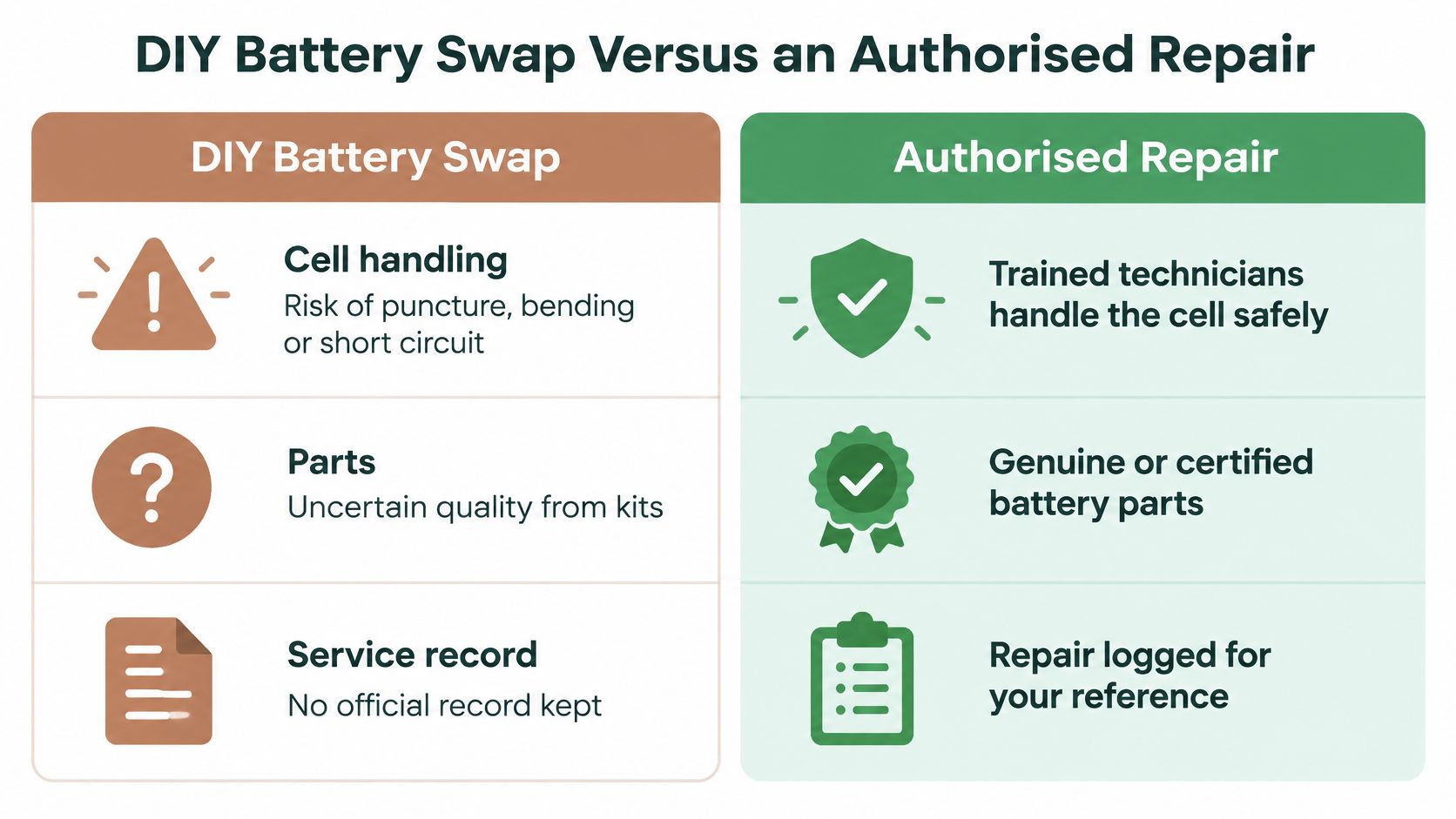
Compare the whole job
Treat the authorised-repair column as a list of things to confirm, not a guarantee that every quote includes every test.
| Factor | DIY swap | Authorised repair |
|---|---|---|
| Safety | Risk of puncturing or short-circuiting the cell during adhesive removal | Trained technician can check for swelling or heat damage first |
| Warranty | Don't assume existing cover remains unaffected; confirm terms | Provider's stated warranty applies, subject to exclusions |
| Parts quality | Source and grade need checking | Confirm the supplied battery and expected capacity |
| Post-repair testing | Owner checks only what they can | Request charging, wireless, thermal and health checks, plus seal inspection |
| Data handling | Owner controls backup and any necessary erasure | Ask for written data-handling confirmation |
| Disposal | Owner must arrange an appropriate e-waste handover | Ask how the removed battery is handled |
What a proper repair should include
Ask the technician to inspect for swelling or heat damage before removal. After replacement, request checks of charging, wireless functions, temperature behaviour and Battery Health, along with attention to the water-resistance seals.
Don't treat a resealed phone as a promise of waterproofness. Ask what the provider has inspected and what limitations apply after opening the device. A working screen at collection is useful, but it isn't the whole acceptance test.
DIY is only worth considering for experienced owners with suitable tools who understand the risks and accept responsibility for testing, warranty implications and disposal. It's not a sensible first repair on the phone you depend on every day.
For most owners, an authorised repair offers the more reliable route. An independent provider is another option, but apply the same questions about parts, testing, documentation and removed-battery handling before accepting its quote.
Back Up and Wipe Your Data Before Handing Over Your iPhone
Your phone holds photos, conversations and work files, so worrying about privacy is reasonable. For a battery swap on a phone you're keeping, back it up first; don't automatically erase it. Any testing with your data still present should happen under agreed access arrangements.
Use this iPhone backup guide if you need help preparing a copy before service.
Use a handover checklist
- Protect your only copy. Back up to iCloud or a computer, then confirm that the backup completed. For a computer backup, consider encryption and keep its password safely.
- Keep account changes purposeful. Sign out of iCloud and your Apple ID where appropriate, particularly for a permanent handover, rather than making unnecessary changes before an ordinary repair.
- Keep ownership protection until it's needed. Turn off Find My only when the service process requires it or you're preparing the phone for its next owner.
- Keep your mobile connection with you. Remove the SIM card before leaving the handset.
- Erase only for a permanent handover. For trade-in, resale or recycling, use Settings, General, then Transfer or Reset iPhone to perform a factory reset after confirming your backup.
- Limit access during testing. Don't disclose your passcode unnecessarily. Ask what testing requires access and whether you can open the phone yourself.
- Get the arrangement in writing. Request confirmation of data handling. Businesses should also request secure data-erasure evidence when retiring equipment.
The visual below applies to selling or permanently handing over the phone, not routine battery replacement.
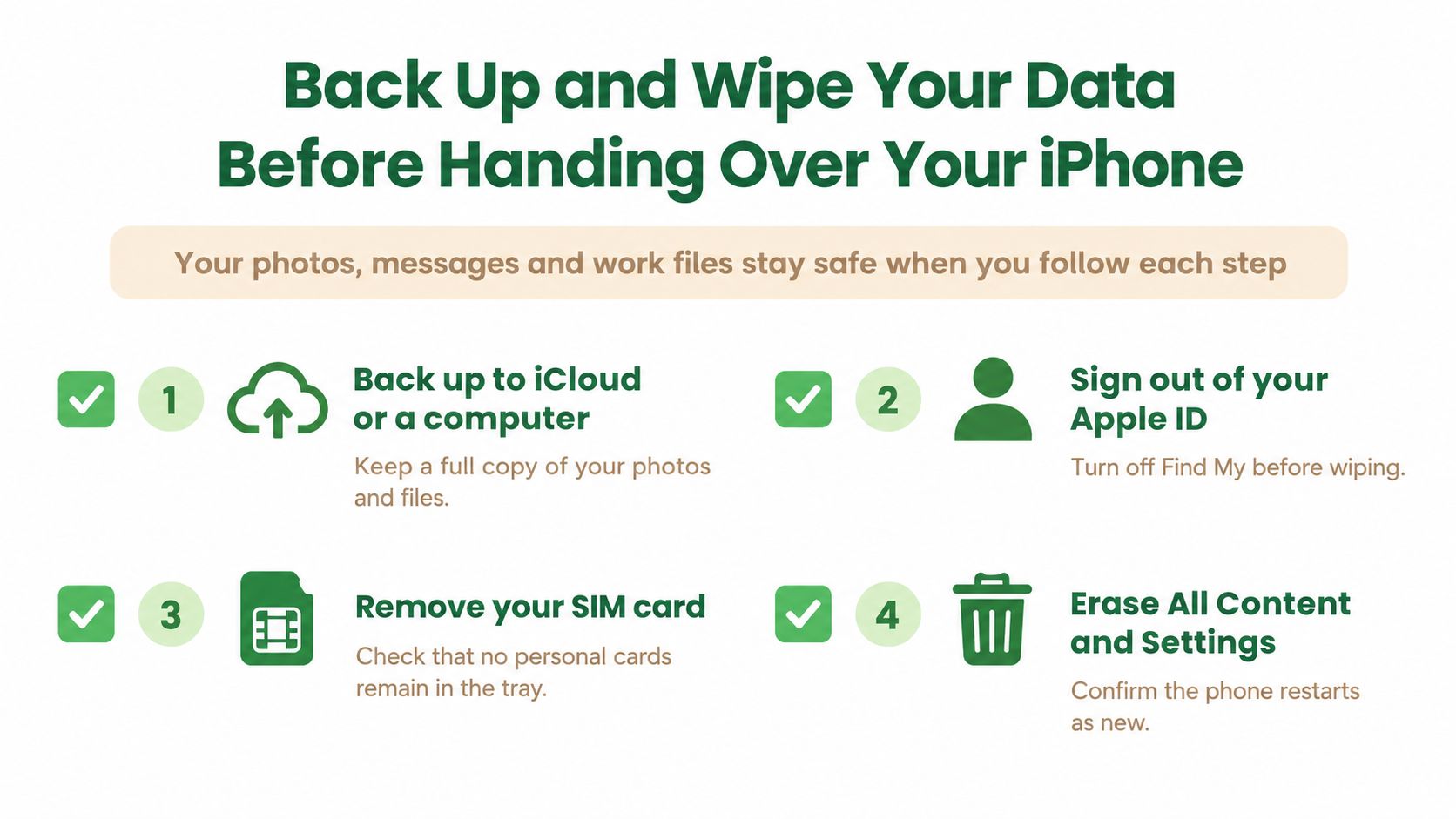
Choose recovery before erasure
If the phone has failed and contains files you haven't backed up, explain that before approving any reset. Save data supports recovery of important files and memories from damaged devices; recovery should be assessed before destructive work.
For devices leaving your ownership, Safe data provides secure data management and destruction, with certificates on request. Confirm the service scope and documentation you need, especially for business equipment.
Privacy first: A repair permission isn't blanket permission to browse personal content. Agree on access before handing over the phone.
Where Your Old Battery Should Go in Singapore
A spent battery is a safety item, not household rubbish. Making sure it reaches the right collection route is a small act of care for the people who handle your waste.
The National Environment Agency's e-waste guidance explains that Singapore's regulated system began in July 2021 under an Extended Producer Responsibility approach. Producers are responsible for collection and treatment of covered products, and batteries shouldn't go into general waste or blue recycling bins.
Make the handover safe
- Leave internal removal to trained personnel. You don't need to open your iPhone to prepare it for recycling.
- Protect exposed terminals. NEA advises taping exposed ends or wires of rechargeable batteries to reduce short-circuit and fire risk.
- Flag damage early. Hand swollen or damaged batteries to trained personnel rather than dropping them into a bin.
- Choose the appropriate channel. Use a designated route that accepts the removed battery. Mobile phones and tablets are accepted ICT equipment at designated e-waste collection points.
For help choosing an appropriate local route, consult this Singapore battery-recycling guide. Confirm acceptance arrangements before travelling with a damaged device.
Keep usable technology in use
Repair comes before disposal when it's safe and useful. If your iPhone still meets your needs, extending its working life is more practical than retiring it just because its battery has worn down.
The Declutter your e-clutter programme supports convenient collection with an upcycle-first approach. That means considering continued use and usable parts before recycling, so clearing a drawer doesn't have to mean discarding everything inside it.
Decide Whether to Repair, Trade In or Upgrade
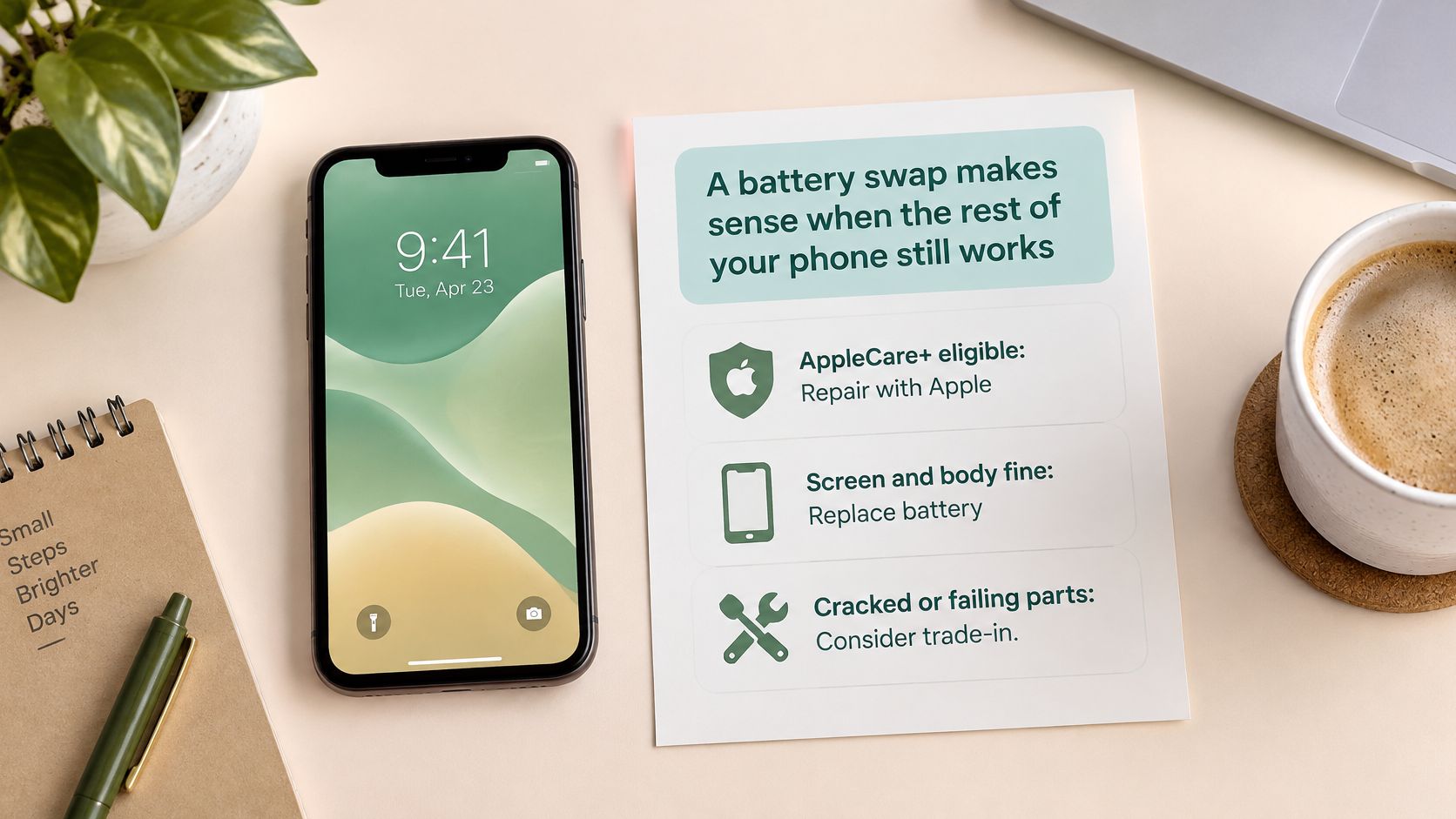
A battery swap makes sense when the rest of the phone still works for you. Use the table to match your situation to a next step, rather than choosing an upgrade just because charging has become frustrating.
| Situation | Best route | Why it fits |
|---|---|---|
| Battery meets the AppleCare+ threshold and coverage is active | Covered battery service | Uses the coverage described earlier |
| Out of warranty, but display, cameras and storage still work | Authorised battery replacement using the earlier estimate as a baseline | Targets the worn component rather than replacing a usable handset |
| Swollen battery or cracked display | Stop use for suspected swelling; obtain trained assessment and recycle if unsafe or unsuitable to repair | Swelling is a safety stop; a cracked display alone needs a separate repair assessment |
| Heavy wear beyond the battery | Compare trade-in, refurbished replacement or upgrade | A battery won't fix unrelated damage |
| Work or personal files must stay private | Repair with written data-handling confirmation | Makes access and responsibility explicit |
The decision is easier when you separate battery wear from the phone's overall condition.
Choose support that fits the outcome
A degraded battery alongside a working display, cameras, storage and logic board is a strong candidate for lifecycle extension. If other repairs are piling up, compare the complete repair quote with a Singapore phone trade-in assessment and the replacement you'd actually choose.
Support options include:
- Safe data: Secure erasure and destruction, with certificates on request.
- Save data: Recovery assessment for files on a damaged phone.
- Declutter your e-clutter: Convenient collection for devices you won't repair.
- e-Xtender: An option for prolonged usability and support; confirm current eligibility, scope and subscription terms before committing.
The aim is a convenient, safe and responsible outcome, whether that's another stretch of dependable use or a documented handover. Check your battery readings, compare the complete quote and keep the paperwork.
myhalo offers iPhone 11 battery-condition checks, quote-based replacement and post-repair charging and device-function checks, alongside data recovery and secure data services. Visit myhalo with your Battery Health screenshot to confirm parts availability, pricing and the right next step for your phone. If it's time to let the device go, ask about responsible collection and the data-handling documentation you need.