
Your old Apple Watch is sitting in a drawer beside a tangled charging cable. It still switches on, but you're not sure what it's worth, whether the battery will hurt the offer, or how to remove your personal information safely.
A useful Apple Watch trade-in value isn't the biggest advertised figure. It's the amount you can realistically accept after the buyer checks your exact model, battery and condition. That's the approach behind myhalo's Declutter your e-clutter and Safe data initiatives: make letting go of unused tech convenient, safe and responsible, without leaving you guessing about your payout or privacy.
Table of Contents
- What Your Apple Watch Is Worth in Singapore
- How to Prepare Your Watch Before Trade-In
- How Battery Health and Condition Change Your Offer
- Why Your Final Payout Can Differ From the Quote
- Choosing Between Trade-In, Private Sale and Keeping It
- When to Trade In and Why Timing Matters
- Lock In Your Instant Quote and Trade In Today
What Your Apple Watch Is Worth in Singapore
Generation, case size and connectivity decide most of the price before condition even enters the picture, and a refurbished shelf price isn't the amount a trade-in buyer will hand you. Work out which watch you own first, then benchmark it properly.
Apple Watch Refurbished Benchmarks in Singapore
The Apple Singapore refurbished store lists the following prices. Treat them as refurbished retail benchmarks, not trade-in offers.
| Model | Case size | Connectivity | Refurbished benchmark (S$) |
|---|---|---|---|
| Apple Watch SE | 40mm | GPS | 299 |
| Apple Watch SE | 44mm | GPS | 329 |
| Apple Watch Series 10 | 42mm | GPS | 509 |
| Apple Watch Series 10 | 46mm | GPS | 539 |
| Apple Watch Series 10 | 42mm | GPS + Cellular | 629 |
| Apple Watch Series 10 | 46mm | GPS + Cellular | 659 |
Read down the column and the hierarchy is clear: larger cases, cellular connectivity and newer generations sit higher. The entry-level GPS SE and the biggest cellular Series 10 are far apart, so a generic "Apple Watch" estimate tells you very little.
Why your offer sits below the shelf price
A trade-in buyer has to turn your used watch into something they can resell. The gap between shelf price and your payout covers inspection, refurbishment, warranty support, stock risk and their margin. A watch that needs a new battery or a replacement strap costs the buyer more to prepare, so offers on worn units sit further below these benchmarks. In return, you skip photographing, listing, meeting buyers and handling disputes.
For another reference point, SellerAI explains how to find realistic eBay resale prices using sold listings. Compare completed sales for matching configurations, not ambitious asking prices, and account for shipping, fees and market differences.
Practical rule: Find the closest matching model, treat refurbished retail as an upper reference point, then assess your watch's condition before budgeting for the proceeds.
How to Prepare Your Watch Before Trade-In
Prepare your data before preparing the parcel, because you should remove personal and confidential information yourself before handing over or shipping the watch. A watch that arrives still linked to your account can't legally change hands, so skipped prep stalls the assessment and can void the quote entirely.
Follow a data-first routine
Work through these steps in order. Erase too early and you lose the condition evidence your quote depends on.
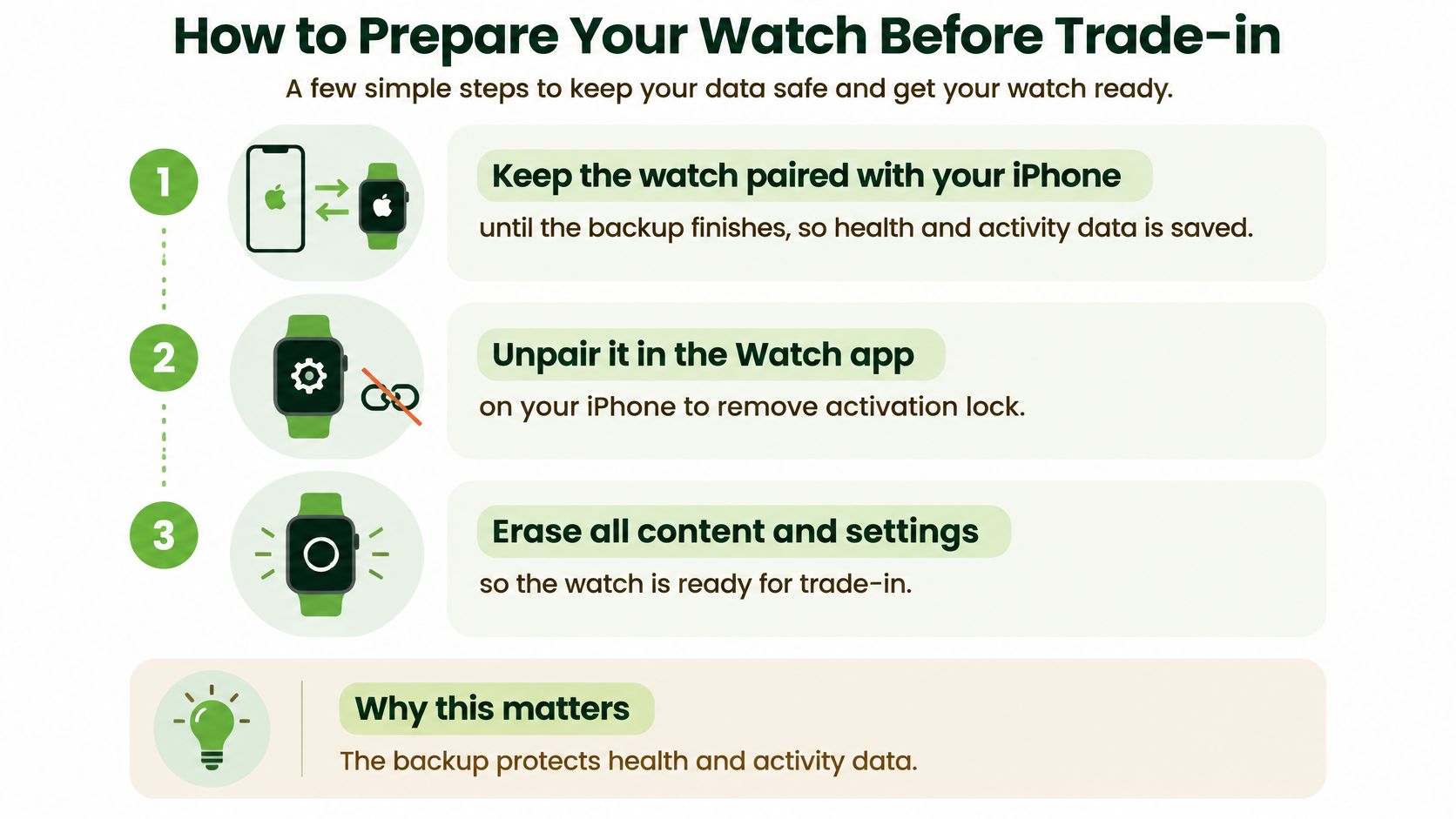
Check your backup while the watch is still paired. Open the Watch app on your iPhone, keep both devices close and confirm your important information has synced. Apple Watch backs up automatically to its paired iPhone, and unpairing creates a fresh backup, so wiping first works against you. Protect Health and Activity data through your iPhone's backup or iCloud settings too.
Record the condition before anything is erased. Photograph the powered-on display, the Battery Health screen, the case and the back while they're still accessible, and store the photos somewhere other than the device you're handing over. These images are your reference if the inspection grade comes back lower than expected.
Unpair through the iPhone's Watch app. Open My Watch, tap All Watches, tap the information button beside your watch, then choose Unpair Apple Watch. Have your Apple Account password ready, and don't mistake disconnecting Bluetooth for unpairing.
Confirm Activation Lock is removed. Complete the account-password prompts during unpairing and check the watch is no longer linked to your Apple Account. Wiping the screen contents doesn't necessarily remove this ownership lock.
Verify the erase and Find My status. Unpairing normally erases the watch automatically; if a separate erase is needed, use Settings, General, Reset, Erase All Content and Settings on the watch. Then confirm it no longer appears in your Find My devices, removing it if still listed. A setup screen alone isn't proof every account link has gone.
Gather the accessories and ownership records. Put the original charging cable, box and purchase receipt together if you have them, and check the box belongs to this watch rather than a family member's similar-looking model.
If you're clearing out the paired iPhone too, our guide to trading in your old phone covers the same routine. Keep that phone available until the watch's backup and unpairing are complete.
Unpaired, erased, account-free and documented is the handover checklist. If important information is missing, pause the sale and explore recovery before doing anything irreversible.
How Battery Health and Condition Change Your Offer
Open Settings, Battery, Battery Health on the watch before you reset it. Mister Mobile's Singapore valuation listing separates battery condition into 90% or above, 86–89%, 81–85%, and battery-service condition, alongside questions about display defects and accessories.
These bands help establish the battery grade, but they aren't a universal deduction schedule. A strong battery doesn't cancel out cracked glass, and clean glass doesn't compensate for a battery needing service.
Battery Health and Condition Checks
| Condition | How to check | Effect on your offer |
|---|---|---|
| Battery health 90% or above | Settings, Battery, Battery Health | Top listed battery band |
| Battery health 86–89% | Settings, Battery, Battery Health | Second listed battery band |
| Battery health 81–85% | Settings, Battery, Battery Health | Third listed battery band |
| Battery-service condition | Settings, Battery, Battery Health | Lowest listed band; expect a deeper deduction |
| Screen scratches or cracks | Visual check under bright light | Lowers the grade; declare every mark |
| Case dents or back wear | Visual check of the case and rear | Can lower the grade |
| Original box and charging cable | Check what you still have | Complete sets can lift the offer |
| Opened or activated new device | Purchase and activation history | Can reduce value even if unused |
Separate cosmetic wear from functional faults
Wipe the watch with a soft cloth, then tilt the glass under bright light. Record fine scratches separately from cracks, and describe any display lines, touch problems or chipped edges rather than grouping everything under normal wear.
Check the casing, rear surface, Digital Crown and side button too. State whether the strap is original, but don't assume a strap replaces a missing charging cable in an accessory checklist.
Your case size, finish and GPS or cellular configuration must match the quote. A cellular-capable watch without an active mobile plan is still a cellular model; whether you currently pay for connectivity doesn't change its hardware.
For a like-for-like scenario, take matching watches where one has a lower battery band and light scratches while the other has a healthier battery and clean glass. Expect the first to receive a lower grade, but don't invent a dollar deduction without an actual buyer's assessment.
Describe the watch you're handing over, not the condition you hope it qualifies for.
Honest detail protects your expectations. A clear photograph of a scratch is more useful than choosing the cleanest condition category and hoping the inspector overlooks it.
Why Your Final Payout Can Differ From the Quote
The highest online figure isn't necessarily the best offer. What matters is how clearly the buyer explains the route from your answers to the amount you'll receive.
Apple Singapore's trade-in guidance says estimates depend on model and condition, requires the serial number for an accurate estimate, and notes that not every device qualifies for credit. For its Apple Watch courier process, the courier inspects the device and confirms its value at the doorstep.
Understand the stages before committing
- Online estimate: The buyer calculates a provisional figure from the model and condition you submit. It isn't proof that someone has checked your watch.
- Inspection-adjusted offer: The buyer verifies the hardware, condition and eligibility. A mismatch can lead to a revised offer or refusal.
- Accepted value: You review the confirmed amount and agree to proceed under the service's terms. Check whether you're accepting cash or purchase credit.
Say one buyer offers a higher headline estimate but leaves battery grading and accessory requirements unclear. Another gives a slightly lower estimate after you disclose the scratches, battery condition and missing cable.
The second offer may produce better realised value because you've already addressed the likely reasons for deductions. That's a decision scenario, not a guarantee that transparent buyers always pay more.
Check expiry and revision terms
Save the quote, your submitted answers and the timestamp together. Local market-linked offers can have short validity windows, so check the actual expiry before arranging travel or collection rather than assuming an old screenshot remains valid.
Treat up to as a maximum, not a personal entitlement. Ask what qualifies for that maximum and whether the advertised benefit is money you can spend freely or credit tied to another purchase.
Our Singapore phone trade-in guide offers useful context when comparing device handover routes. For your watch, confirm how a revised offer is communicated and what happens if you decline it before you send anything away.
An accurate description gives your estimate the best chance of surviving inspection. It doesn't remove the need to read the acceptance terms.
Choosing Between Trade-In, Private Sale and Keeping It
Compare net proceeds, not just selling prices. Subtract repair costs, travel and platform fees, then decide how much effort you're willing to put into messages, negotiation and collection arrangements.
| Route | What you receive | Main trade-off | Best fit |
|---|---|---|---|
| Trade-in for cash | Money against your device | Usually less than selling directly | You want a straightforward exit |
| Trade-in for credit | Credit towards a qualifying purchase | The benefit is tied to purchase terms | You already intend to upgrade |
| Private sale | An agreed buyer payment | You manage the listing and transaction | You can wait for a suitable buyer |
| Keep it or repair first | Continued use, rather than immediate cash | You retain upkeep costs and future resale uncertainty | It still serves a useful purpose |
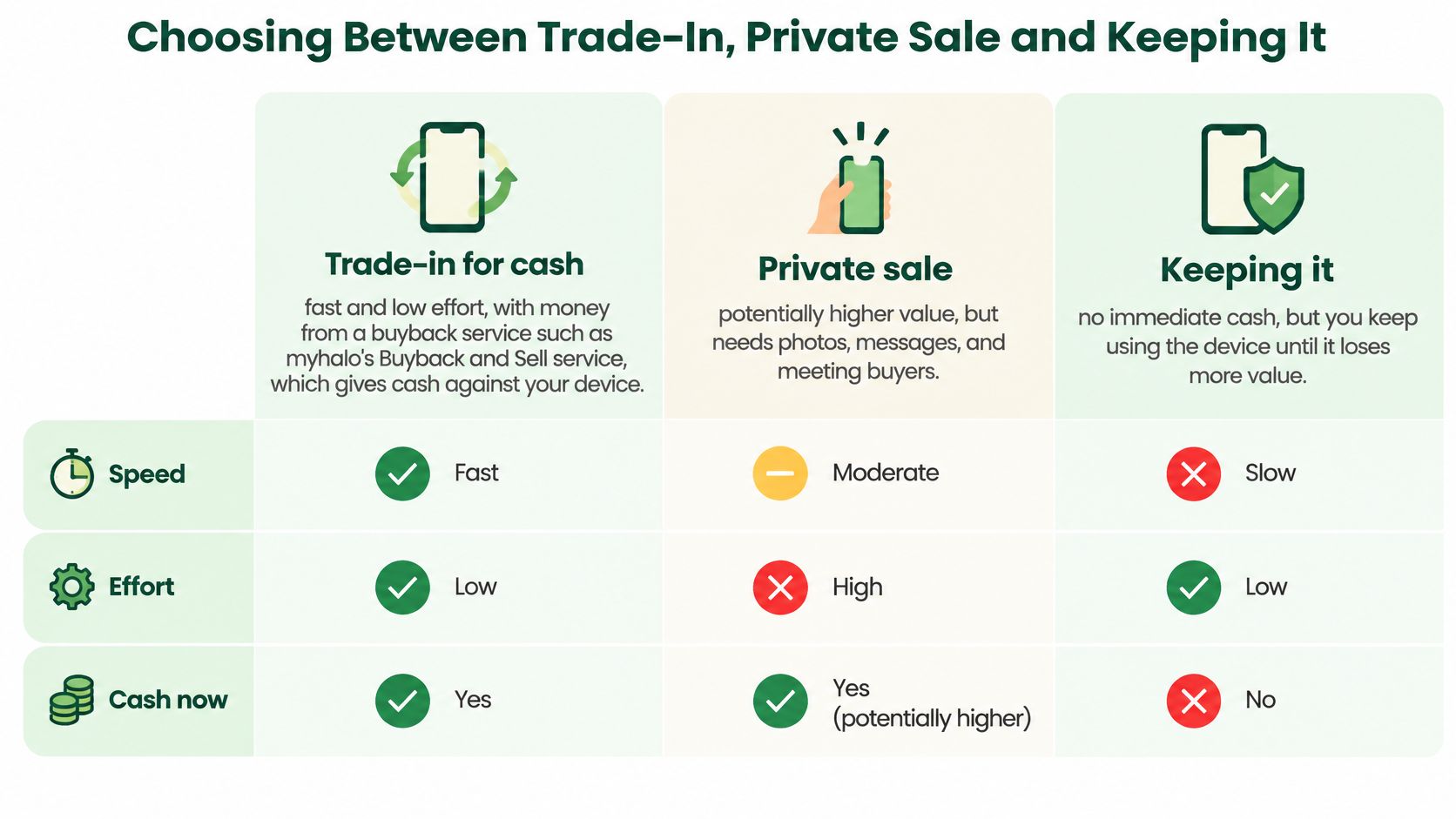
For the cash route, myhalo's Buyback / Sell service gives cash against your device. That's different from a promotion towards another watch: Apple's Ultra 3 page advertises up to S$575 towards a next Apple Watch, subject to the submitted device's model, condition and eligibility.
Match the route to your situation
A clean watch in a strong battery band with its box and cable may be worth listing privately if you're comfortable handling buyers. A worn watch with missing accessories may be easier to move through trade-in, although acceptance still depends on its faults and eligibility.
For private sales, use clear photographs, disclose defects and verify payment before releasing the device. Our second-hand device selling guide covers practical preparation; for dealer transactions, be ready for identity and ownership checks.
Repairing solely to sell only makes sense when the confirmed increase in proceeds exceeds the repair bill and associated effort. Get an as-is offer and a realistic repaired-condition estimate before paying for battery service or glass repair.
Repair decision: If the repair costs more than the extra amount a buyer will pay, don't repair merely to improve the listing.
Keeping it is sensible if you'll use it as a backup or exercise watch. Across every route, compare the same generation, case size and connectivity; otherwise, you're comparing different products.
When to Trade In and Why Timing Matters
Trade when you're ready to complete the transaction, not just when you have a spare moment to request an estimate. Buyers adjust offers as demand, available stock and device condition change, so an unused watch shouldn't be treated as money safely stored in a drawer.
Make timing work for you
- Align the quote and handover. Check availability before requesting the estimate so you can complete the transaction within its stated validity window.
- Avoid waiting for a perfect peak. Newer models can make older watches harder to sell, but there's no reliable way to predict your best possible day.
- Track actual condition. Keep dated Battery Health photographs if you're undecided. Use the current reading when you eventually request a quote.
- Read promotions before upgrading. A purchase incentive only helps if you want the replacement and understand the qualifying terms.
If you're weighing continued use, our guide to how long Apple Watches last can help frame that decision. A watch you still enjoy using has practical value, even when selling it immediately would bring cash.
Lock In Your Instant Quote and Trade In Today
A quote is only worth acting on if you can explain it: the right watch identified, an honest description of its condition, and a clear picture of what happens between the estimate and the payout. You don't need to make your watch sound better than it is to find out what selling it is worth.
Our AI-backed pricing algorithm generates fair, transparent, real-time estimates. The quote is provisional, with the final value confirmed through inspection rather than promised in advance.
Build a quote you can act on
Open the instant-quote tool on our website and choose Apple Watch. Keep the watch, paired iPhone and ownership details nearby so you're not relying on memory.
Select the exact configuration. Match the generation, case size, finish and connectivity to the device information. Use the box as a cross-check, not your only evidence.
Answer the condition questions. Include the battery category, visible marks, functional faults and available accessories. Don't describe an activated device as sealed or unopened.
Provide the serial number when requested. Copy it carefully from the device information or matching ownership record. Avoid posting it publicly in a marketplace listing.
Save the estimate and its timestamp. Keep your answers with the quote and note the stated validity window. Recheck an expired estimate before making the journey.
Choose an available handover route. Drop-off is available at our counters in Bugis Junction and Sim Lim Square, alongside the online arrangements offered for your transaction. Bring the accessories and ownership records you declared.
Review the inspected offer before accepting. If it differs, ask which condition finding caused the change. Once you accept, the Buyback / Sell service pays cash against your device, so decide using the confirmed amount, not the earlier headline.
Make room without the worry
The myhalo Promise: Joining the zero e-waste movement should feel good and be effortless. Our Safe data service protects your privacy through secure data handling and destruction, with certificates available on request, while Declutter your e-clutter makes letting go of old tech convenient, safe and responsible.
If a damaged device holds precious memories or files you still need, Save data focuses on recovery before you let it go. Don't erase anything you might want back just to finish a sale faster.
Our vision is a zero e-waste world, built by a community that treats reuse and responsible device care as part of everyday life. An unused watch finding a second owner is a practical place to start.
myhalo offers instant trade-in quotes for Apple devices, Samsung devices and gaming laptops, so you can check what your Apple Watch is worth before deciding. Ready to feel lighter and do good? Visit myhalo to get your watch's estimate and explore Declutter your e-clutter, with Safe data support to help you let go confidently.