
A compact iPhone can still be a sensible buy if you want something easy to carry, familiar to use and less costly than a flagship. But a used iPhone SE is only a good deal when you know which generation you're looking at and check what's happening beneath the casing. A tidy screen won't tell you whether the battery is tired, the phone is locked to someone else's account or the model will suit your network needs.
The reassuring part is that you don't have to guess. Check the generation, test the important functions and choose a seller who can explain the phone's condition and data handling. That's a calmer way to buy, and it keeps a repairable device in use rather than forgotten in a drawer.
Table of Contents
- Why a Used iPhone SE Still Makes Sense in 2026
- The Three Generations Side by Side
- Decoding Condition Grades Used in Singapore
- The Pre-Purchase Inspection Checklist
- Trade-In, Buyback, Certified Refurbished or Private?
- Selling, Repairing or Recycling Your Old SE Safely
- Your Next Move and How myhalo Can Help
Why a Used iPhone SE Still Makes Sense in 2026
For Singaporeans who want a compact, affordable iPhone, the SE can be a practical alternative to paying flagship prices. Its smaller form suits a commute, a student's first phone or a secondary device for calls and everyday apps. The catch is that “iPhone SE” covers distinct generations, so the name alone doesn't tell you how old a listing is or what you're buying.
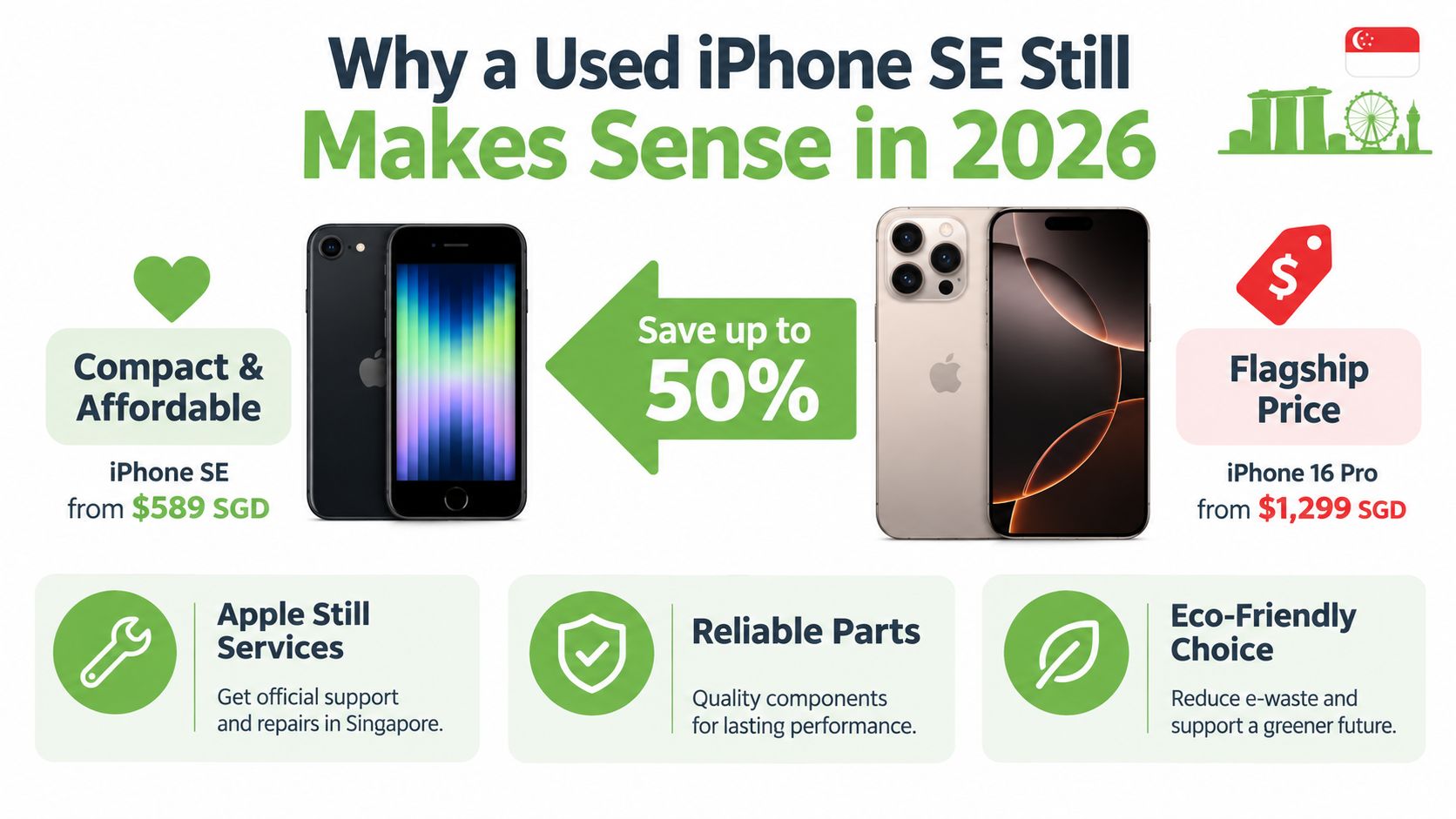
Start by identifying the generation and storage, then check the battery and lock status. If you're considering an older model, don't assume its age, battery condition or operating-system support is the same as a later SE. A bargain that can't hold charge or can't be activated isn't a bargain.
The first-generation iPhone SE opened for orders in Singapore on 24 March 2016 and shipped from 31 March 2016, at S$658 for 16GB and S$828 for 64GB, according to Apple's launch announcement. That launch history is useful when checking a listing: an original SE is not interchangeable with a later model because both carry the same name.
iPhone SE Generations at a Glance
| Generation | Launch in Singapore | Display | Storage options | Why it matters used |
|---|---|---|---|---|
| First generation | 2016 | 4-inch | 16GB, 64GB | Oldest generation; check battery, storage and intended use carefully. |
| Second generation | 2020 | 4.7-inch Retina HD | 64GB, 128GB, 256GB | Touch ID and more storage choices make condition and capacity important to compare. |
| Third generation | 2022 | Compact design | Verify the exact configuration on the device | A15 Bionic and 5G make it the most capable SE generation described here, but battery condition still matters. |
Want to understand what a battery service involves before comparing a listing? Read this guide to iPhone battery service.
The Three Generations Side by Side
Treat the three SE generations as different buying decisions, not three versions of the same phone. The original, the 2020 model and the 2022 model differ in age, screen size, connectivity and practical lifespan. For anyone shopping for a main phone, the newer the generation, the more important it is to compare the price premium with the condition and storage on offer.
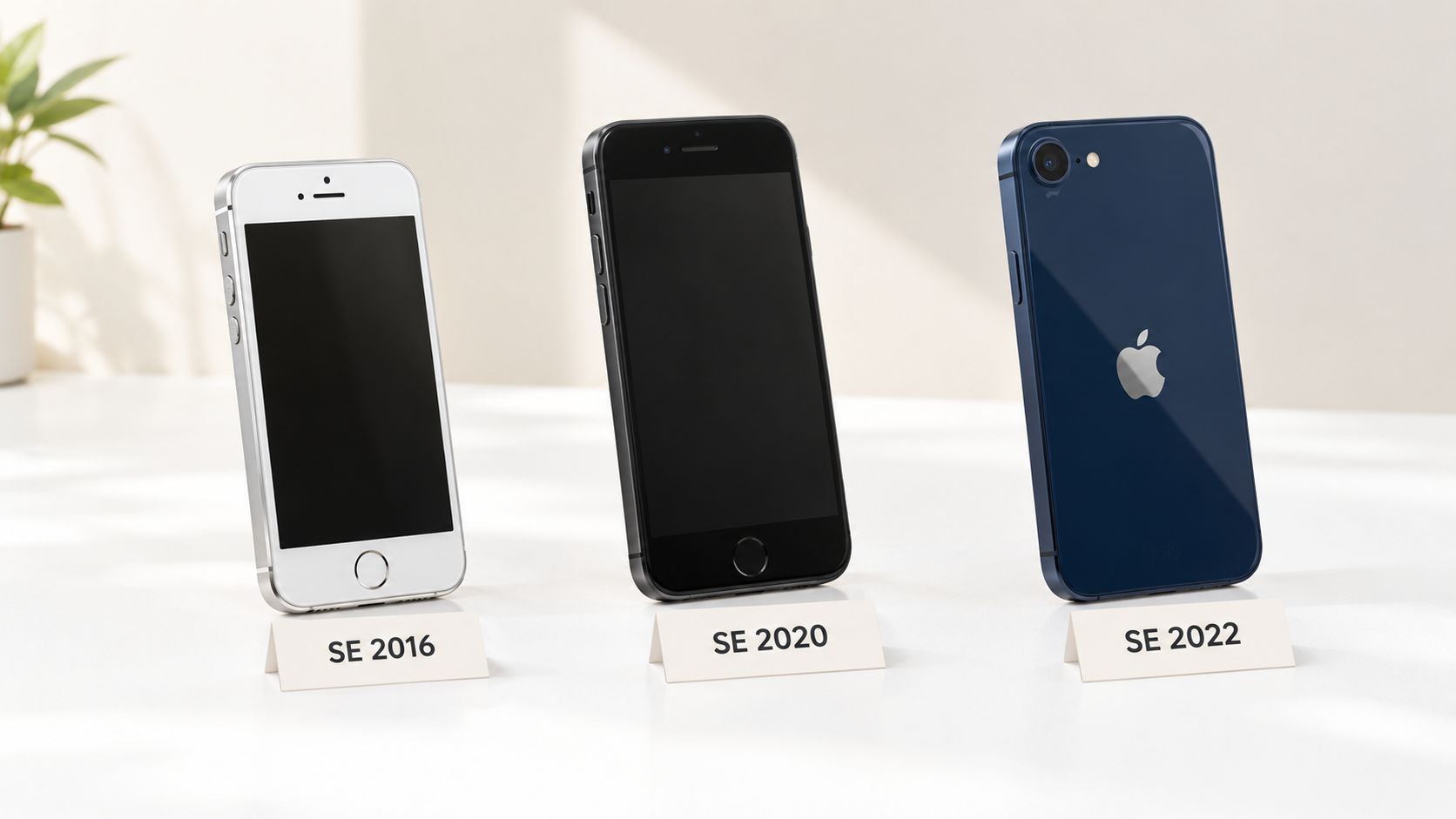
The first-generation SE has a 4-inch display and came in 16GB and 64GB configurations. It may suit someone who needs a basic device or is buying for parts, but its age makes battery condition and software compatibility especially important. Don't pay a premium for a clean-looking unit without checking what it can still do for your needs.
The 2020 SE is often the more balanced choice for a budget-conscious buyer who wants Touch ID and a larger, 4.7-inch Retina HD screen. It launched in Singapore on 24 April 2020 at S$649 for 64GB, S$719 for 128GB and S$889 for 256GB, a S$240 difference between the base and top storage options, as reported by HardwareZone's Singapore launch coverage. Buy based on the phone in front of you, not its original retail price.
The 2022 SE is my pick if you want the most capable of these three for daily use. It combines the A15 Bionic platform with 5G, but its compact build still means battery condition deserves close attention. The model's published specifications include a 2,018 mAh battery, 5G, 20 W wired charging and Qi wireless charging; see the iPhone SE (2022) specifications-11410.php). Check the exact model identifier as well, especially if the phone was imported.
My take: Choose the 2022 model for a main phone if the price and condition make sense. Consider the 2020 model for a lower-cost option. Buy the original only when its age, storage and limitations match a specific need.
Decoding Condition Grades Used in Singapore
A condition grade is a shorthand, not a guarantee. One seller's “Excellent” can mean a pristine casing with an ageing battery; another seller may have tested the battery but accept visible wear. Ask what the grade measures before treating it as evidence that the phone works properly.
| Grade | Cosmetic promise | Functional promise | What to still verify |
|---|---|---|---|
| Like New | Very little visible wear | May be described as fully working | Battery, parts history, locks and warranty terms |
| Excellent | Minor cosmetic marks may be present | Seller says core functions work | Test screen, camera, charging and network |
| Good | Noticeable wear is possible | May work normally, depending on seller criteria | Ask for a function-by-function test record |
| Fair | More visible wear or damage | Working status may vary | Check for cracks, touch faults and repair needs |
| For parts | Usually damaged or incomplete | Not promised to work fully | Buy only for parts, repair or recovery purposes |
The label won't tell you whether the phone is carrier-free, linked to another person's account or fitted with replacement components. Get those answers separately, preferably in writing. A documented checklist and a clear warranty are more useful than a flattering grade with no explanation.
Battery wear matters even when the exterior looks excellent. Apple says the original iPhone SE is rated for up to 13 hours of LTE internet use under controlled conditions, and notes that rechargeable batteries lose capacity over charge cycles and may eventually need replacement. Its battery and performance guidance is a useful reminder that launch claims don't describe the condition of an individual used phone.
Look for a seller who distinguishes cosmetic condition from functional testing. If they can't say what was checked, or won't let you inspect the device, treat the grade as an opinion rather than proof.
The Pre-Purchase Inspection Checklist
Inspect the phone before money changes hands, whether you meet in person or ask the seller to demonstrate it on a video call. Start in Settings, then test the hardware you'll rely on. A phone that looks fine in photographs can still have a weak battery, a faulty charging port or an account lock that prevents activation.
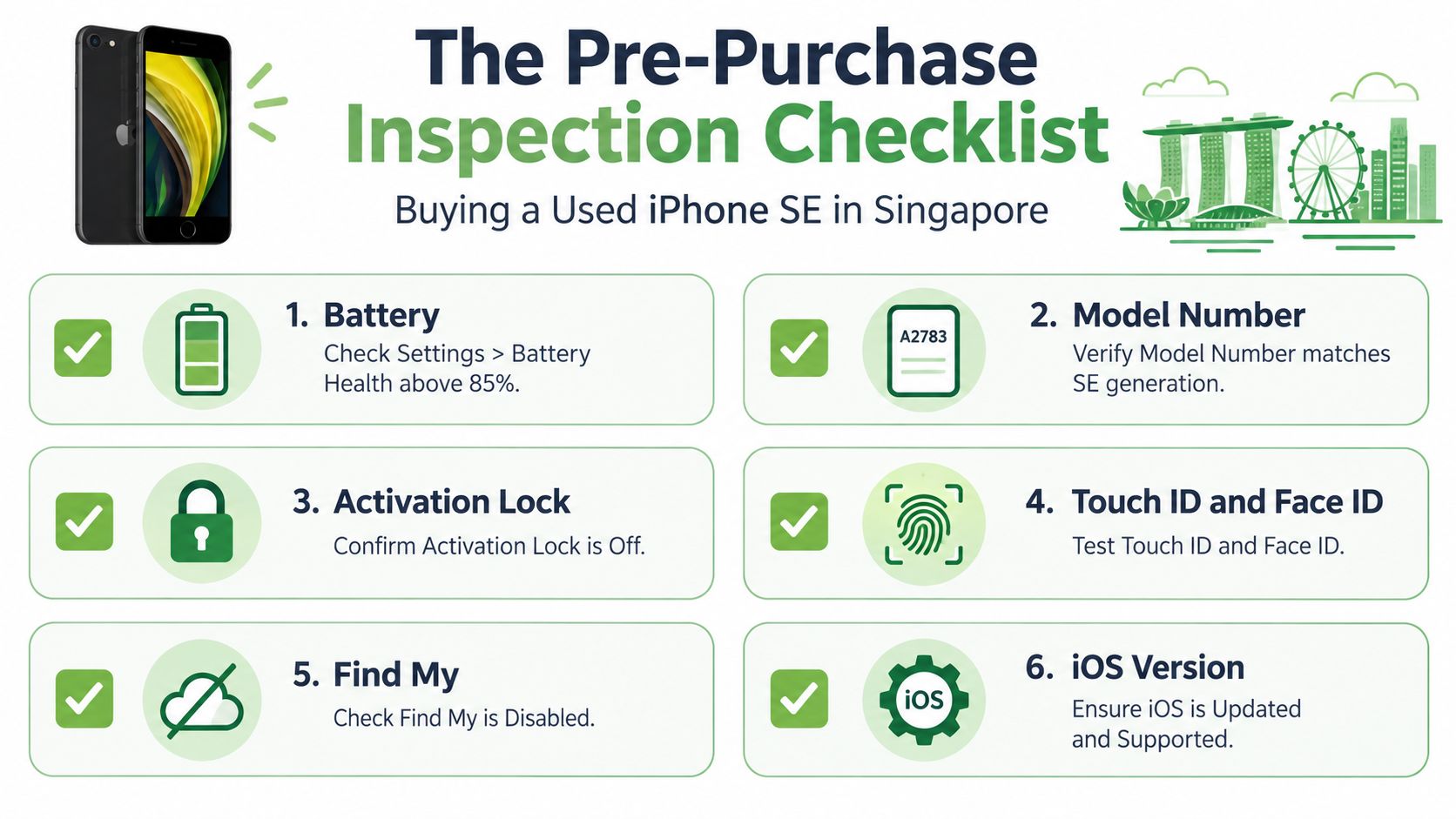
Run these checks before you commit
| Step | What to check | Why it matters |
|---|---|---|
| Battery | Open Settings and check Battery Health; ask whether the battery has been replaced. | Battery wear affects runtime and may change the real cost of the phone. |
| Model | Find the model information in Settings and compare it with the seller's description. | Confirms which generation and regional variant you're inspecting. |
| Account status | Ask the seller to disable Find My and remove their Apple Account before you pay. | Activation Lock can prevent you from setting up the device. |
| Touch ID and basics | Test Touch ID, buttons, speakers and microphones. | These are everyday functions, and faults may not show in listing photos. |
| Camera and screen | Focus the camera, try the touchscreen across the display and look for visible damage. | Helps uncover faults a quick glance may miss. |
| Charging and SIM | Connect a cable, check charging stability and test your own SIM on LTE. | Confirms the port works and the phone registers on your intended network. |
For the original SE, check the exact model number and test the handset with your local SIM. Its supported bands differ by variant: the A1723 includes LTE Bands 3, 7 and 28, among others, while Apple's documentation lists Band 3 among the original SE's LTE bands. Don't assume an imported phone will have the same radio support as every other unit.
The 2022 model's 5G capability is useful only if the particular model and your operator's deployed bands line up. Its small battery can also drain quickly during mobile-data use, so check Battery Health and try a sustained connection rather than relying only on a short demonstration. For broader buying checks, use this second-hand mobile phone guide for Singapore.
The safest payment rule is simple: don't pay until Find My is off, the seller has removed the account, and you've seen the phone reset and reach setup successfully. If a seller refuses, walk away.
Trade-In, Buyback, Certified Refurbished or Private?
Your buying channel changes the balance of price, convenience and risk. A private seller may offer a lower sticker price, but you'll need to do the checks yourself and be comfortable with the seller's answers. A certified refurbished phone costs more in exchange for documented testing and whatever protections the seller puts in writing.
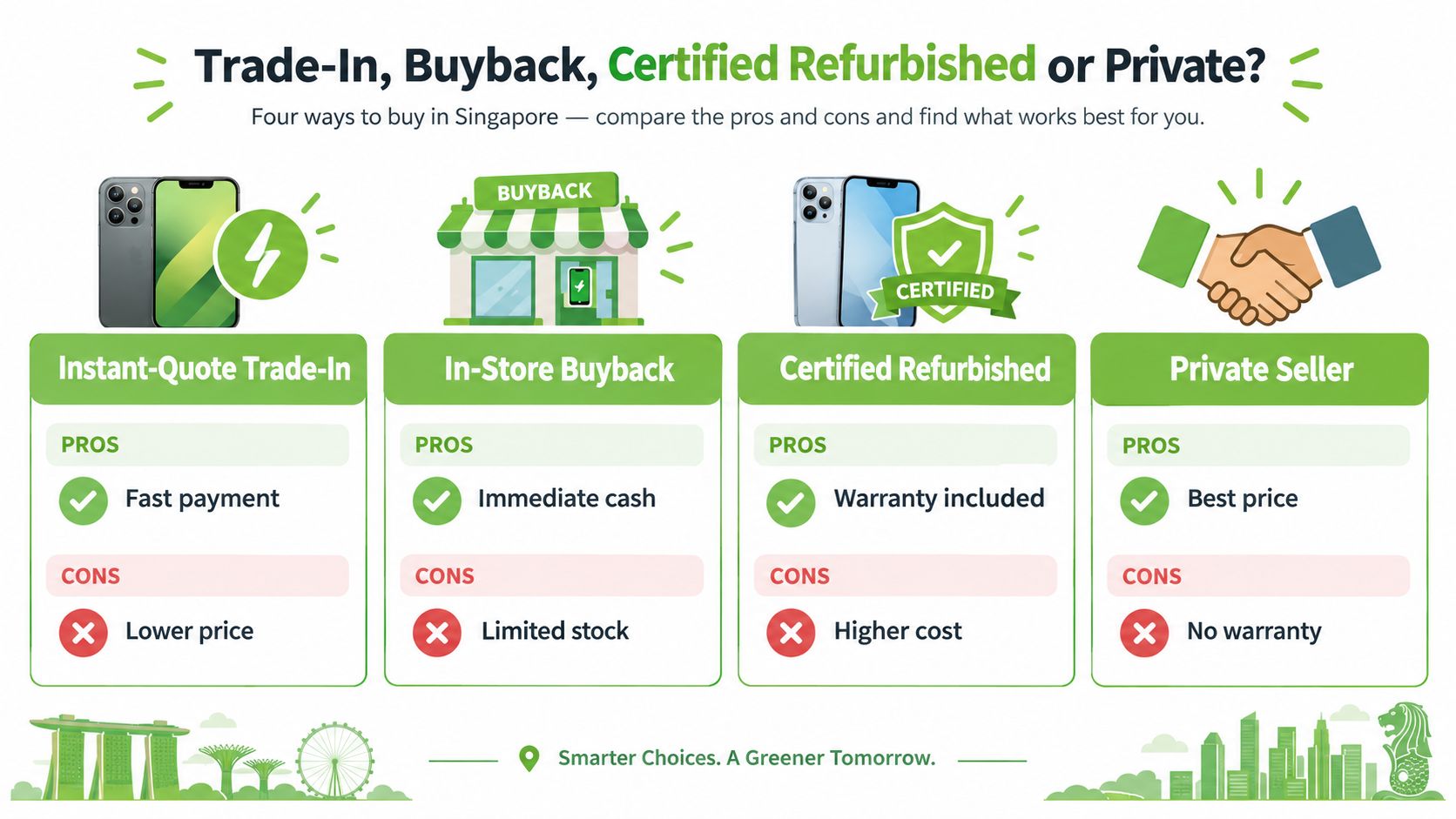
| Channel | Usually suits | Ask before buying |
|---|---|---|
| Instant-quote trade-in | People who value speed and a clear offer | What affects the final quote after inspection? |
| In-store buyback | Sellers who want an in-person assessment | Is the offer final, and how is the device tested? |
| Certified refurbished | Buyers who want checks and stated protections | What testing, warranty and exchange terms apply? |
| Private seller | Buyers comfortable inspecting and negotiating | Can you test the phone, remove the account and complete setup? |
Singapore buyback listings provide a useful reference point, not a guaranteed sale price: an iPhone SE 2020 may receive roughly S$110–S$150, while an SE 2022 may receive about S$160–S$210, depending on storage; battery-health deductions may be around S$20–S$40, according to Lite Mobile's buyback information. Actual offers depend on the device and the assessment, so compare the condition assumptions as well as the quoted amount.
For a plain-English overview of what to prepare and expect when trading in an Apple phone, Beyond Surplus Apple trade-in basics offers a useful complementary read. In any channel, ask how personal data is handled and whether the seller provides a record of the device's condition. An unknown-parts warning, missing accessories or cosmetic damage may affect an offer, but the seller should explain how.
myhalo offers online and in-store trade-in assessments, buyback, and tested Certified ReLoved devices. Its published service information also describes an AI-backed quoting process and ISO-aligned data handling. Compare those details with any alternative, and read the terms before you commit; this Singapore phone trade-in guide can help you prepare.
Selling, Repairing or Recycling Your Old SE Safely
Don't assume that every fault makes an old SE worthless, or that every repair is sensible. Start by comparing the repair quote with the likely resale or buyback value of your exact generation, storage and condition. Singapore buyback figures suggest a battery replacement may be worth considering for an SE 2020, while a costly logic-board repair can exceed what the device is likely to recover. A newer SE 2022 may justify a minor repair more readily, but get a quote first.
If the problem is charging, check for debris or cable damage and get a proper diagnosis before approving a repair. This iPhone charging guide from RepairSeeker can help you think through common causes, but don't keep using a device with a swollen battery. Back up files you want to keep before you hand the phone over; this guide to backing up an iPhone is a useful starting point.
Treat data handling as part of the handover
A factory reset is important, but organisations shouldn't assume that a reset alone proves personal data is unrecoverable. Singapore's PDPC warns that devices sold, returned or discarded can still contain personal data, and says secure deletion, erasure or physical destruction must make it unrecoverable. Its guidance on securing personal data on electronic media is especially relevant for business, school and shared-family devices.
Choose a route based on the phone's condition and whether you can safely prepare it:
- Reuse: Sell or pass on a working phone after removing your account and checking that the next owner can activate it.
- Repair: Get a quote when a fix could extend useful life; weigh it against the phone's likely resale value.
- Controlled recycling: If it can't be reused, choose a responsible channel. Singapore's e-waste framework prioritises repair and reuse where practical, with recycling when reuse isn't suitable, as outlined by the National Environment Agency's e-waste guidance.
If a device won't boot or you can't access it, don't send it casually into resale. Ask the receiving organisation how it handles data-bearing devices and whether it can document secure processing.
Your Next Move and How myhalo Can Help
Pick the route that matches the phone you have, not the one you wish you had:
- Buying: Choose a generation that suits your use, then insist on a real inspection and clear account status.
- Selling or repairing: Compare the quote for repair with the likely resale offer, factoring in storage and battery condition.
- Clearing out: Reuse a working phone where possible; use controlled recycling when repair and reuse aren't practical.
myhalo offers Certified ReLoved devices, trade-in and buyback assessments, repair services, and a Declutter your e-clutter programme for unused electronics. You can visit its Bugis Junction or Sim Lim Square counters, or use its online portal. For corporate or school devices, ask about documented data handling before the handover.
The myhalo Promise is simple: make extending a device's life or letting it go feel convenient, safe and responsible. You don't need to keep an old phone in a drawer because the next step feels complicated.
Ready to make a confident choice about your used iPhone SE, or clear out a device you no longer need? myhalo offers repair, Certified ReLoved phones, trade-in and buyback, plus responsible device collection through its Declutter your e-clutter programme. Visit myhalo and choose the next step that works for you.