
You're halfway through a game when the low-battery warning appears again. Or perhaps your Nintendo Switch OLED is sitting in a drawer because you're considering newer hardware and aren't sure whether to keep it, repair it or sell it. Either way, the practical questions are the same: how healthy is the battery, what would a repair cost in Singapore, and is the console still worth passing on?
The Switch OLED is still a capable console, but age and condition matter more than nostalgia when you're deciding what to do next. Here's a straightforward way to assess it, choose between repair and resale, and give a console that's no longer useful to you a responsible next step.
Table of Contents
- Why Your Nintendo Switch OLED Suddenly Feels Old
- What Sets the OLED Model Apart
- Battery Health and the Six-Month Rule
- Repair or Replace in Singapore
- Getting Real Trade-In Value for Your Console
- Certified Refurbished and the Upcycle Pathway
- An Easy Singapore End-of-Life Plan
Why Your Nintendo Switch OLED Suddenly Feels Old
A console can feel old before it stops working. A battery that drains during a commute or a long flight makes the difference between a relaxing game and a search for a charger. At the same time, seeing newer hardware can make you wonder whether the OLED belongs in your next setup or in someone else's.
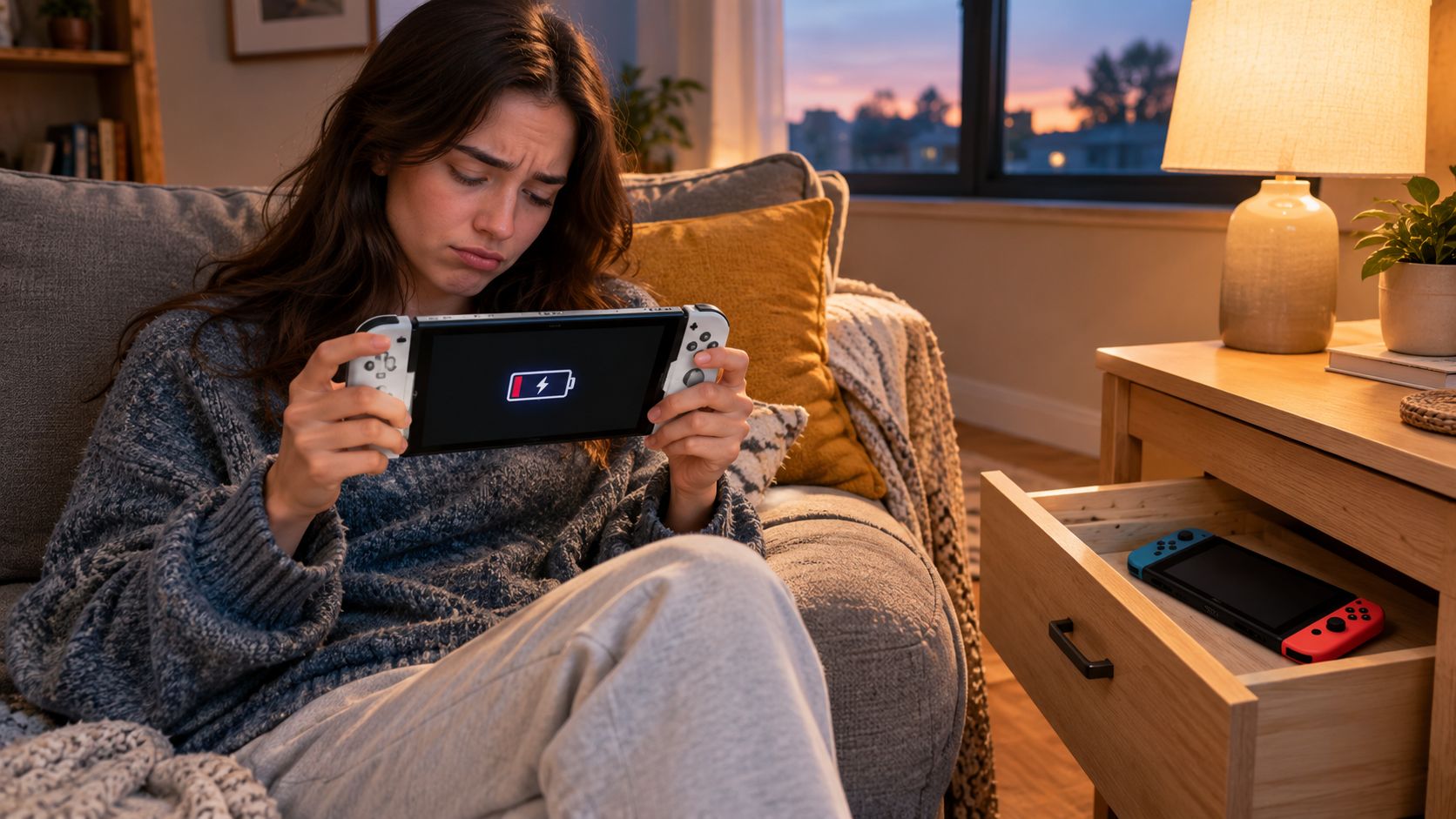
Those are two different problems. Battery decline is a repair question; the console's future is an ownership decision. Don't assume that a tired battery means the whole system is finished, and don't assume an upgrade means the old console has no value.
The Nintendo Switch OLED officially launched in Singapore on 8 October 2021, the same global release date listed by Nintendo Singapore. That date can help you assess the device's age, but condition tells you more about its present value. Check how long it holds charge, whether the screen has defects, whether the Joy-Con controllers work properly, and whether you still have the dock and charger.
Start with the decision, not the upgrade
A useful assessment starts with what's wrong and what you want next:
- Keep it if it works well and still fits how you play.
- Repair it if one fix can restore useful life at a sensible cost.
- Sell or trade it in if you've decided to move on and the console is still suitable for another player.
- Redirect it for reuse or recycling if it can't reasonably be repaired or resold.
The OLED model remains compatible with Nintendo Switch games and uses the same Joy-Con controllers, so an upgrade doesn't make your existing library or controllers irrelevant. That continuity matters: you're weighing the condition of a familiar console, not a system that requires a completely new collection.
Practical rule: Diagnose the fault before you decide the console is obsolete. A battery issue and a damaged screen call for very different decisions.
What Sets the OLED Model Apart
The Switch OLED is a premium refresh of the original hybrid console, not a new generation with a new game library or control scheme. It keeps the familiar handheld-and-TV format while improving features owners can feel during everyday play.
The changes you notice in use
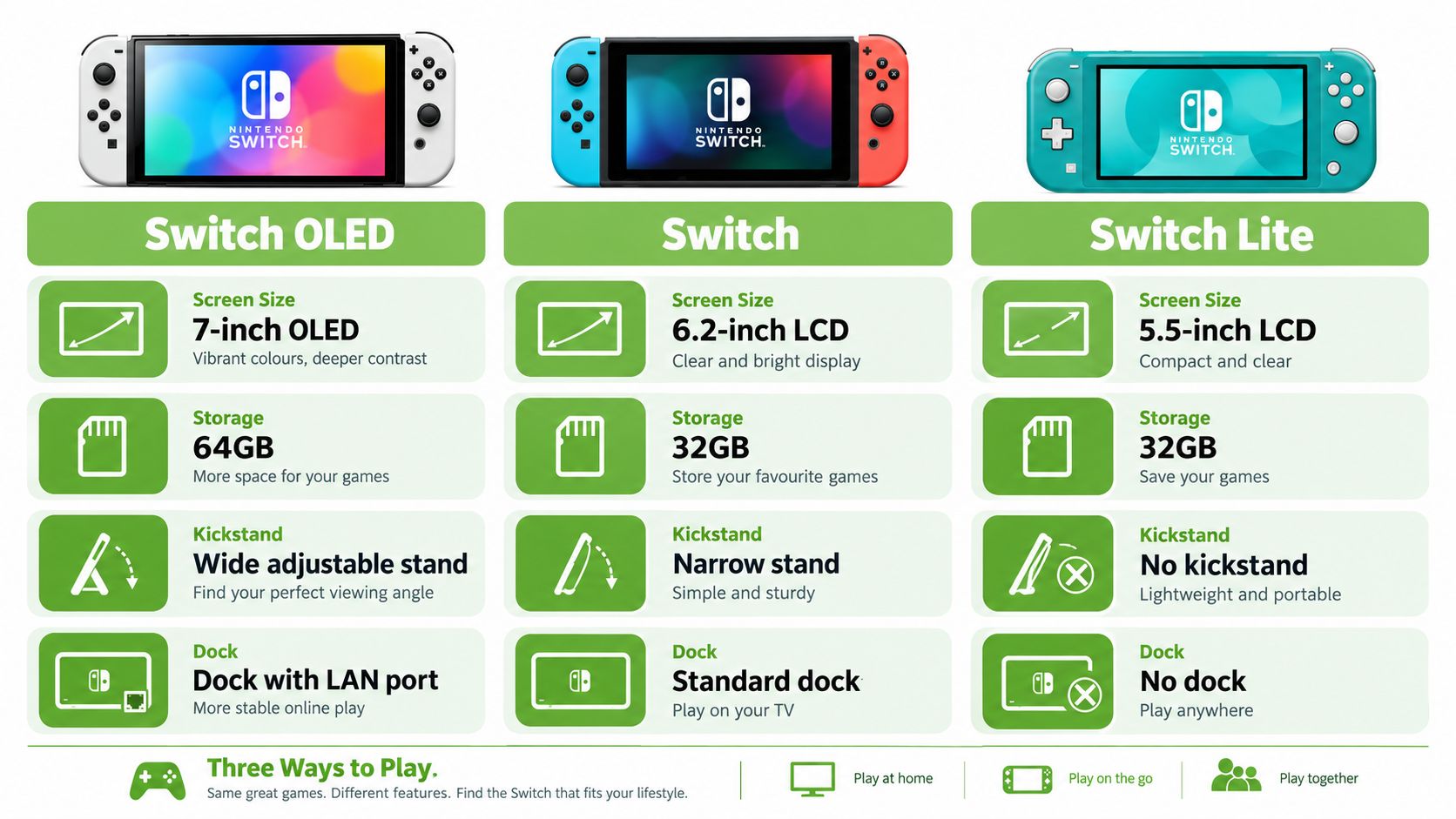
The 7-inch OLED touchscreen is the most obvious difference. OLED pixels produce vivid colours and deep blacks, making handheld games look punchier than they do on the standard Switch's LCD display. If you mostly play with the console docked to a TV, that screen upgrade matters less.
The OLED model also has 64 GB of internal storage, compared with 32 GB in the standard Switch. More built-in space means less immediate juggling of downloaded games, though a large digital library can still call for a microSD card.
Its wider adjustable stand makes tabletop play more stable and easier to set at a comfortable angle. That's useful at home or when you're sharing a game at a table. The standard Switch has a narrower stand, while the Switch Lite has no kickstand.
Finally, the OLED dock includes a wired LAN port. A wired connection can be useful for online play at home when you want to connect by cable rather than rely on Wi-Fi. The Switch Lite doesn't dock to a TV, so it suits players who want handheld play only.
Which version makes sense for you?
| Model | Best suited to | Stand and TV play |
|---|---|---|
| Switch OLED | Handheld players who value the screen, and owners who want both handheld and TV play | Wider adjustable stand and dock with a LAN port |
| Standard Switch | Players who want the hybrid format without prioritising the OLED screen | Narrower stand and standard dock |
| Switch Lite | Players who want a dedicated handheld console | No kickstand or TV dock |
If you're choosing a console for online gaming, it also helps to understand what streaming options a device supports. AccountShare's guide for budget streamers offers related context, though the central Switch OLED decision is simpler: buy into the screen and hybrid convenience if you'll use them.
Battery Health and the Six-Month Rule
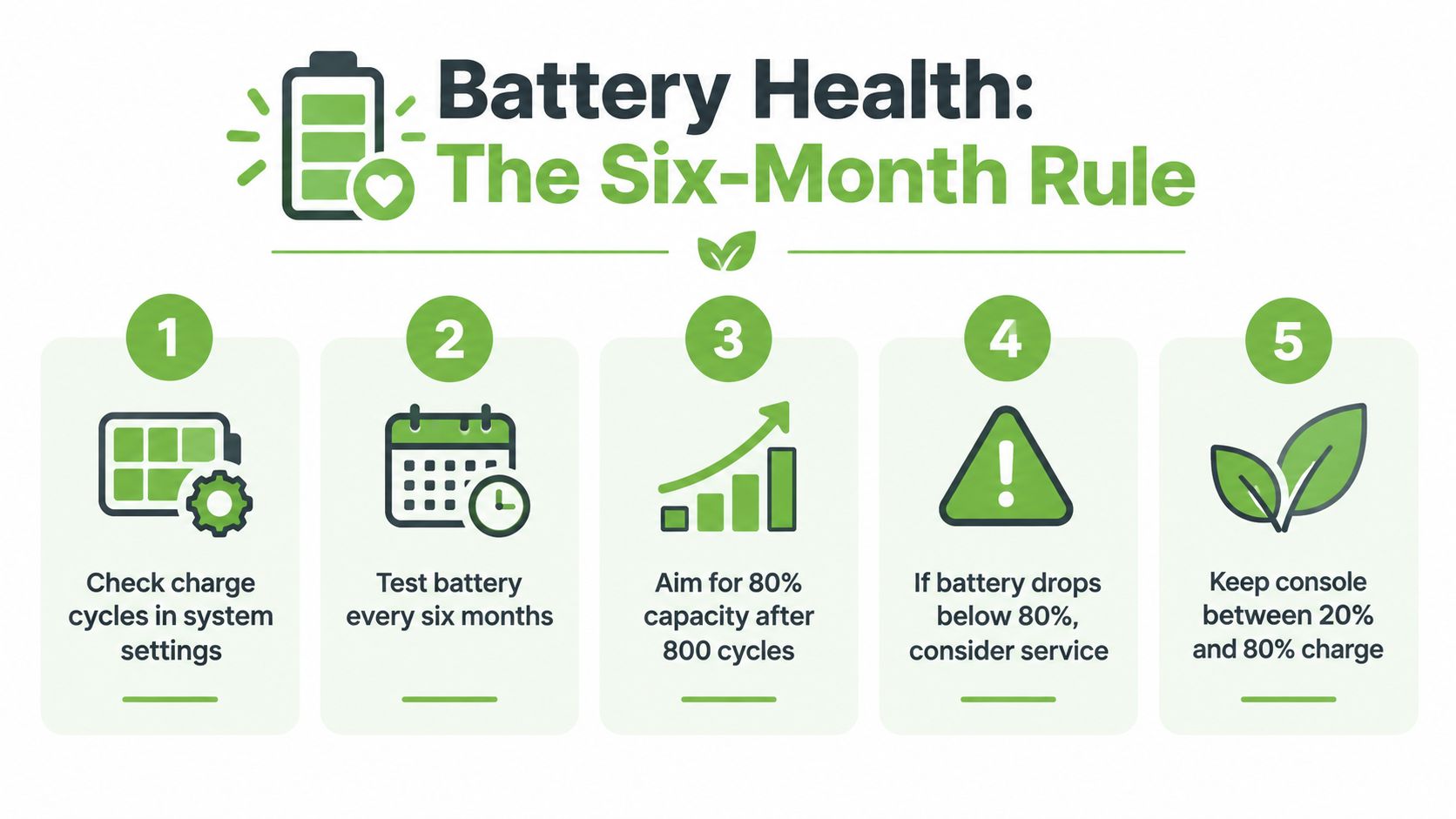
A Switch OLED battery wears down through use, and leaving the console untouched for months won't preserve it. Nintendo says the internal battery retains approximately 80% of its original capacity after around 800 charge cycles. Nintendo also advises charging devices with internal batteries at least once every six months to help prevent prolonged inactivity from affecting charge retention. See Nintendo's battery guidance for both recommendations.
Read the symptoms, not just the battery icon
A low-battery warning after a long session doesn't automatically mean the battery needs replacing. Look for a recurring change: playtime falls short of what you expect, charge drains quickly during ordinary use, or the console has trouble after sitting idle. Nintendo says sharply reduced playtime can signal that the battery is nearing the end of its life.
Check the basics before paying for service. Make sure the console charges properly, test it with a known-good compatible charger, and see whether the problem returns across different sessions. If the charge still drops quickly, get the battery assessed. Repeatedly short playtime is a practical reason to seek a repair quote, not a condition to accept.
A lithium-ion battery is a consumable part, not a permanent one. maxijournal.com's battery explainer explains how these batteries work, while this guide to looking after a lithium-ion battery covers practical care. Use that advice to reduce avoidable wear, while keeping realistic expectations about an ageing battery.
Don't leave it forgotten and flat
If you're storing the console, charge it periodically rather than leaving it discharged indefinitely. Use the six-month guidance as a reminder to check an idle device, not a guarantee that an old battery will remain healthy.
Repair or Replace in Singapore
A cracked OLED panel can change the maths quickly. Locally advertised prices put screen replacement at about S$150–S$200, while battery replacements are commonly listed around S$50–S$80. Treat these as advertised ranges, not confirmed quotes. Ask the repairer to identify the fault, parts and warranty terms in writing before you agree.
| Fault | What to do | Why |
|---|---|---|
| Battery life has sharply declined | Get a battery replacement quote first | A lower-cost repair may restore useful playtime without replacing the console |
| OLED screen is cracked or damaged | Compare the repair quote with the console's condition and resale options | Screen work costs more, so judge it against the value you expect to retain |
| Joy-Con controls are worn or drifting | Get the controllers assessed separately | A controller fault does not automatically mean the console needs replacing |
| More than one major fault | Compare total repair costs with selling or moving on | Several repairs can make replacement the more sensible choice |
Use the Singapore OLED screen replacement listings only as a rough market check, not proof that a shop will charge a particular amount. For battery work, ask a local repairer for a written quote and confirm what the service includes. A damaged OLED panel is harder to justify than a tired battery because screen repair takes a larger share of the console's value.
Three things that can change the verdict
Warranty status matters. If the console may still be covered, check the terms and its purchase history before using an unauthorised repair service. Work outside the warranty conditions could affect your options, so confirm first.
Cosmetic and functional condition matter too. A console with a sound screen and reliable controls is easier to justify repairing when the fault is limited. For general context on assessing display work, read this guide to tablet screen replacement.
Be clear about whether you want to keep playing. If you are ready to move on and the console needs an expensive screen repair, get a sale or trade-in estimate before spending. If the fault is limited and you plan to keep the Switch, compare the repair quote with the cost of replacing the console. Repair when the fix is proportionate to the remaining use you expect; otherwise, sell it with the fault disclosed or recycle it responsibly.
Getting Real Trade-In Value for Your Console
New Switch OLED listings in Singapore span roughly S$450–S$549 across marketplace and official or distributor listings. That range gives you a reference point, not a promise about what your used console will fetch. Marketplace prices are asking prices; they don't prove that a buyer paid the listed amount.
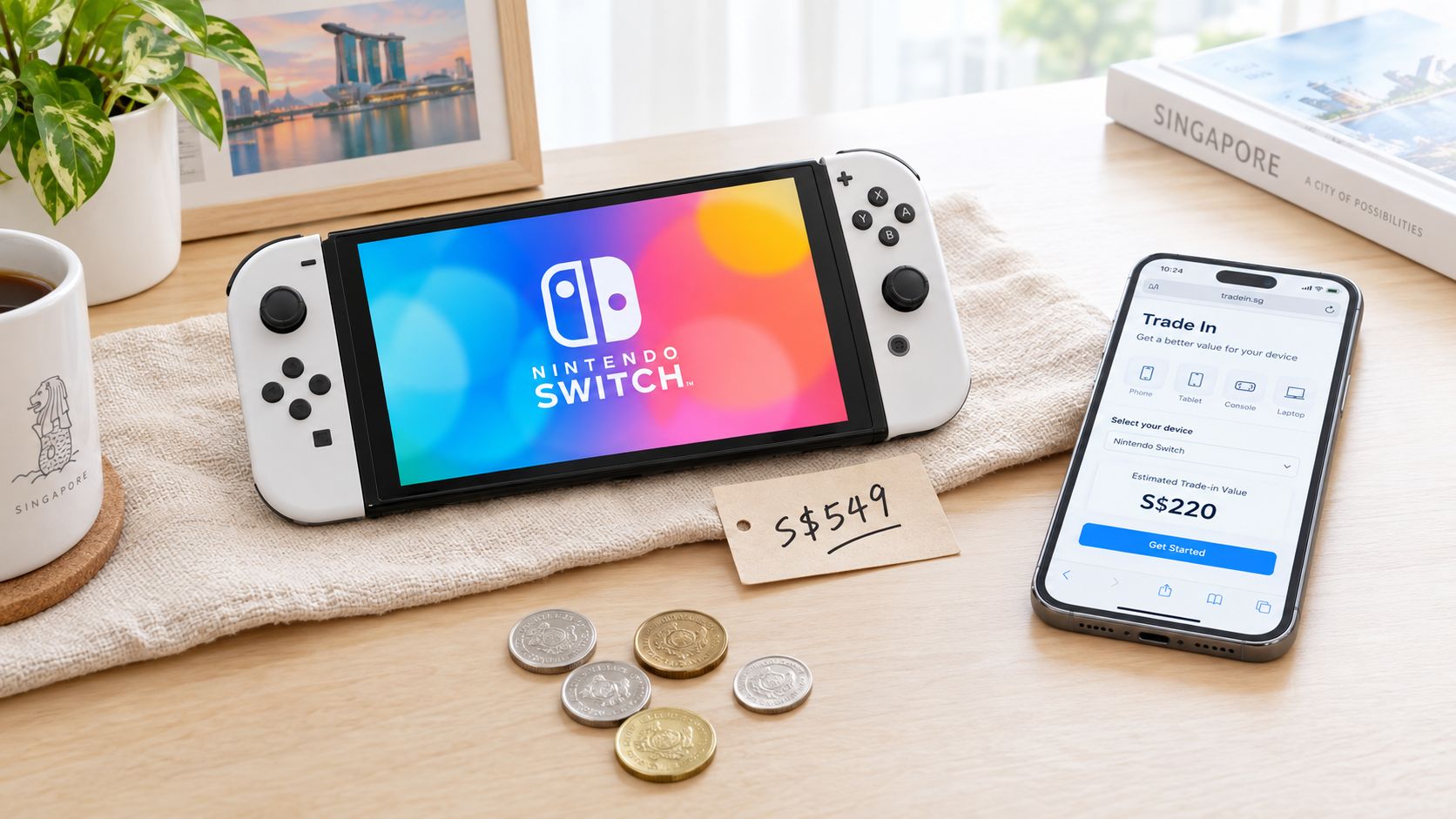
In my view, where you sell matters more than when you sell. A clear, complete listing or a suitable trade-in channel is more useful than trying to guess the perfect moment. Before deciding on a price, compare the condition of your actual unit with local listings and remember that advertised prices aren't completed-sale values.
For a wider view of local options, see this guide to trade-ins in Singapore. Then prepare an honest condition report. Buyers are more likely to trust a listing that answers the practical questions upfront than one that claims the console is in good condition.
Your pre-sale disclosure checklist
- Battery behaviour: Explain whether it holds charge reliably during your usual sessions.
- Screen condition: Disclose burn-in, image defects, scratches or cracks.
- Joy-Con controls: Test the buttons and sticks, and state whether you've noticed drift.
- Accessories: Confirm whether the dock and charger are genuine and included.
- Region and serial details: Share relevant serial-region information with the buyer and check compatibility before a sale.
- Account status: Remove your account and personal information before handing the console over.
- Proof of purchase: Include it if available, particularly if warranty provenance matters to the buyer.
For a visual walkthrough of the console and its resale considerations, this video may help:
Set your expectation based on the actual condition, included accessories and the channel you choose, not the highest price you can find online. If you'd rather avoid managing messages and meet-ups, a trade-in or buyback assessment may be more convenient. If you want to test the market privately, disclose faults and be prepared to negotiate.
Certified Refurbished and the Upcycle Pathway
Buying second-hand can make sense, but the word “refurbished” doesn't tell you enough on its own. Ask who inspected the console, what was tested, how cosmetic condition is graded and what protection you get if a fault appears after purchase.
Factory refurbished and seller refurbished aren't interchangeable labels. Find out who performed the work and what it covered, rather than assuming a particular standard from the wording alone. A buyer should be able to understand the console's grade, testing status and warranty terms before paying.
Questions to ask before buying
- What was tested? Ask whether the screen, battery, Joy-Con controls, dock and charging functions were checked.
- How is condition graded? Request a clear description of scratches, screen marks and other cosmetic wear.
- What does the warranty cover? Get the duration and exclusions in writing.
- Can you return it? Check the return window and what happens if the console doesn't match its description.
- Was personal data cleared? Ask for confirmation that the previous owner's account and data have been removed.
An independent inspection and clear documentation matter as much as a tidy exterior. For a better sense of what quality assurance testing should involve, look for specific checks rather than a broad promise that a device has been tested.
When the console can't be sold as a working device
A console that won't power on or has damage that makes resale impractical may still have usable components. Ask whether repair or parts harvesting is possible before treating the device as waste. Parts can sometimes support the repair of other devices, but don't assume a non-functional console qualifies for resale or that every component can be reused.
For owners, the sensible order is to assess repair first, then consider resale or parts recovery. For buyers, it's equally simple: choose a refurbished unit only when its condition and warranty are clear. Don't pay a premium for a label that doesn't explain what the seller did.
An Easy Singapore End-of-Life Plan
Singapore has a regulated e-waste management system under the Resource Sustainability Act. The National Environment Agency says the system began on 1 July 2021 and uses an Extended Producer Responsibility approach, where producers are responsible for collection and treatment when covered products reach end of life. NEA's e-waste recycling guidance specifically includes gaming consoles among the items accepted by participating programmes.
That gives you a clear route for a console that can't be reused. But don't send a working device straight to recycling. Repair, resale, donation or parts recovery can keep it useful for longer; recycling is the right destination when those options aren't practical.
Make the call in three steps
- Assess battery, screen and controls. If a focused repair restores a console you want to keep, get a quote. If the screen or multiple components are badly damaged, compare repair with moving on.
- Pick the channel that fits your priority. A private sale may suit someone willing to manage the listing; a trade-in or buyback can be simpler. If repair and reuse aren't viable, ask about responsible parts recovery.
- Use an appropriate e-waste collection point for what cannot be reused. Follow NEA's recycling guidance instead of placing a non-functional console in general waste.
A console isn't waste just because you've stopped using it. First ask whether someone else can play it, a repair can restore it, or its parts can help keep another device running.
The practical aim is to get fair value where possible and avoid discarding a device that still has useful life. If you've decided to move on, remove your account, disclose its condition and choose the right route. If it's beyond reuse, send it through an appropriate e-waste programme.
Ready to give your Switch OLED a useful next chapter? myhalo offers repair, trade-in, certified ReLoved devices and an upcycle pathway for eligible items, helping you choose a practical route instead of leaving old tech in a drawer. Reach out to find the option that suits your console and take one easy step towards a zero e-waste home.