
You're not alone if there's a drawer, a shelf, or even a whole box of old laptops and hard drives sitting in your home or office right now. In Singapore, the hard part usually isn't the throwing away, it's the not knowing. People worry about customer files, work documents, tax records, and family photos lingering on a drive even after they press delete, so the devices stay parked “for later” until later turns into months.
That's where hard disk degaussing enters the conversation. It sounds technical, but the idea is simple, if the storage is magnetic, a strong magnetic field can wipe out the stored patterns that hold the data. If you've ever wanted a calm, practical way to decide what to do with legacy drives, backup tapes, and mixed device piles, this guide will help you sort the fear from the facts.
Table of Contents
- When Old Hard Drives Become a Worry
- What Hard Disk Degaussing Actually Does
- Which Devices Degaussing Works On
- Degaussing vs Overwriting, Crypto-Erase, and Shredding
- Compliance, Certificates, and Chain of Custody in Singapore
- Choosing Degaussing for Your ITAD and Home Workflow
- Costs, Safety, and How myhalo Helps
When Old Hard Drives Become a Worry
A lot of Singapore households and small offices have the same quiet problem. Old laptops get replaced, external hard drives get unplugged, desktops get retired, and then everyone agrees to “deal with it later” because nobody wants to be the person who accidentally leaks data. That hesitation makes sense, especially when the device once held payroll files, school records, client folders, or years of photos.
The simplest mistake is assuming that delete, format, or “I can't see the files anymore” means the drive is safe. It doesn't. For magnetic drives, the data can still be present in a form that isn't obvious to the naked eye, which is why secure end-of-life handling matters more than a quick clear-out. If you need a broader repair or recovery perspective before deciding what to do next, our fast hard drive fix guide from Nerds 2 You Edmonton is a useful read, especially if you're trying to tell the difference between a failing drive and a drive that just needs proper retirement.
Practical rule: if the drive once held anything you wouldn't want a stranger to read, treat it like sensitive media until it's been sanitised properly.
The Singapore reality
In local ITAD work, the tricky part is usually mixed storage. One laptop may have an HDD, another may have an SSD, and an old backup drawer may contain tapes as well as hard drives. That means the right answer isn't “use one method for everything”, it's “identify the storage type first, then route it correctly.”
That's also why secure disposal needs a partner who can handle both the technical side and the paperwork side. For a Singapore-specific overview of recycling and device handling, this recycling company guide is a helpful reference point.
The worry is real, but it's manageable. Once you know which media you're holding and what each one needs, the pile of old tech stops feeling like a privacy risk and starts looking like a normal lifecycle task.
What Hard Disk Degaussing Actually Does
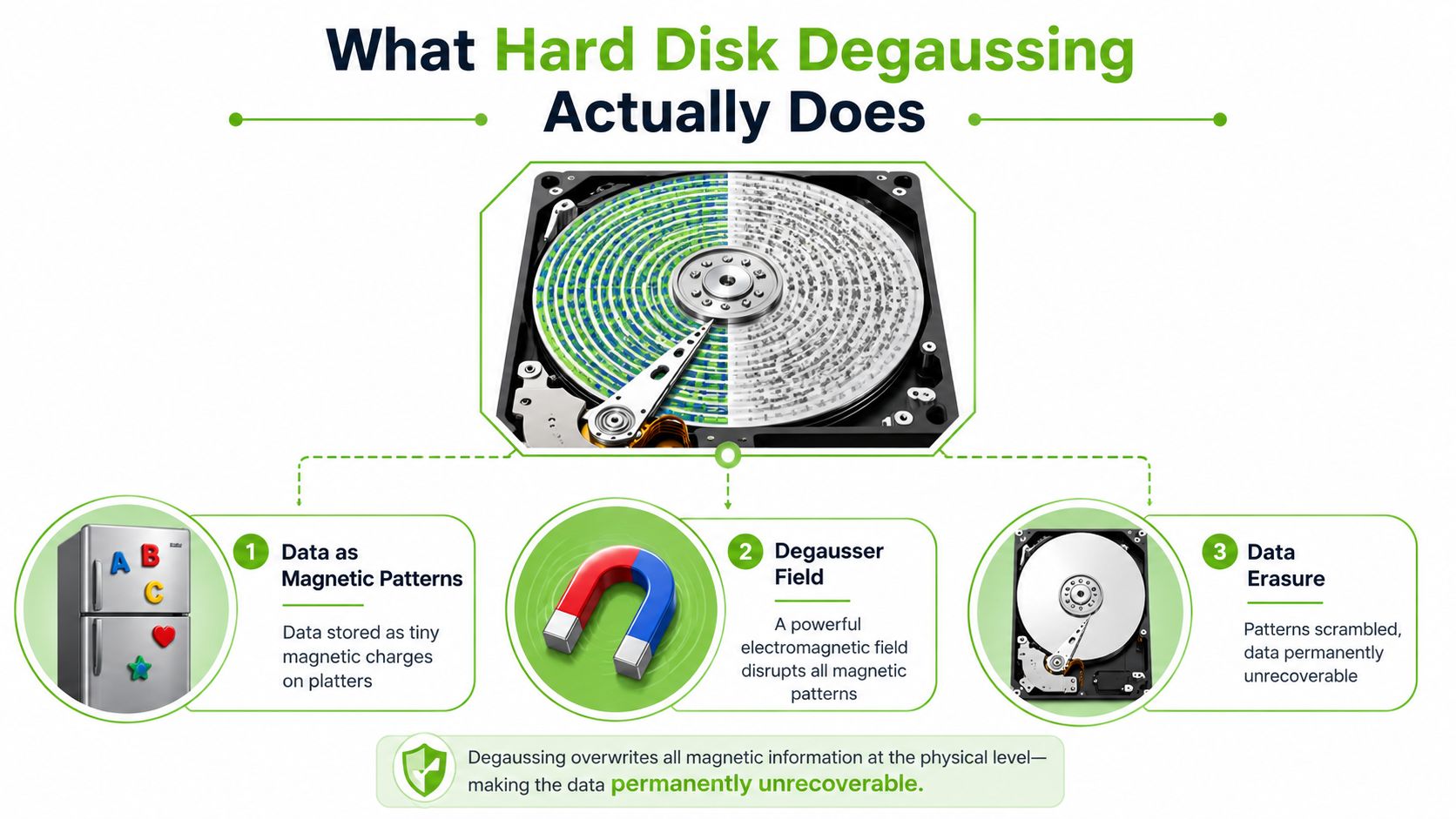
Think of a hard drive platter like a tiny, very organised fridge door covered in magnets. The “messages” on that door are the magnetic patterns on the platters. A degausser doesn't peel off the stickers one by one, it blasts the entire surface with a strong magnetic field so those patterns get scrambled into noise.
Magnetic domains, in plain English
The storage surface on a hard drive is built from magnetic domains, which are tiny areas that can point in different directions. Those directions are how the drive represents information. A proper degaussing cycle disrupts those domains so the original pattern can't be read back as useful data, and the remnant magnetic field is reduced to zero according to technical guidance on degaussing from Garner Products.
NIST SP 800-88 frames degaussing as a purging method for magnetic media, which is stronger than simple clearing and is meant to protect against laboratory-level recovery attempts. That matters because it puts degaussing in the secure sanitisation bucket, not the ordinary housekeeping bucket. It's also why this method sits alongside, but separate from, physical destruction in media sanitisation planning.
Why it's not the same as formatting
Formatting prepares a drive for reuse by rebuilding the file system. Degaussing destroys the magnetic pattern the drive depends on in the first place, so it's a destructive end-of-life treatment, not a reusable wipe. In practical terms, if your goal is to keep using the drive, degaussing is the wrong tool. If your goal is to make the data unrecoverable on magnetic media, it's one of the cleanest options available.
A properly strong degausser is meant to eliminate the magnetic fields that hold the information, which is why the outcome is permanent rather than reversible.
That's the key difference to hold onto. Formatting hides data structure. Degaussing removes the magnetic signal itself.
Which Devices Degaussing Works On
A drawer full of old laptops can hide very different storage media, so the first job is to identify what kind of device you have. Degaussing only works on media that stores data magnetically. If the storage is based on flash memory, the magnetic field does nothing useful.
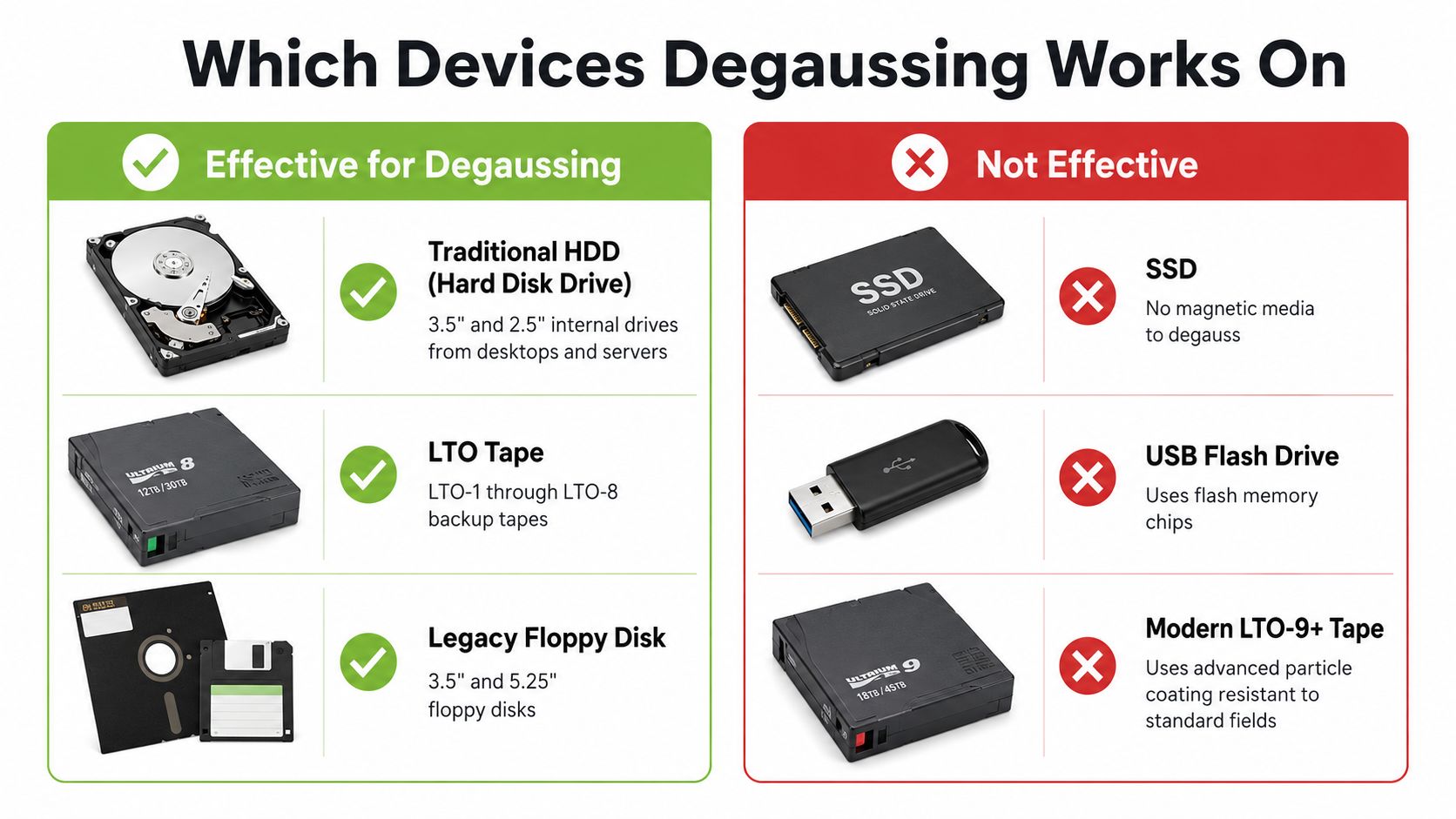
Effective for magnetic media
Traditional hard disk drives are the standard fit. Magnetic backup tapes and older floppy disks fall into the same group. These devices hold data in magnetised patterns, so a degausser is built to scramble that pattern beyond use. For retired magnetic media, that makes degaussing a fast bulk sanitisation method, as described by Potomac eCycle(https://potomacecycle.com/what-does-it-mean-to-degauss-a-hard-drive/).
Not effective on flash-based devices
SSDs, USB flash drives, SD cards, microSD cards, and similar flash-based devices do not store user data magnetically. They store charge states in memory cells, so a magnetic field is the wrong tool. A technical overview also notes that degaussing is not currently considered practical for HAMR drives and raises uncertainty for MAMR drives in this overview.
That difference matters in Singapore because mixed fleets are normal. A family laptop may contain an SSD, an office desktop may still use an HDD, and an archive drawer can hold both, plus a tape backup. If the media is not classified first, a strong and costly method can be applied to the wrong device. The practical question is the storage type, then the sanitisation path.
Quick routing logic
- HDD or tape: degaussing can be appropriate.
- SSD or flash drive: choose another sanitisation method.
- Hybrid or uncertain device: check the exact storage type before deciding.
For a closer look at how media type affects secure disposal choices, see myhalo's guide to secure data destruction.
Degaussing vs Overwriting, Crypto-Erase, and Shredding
Comparing sanitisation methods side by side makes the trade-offs much easier to see. Different jobs call for different tools, and the best answer depends on whether you want reuse, proof, speed, or complete physical destruction.
Comparing the four main data sanitisation methods
| Method | Speed | Works on SSDs? | Drive Reusable? | Compliance Strength | Typical Cost |
|---|---|---|---|---|---|
| Degaussing | Very fast | No | No | Strong for magnetic media under NIST-style sanitisation planning | Usually service-based or equipment-based |
| Overwriting | Slower | Sometimes, depending on implementation | Yes | Good for some reuse scenarios, but not universal | Low if done in-house |
| Crypto-erase | Very fast | Yes, when the drive supports it | Yes | Strong when encryption is built in correctly | Low to moderate |
| Shredding | Fast once scheduled | Yes | No | Very strong, because the media is physically destroyed | Usually higher per drive |
Overwriting keeps the drive intact, which is helpful if you want reuse. The catch is that it depends on the drive being functional and on the storage technology behaving the way the software expects. Crypto-erase is fast and neat, but it only works well when encryption was properly implemented in the first place. Shredding is blunt, but it works across media types and leaves no practical reuse path.
Degaussing sits in a very specific place. It's fast, it's strong for magnetic media, and it ends the drive's usable life. That makes it useful when the drive is legacy magnetic storage and the priority is secure retirement rather than resale.
For a practical Singapore workflow, this secure data destruction guide is a useful internal reference if you're comparing options for a home drawer or an office batch.
Simple choice test: if you want to keep using the media, don't degauss it. If you need the magnetic data gone for good, degaussing or shredding are the serious options.
Compliance, Certificates, and Chain of Custody in Singapore
For a business, the question is not only whether the files are gone. It is whether you can show, clearly and later, how the drive was handled from pickup to final destruction. That proof sits in two places, the certificate and the chain of custody.
A good certificate of destruction or sanitisation should tell you which devices were processed, what method was used, and who carried out the work. In practice, the file should name the date, serial numbers, method, operator, and signature. Those details give an IT, procurement, or compliance team something solid to point to if anyone asks for evidence of due care.
Singapore organisations also need to think about secure disposal of personal data under the PDPA, so documented handling is not just tidy admin. It is part of responsible practice. If your team also works to ISO-style controls, this ISO 27001 data destruction guide is a useful reference to keep alongside your internal policy.
Chain of custody is the paper trail for the physical drive. Each handover should be signed, and the devices should move in tamper-evident packaging or sealed containers so there is no confusion about where they went. If destruction happens on-site or under witness, record that too.
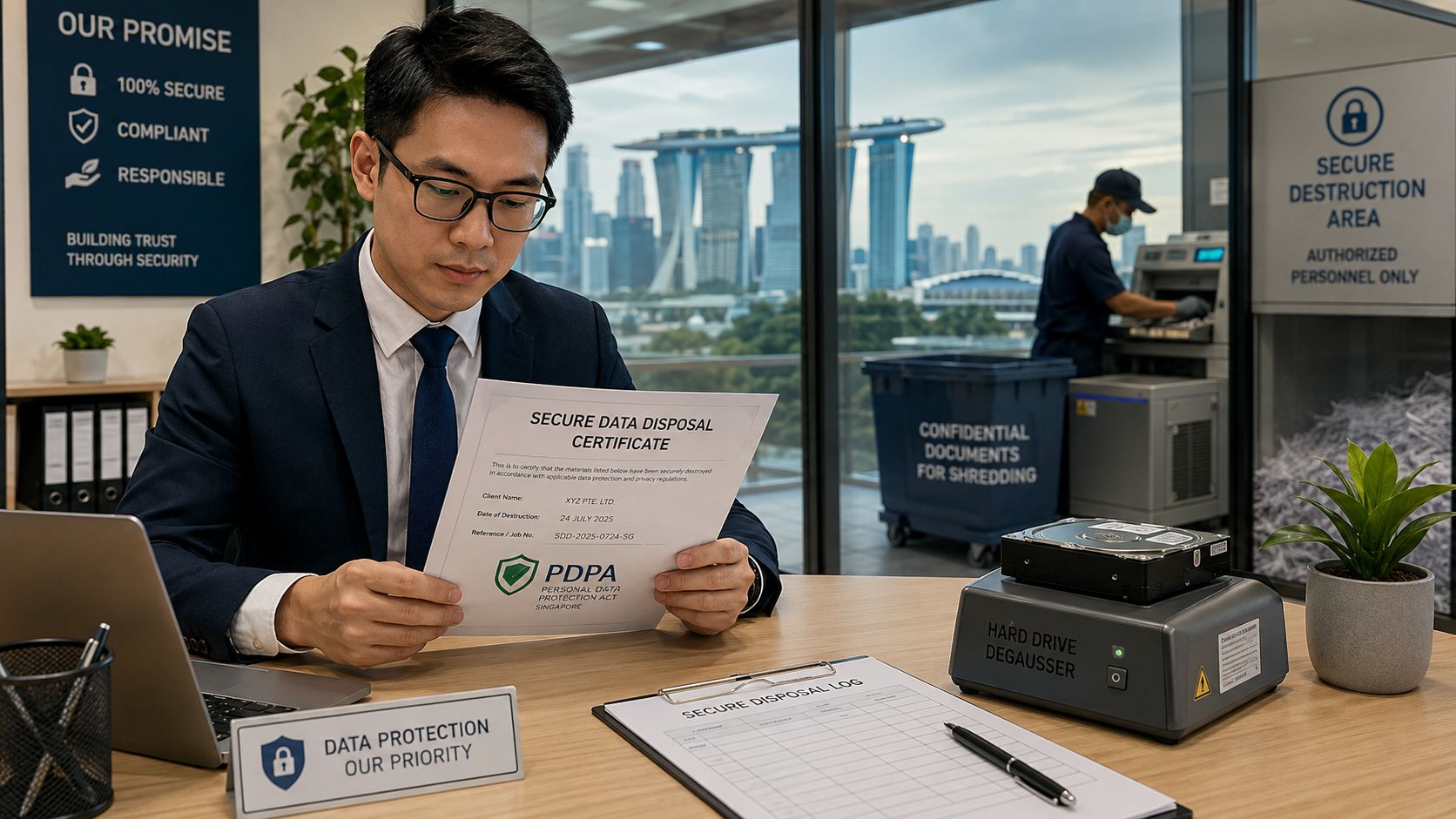
For magnetic media, degaussing is often chosen because it is quick and well suited to batch processing. A professional holding a secure data disposal certificate next to a hard drive degausser in an office. That speed helps when older drives need to be retired under tight control, but the useful part for compliance is not speed alone. It is the ability to match each degaussed unit to a record that shows what was collected, what was processed, and what happened after that.
A structured vendor process also reduces handling errors. It keeps the audit trail cleaner when drives are counted, sealed, sanitised, and routed for recycling or destruction. For a broader compliance-oriented reference, F1Group's IT disposal guide is useful if you are shaping an internal policy or comparing service models.
For a practical internal playbook, this kind of documentation works best alongside a clear media policy. The same logic used earlier for deciding whether degaussing fits a legacy HDD also helps your team decide what needs witness records, what needs a certificate, and what can be handled through a normal retirement process.
Choosing Degaussing for Your ITAD and Home Workflow
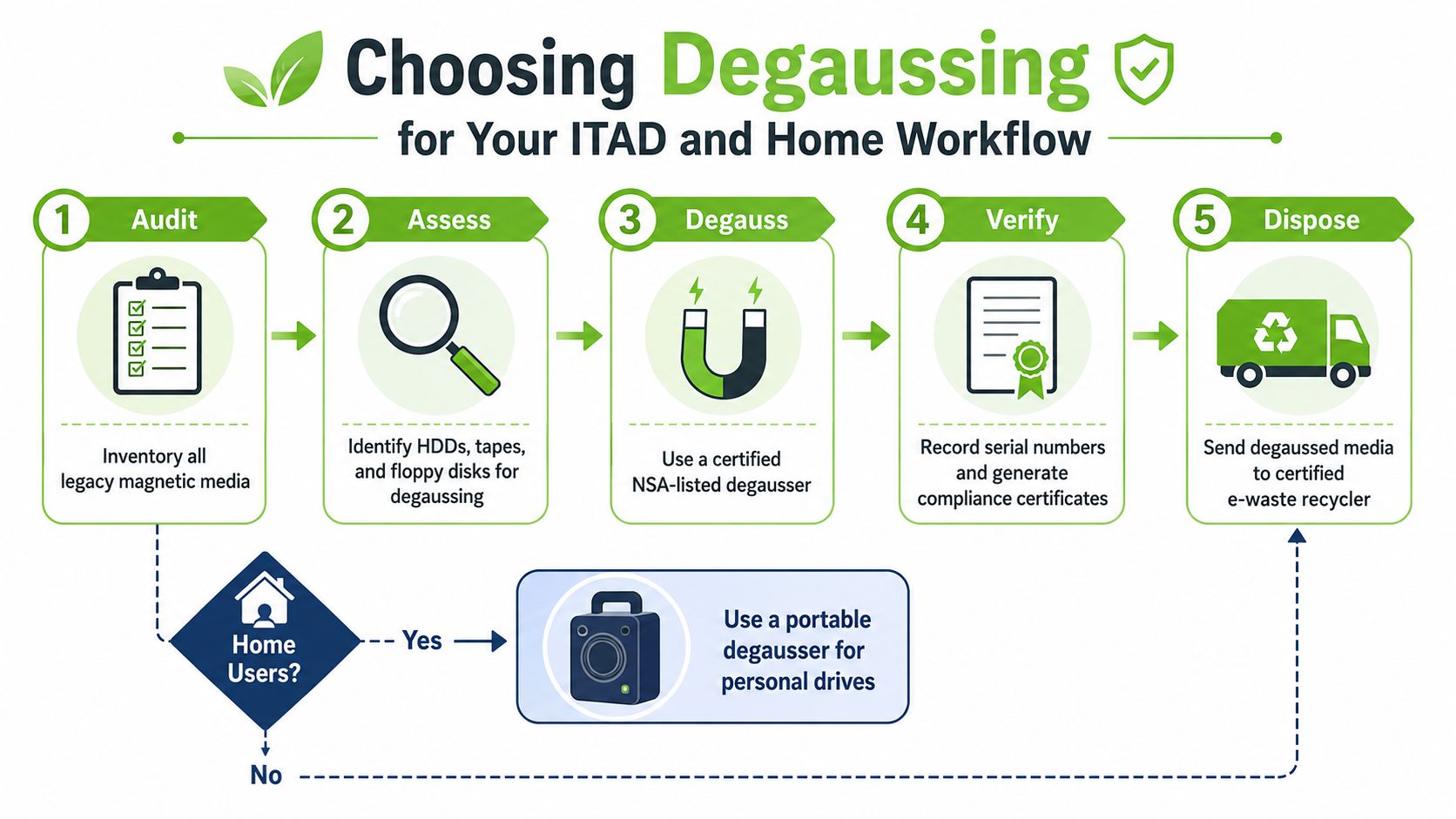
A useful way to decide is to start with the storage type, then ask what you still need from the device. A hard drive that holds older magnetic media behaves very differently from an SSD, a bit like choosing between erasing chalk on a board and cracking a sealed plastic case. If the unit is a legacy HDD or tape and the data must be gone, degaussing fits into an ITAD process. If the unit is an SSD and still has resale value, secure erase or certified resale usually makes more sense.
A practical decision split
For corporate ITAD, degaussing fits older desktops, servers, and backup media that contain sensitive data and no longer need resale handling. For schools and SMEs, it can work well when end-of-lease requirements call for documented sanitisation. For home users, it is often more than is needed if the device is a modern laptop with an SSD and the data is not high risk.
The key point is that degaussing is destructive. Once a hard disk has been degaussed, it cannot be reused because the magnetic structure is disrupted or randomized, leaving the drive unreadable and inoperable as explained by SysTools. That means no parts harvesting, no testing, and no certified resale after the process.
When reuse first makes more sense
If a device still has value, reuse is usually the cleaner circular option. A resale, buyback, or certified refurbished path can fit better than destruction, especially for equipment that still powers on and still has buyer interest. The zero-e-waste instinct and the data-security instinct do not need to fight each other, they just need the right order.
For mixed fleets, the workflow is simple. As outlined in the device classification section, identify the storage type first, then choose the method that matches it.
- Legacy HDDs and tape: consider degaussing.
- Working SSD devices with resale value: consider secure erase or certified resale.
- Uncertain devices: sort the storage type first, then decide.
For a Singapore asset-disposition pathway that ties those choices together, this secure ITAD and e-waste disposal guide is a useful internal reference.
Costs, Safety, and How myhalo Helps
Owning a degausser rarely makes sense for a household, and often doesn't make sense for a small office either. The machine is only one part of the picture, you also need correct media identification, a safe process, and a way to document what happened. For many people, a certified destruction service is simpler than buying equipment they'll use only occasionally.
Safety matters too. Strong magnetic fields can interfere with items like credit cards and can be a concern around sensitive medical implants, so degaussing shouldn't be treated like an ordinary desk gadget. It's a specialised tool for a specific job, and it belongs in controlled hands.
That's why many Singapore users prefer a service-based route with paperwork attached. At myhalo, the Safe data and Declutter your e-clutter programmes support device handover, certified data destruction, and responsible downstream handling for old tech that no longer needs to sit in a drawer. If the device still has resale value, a reuse-first path can keep it in circulation instead of sending it straight to disposal.
A CTA for myhalo. If you've got old laptops, hard drives, or office devices waiting for a proper decision, let's sort them out the easy way. Reach out through myhalo's Safe data and Declutter your e-clutter programmes, and turn that drawer full of worry into a clear, secure, and responsible next step.