
You finally decide to clear that drawer. Inside, there's an old laptop, a portable hard drive, maybe even a desktop drive wrapped in a cable you forgot you still owned. Then the thought hits: What about the data? Family photos, scanned documents, work files, saved passwords, old tax records. That's usually the moment the drawer gets closed again.
If that sounds familiar, you're not being overly cautious. You're being sensible. A lot of people in Singapore hang on to retired devices not because they love clutter, but because they don't want their personal information ending up in the wrong hands. The good news is that secure disposal doesn't have to feel technical or stressful. Once you understand what degaussing does, and what it doesn't do, it becomes much easier to choose the right path for your drive, your privacy, and the planet.
Many individuals misunderstand the process. They hear that you can degauss hard disk media for secure erasure and assume it's a kind of super-powered wipe. In reality, it's much more final than that. It removes data from magnetic drives in a way that also destroys the drive's ability to work again. That matters if your goal is absolute data destruction. It also matters if you were hoping to preserve the device for resale, repair, or reuse.
Table of Contents
- That Old Hard Drive in Your Drawer What Now
- What Degaussing Actually Does to a Hard Disk
- Does Degaussing Work on All Drives HDD vs SSD
- Data Destruction Laws and Compliance in Singapore
- Degaussing vs Other Ways to Wipe Your Data
- When to Trust the Experts with myhalo
That Old Hard Drive in Your Drawer What Now
A common home scenario goes like this. Your old laptop stopped charging properly, so you replaced it. The external drive from university days still works, but you no longer know what's inside. A desktop hard disk from a past upgrade sits in a cupboard because throwing it away feels risky.
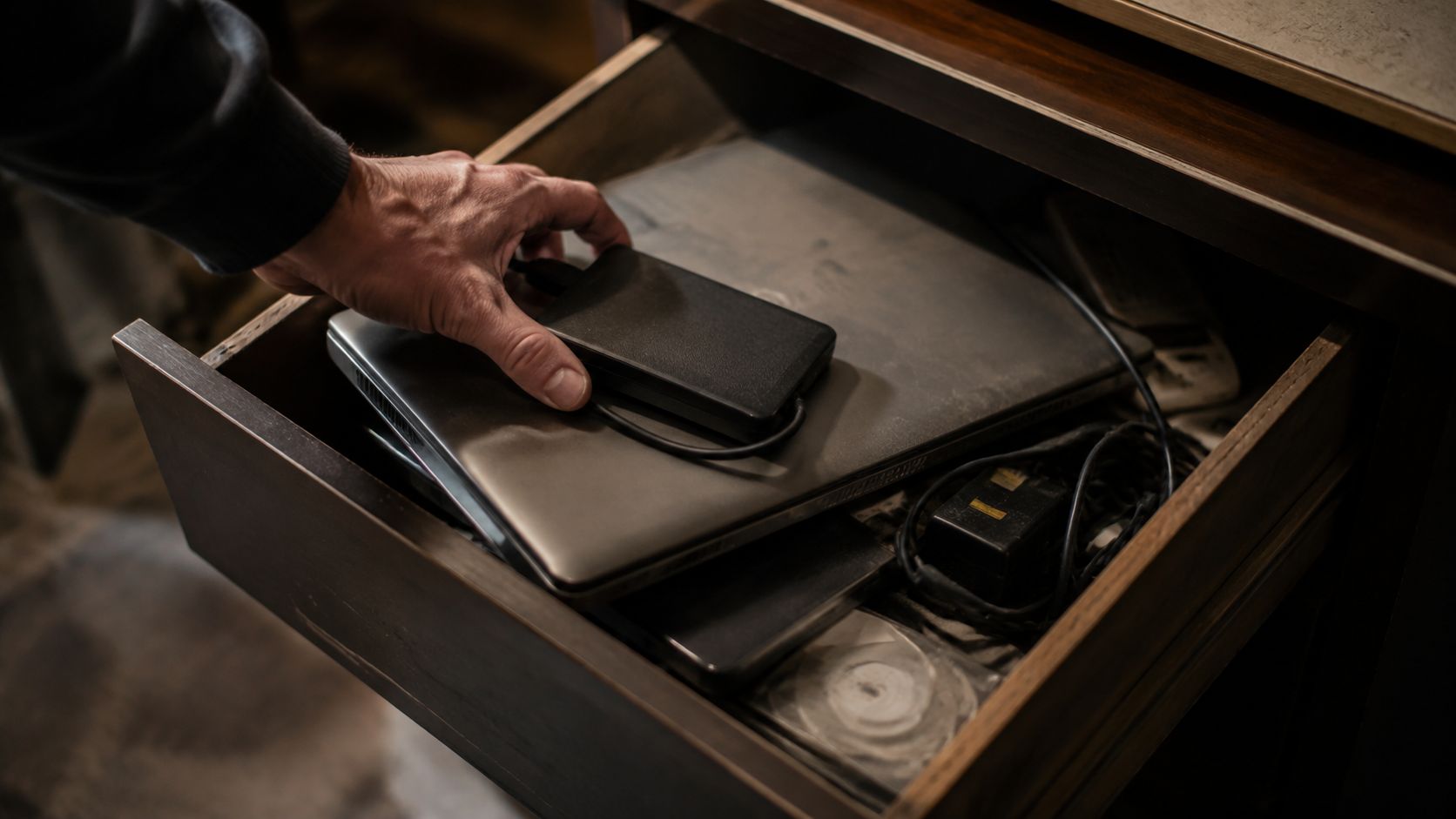
That hesitation makes sense. Deleting files isn't the same as making them irretrievable, and that is instinctively understood, even without being able to explain the technical side. So the devices pile up. One becomes three. Three become a whole tangle of chargers, drives, and retired laptops that nobody wants to touch.
If you've been looking for a practical way to start, it helps to think in two separate questions:
- Do you need to destroy the data completely? If the drive contains sensitive personal or business information, secure destruction matters.
- Do you want to preserve the device if possible? If the hardware still has value, destroying it may be the wrong first move.
That second question often gets skipped. Yet it's the one that decides whether a device can still be repaired, refurbished, or responsibly circulated instead of being turned into waste.
Simple rule: Data destruction and device preservation are not always the same goal. The safest choice depends on which one matters more for that specific drive.
For readers who are trying to clear space without creating more e-waste, it's worth learning how local disposal options work before dropping everything into a recycling box. A useful starting point is this guide to choosing a recycle company in Singapore, especially if you've got mixed devices at home or in a small office.
There's also an emotional side to all this. Some drives contain memories you still want. Others contain data you'd rather nobody ever sees again. Those are very different situations, and treating them the same can lead to regret. If the data matters, recover it first. If the device is faulty and the data is sensitive, then secure destruction becomes the sensible next step.
What Degaussing Actually Does to a Hard Disk
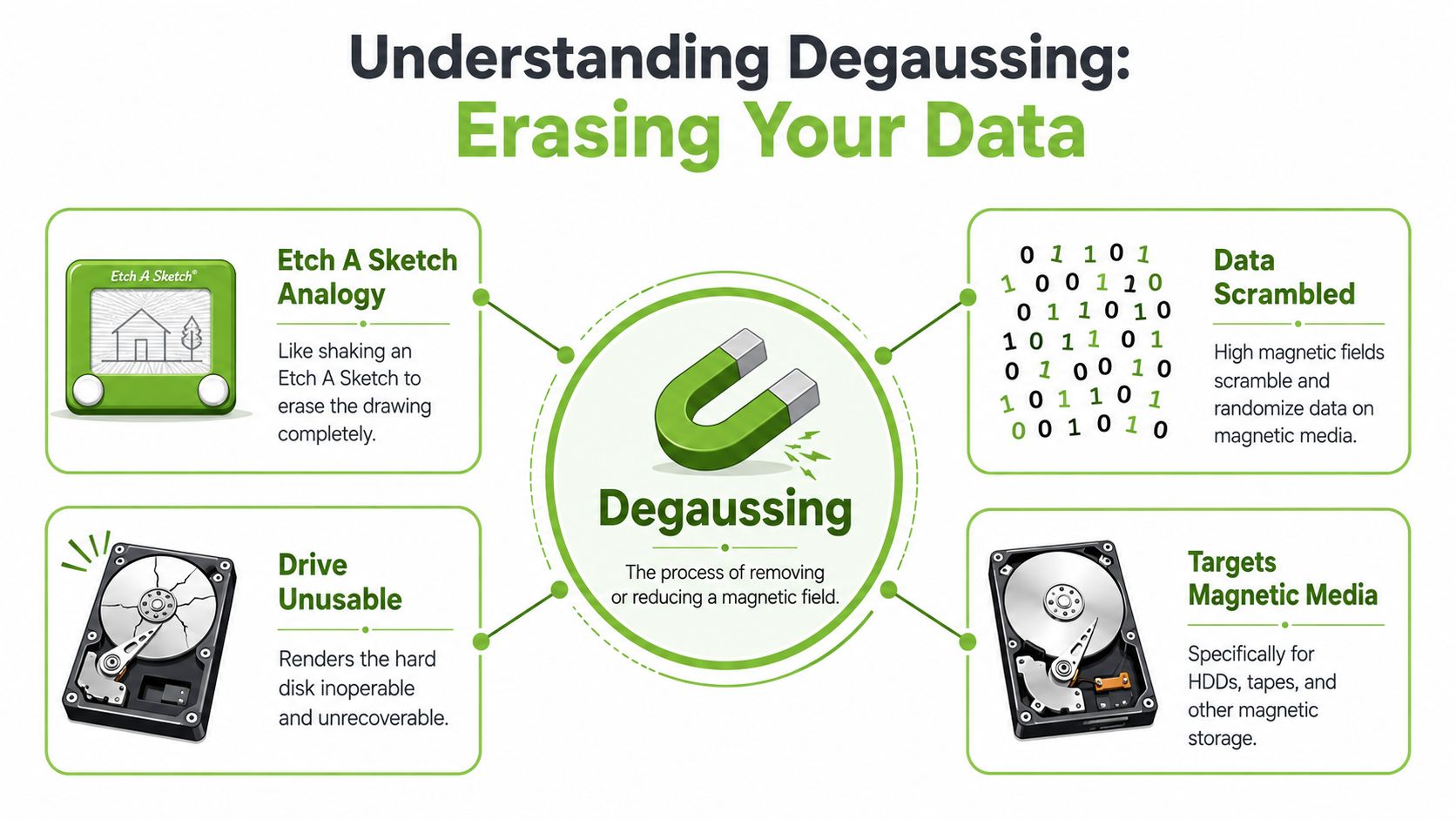
Degaussing sounds technical, but the basic idea is surprisingly straightforward. A hard disk drive, or HDD, stores information magnetically on spinning platters inside the drive. Those platters hold patterns that represent your files. Degaussing exposes the drive to a very strong electromagnetic field that disrupts those patterns.
A practical way to picture it is an old magnetic drawing toy. When the pattern is neat, the picture exists. When the magnetic arrangement is heavily scrambled, the picture is gone. A degausser does that to the stored magnetic data on an HDD, but with far more force and permanence.
Why magnetic domains matter
The term magnetic domains sounds intimidating, but think of them as tiny areas on the disk surface that hold magnetic orientation. That orientation is how the drive stores data. In Singapore, degaussing is recognised as a highly secure way to permanently erase data from HDDs because it disrupts those magnetic domains on the disk platters and makes the data irretrievable, unlike ordinary deletion or formatting that can leave recoverable traces, as explained by Metalo International's overview of degaussing.
That's why degaussing is very different from clicking “delete”, emptying the Recycle Bin, or even reformatting a drive. Those actions may remove easy access to the files. They do not work the same way as destroying the magnetic structure that stored them.
A short visual helps make the process easier to grasp:
Why the drive stops being useful
This is the part many guides gloss over. When you degauss hard disk media, you aren't just removing your photos, spreadsheets, and old documents. You're also destroying the magnetic storage medium's ability to function again. The drive's electronics might still physically exist, but the magnetic storage part is rendered inoperable.
So if someone asks, “Can I degauss the drive and still sell it?” the practical answer is no. Degaussing is not a clean reset for resale. It is a final destruction method for magnetic storage.
Once an HDD is degaussed, the data is gone for good, and the drive itself is no longer a candidate for normal reuse.
If you're trying to understand the difference between overwriting and deeper forms of sanitisation, this explainer on why overwritten hard drive data isn't easily recoverable gives helpful context. It's a different method, but comparing the two makes the finality of degaussing much clearer.
Does Degaussing Work on All Drives HDD vs SSD
No. That's the most important practical distinction in this whole topic.
A traditional HDD stores data magnetically. A SSD, or solid-state drive, stores data on flash memory chips. Because the storage method is different, the destruction method must be different too. A magnet-based process works on magnetic media. It does not work on non-magnetic media.
How to tell the difference
If you're unsure what you have, these clues usually help:
- An HDD often has spinning mechanical parts and may make a faint whirring or clicking sound when used.
- An SSD is silent and has no spinning platters.
- Older laptops and desktop towers are more likely to contain HDDs, though many have been upgraded over time.
- Slimmer newer laptops often use SSDs.
You don't need to become a hardware expert. You just need to avoid applying the wrong assumption to the wrong device.
The mistake that catches people
Some people hear that degaussing is “high security” and assume it's the best answer for every drive. It isn't. Singapore data destruction specialists note a critical limitation: degaussing does not destroy data on SSDs, and SSDs must instead be physically destroyed through methods such as crushing or pulverising because they use non-magnetic storage media, as stated by Redux Singapore's degaussing guide.
That distinction matters for homes, schools, and businesses with mixed devices. You might have an old desktop HDD in one box and a modern laptop SSD in another. Treating both the same way can leave one securely destroyed and the other not properly sanitised.
An HDD responds to magnetic disruption. An SSD doesn't care about magnets in the same way because it stores data electronically, not magnetically.
If your device still has resale, repair, or reuse potential, stop before choosing a destruction method. For some drives, secure erasure may preserve value. For others, physical destruction is the only safe end-of-life option. The right choice starts with identifying the drive type correctly.
Data Destruction Laws and Compliance in Singapore
For businesses in Singapore, secure data disposal isn't just good housekeeping. It sits inside a broader responsibility to protect personal data throughout a device's life, including when that device is retired. For individuals, the legal framework may feel distant, but the principle is simple: when storage media leaves your control, the data on it should no longer be recoverable.
Why disposal rules exist
A discarded drive can still hold names, identification details, email archives, HR records, invoices, and internal documents. Disposal rules exist to reduce that risk. Under Singapore Standard SS 714:2025, organisations are required to physically destroy hardware like hard disks after secured data deletion, and the standard explicitly includes degaussing as a method to ensure data is irretrievable, according to the IMDA document on SS 714:2025.
That gives organisations a clearer path. Secure deletion alone isn't the whole story for covered hardware. The handling of the physical device matters too.
What compliant handling looks like
In practice, compliant disposal usually means choosing a method that matches the storage type, documenting what happened, and making sure the asset doesn't drift into an unclear chain of custody. This is one reason governance conversations often focus on aligning security with business goals rather than treating disposal as an afterthought. The technical method, the policy, and the audit trail all need to support one another.
A practical reference for businesses comparing disposal standards is this article on ISO 27001 data destruction. It helps connect policy language to what happens when devices leave service.
Good compliance isn't about more paperwork. It's about making sure a retired device can't become tomorrow's data incident.
For smaller teams, the confusing part is usually not the rule itself. It's deciding what to do when assets include a mix of HDDs, SSDs, damaged devices, and machines that might still have residual value. That's where method selection becomes just as important as the destruction itself.
Degaussing vs Other Ways to Wipe Your Data
Not every device needs the same end-of-life treatment. Some need total destruction. Some can go through secure erasure and continue life in another role. If you're trying to protect privacy without creating unnecessary waste, the best method depends on one core issue: Should this device remain usable afterwards?
The decision comes down to one question
If the answer is yes, methods that preserve the device deserve a look first. If the answer is no, stronger final methods may be the better fit. In Singapore corporate IT Asset Disposition, NIST 800-88-compliant erasure or physical destruction is used for data-bearing devices, and NIST 800-88 lists degaussing as a valid sanitisation method for magnetic media, as outlined in this explanation of myhalo IT asset disposition.
That gives us a useful comparison framework:
- Software wiping overwrites data through software processes. It may support reuse, depending on the device and condition.
- Cryptographic erasure removes access by eliminating encryption keys, where that method is applicable.
- Degaussing destroys magnetic data on HDDs but also destroys the drive's usability.
- Physical destruction damages the storage device so it cannot be used again.
Data Destruction Methods Compared
| Method | How It Works | Best For | Device Reusable? | Security Level |
|---|---|---|---|---|
| Software wiping | Overwrites stored data using an approved erasure process | Working devices that may be redeployed, resold, or refurbished | Usually yes | Strong when properly applied to supported devices |
| Cryptographic erasure | Removes the encryption key so stored data becomes unreadable | Encrypted devices where key destruction is part of the sanitisation plan | Often yes | Strong in the right setup |
| Degaussing | Uses a powerful magnetic field to disrupt magnetic data on HDD platters | Magnetic media that requires irreversible sanitisation | No | Very high for magnetic media |
| Physical destruction | Crushes, punches, shreds, or otherwise damages the storage medium | Faulty devices, SSDs, or assets that must not re-enter use | No | Very high when the medium is destroyed |
A few practical observations can save you a costly mistake.
- If the drive is an HDD and absolute final destruction is the goal, degaussing is a strong fit.
- If the drive is an SSD, degaussing isn't the right tool.
- If the device still has resale or reuse value, degaussing works against that goal because it renders the HDD inoperable.
- If the drive is damaged and cannot be accessed normally, physical destruction may be the cleanest route.
Decision check: Use destruction methods for devices that have reached true end of life. Use preservation-friendly erasure methods when the device can still serve someone safely.
There's also an environmental lens here. A zero e-waste mindset doesn't mean keeping risky drives forever. It means avoiding unnecessary destruction when secure reuse is still possible, and choosing documented final destruction when it isn't.
That's why the phrase degauss hard disk should never be treated as a generic tidy-up step. It's a last-step action for magnetic media where continued use no longer matters. If a working HDD could have been securely erased and reused, degaussing would solve the privacy concern while wiping out the hardware's remaining value.
When to Trust the Experts with myhalo
You're clearing a cupboard and find three old devices. One laptop still turns on. One hard drive clicks and won't open. Another came from the office and may contain payroll files, contracts, or customer records. At that point, the main question is not just “How do I erase this?” It's “Which device should be preserved, and which one should be destroyed for good?”
Professional help makes sense when the answer affects privacy, compliance, and whether useful hardware can stay out of the waste stream.
Situations where professional handling makes sense
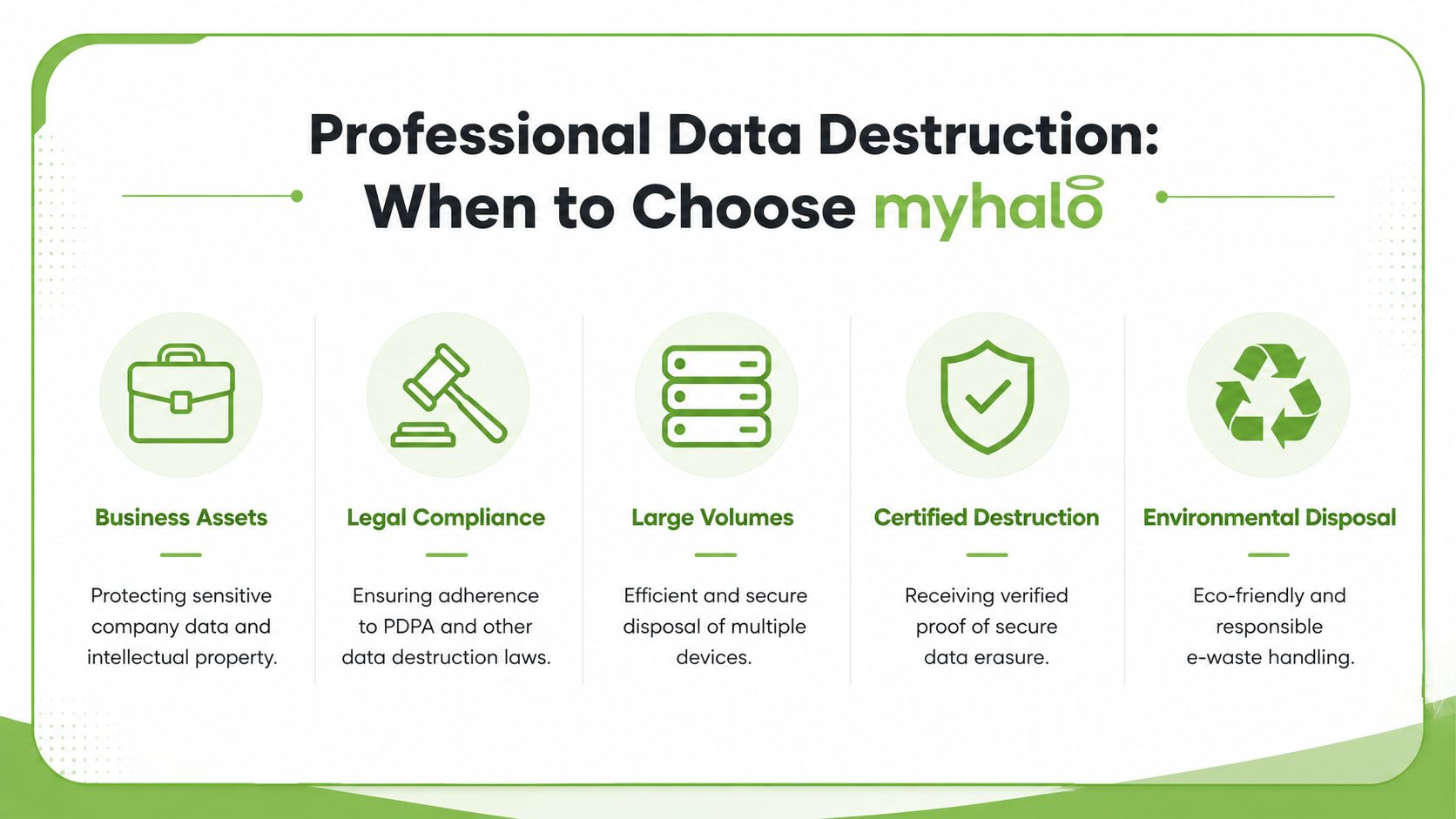
A trained team is often the safer choice in a few common situations.
- Company devices are involved: Business laptops and drives often hold staff records, financial files, customer data, and internal messages.
- You have a mixed batch: Some assets may contain HDDs, others SSDs, and each type needs a different destruction or erasure method.
- A device has failed: If a drive will not boot, spin, or mount, normal software wiping may not work.
- You need proof after the job: Some organisations need a clear record of what happened to each asset for audits, internal policy, or client assurance.
- You want to avoid unnecessary e-waste: A good provider separates devices that can be securely erased and reused from those that are suitable only for final destruction.
If your team is sorting business assets, this guide to certified ITAD and e-waste disposition in Singapore gives a helpful overview of how secure disposal and responsible reuse fit together.
Why documented processes matter
Data destruction is not only about the final action on the drive. It is also about the chain of custody, the method chosen, and what your organisation can prove later.
For example, degaussing may be the right choice for an end of life HDD that must never be used again. It is the wrong choice for a working device you hoped to resell or redeploy, because the magnetic field permanently destroys the drive's ability to function. That is the part many quick guides leave out. The data may be gone, but the hardware value is gone too.
A careful provider helps you sort assets into the right lanes. Reuse where secure erasure is enough. Destruction where risk, failure, or policy makes reuse inappropriate.
myhalo also documents the handling process. As noted on myhalo corporate information, its ISO 27001-certified process retains data erasure and security history logs for 2 years to support auditability and PDPA compliance for corporate asset disposition in Singapore.
That paper trail matters. If someone asks what happened to a retired drive six months later, you should not have to rely on memory.
The best outcome is method matching. Destroy data completely when the risk calls for it. Preserve working devices when secure erasure can protect privacy without creating avoidable waste.
If you need help deciding between destruction and reuse, or you want a documented process for business assets, contact myhalo through its data destruction and ITAD services page.