
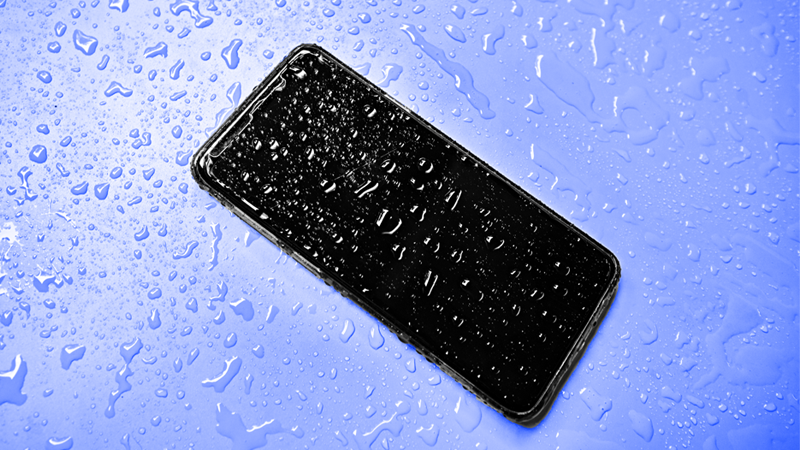
If your phone gets wet, take a breath—we’re here to help you dry your phone safely and honestly. Whether you dropped your phone in water at a chlorinated pool water party or had a rainy day phone fall, this friendly guide explains what to do next. We’ll debunk why you shouldn’t use rice and share tips to dry and protect your phone to avoid e-waste.
Understanding Water Damage
Water damage happens when liquid finds tiny paths into a smartphone’s components, potentially allowing it to absorb water. Even a waterproof phone with an ip68 rating or advertised water resistance can struggle after a dunk, especially with chlorinate exposure or soap. A wet smartphone can trap moisture in the charging port, headphone jack, speakers, or sim tray. Act quickly and gently to reduce damage and avoid unnecessary repairs, such as those from using soapy water..
How Water Affects Your Phone
When a phone is submerged in water or gets excess water inside, conductive liquids create short circuits and corrosion. A submerge event or quick dunk can push moisture through the charging port, port gaskets, or the sim card slot, even if the phone is water-resistant. Chlorinated and salty water accelerate damage. Over time, trapped liquid degrades connectors, causes battery issues, and turns still works today into water-damaged tomorrow.
Signs of Water Damage in Smartphones
Look for muffled speakers, foggy lenses, or a flaky touchscreen after contact with water; these are signs you may need to put your phone in rice. A samsung or other smartphones may show charging errors, a wet charging port warning, or won’t read the sim. Random reboots, overheating, or a stubborn headphone jack icon can appear. Check the liquid contact indicators in the sim tray if your phone has water damage. Corrosion, sticky buttons, and slow microphones also hint at a waterlogged phone.
Common Misconceptions about Wet Phones
Rice doesn’t effectively remove deep moisture and can add dust. Instead of use rice, reach for silica gel or gel packets designed for moisture. Water resistance (IP68) is not a guarantee—ip68 helps, not guarantees. Don’t charge immediately; electricity plus water-damaged phones is risky. Remove the case, avoid heat, and be honest: dropped my phone or dropped my phone in water needs gentle drying, not quick myths.
Immediate Steps to Take When Your Phone Gets Wet
When your phone gets wet, a calm reset helps. Lift it from the liquid, keep it upright, and resist shaking a wet smartphone. Gently blot away excess water so you don’t push liquid deeper into a charging port, headphone jack, or sim tray. Quick, kind actions now can prevent long-term water damage and save a waterlogged phone from unnecessary phone repair.
Assessing the Situation: Dropped My Phone in Water
If you dropped my phone in water or had a sudden phone fall into chlorinated pool water, check what it was submerged in and how long, particularly if it was saltwater. A brief dunk is less severe than prolonged submersion. Note if the smartphone still works, but treat it as water-damaged anyway. Chlorinate, salt, and soap accelerate corrosion in ports and connectors.
Turning Your Phone Off to Prevent Damage
Power down immediately, even if your waterproof phone appears fine. Electricity plus liquid risks short circuits in water-damaged phones. Do not charge, press buttons repeatedly, or test the speakers. Keeping the device off helps dry your phone safely and protects a samsung or other smartphones from becoming permanently water-damaged after contact with water.
Removing Accessories: What to Do with Cases and SIM Cards
Remove the case and SIM tray to stop moisture from trapping against the body. Take out the sim card and tray, and gently wick water from each port and the charging port. If safe, detach accessories like cables and clean the headphone jack area. Careful removal creates airflow pathways so your phone dry process works faster and friendlier to the environment.
Effective Techniques to Dry Out a Wet Smartphone
Drying a waterlogged phone means patience and smart tools. Skip quick fixes and focus on steady airflow and moisture absorbers like silica gel packets. A water-resistant or ip68 device still needs time if a phone has water damage. Patience and proper drying are key to recovery.
Avoiding the Rice Myth: Why You Shouldn’t Use Rice
Skip rice—use silica gel or moisture-absorbing packets. Starches and dust can creep into a charging port or SIM slot, and grains don’t pull out deep moisture. Instead of rice, choose silica gel or gel packets designed for humidity. They’re cleaner, faster, and kinder to delicate smartphone components that may be water-damaged.
| Option | Why |
|---|---|
| Rice | Can leave starches and dust; grains from a bag of rice don’t reach deep moisture. |
| Silica gel or moisture-absorbing packets can be effective alternatives to a bag of rice for drying out your phone. | Designed for humidity; cleaner, faster, and gentler on components |
Using a Towel or Cloth to Wipe Down Your Phone
Blot, don’t rub. Use a soft towel or microfiber cloth to draw out excess water from seams, the port area, and around cameras. Tilt the wet phone so liquid drains outward, especially from the headphone jack and charging port. Gentle, repeat passes help phone dry progress without pushing moisture deeper or scratching water-resistant seals.
Utilizing Airflow: Blow-Dry or Fan Methods
Use cool, steady airflow with a fan to encourage evaporation from a wet smartphone. If using a blow-dry approach, keep the dryer on cool or the lowest warm setting and at a safe distance to protect waterproof seals, avoiding any risk of soapy water. Combine airflow with open ports and removed sim to guide liquid out, preserving water resistance and reducing water damage risk, especially for iPhones.
Preventing Future Water Damage
Let’s keep your smartphone safe before the next splash. Even a waterproof phone with an ip68 label and water resistance can struggle after a dunk in chlorinated pool water or a surprise phone fall into a sink. Use protective accessories and safe habits around water to reduce water damage, save money on phone repair, and cut e-waste.
Waterproof Cases: Protect Your Phone
A quality waterproof case adds vital protection when your phone gets wet. Look for tested ratings, tight port covers for the charging port and headphone jack, and clear access to the sim card area. A rugged case helps if you submerge or dunk accidentally, keeping liquid out and giving water-damaged phones a far smaller chance of requiring a technician.
Tips for Keeping Your Phone Safe Near Water
When near water, keep these precautions in mind:
- Don’t charge after exposure; remove the case afterward to check for trapped moisture, and keep the charging port facing down if splashed.
- Use a wrist strap for beach days and avoid pockets above splash zones.
- If you dropped your phone, power down, pat away excess water, and reach for silica gel or gel packets.
Regular Maintenance to Avoid Moisture Trapped Inside
Inspect ports and seals regularly for lint and damage. After a wet phone moment, open flaps and let steady airflow help the phone dry. Swap dusty cases, clean gaskets, and ensure water-resistant seals aren’t cracked. Small checkups prevent a still works smartphone from becoming a waterlogged phone.
What to Do if Your Phone is Still Not Working
If your smartphone still won’t behave after drying, stay calm and kind to it. Keep it powered off and avoid charging. Don’t use rice—phone in rice is messy and weak at moisture removal. Instead, keep it powered off, avoid charging, and note symptoms. Honest steps now can prevent deeper water damage, unnecessary new phone purchases, and more electronic waste.
Identifying Further Issues: Charging Port and Other Areas
Inspect the charging port for corrosion or moisture warnings and avoid plugging in if damp. Test speakers, microphones, and the headphone jack for muffled sound. Check cameras for fog and the sim for read errors. A samsung or other smartphones may show glitches if the phone has water damage hidden inside.
When to Seek Professional Help for Water-Damaged Phones
Seek professional repair if the phone won’t power on, charge, or overheats. Professionals can open water-damaged phones safely, clean corrosion, and replace compromised gaskets that protect water resistance. Skipping DIY heat tricks protects components and keeps the path to a successful phone repair open and eco-friendly.
Covering Water Damage: Insurance and Warranty Considerations
Most standard warranties don’t cover liquid damage, but device insurance or carrier protection sometimes does. Review your policy for accidental liquid coverage and deductibles. Document when you dropped my phone in water or had contact with water, what steps you took to dry your phone, and whether the device still works before filing a claim.