
Your Samsung Galaxy A54 5G still handles WhatsApp, banking and the MRT commute just fine, but you're reaching for the charger earlier. Or perhaps you've spotted a refurbished unit and want to know whether it's a bargain or someone else's repair bill. Either way, the sensible question isn't whether the phone is still good. It's how much useful life you'll get for the money you spend next.
Keep a working phone when a targeted repair makes financial sense. Buy refurbished when the condition, battery and warranty justify the price. And if an old handset is sitting in a drawer because you're worried about your photos or personal information, myhalo's Safe data and Declutter your e-clutter approach puts privacy and responsible reuse first, without making the process intimidating.
Table of Contents
- Galaxy A54 5G Specs and Launch Price at a Glance
- Where the A54 5G Shines and Where It Falls Short
- How the A54 5G Compares With Close Alternatives
- What to Check Before Buying a Refurbished A54 5G in Singapore
- How to Test Battery Health Before You Buy or Repair
- When Repairing an A54 5G Beats Replacing It
- How to Protect Your Data and Recycle the Phone Safely
- Who the A54 5G Suits and How to Decide
Galaxy A54 5G Specs and Launch Price at a Glance
Galaxy A54 5G key specifications and launch details
The hardware specifications below are documented across Samsung Singapore's product information and the local review discussed below. Treat battery endurance as a usage-dependent claim, not a promise for an ageing handset.
| Feature | Galaxy A54 5G | What it means for you |
|---|---|---|
| Display | 6.4-inch FHD+ (1080 × 2340) Super AMOLED, up to 120Hz | Smooth scrolling, but the higher refresh setting uses more power |
| Battery | 5,000mAh, Samsung claims more than two days | Actual endurance follows your workload and battery condition |
| Main camera | 50MP, pixel binning to 12.5MP | A useful everyday camera, particularly in good light |
| Other cameras | 12MP ultra-wide with a 123-degree field of view, 5MP macro, 32MP front | Covers wide scenes, close-ups and selfies |
| Water and dust | IP67 | Protection against rain and accidental splashes, not permission to swim with it |
| Storage | 128GB or 256GB, microSD expansion up to 1TB | Room for local media without relying entirely on cloud storage |
| Launch price in Singapore | S$588 for 128GB, S$648 for 256GB, including GST | Historical baseline, not a current resale valuation |
| Launch date | 7 April 2023 | A starting point for assessing age, not proof of condition |
The launch date and prices come from Samsung Singapore's local sales information, which lists S$588 for the 128GB model and S$648 for the 256GB model, including GST. The S$60 premium bought double the internal storage.
Samsung offered Awesome Lime, Awesome Graphite, Awesome Violet and Awesome White. Local distribution included M1, Singtel and StarHub, alongside Samsung's online and physical stores, official Lazada and Shopee stores, and major electronics retailers.
What those specifications mean after first ownership
The screen matters every time you read a message, use a map, or watch a video. On a used phone, however, an intact display with even brightness is more valuable than an impressive specification attached to visible burn-in.
Pixel binning means combining information from neighbouring pixels into the normal photo output. Don't assume that selecting the highest-resolution mode will automatically improve every photograph. Lighting, movement and a clean camera lens still matter.
Expandable storage is practical for downloaded media and photos. It doesn't replace sufficient internal space for your apps, and it certainly doesn't replace a backup.
For readers helping family overseas, Phone Repair Direct's resource on mail-in repairs for UK A54 owners is relevant to that market. Singapore owners should compare local service arrangements instead of treating overseas repair terms as transferable.
Buying priority: Put battery condition, display condition and remaining software support ahead of colour or headline camera resolution.
Where the A54 5G Shines and Where It Falls Short
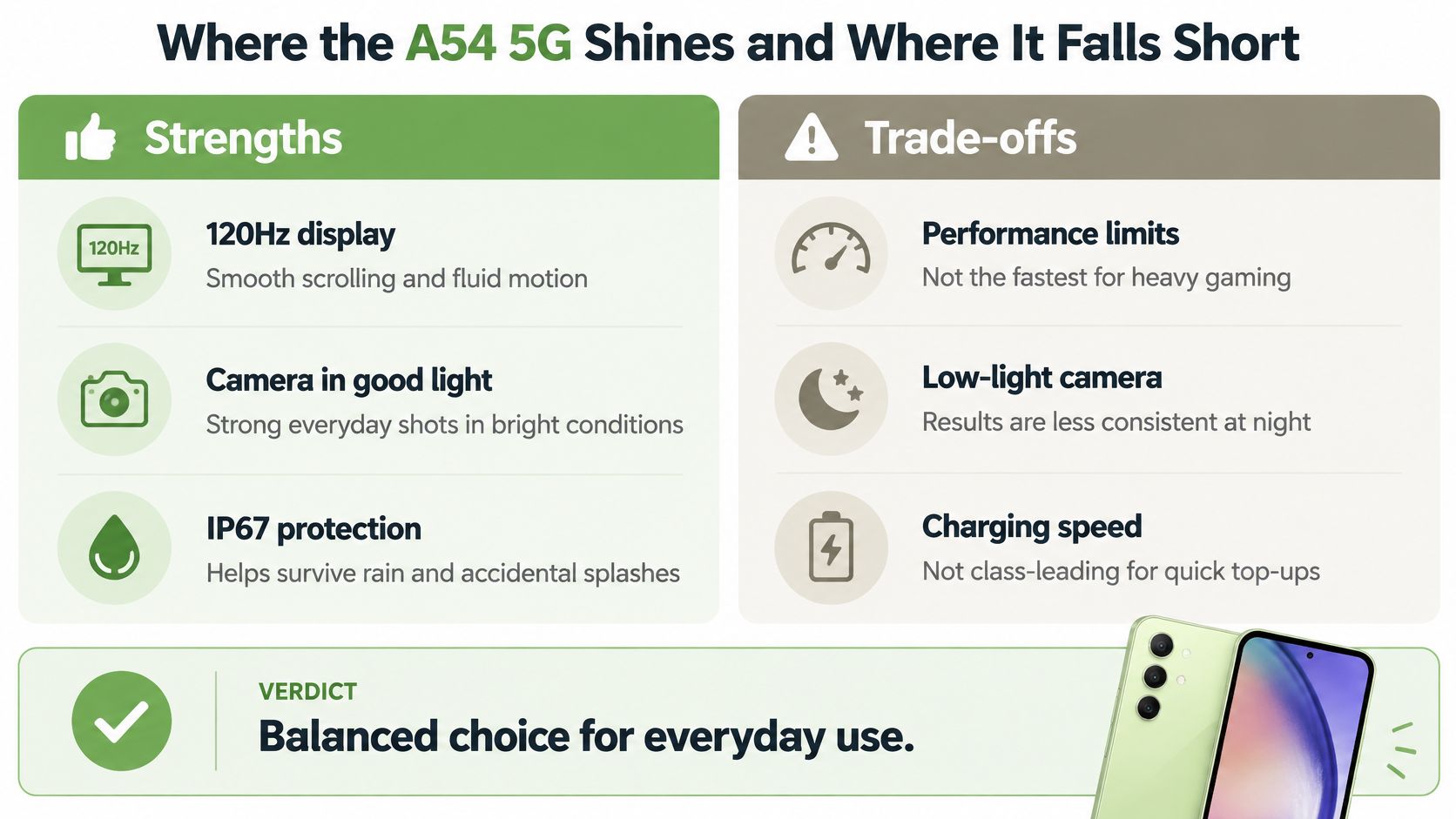
The A54's strongest argument is everyday balance, not exceptional performance in a single category. Its screen, main camera and practical storage options make sense for messaging, streaming, family photos and casual entertainment.
HardwareZone Singapore's review reported approximately 40% battery remaining after a full day of moderate messaging, gaming and video watching. Its more intensive tests consumed roughly 9% during an hour of photo and video capture and approximately 10% during an hour of gaming at 60Hz.
Those results support a useful conclusion: a healthy example can handle a normal day with breathing room. They don't establish what a particular refurbished unit will deliver after previous ownership.
This summary captures the phone's everyday strengths and compromises.
Where you'll appreciate it
Smooth scrolling makes the phone pleasant to use even when you aren't doing anything demanding. Reading news, moving through photo albums and switching between everyday apps are the activities that determine whether a phone feels comfortable.
The main camera is the one to prioritise. For food photos near a window, outdoor family pictures and documents, it's a sensible budget tool. The ultra-wide adds flexibility when you can't step backwards, while the macro camera is more of an occasional extra than a reason to buy.
Water resistance and expandable storage are also useful ownership features. Still, don't test a second-hand phone's seals with water. You won't know its full repair or accident history just by looking at it.
Where expectations need adjusting
Samsung's multi-day battery claim should be read as an optimistic usage scenario. Sustained camera use, demanding games and the higher refresh setting ask more of the battery.
The supporting cameras aren't substitutes for flagship lenses. Try dim indoor scenes and zoomed photographs before paying, especially if birthdays, concerts or evening outings are your main subjects. A bright shop display won't reveal those limitations.
Heavy multitasking and demanding games are also where a mid-range handset's compromises become more noticeable. A smooth screen doesn't guarantee smooth gameplay, and buyers who need rapid top-ups should judge charging convenience rather than assume it leads the class.
- Buy for: Comfortable daily use, daylight photography, expandable storage and a good-looking display.
- Be cautious about: Night photography, distant subjects, sustained gaming and buying an untested battery.
- Shop-floor test: Open your usual apps, photograph a shaded subject and play a familiar game. Judge the experience you'll use.
How the A54 5G Compares With Close Alternatives
Don't compare an older A54's asking price with a newer phone's sticker price and stop there. Compare the complete package: condition, battery, warranty, accessories and the time you reasonably expect to keep using it.
The historical launch prices are useful reference points, but they aren't current shopping targets. Get written, like-for-like quotes for the actual units available.
How the Galaxy A54 5G compares with close alternatives
| Option | Price in Singapore | What to weigh |
|---|---|---|
| Galaxy A54 5G, lower-storage model | Historical launch benchmark listed above; obtain a current quote | Smooth AMOLED display, water resistance and expandable storage |
| Galaxy A54 5G, higher-storage model | Historical launch benchmark listed above; obtain a current quote | More internal space, but condition still takes priority |
| Newer Samsung mid-range model | Use the current local, GST-inclusive retail quote | Check whether cameras, chip and remaining support justify the gap |
| Renewed flagship from an earlier generation | Use a written quote for its exact grade and storage | Potentially stronger cameras and performance, with battery and support checks |
| Rival mid-range Android phone | Use the current Singapore-set price | Compare display, endurance, water resistance, storage and local warranty |
Newer mid-range or older flagship
A newer Samsung mid-range phone is the straightforward alternative if you want familiar menus and a potentially longer ownership runway. Pay extra only when you can identify the benefit: better performance in your apps, camera results you prefer, or a confirmed longer remaining update period.
A renewed flagship deserves consideration if you care about demanding games or photography. But flagship at launch doesn't mean trouble-free today. An older premium phone with a tired battery and expensive display fault can be a worse purchase than a clean A54.
Check the precise model rather than relying on the flagship label. Camera arrangements, regional variants and repair costs aren't interchangeable.
A rival Android needs a practical comparison
Bring your normal routine into the decision. Can you read the screen comfortably outdoors? Does the camera focus reliably on moving people? Is local warranty service clear?
Don't assume every newer handset retains expandable storage or equivalent water protection. Similarly, a rival's attractive charging feature won't compensate for an awkward interface if you dislike using it every day.
Choose the A54 when it meets your actual needs and the newer alternative's premium buys little you'll notice. Pay more when the extra capability solves a real frustration.
Ask sellers to include the condition grade and warranty in their quotes. Otherwise, you're comparing model names rather than purchases.
What to Check Before Buying a Refurbished A54 5G in Singapore
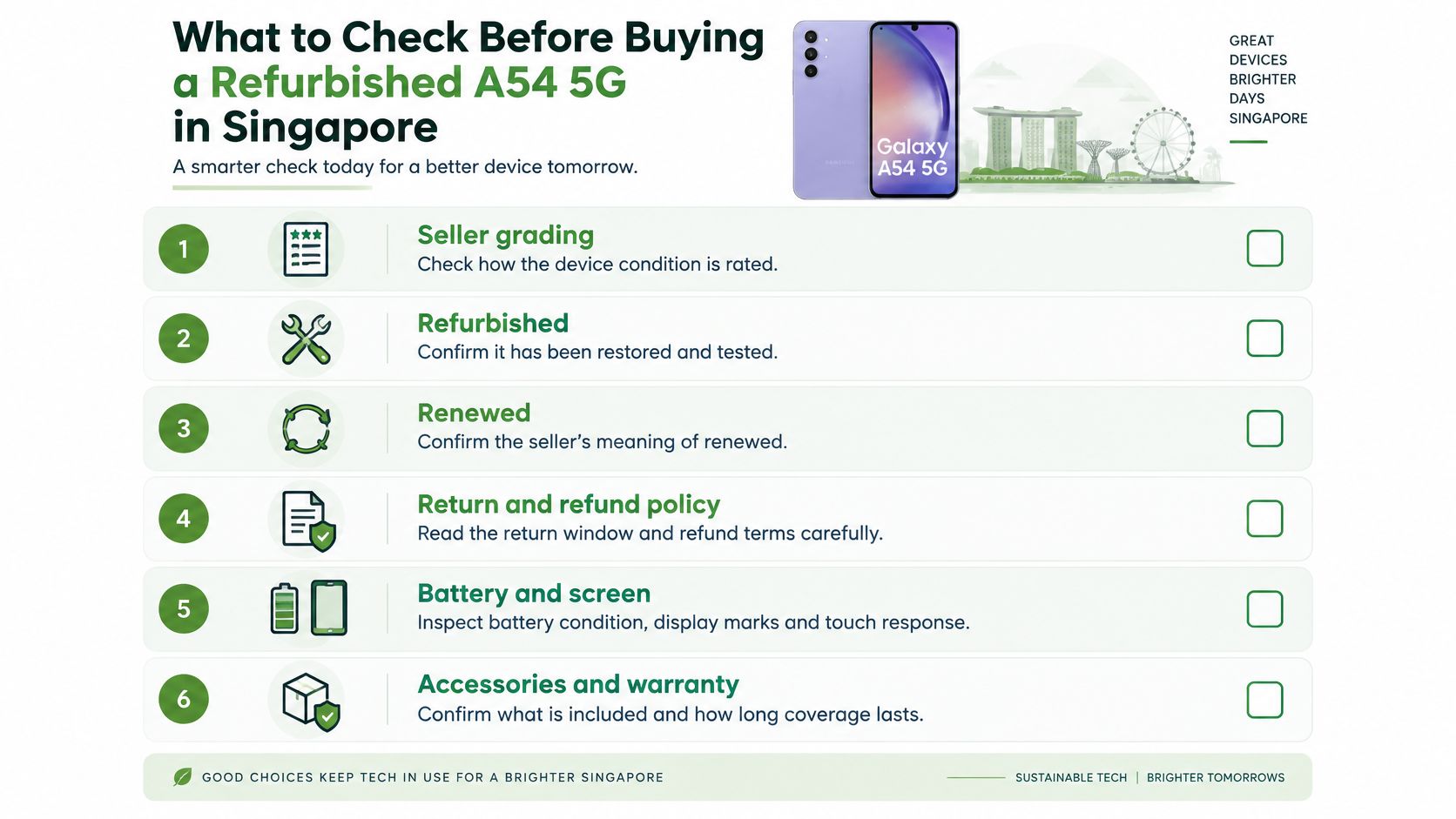
A refurbished A54 5G is a total-cost decision: the handset's condition, likely repair needs, warranty and future trade-in value all matter. Refurbished and renewed are labels, not inspection reports. Ask what was tested, whether any components were replaced and how the seller grades the phone.
Get the grading criteria in writing. Cosmetic condition, functional checks and battery assessment should be described separately, so an attractive grade does not hide a weak battery or an untested feature. Use this checklist while inspecting the actual device.
Separate Samsung coverage from seller coverage
Check the terms that apply to your specific handset and purchase. Samsung Singapore's warranty terms explain Samsung coverage, but they do not automatically set the warranty for a refurbished phone sold by an independent retailer.
Ask the seller who handles a claim, where the phone must be brought or sent, which faults are excluded, and whether the remedy is repair, replacement or refund. Get the answers in writing before paying. A change-of-mind return may also follow different rules from a return for a faulty device.
Inspect the actual handset
- Identity and storage: Open Settings, then About phone. Compare the model and device identifiers with the receipt, and confirm the installed storage.
- Display: Show plain light, dark and coloured backgrounds to look for dead pixels, uneven patches or ghost images. Drag an icon across the screen to check touch response.
- Cameras and audio: Try each camera, record a short spoken video and play it back. Check focus, speaker clarity and microphone pickup during a call.
- Charging and connections: Use a known-working cable. Check that the port feels secure and charging stays consistent, then test Wi-Fi, Bluetooth and mobile connectivity.
- Ownership status: Ask for written confirmation that the phone is not barred or flagged. Continue setup to make sure it does not require the previous owner's account.
- Battery evidence: Request any available diagnostic result and replacement history. A seller's verbal assurance alone does not show the battery's condition.
A phone that needs a screen or battery repair can change the value of an apparently cheap deal. Compare the asking price with the device's condition and the seller's written coverage before deciding. For more buying checks, read this guide to choosing a refurbished phone in Singapore.
Clear answers matter if a listing leaves something uncertain. Mohammad described myhalo's customer service this way: “The service is quite good and their whatapp response is quick.” Treat that as feedback about communication, not evidence of the A54 5G's condition. Keep the answers about your specific handset and warranty in writing.
How to Test Battery Health Before You Buy or Repair
A short inspection can reveal obvious problems, but it can't measure remaining battery capacity accurately by itself. Use a shop visit for screening, then request a longer controlled test where the seller permits it.
Don't try to squeeze extended gaming comparisons into a quick appointment. A repeatable test is more useful than a rushed percentage reading taken while the phone downloads updates.
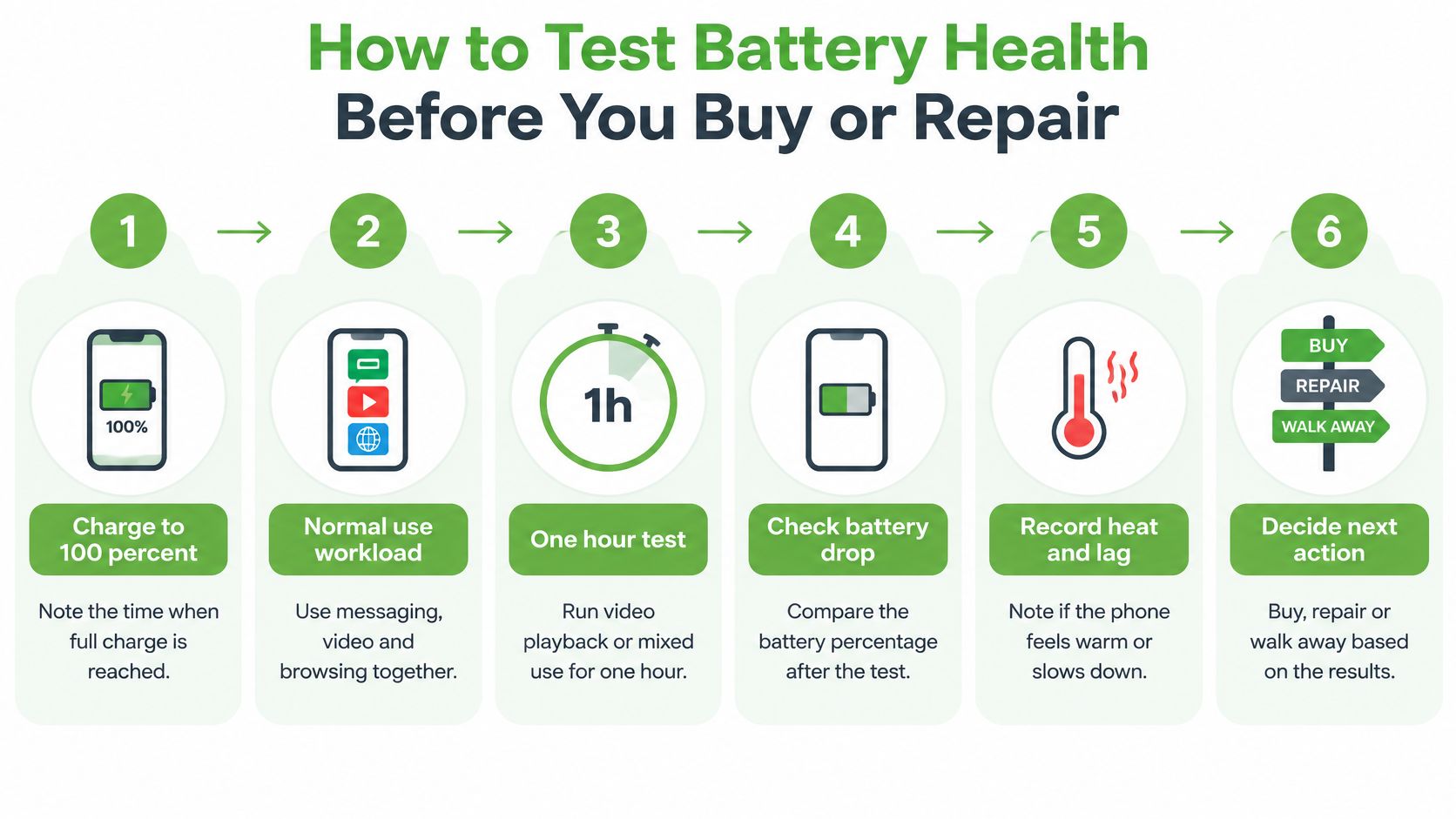
The routine below separates initial checks from a longer workload comparison.
Run a controlled routine
Start fully charged and record the time. Note the displayed charge level before unplugging, and let the phone settle after any setup or updates. Don't compare a freshly configured handset with one that has finished background downloads.
Use a familiar mix of messaging, browsing and video. Keep brightness, connection type and volume consistent so you aren't changing several power demands at once.
Compare refresh settings during an extended test. Run the same game for an hour at the standard refresh setting, then repeat for an hour with the higher refresh option under similar starting conditions. Record the battery drop, but don't assume the game itself runs at the display's maximum refresh rate.
Watch charging behaviour with a known-working charger and cable. A loose connection, repeated interruptions or unusual heat deserves investigation; don't immediately blame the battery.
Open the battery usage screen in Settings. Look for apps consuming power in the background, particularly during periods when you weren't using the phone. A busy app can shorten runtime without proving that the battery is worn out.
Run the battery diagnostic in Samsung Members and save the result. Use it alongside the workload observations rather than treating a single status message as a complete laboratory capacity measurement.
Interpret the result, not just the percentage
A reassuring diagnostic result, stable charging and predictable drain support keeping or buying the handset. They don't guarantee identical endurance under every workload.
If background apps dominate consumption, update or restrict the offending apps and repeat the test. Replacing the battery before fixing that behaviour could leave you with the same complaint.
A poor diagnostic result, unexpected shutdowns or repeated abrupt percentage drops justify a professional assessment. If the case is lifting or the battery appears swollen, stop charging and using the phone. Don't press it flat or attempt to puncture it.
A battery test is only useful when you know what the phone was doing while it lost charge.
Keep screenshots of battery usage and diagnostics, plus notes on brightness, network, game settings, starting charge, finishing charge and unusual warmth. Repeat under comparable conditions later.
Our phone battery care and replacement guide can help you distinguish maintenance habits from symptoms that need repair. The aim is a diagnosis you can act on, not a frightening number without context.
When Repairing an A54 5G Beats Replacing It
Repair the fault, not your anxiety about the phone's age. If the display, cameras, connections and performance still meet your needs, replacing a worn battery may extend the phone's useful life. If screen or motherboard problems are also unresolved, compare the combined repair cost with replacing the handset.
Start with Samsung Singapore's support resources for battery diagnostics. For repair options, get an itemised written quote from each provider. Compare third-party and original-grade options by part fit, part provenance, labour, testing and warranty, rather than relying on the label alone.
Repair options for a Galaxy A54 5G in Singapore
| Option | Price to check | Trade-off |
|---|---|---|
| Third-party battery replacement | Request an itemised written quote | Compare part fit, provenance and warranty |
| Original-grade battery replacement | Request an itemised written quote | Confirm what “original-grade” means and what warranty applies |
| Samsung-authorised battery service | Obtain a diagnosis-based quote | Confirm applicable service coverage and exclusions |
| Screen, charging port or board repair | Obtain an itemised fault-specific quote | Combined repairs can exceed the handset's practical value |
| Buy a renewed A54 5G instead | Obtain a quote for the exact grade and storage | Higher upfront spend may buy clearer condition and seller coverage |
What makes a battery repair worthwhile
Check what the quote includes: labour, adhesive, testing and any additional charges. Ask what happens if charging problems continue after the replacement. A low headline price is a poor deal if the work or follow-up support is unclear.
Original-grade does not mean verified genuine Samsung stock. Ask the provider to describe the part and state the warranty in writing. Don't pay more based on wording alone.
Opening the handset also raises questions about sealing. Ask whether resealing and water-resistance testing are included. Do not assume the phone's original protection has been restored after repair.
Check Samsung's current update schedule before spending on a phone you rely on for banking or work. The Samsung phone repair guide can help you prepare fault-specific questions before approving work.
Compare ownership cost properly
Compare the repair quote with the time you expect to keep using the phone:
Repair cost per expected month = total repair quote ÷ realistic additional months of use.
For replacement, subtract the cash you could receive for your current phone from the renewed handset's purchase price, then divide by its expected months of use. Include any immediate repairs the replacement may need.
Get a current trade-in valuation before repairing a phone solely to sell. If the repair cost exceeds the expected increase in the offer, the work will not improve your return.
My recommendation: Repair an isolated, diagnosed fault if the rest of the phone still suits you. Replace it when several faults, unclear parts or limited remaining software support make a cheap repair an expensive detour.
How to Protect Your Data and Recycle the Phone Safely
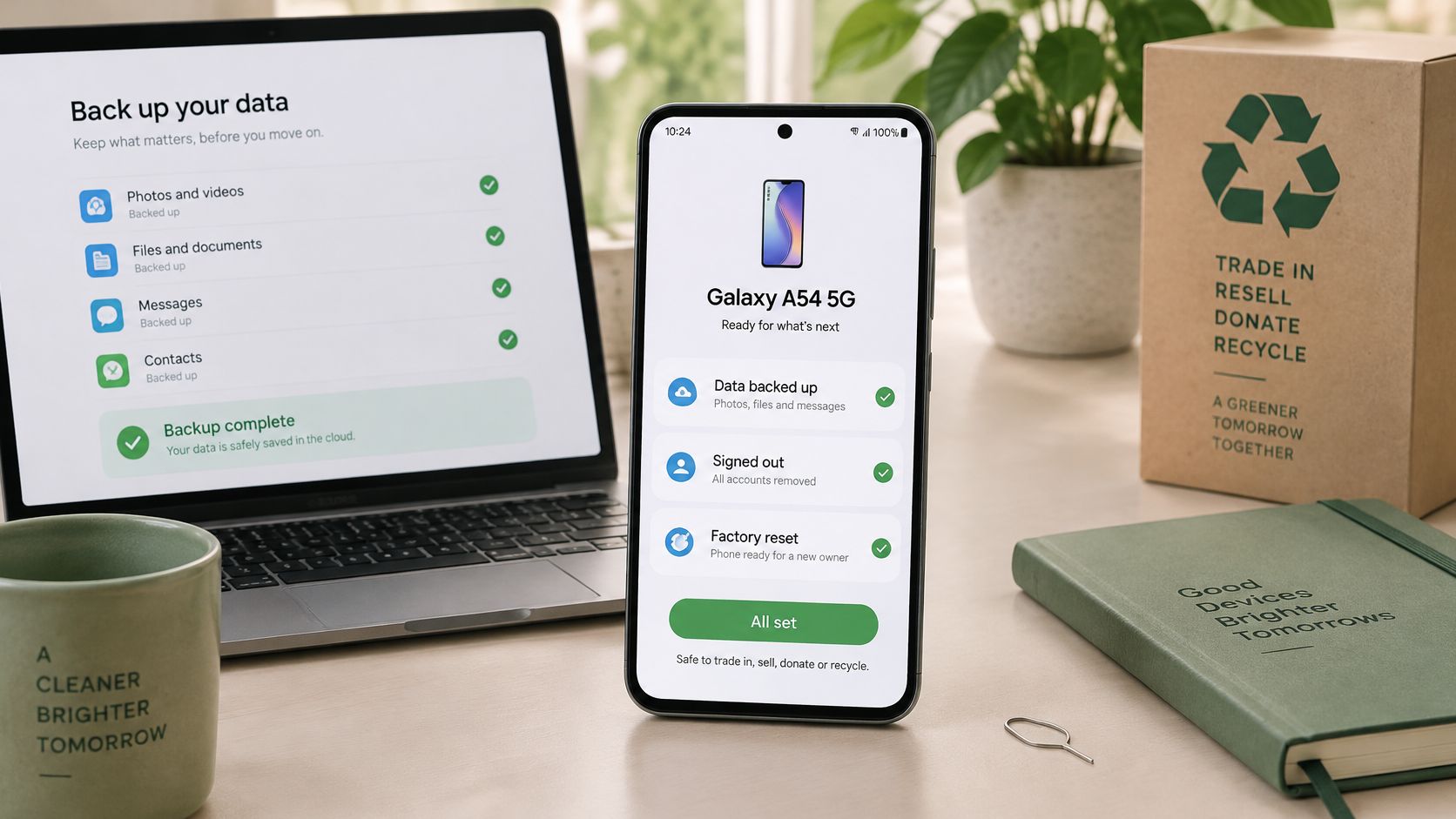
Selling, donating or recycling your Galaxy A54 5G all require the same first step: secure your data. Back up first, erase second, and check that the backup opens on another device before you hand over the phone. A completed progress bar alone does not confirm that your files are accessible.
Prepare the phone for handover
- Back up photos, files and messages. Check your cloud account or computer copy, and transfer authenticator access where needed.
- Sign out of Google, Samsung and other personal accounts. If it's a work-managed phone, ask your IT team before removing management controls.
- Remove the SIM and microSD card. Check the tray directly.
- Factory-reset the phone, then confirm it returns to the initial setup screen. Don't sign back in with your personal account.
- Keep the handover record. If the recycler provides a data destruction certificate, store it with the device details.
For a work phone, discuss the handover process with your IT team. Guidance on secure smartphones used at work can help frame that conversation. Follow your organization's data-handling requirements before you reset or pass on a managed device.
This video offers another prompt to consider responsible device handover.
Keep batteries out of household waste
A worn battery and a reusable phone need different outcomes. The National Environment Agency's e-waste framework includes recycling services for mobile-phone batteries. Use an appropriate collection route instead of putting a battery in household rubbish.
If the phone won't boot and it holds important files, decide whether recovery matters before authorising destruction. Data recovery and secure erasure have opposite aims: one seeks to retrieve files, while the other removes data.
Our secure data destruction guide explains the privacy questions to settle before handing over a device. myhalo handles device data securely and provides certificates on request. Choose a handover route that protects your information and gives the phone or its parts a responsible next step.
Who the A54 5G Suits and How to Decide
Buyer types and whether the A54 5G fits
| Buyer type | Why the A54 5G fits | Check before you buy |
|---|---|---|
| Everyday user wanting a big screen | A roomy AMOLED display with smooth scrolling | Check for burn-in and comfortable handling |
| Photo-focused buyer on a budget | Main, ultra-wide, macro and selfie cameras cover everyday subjects | Try dim scenes and moving subjects |
| Refurbished bargain hunter | A used unit can reduce the initial spend | Compare the actual warranty and condition grade |
| Storage-hungry user | Expandable storage accommodates local media | Confirm the card slot works |
| Casual gamer | Suitable for typical sessions without flagship ambitions | Try your favourite game on the actual handset |
| Heavy gamer or power user | Everyday capability, but less appeal for sustained demanding play | Consider a higher-tier handset |
| Buyer wanting years of updates | Fit remains unconfirmed until remaining support is checked | Consult Samsung's current update schedule |
The Samsung Galaxy A54 5G suits someone who values a pleasant screen, practical cameras and sensible ownership costs more than peak performance. It's less convincing if your main requirements are demanding games, consistently excellent night photography or a long, confirmed future update runway.
Don't buy it because you recognise the model. Buy the particular handset only when its condition and price make sense.
Signs to buy and signs to walk away
- Buy when: The phone handles your normal apps comfortably, the screen is clean, the battery assessment is reassuring and the warranty is understandable.
- Choose another model when: Your preferred games struggle, camera results disappoint or the remaining support doesn't match your intended ownership period.
- Walk away from the unit when: The seller won't clarify account status, repair history, returns or recurring faults.
A cosmetically tidy phone can still be the wrong purchase. Equally, a lightly marked handset can be good value if its functional condition is documented and the price reflects the marks.
Make the decision around your own day
Write down your top daily uses, whether that's navigation, family photos, video calls or gaming. Test each on the handset rather than substituting a benchmark score for your own judgement.
Set a total budget that includes the purchase, any immediate repair and necessary accessories. Use the historical launch benchmark only as context, then compare current renewed-unit quotes and what you could receive for your existing device.
At myhalo, we offer instant trade-in quotes for Apple devices, Samsung devices and gaming laptops, and our Buyback / Sell service gives cash against your device. You can contact us on WhatsApp at +65 8068 0100 to clarify the assessment process.
Your next action should match your path:
- Buying refurbished: Complete the seller inspection and arrange a meaningful battery test before committing.
- Repairing: Get a diagnosis and an itemised quote, then compare the result with a renewed replacement.
- Selling or trading in: Get the valuation first, preserve your data and agree on the handover process.
A zero e-waste lifestyle doesn't require keeping every device forever. It means choosing a useful next life for working technology, recovering what matters and handling the rest responsibly.
Keep your Galaxy A54 useful, or give it a responsible next chapter with myhalo, through repair, certified ReLoved devices or a buyback assessment. Join our zero e-waste community through Declutter your e-clutter, protect your privacy with Safe data, or ask about Save data when precious files need recovering. Bring your phone and your questions, and let's find the next step that fits your budget.