
Your new phone is already in the shopping cart, but the old one is still beside you, full of photos, banking apps and messages. There may be another phone in a drawer too, kept just in case, or because you're not quite sure how to let it go safely.
If you're looking to trade in a phone for a new phone, start with two questions: Is the upgrade worth the cost, and can you verify a safe data handover? That's the thinking behind myhalo's Safe data and Declutter your e-clutter initiatives. Clearing out old tech should feel reassuring, not like a gamble with your privacy.
Table of Contents
- Check Your Phone's Trade-In Value First
- Trade In, Sell or Keep Compared
- Back Up and Sign Out Before You Hand Over
- Prove Your Data Is Gone Before You Let Go
- Completing the Trade In From Quote to Payment
- Small Moves and Your Next Step
Check Your Phone's Trade-In Value First
A drawer of old phones can look like money towards an upgrade, but an online estimate isn't a confirmed offer. The grader needs the exact model, its working condition and its account-lock status, not just a description such as good condition.
Check the phone before completing a quote form. Honest details make the estimate more useful and reduce awkward surprises at inspection.
Factors that change your trade-in quote
| Factor | What to check | Effect on quote |
|---|---|---|
| Model and storage | Exact model name and capacity in Settings, usually under About | Newer models and higher storage usually fetch more |
| Screen and back glass | Cracks, chips, dead pixels or dents, with the case removed | Visible damage lowers the grade |
| Battery health | Battery status in Settings, where supported, plus unexpected shutdowns | A weak battery usually means a lower offer |
| Locks and accounts | Find My, Activation Lock or Google account still signed in | A locked phone often cannot be quoted until unlocked |
| Carrier or region lock | Network restrictions in Settings or confirmation from the carrier | Locked phones may be quoted lower or declined |
| Accessories | Original box, charger and cable | Complete sets can add a little value where accepted |
| Water damage | Accessible liquid indicator, if fitted, and any past repairs | Often leads to a lower grade or rejection |
Don't open the handset to inspect a liquid indicator. Declare known spills and repairs, even if the phone currently works, and let the technician assess anything that requires disassembly.
Accessories deserve a quick check rather than a shopping trip. Don't buy a replacement charger or box just to complete the set, because the extra offer may not cover the expense.
Practical rule: Describe what the phone does today, not how carefully you've looked after it.
Power it on and test the touchscreen, cameras, microphone, speakers, buttons, charging and connectivity. Note the exact model and storage, then photograph the screen, back and corners under clear light.
Our guide to factors that affect your mobile phone's resale value helps you distinguish cosmetic wear from faults that affect usability. A clean-looking phone with unreliable charging needs a different assessment from a scratched phone that works properly.
Trade In, Sell or Keep Compared
Trade-in, sell, repair or keep at a glance
| Route | Upfront value | Effort | Data risk | Best when |
|---|---|---|---|---|
| Trade-in for a new phone | Credit or cash towards the upgrade | Low | Low if you follow the handover steps | You're buying soon and want the simplest route |
| Private sale or recommerce | Often the highest cash | High for private sales, with meetups and haggling | Medium | The phone is in good condition and you want the most money |
| Repair, then keep as backup | Repair cost only, no sale proceeds | Medium | Low with controlled repair access | A cheap fix brings the phone back to reliable use |
| Keep as is | No cash now | None initially | Low while securely stored and maintained | The phone works well and you have no upgrade plan |
| Recycle through e-waste drop-off | No cash | Low | Low if erased first | The phone is dead or cannot be repaired |
These risk labels assume sensible precautions. A private buyer isn't automatically unsafe, and a commercial handover isn't automatically secure.
Compare the cost of useful service
The highest quote isn't always the best outcome. Channel NewsAsia's reporting on Singapore's phone market describes consumers keeping phones for three to four years, rather than roughly two and a half, as phone prices rise.
Calculate the upgrade's net cost by subtracting the confirmed trade-in offer from the replacement price, then adding unavoidable charges. Divide that amount by the years you realistically expect to use the replacement.
For the keep-and-repair route, divide the repair cost by the additional useful years you expect. Don't subtract a repair bill from a trade-in quote unless you're repairing the phone before selling it.
A dependable backup has value when your main phone fails, but only if you'll maintain and use it. Our guide to when you should get a new phone can help separate a genuine limitation from upgrade excitement.
If your wider upgrade plan includes a tablet, Tinymoose's guide to find trustworthy refurbished iPad sellers offers useful context for evaluating refurbished alternatives.
Trade in when an upgrade is already justified and repairs no longer make sense. Keep or repair a working phone when it fills a real backup role.
Back Up and Sign Out Before You Hand Over
Before you erase the phone, make sure your important information and account access are ready on your replacement. A reset is difficult to reverse, so check that the backup completed and that you can open key files from its destination. The iPhone backup guide covers the available backup routes.
Prepare your information and access
Back up photos, messages, contacts and documents. iCloud, Google backup services or a computer can hold your copies. Google Photos alone may not preserve everything stored on the phone, so check the backup status and open important files from the destination.
Transfer authenticator access. Follow each authenticator app's transfer process and store recovery codes securely. Test important logins on the replacement before erasing the old phone.
Arrange the eSIM transfer. Check your carrier's migration process before deleting the old profile. Test calls and messages on the replacement; a restored backup may not transfer mobile service.
Remove physical cards. Take out the SIM and any microSD card, then keep them somewhere safe. A factory reset does not remove a card from the handset.
Release the phone and record it
Sign out and remove device protection. Sign out of your Apple Account, also called Apple ID, or remove your Google account. Disable Find My or the relevant ownership protection, and remove payment cards and linked services.
Record the device's identity. Find the IMEI in Settings or by dialling
*#06#. Privately note the model, storage and visible damage alongside condition photos, so you can identify the handset if a question arises.Factory reset the phone. Use the erase option in Settings after checking your backup and transfers. Restart the handset and confirm that it reaches the initial setup screen.
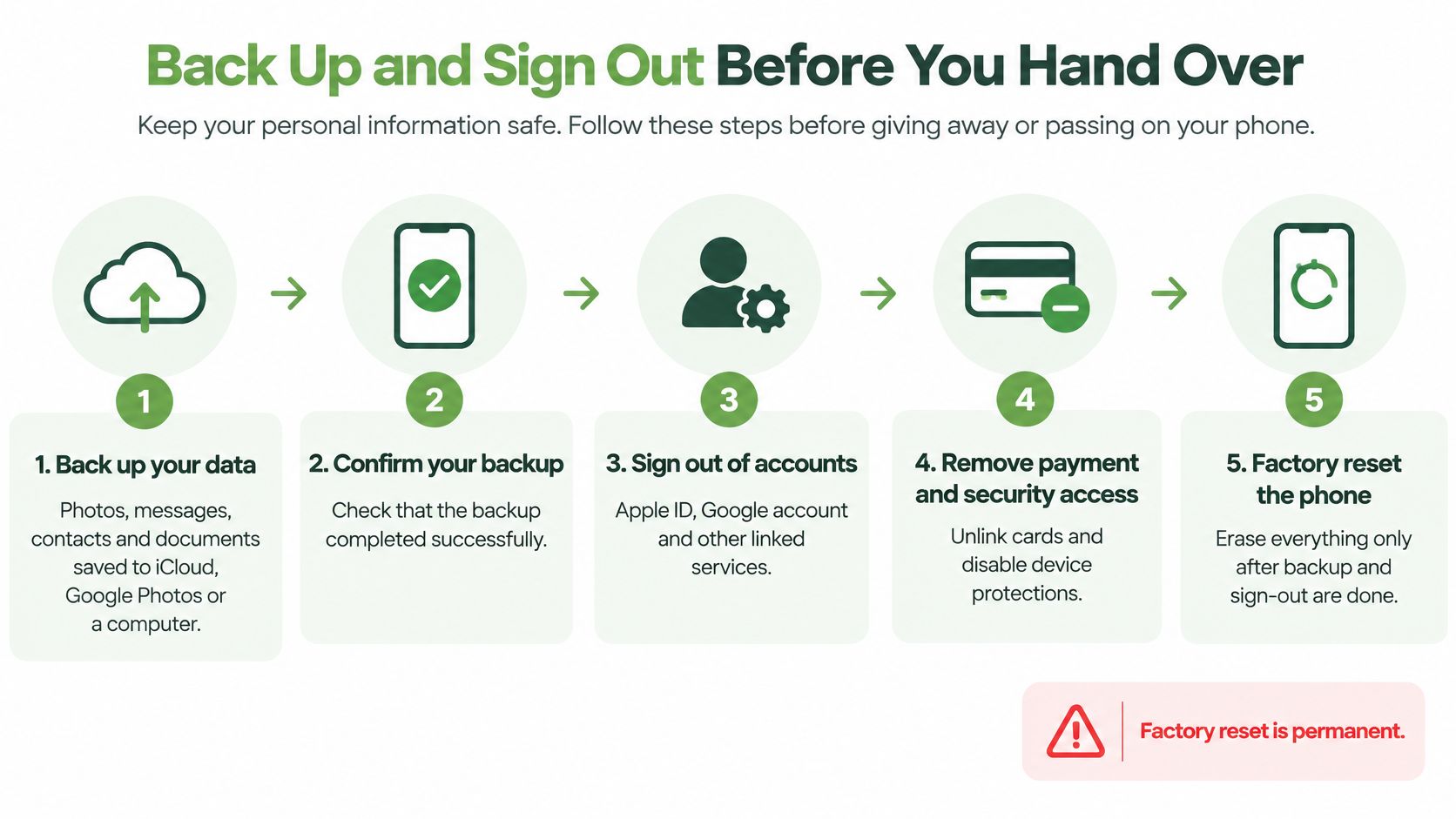
A setup screen is the expected result. If the phone asks for the previous owner's credentials, resolve that ownership lock before handing it over.
Prove Your Data Is Gone Before You Let Go
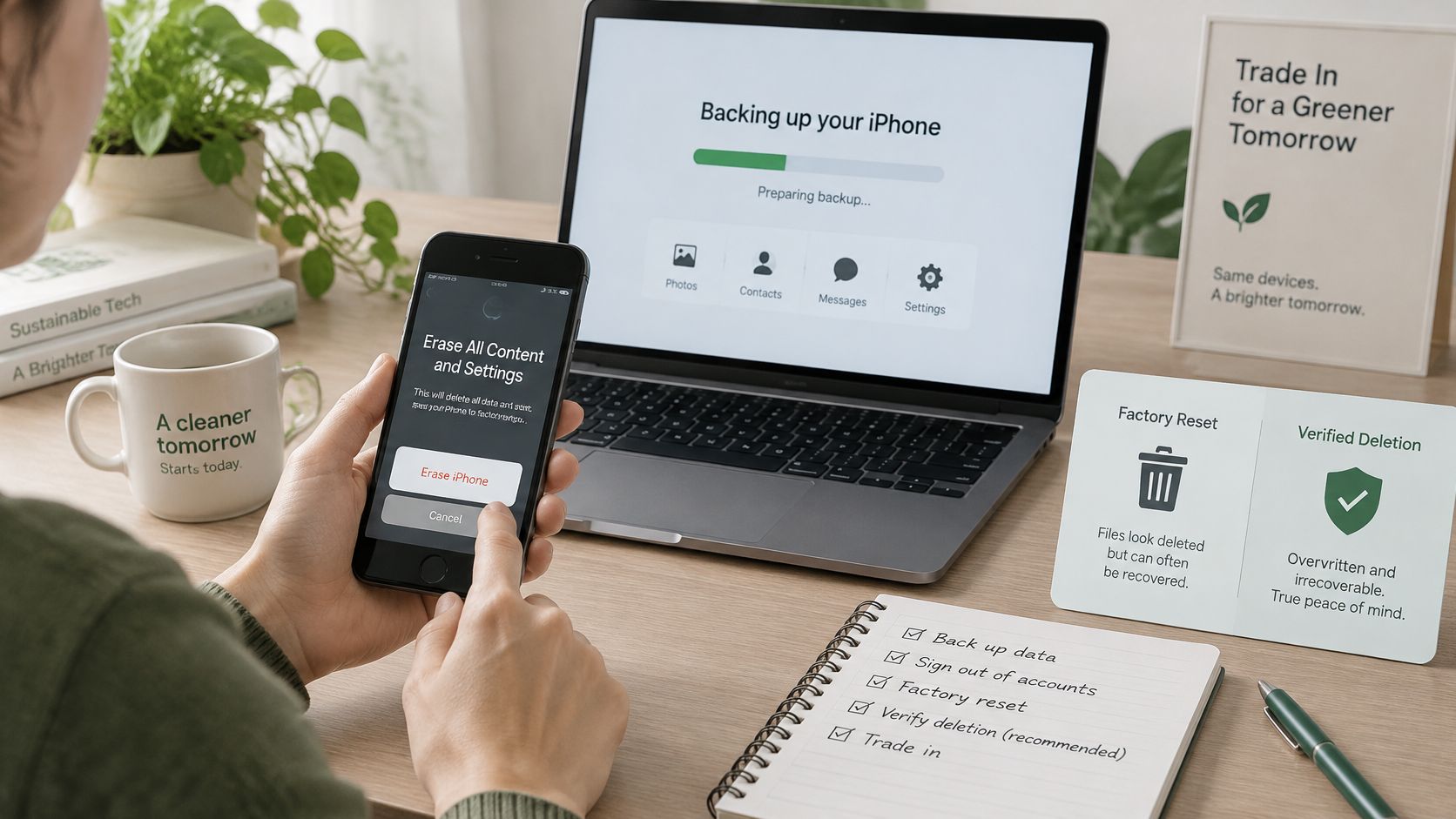
A phone showing a welcome screen has passed a useful visible check. It hasn't provided you with a technical certificate proving that every storage area has been sanitised.
Singapore's Personal Data Protection Commission guidance on disposing of personal data warns that deleting files, emptying the recycle bin or reformatting can leave recoverable information. It recommends appropriate sanitisation methods, including dedicated overwriting tools or destruction where secure deletion isn't possible.
Match the method to the device
A standard factory reset is the owner's baseline preparation for a functioning smartphone. On modern encrypted phones, the manufacturer's erase process is more appropriate than manually deleting photos or installing an unfamiliar cleaner app.
Specialist erasure suits higher-risk handovers, including corporate devices. The method must support the phone's storage and security design; a desktop overwriting utility isn't automatically suitable for an iPhone or Android handset.
Physical destruction is the fallback when secure erasure cannot be achieved. It prevents resale of the destroyed storage, so discuss recovery and repair first if you still need files.
Your personal acceptance test
- Check the visible result. Confirm there's no accessible user content and no previous-owner lock. This is an operational check, not forensic proof.
- Match the record. Confirm the IMEI or serial number matches your paperwork, with battery and screen condition recorded.
- Get the outcome in writing. Request confirmation of the erasure method or destruction outcome, tied to the device identifier.
For corporate phones containing customer records, work documents or access tokens, keep a chain of custody, meaning a record of who handled the device. Record the method and date, and obtain an erasure or destruction certificate before closing the asset record.
A receipt proves someone received your phone. An erasure record documents what happened to its data.
Flag a non-booting or locked handset before collection. A cracked screen may allow a manufacturer-supported computer recovery process, but recovery mode doesn't remove ownership locks; unresolved accounts still need the owner's attention.
Our explanation of secure data destruction helps clarify what to request. Never smash or drill a phone yourself, because damaging its battery creates a safety hazard.
Completing the Trade In From Quote to Payment
Keep the quote, handset and payment record connected throughout the handover. Customers can sell their existing phone to myhalo and get an instant quote, including for Apple and Samsung devices, before travelling for assessment.
This overview shows the quote-to-payment sequence.
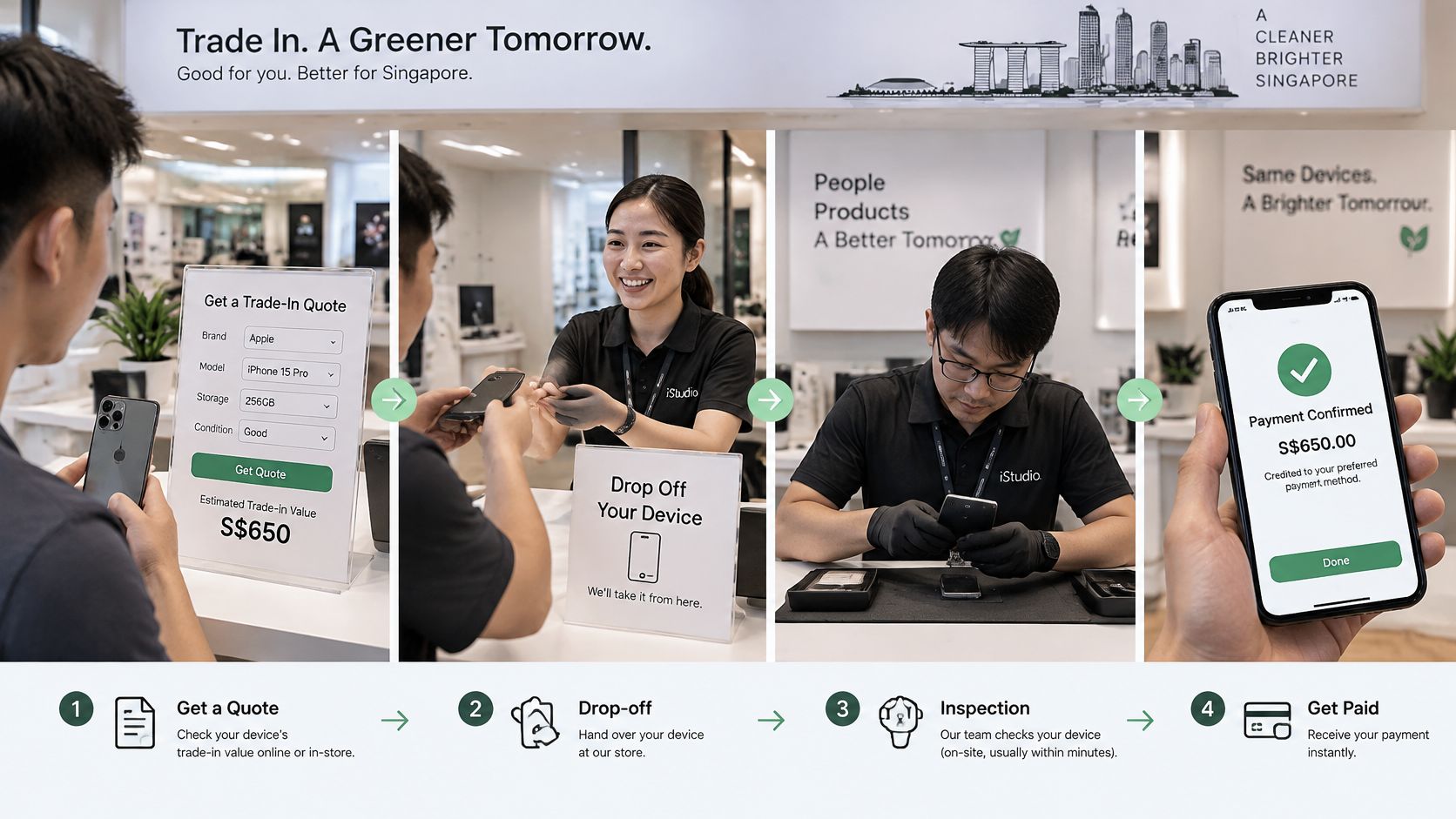
- Save the estimate. Submit the exact model, storage, condition and lock status, then note the quote's validity.
- Choose the handover route. Use in-store inspection or confirm whether collection or postage is available for your transaction.
- Present the prepared handset. Keep your identification record available and check that removable cards aren't still inside.
- Review the inspection result. If the grade changes, request the reason and revised amount before accepting.
- Confirm payment arrangements. Establish whether you'll receive cash, bank transfer or upgrade credit, and when payment is due.
- Keep the paperwork. Save the accepted quote, receipt and any data-handling confirmation together.
Payment terms deserve the same attention as the headline offer. If you're also comparing marketplace selling, reading the seller payout terms on AmaJova is a useful reminder to check payout conditions before committing.
For a visual introduction to the process, watch the walkthrough.
If the phone is rejected
A rejected quote doesn't mean the handset belongs in general waste. NEA's regulated e-waste guidance includes mobile phones and tablets and directs collected e-waste to licensed recyclers.
The EPR system's recycler requirements-system-for-e-waste-management-system) require stored data to be permanently erased or destroyed before reuse, recycling, disposal or transfer. Those downstream obligations don't replace your own preparation.
Before handing over, settle these questions: How long does the quote hold? What happens if the grade changes? Who handles follow-up?
Small Moves and Your Next Step
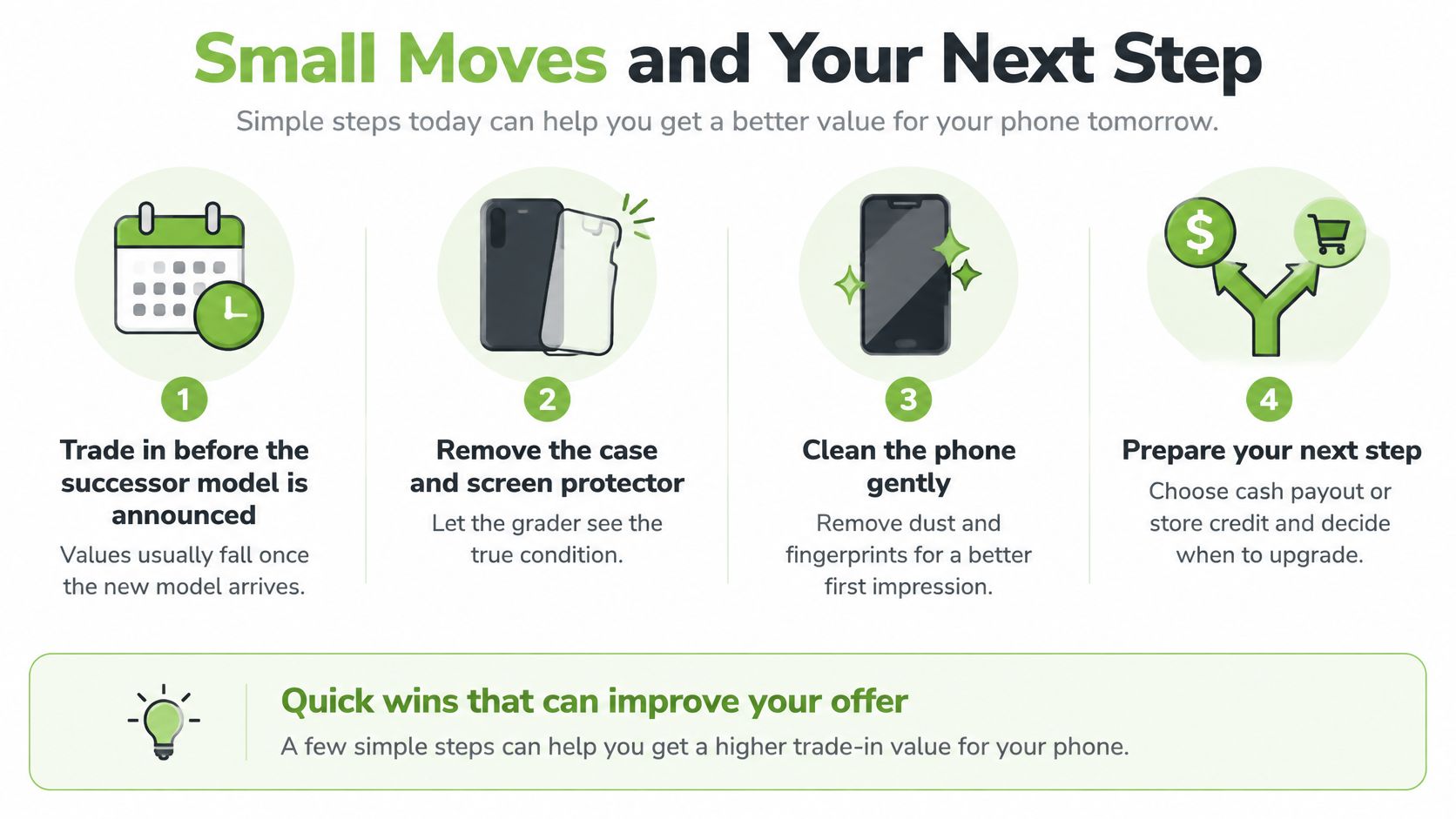
Once you have a replacement in mind, set aside the phone you may trade in and check its condition carefully. Accurate details help produce a fair assessment. Spending on repairs solely to raise the offer can leave you worse off, so compare the repair cost with the likely increase in proceeds first.
If an upgrade is already planned, getting quotes before a successor model arrives may help you compare offers before they change. Still, don't rush into buying a new phone just to protect the old one's resale value.
Quick wins without unnecessary spending
Remove the case and, if it comes off safely, the screen protector so the grader can see the glass. If the display is cracked or shedding fragments, leave it in place and report the damage.
Wipe the handset gently with a soft, lint-free cloth, keeping moisture away from openings. Gather the original box, charger and cable if you have them, then check whether accessories affect the offer.
Request comparable quotes using the same condition details. An instant quote is a useful benchmark, but check the inspection terms before deciding.
Avoid these preventable mistakes:
- Submitting a locked handset. Resolve account access before the handover.
- Hiding damage. Disclose cracks or faults to avoid a grading dispute.
- Treating an estimate as final. Budget around the confirmed inspected offer.
- Repairing purely to sell. Compare the bill with the likely increase in proceeds before authorising work.
Your checklist for this week
Set aside the handset you're ready to release, rather than emptying every drawer at once. Before committing to a replacement:
- Assess it. Check the model, storage and working condition against the factor table.
- Protect access. Complete your backup, account transfers and sign-out.
- Verify preparation. Check the erase result and keep the IMEI record.
- Compare the decision. Get an instant quote and weigh it against repair, private sale or keeping the phone as a backup.
- Choose the outcome. Decide whether you want upgrade value, cash or responsible recovery. Buyback / Sell at myhalo gives you cash for your device.
A trade-in is also a data handover, so choose a route you understand and confirm what happens to the phone after inspection. For help organising your next step, contact myhalo CircularXchange on WhatsApp at +65 8068 0100.
Ready to clear some drawer space without rushing your upgrade? Visit myhalo to explore phone trade-in, protect your privacy through Safe data, or discuss Save data recovery if precious files are trapped on a damaged device. Join our zero e-waste community through the Declutter your e-clutter programme, and give unused tech a responsible next step.