
You're in a lecture trying to keep up with diagrams, on the MRT sketching an idea before it fades, or at your kitchen table marking up a PDF your child needs for school tomorrow. Typing feels wrong for the job, printing feels wasteful, and writing with your finger feels clumsy. A good tablet with pen solves that in seconds, but a poorly matched pen will frustrate you every day. Treat the tablet, pen, nibs, charger and apps as one system from the start, and you'll buy once, use it for years, and know exactly what to repair or replace when something wears out.
Table of Contents
- Match Your Use Case to the Right Pen Specs
- Price Tiers and What Each One Gets You
- Check Pen Compatibility Before You Pay
- Repair, Battery and Pen Problems Worth Fixing
- Certified ReLoved Versus New and Used
- Confirm Your Pick and Clear Out the Old Tablet
Match Your Use Case to the Right Pen Specs
Say you're a student who wants handwritten maths working without printing stacks of worksheets, or a freelancer who sketches concepts on the commute and sends them straight to a client. Your needs aren't the same, even if a shop assistant points you both to the same display table. Pick for the main job, not the longest spec sheet.
Many readers may not need a new tablet at all. The Infocomm Media Development Authority household data table recorded tablet access at 68.58% of resident households in 2024. That's roughly two in three homes already holding a functioning tablet, so check whether your existing device supports an active pen before you budget for a full replacement. A compatible pen and fresh nib can turn an idle tablet into a very capable note taker.
The five jobs a pen actually does
- Note-taking in lectures or meetings: You need low lag, reliable palm rejection and battery that lasts a full day. Fancy shading won't help you keep up with a fast speaker.
- Sketching and illustration: You need pressure, tilt and a screen that doesn't feel like ice. This is the most demanding job, so buy for it if drawing is paid work or a serious hobby.
- Marking up PDFs: Teachers, property agents and managers live here. You need accurate placement, easy export and an app that keeps annotations tidy.
- Signing forms: You need clear signature capture and a pen that's charged when a form arrives. Even basic pen support handles this well.
- Kids' schoolwork: You need durability, a sturdy case and enough accuracy for handwriting practice, diagrams and homework. Don't overbuy processing power.
That last job sits on strong foundations at home. IMDA's Singapore Digital Society Report states that 98% of households with school-going children had access to computers in 2022. Connectivity and devices are already in place for most families, so pen input is about making schoolwork smoother, not buying technology for its own sake. Handwritten assignments, PDF annotation, maths working and teacher feedback without printing are the practical wins.
Older adults belong in this picture too. A Singapore Life Panel study linked in the IMDA Digital Society data table found that 34.12% of surveyed Singaporeans and spouses aged 57 to 76 owned a tablet in 2022. A larger screen with a pen can make reading, form completion and video calls easier than poking at a small phone keyboard.
Specs translated into plain English
Latency is the delay between moving the nib and seeing ink appear. Think of a slow typist trailing behind your hand. If the line can't keep up, your handwriting turns wobbly and you'll start writing more slowly to compensate. For comfortable writing, lower is better, and you'll feel the difference instantly in a shop test.
Pressure levels describe how many gradations of force the pen can detect. Press lightly for a thin line, press harder for a thick one. For notes and signatures, you barely notice pressure. For illustration, it's the difference between a flat marker and a real pencil that responds to your hand. Don't chase the biggest number if you're only annotating lecture slides.
Tilt support lets the tablet sense the angle of the pen, so you can shade with the side of the nib like a pencil. Illustrators love it. Note takers, form signers and most students will never miss it. Pay for tilt only if you sketch.
Hover detection shows a small cursor when the pen is close to the screen but not touching it. It helps with precise placement in drawing apps and tiny spreadsheet cells. It's a nice extra, not a deal breaker for everyday writing.
Practical rule: If handwriting is your main job, spend on low latency and palm rejection first. Pressure and tilt only earn their cost when you draw.
Display refresh rate affects how fluid the pen trail looks. A faster screen makes strokes feel glued to the nib, especially for quick sketching. For slower note-taking, a standard screen is perfectly fine and usually kinder to battery life. Display finish matters more than many buyers expect. Glossy glass reflects classroom and office lighting and lets the pen skate around. A matte or anti-glare finish cuts reflections and adds a little friction, so writing feels closer to paper.
OS and app support decides your daily workflow. Check that your preferred note or drawing app runs properly on iPadOS, Android or Windows before you pay, because some creative apps are platform specific. Open the app store on the demo unit if you can. A brilliant pen paired with the wrong app ecosystem is money wasted.
Battery covers two devices, not one. The tablet should comfortably cover your longest day away from a socket. The pen requires a charging routine you'll stick to, whether that's snapping it to the tablet edge overnight or plugging it in while you study. A flat pen at 9am in a lecture hall is a small disaster you'll remember.
If drawing is your priority, this guide to the best Samsung tablets in Singapore for artists is a useful place to compare pen feel and screens side by side.
Pen tablet specs compared
| Spec | What it means | Target to look for | Why it matters |
|---|---|---|---|
| Latency | Delay between nib movement and ink | Under about 20 ms | Higher values make handwriting trail behind |
| Pressure levels | Gradations of nib force | 4,096 for drawing, basic levels for notes | Controls line thickness in drawing |
| Tilt support | Shading by pen angle | Present for sketching | Not needed for note-taking |
| Hover detection | Pen detected before contact | Optional | Helps with fine cursor control |
| Display refresh rate | Smoothness of the pen trail | 90 to 120 Hz | 60 Hz works for notes |
| Display finish | Glare and paper feel | Matte or anti-glare | Glossy screens reflect light |
| OS and app support | Which pen apps run | iPadOS, Android or Windows, checked in the app store | Some drawing apps are platform-specific |
| Battery | Endurance for tablet and pen | 8+ hours for the tablet; a pen charge that suits your routine | Full-day classroom use needs real endurance |
Rank the specs by your job
For note-taking, rank latency, palm rejection and battery first, then screen finish. For illustration, rank pressure, tilt and display quality first, then latency. For PDF markup and signing, rank app support, accuracy and pen charging convenience first. For kids, rank durability, battery and replacement pen cost first, because pens get dropped, chewed and lost in school bags.
Finish with one simple test before you commit. On the store model, write a full line of your own handwriting at your normal speed, then sign your name and draw a quick diagonal across the screen. Watch for lag, missed strokes, jitter on slow lines and stray marks from your palm. If your handwriting looks like yours, the pen system is doing its job. If it looks like a stranger's, walk away, no matter how impressive the spec sheet sounds.
Price Tiers and What Each One Gets You
Start with a realistic anchor. The CNA Lifestyle student tablets guide reported that Singapore student tablets with stylus support generally cost below S$600 in 2025, with the Lenovo Idea Tab Pro at S$512.82 including a stylus. That tells you capable pen hardware doesn't have to mean a flagship price.
The key cost question is the pen itself. Some tablets include a capable pen in the box. Others sell it separately, and that extra purchase can push a seemingly cheap tablet into the next tier. Always price the tablet plus pen plus case before you compare, because that's the system you'll carry.
What each tier buys you
Under S$300 usually brings a basic display and slower processing. That's fine for light notes, reading and younger children, but handwriting may feel less responsive and screens can look washed out under bright lights. Keep expectations modest and you'll be happy.
S$300 to S$600 is the student sweet spot. You get proper stylus support, a sturdier build and enough speed for split-screen study, with a lecture video on one side and notes on the other. Most households should start their search here.
S$600 to S$1,200 adds a faster chip, a better display and a pressure-sensitive pen that's often bundled. This tier suits creative work, hybrid study and work use, and anyone who keeps a tablet for several years. You'll feel the difference in drawing apps and large documents.
Above S$1,200 buys pro-grade displays, premium pens with extras like tilt or squeeze controls, and longer software support. It's justified for professional illustration, design or heavy daily business use. For notes alone, it's more than you need.
For a broader shortlist at gentler prices, see these best and reasonably priced tablets in Singapore before you lock in a tier.
Price tiers for pen tablets in Singapore
| Price band (SGD, approx.) | Typical pen setup | What you get | Best for |
|---|---|---|---|
| Under S$300 | Basic stylus, often sold separately | Entry display and slower processing | Light note-taking and young children |
| S$300 to S$600 | Stylus often included, such as Lenovo Idea Tab Pro at S$512.82 | Solid pen support and a student-friendly build | Students and home users |
| S$600 to S$1,200 | Pressure-sensitive pen, often bundled | Faster chip and better display | Creative work and hybrid study-work |
| Above S$1,200 | Premium pen with tilt or extra controls | Pro-grade display and longer software support | Professional drawing and business use |
Prices move with promotions and new launches, so check current listings on the day you buy rather than trusting an old screenshot.
My rule of thumb is simple. Match the tier to your most demanding regular job, not the most impressive specification on the box. A student who only takes notes gains little from a pro display, while an illustrator who skimps on pressure and tilt will feel that compromise on every single drawing.
Check Pen Compatibility Before You Pay
A pen-enabled tablet is a system made of the tablet, pen, digitiser layer and charging method. The digitiser is the sensing layer under the glass that tracks the pen. If any part doesn't match, a perfectly good tablet becomes useless for handwriting, and you'll only discover it after the box is open.
Run this five-step check
- Confirm the exact pen model: Match the pen model number to your exact tablet model, not just the brand. Pens from the same brand often don't work across generations.
- Identify the charging method: Work out whether the pen charges by USB-C cable, through the tablet port, or by snapping magnetically to the tablet edge.
- Check what's in the box: Look for spare nibs, a nib removal tool and a charging cable. Missing spares mean extra spending later.
- Find the replacement cost: Price a replacement nib and a full replacement pen now, and confirm both are sold separately in Singapore.
- Confirm app support: Open your core note or drawing app and confirm it supports pen input, pressure and palm rejection on that platform.
Four pen types and what can go wrong
A proprietary Bluetooth pen pairs in the tablet settings and charges via a dock or port. It usually offers the richest features, but losing it can be the costliest surprise of ownership, because only the original model will do. A USB-C charged pen is convenient until the tablet port gets damaged or clogged, at which point charging the pen becomes a daily annoyance.
A magnetic pen snaps to the tablet edge and charges there, which feels effortless until the magnet weakens or the pen gets knocked off in a bag. A generic active stylus can be great value, but support depends entirely on the tablet's digitiser technology, so the manufacturer's supported list matters more than the stylus packaging.
Common pen types and their main risk
| Pen type | How it pairs or charges | Main risk to check |
|---|---|---|
| Proprietary Bluetooth pen | Pairs in tablet settings and charges via a dock or port | Replacement can be costly if lost |
| USB-C charged pen | Charges through the tablet's USB-C port | Port damage can stop charging |
| Magnetic-attached pen | Snaps to the tablet edge and charges there | Wear on the magnet or loss of attachment |
| Generic active stylus | Support varies by digitiser technology | Check the tablet's supported list before buying |
When you buy, record the serial numbers of both the tablet and the pen and keep them together in your notes app or email. If you ever need a warranty claim, a replacement pen or a resale listing, that small habit saves real time. Compatibility is boring to check and wonderful to have checked.
Repair, Battery and Pen Problems Worth Fixing
Take a breath before you replace anything. Many pen faults cost far less to fix than a new tablet, and the tablet and stylus fail in different ways. A scratchy, skipping pen often needs a nib that costs very little, while the tablet underneath is completely healthy.
Singapore generates serious volumes of discarded electronics, and the National Environment Agency e-waste guide cites about 60,000 tonnes of e-waste annually. Keeping a working tablet in service with a small repair is one of the easiest ways to stay out of that pile. It also keeps your money in your pocket.
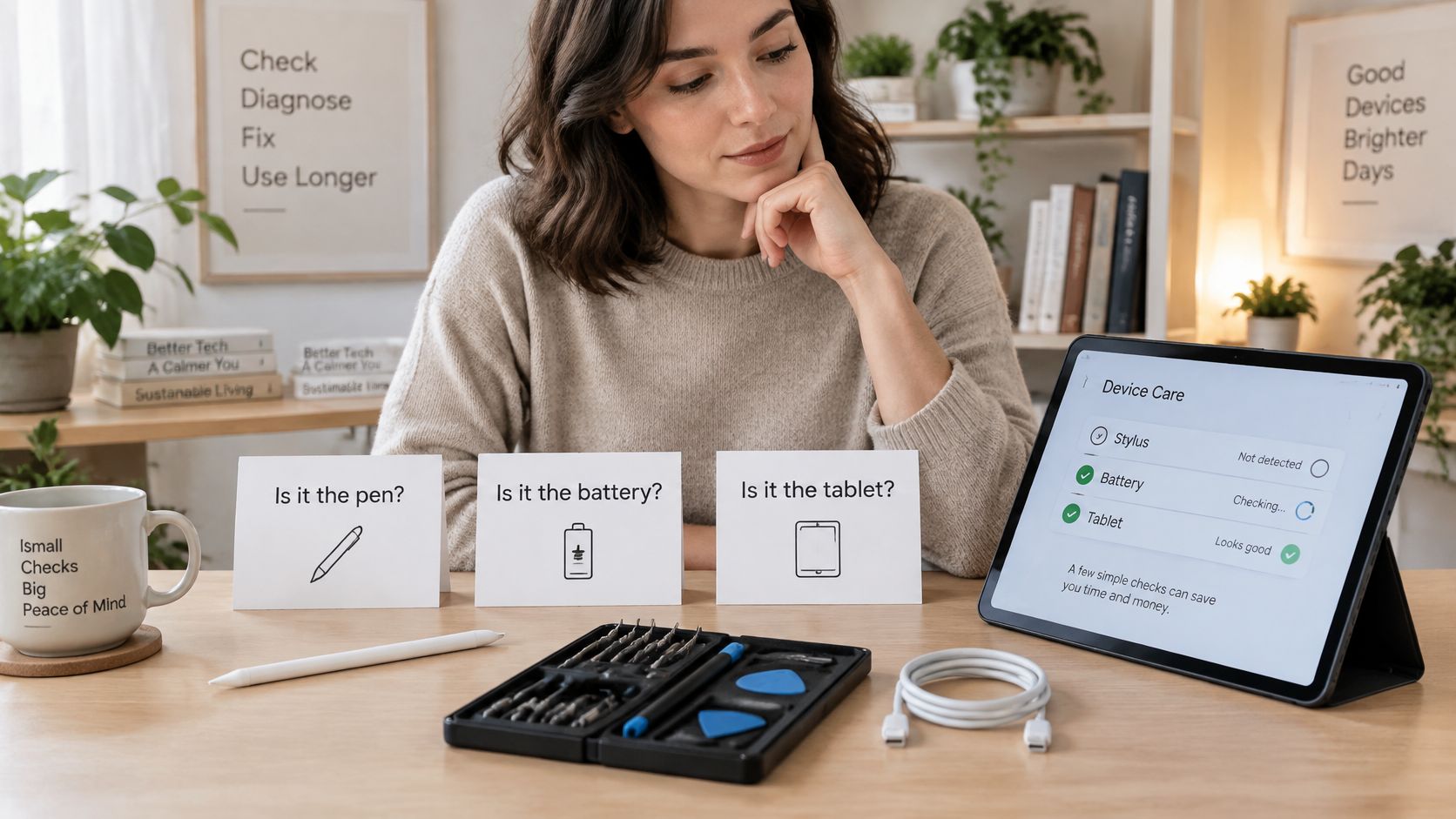
Here's a quick look at how to think through the decision calmly.
Three questions before you decide
- How does the repair cost compare with current value: If a fix costs a small fraction of what the working tablet is worth, repair usually wins. If it approaches replacement cost, pause.
- How healthy is the battery: A tablet that dies by lunchtime needs battery work factored into any other repair quote, or you'll fix one problem and keep the other.
- Are the pen and software still supported: If replacement pens and security updates are still available, the device has useful life left. If neither is available, replacement becomes more sensible.
Replacing a worn nib or a tired pen can be worth it even when a screen repair isn't. Judge each part on its own economics. If you're weighing a display job specifically, this overview of tablet screen replacement explains what the work involves.
A swollen battery is a safety issue, not a cosmetic one. Stop charging, power the tablet off, don't press on the bulge, and take it to a qualified repairer promptly.
Pen tablet symptoms, likely causes and fixes
| Symptom | Likely cause | First check | Usual fix |
|---|---|---|---|
| Pen lags or skips | Low pen battery, worn nib or lost pairing | Recharge the pen and re-pair it | Replace the nib or the pen |
| Ink jumps only in one area | Digitiser damage | Draw across the whole panel | Digitiser or screen assembly repair |
| Tablet bulges or will not sit flat | Swollen battery | Stop charging and power off | Battery replacement by a qualified repairer |
| Charging stops | Port or charging circuit fault | Try another cable and adapter | Port repair |
Before any repair, trade-in or resale, back up what you need and wipe the tablet properly. This matters most for school and work tablets with synced cloud accounts, documents and photos. Repair, certified reuse and parts harvesting usually preserve more value than recycling, while recycling is the right end point when repair is uneconomic or the data risk is too high.
If a failing device holds precious files, myhalo's Save data service focuses on recovering memories and essential documents from damaged devices. Your files and memories matter, so reach out to the caring team for help before you assume everything is lost.
Certified ReLoved Versus New and Used
Buying refurbished is one of the most practical ways to get a better tablet with pen for less money. You step up a tier, get a nicer screen and pen, and keep a working device in use instead of demanding a newly manufactured one. The trick is knowing what testing happened before the price tag was printed.
The reuse case is strong locally. The National Environment Agency stated that more than 20,000 tonnes of e-waste had been collected and recycled under the e-waste EPR scheme by June 2024. A working device that can be passed on or refurbished shouldn't join that stream early. Reuse first, recycle when reuse no longer makes sense.
This comparison graphic sums up the three routes at a glance.
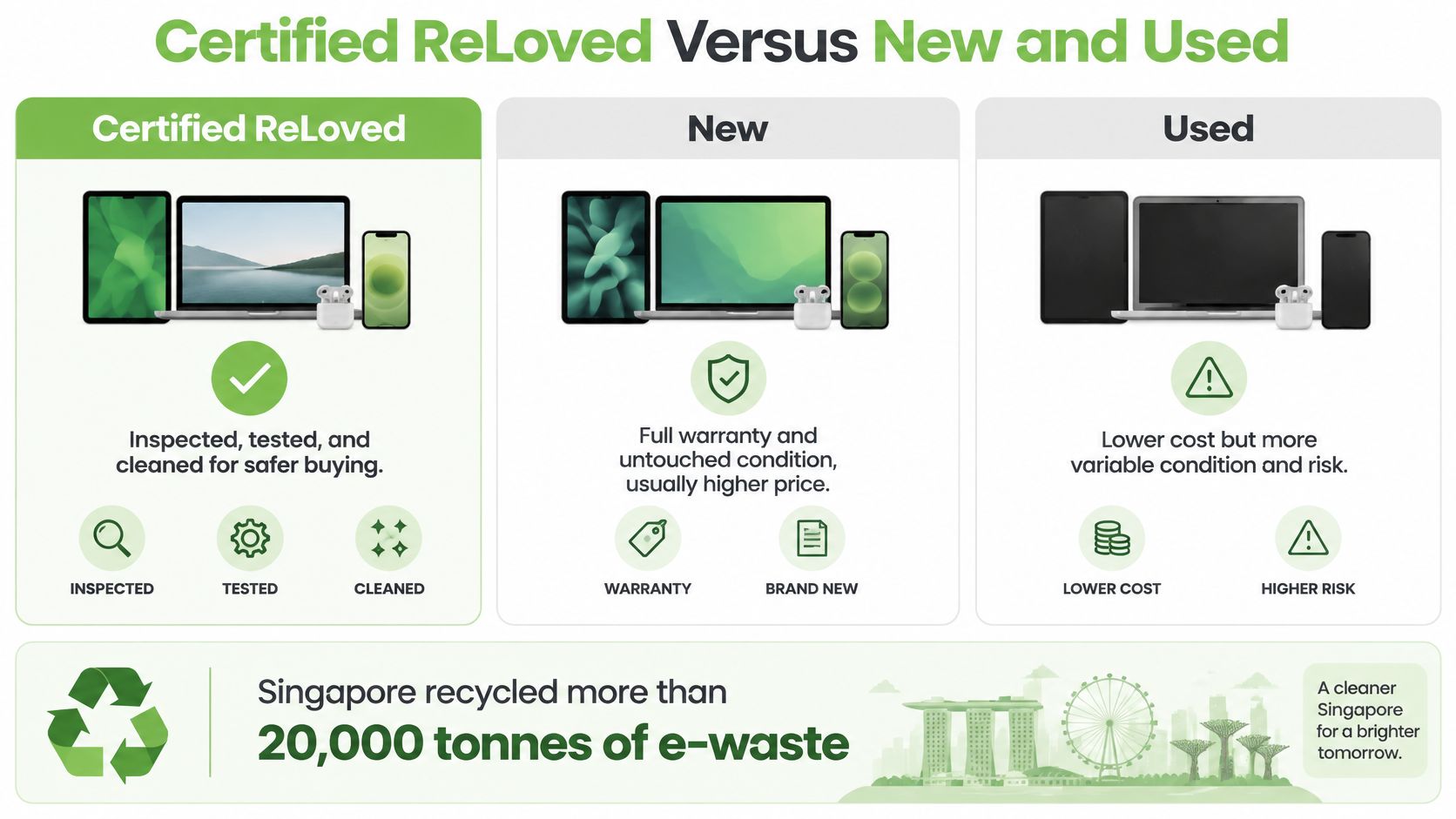
New, certified ReLoved and used pen tablets compared
| Route | Price position | Testing and warranty | Pen included | Environmental result |
|---|---|---|---|---|
| New from a retailer | Full retail price | Manufacturer warranty, length varies | Usually yes | New manufacturing footprint |
| Certified ReLoved | Lower than new | Tested and graded; warranty per seller, check terms | Check the listing and confirm pairing | Extends device life and avoids new production |
| Private used sale | Lowest asking price | Often untested; no warranty included | Often missing or unpaired | Extends use if working, with early failure risk |
For a certified ReLoved tablet, ask for the testing list in plain terms. It should cover pen pressure and palm rejection, digitiser response across the full panel, battery health, charging port, display uniformity and software update status. Get the warranty length in writing and confirm the pen is included, paired and holding a charge. Private used sales often skip all of this, and the missing pen alone can erase the saving.
This short video walks through what careful device checking looks like in practice.
Certified ReLoved devices from myhalo are tested and graded before sale, which suits buyers who want pen functionality verified rather than promised. If you're considering Apple's ecosystem specifically, this guide to a refurbished iPad in Singapore covers the checks that matter most.
Five questions to ask any seller
- Is the exact pen included and paired: Ask for a photo or demo of it writing on that tablet.
- What is the battery health: Ask for the measured figure, not just an assurance that it lasts well.
- Was the digitiser tested everywhere: Dead spots hide in corners, so full-panel testing matters.
- What warranty do I get in writing: Note the length and what it covers, including the pen.
- Has the device been securely erased: Confirm accounts are removed so activation won't block you later.
Confirm Your Pick and Clear Out the Old Tablet
You've done the thinking, so let's turn it into a calm final sequence you'll feel good about.
- Match your main use to the minimum specs you identified for notes, drawing, markup, signing or schoolwork.
- Shortlist two or three tablets inside your price tier, priced with pen and case included.
- Run the five-point compatibility check covering exact pen model, charging method, box contents, nib or pen replacement cost, and app support.
- Choose your buying route between new, certified ReLoved or used, using the seller questions to compare.
- Prepare the old tablet by backing up what you need, removing accounts and wiping it fully before it changes hands.
Clearing out the old device is easier than it used to be. The Ministry of Sustainability and the Environment reported that e-waste collection points increased from 300 to about 870 nationwide, and the scheme had collected more than 22,300 tonnes of e-waste by September 2024. Collection isn't the same as reuse, though, so extending a device's life before recycling still matters.
Here's where you can start that clear-out online.
For total peace of mind, myhalo's Safe data service provides secure erasure with certificates on request, and the Declutter your e-clutter programme makes passing on or recycling old devices convenient, safe and responsible. Ready to feel lighter and do good? Let's clear out those old devices together and keep the zero e-waste spirit growing in our community.
Ready to choose your next tablet with pen and give the old one a responsible second life? Visit myhalo to explore certified ReLoved tablets, get a fair trade-in quote, or arrange secure data erasure and data recovery with a friendly team right here in Singapore. Bring us your e-clutter, and we'll help you turn it into value while keeping good devices in use and out of landfill.