
You've upgraded to a newer iPad, but the older one is still sitting in a drawer. It works well enough for reading, video calls, schoolwork or family use, yet you hesitate to sell it because personal photos and account details may still be on it. Buying another iPad can feel just as complicated when you're unsure whether “used” and “refurbished” mean the same thing.
That hesitation is understandable. A refurbished iPad should offer more than a lower price. You should know what was tested, how the battery was assessed, whether your data was erased properly and what happens if a fault appears after purchase. This guide makes those checks simple, so you can approach the refurbished iPad Singapore market with a clear head.
Singapore's official e-waste approach gives repair and reuse priority where practical, and the National Environment Agency's e-waste guidance supports reuse or donation of working electronics. That makes refurbishment a legitimate way to extend a device's useful life, not merely a shortcut for bargain hunters.
The need is real. Singapore generates more than 60,000 tonnes of e-waste each year, while a 2018 NEA-linked study found that only about 6% of roughly 30,000 tonnes of household electrical and electronic goods discarded annually were recycled. About 24% was traded in or sold, showing why responsible resale and refurbishment matter in the wider reuse stream. These figures are reported by Channel NewsAsia's coverage of the NEA-linked study.
Whether you're buying your first iPad for school, replacing a slow tablet for work or finding a larger screen for your parents, the process can be convenient, safe and responsible. You'll learn how refurbishment works, how to read battery and cosmetic grades, how to compare value and how to verify a seller before paying. For a wider look at the environmental case, explore these tips for protecting the Earth by buying second-hand or refurbished devices.
Table of Contents
- What Refurbished Really Means and How It Differs From Used
- How Grading Battery Health and Testing Standards Work
- Refurbished vs New Price Performance and Long Term Value
- How to Choose the Right Refurbished iPad for Your Needs
- Warranty Data Security and the Zero E-Waste Benefit
- Where to Buy a Refurbished iPad in Singapore With Confidence
What Refurbished Really Means and How It Differs From Used
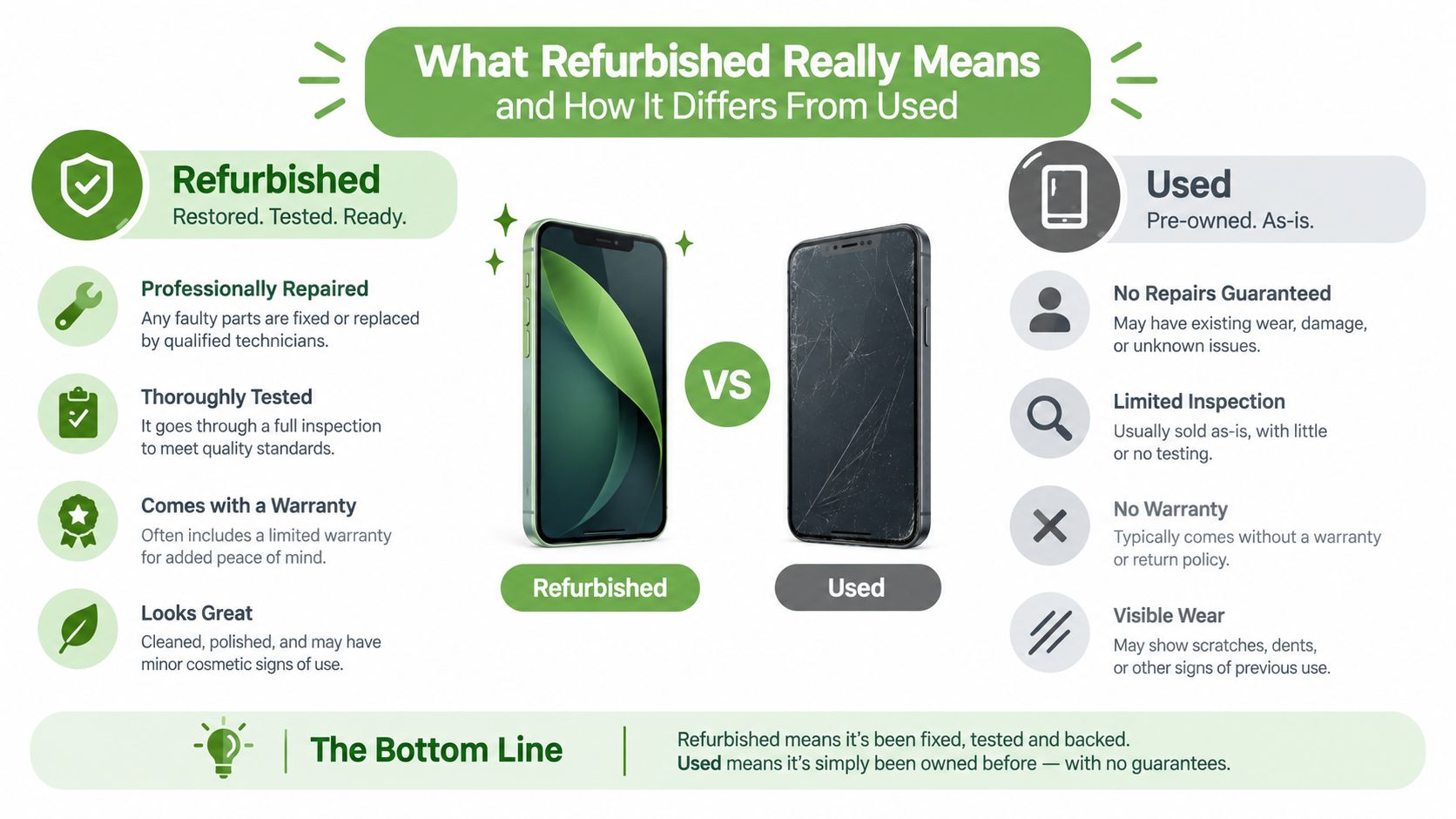
The words used, second-hand and refurbished often appear together, but they describe different levels of preparation.
A used iPad may be an older device that someone no longer wants. A second-hand iPad usually means ownership has changed, but the term alone doesn't tell you whether anyone checked the battery, repaired a fault or erased the previous owner's information. A refurbished iPad has gone through a defined process intended to confirm that it's suitable for another user.
A useful comparison is a car. A private seller may tell you that a car runs well, but you're responsible for deciding what to inspect. A certified pre-owned car has normally been assessed, cleaned and documented before sale. Refurbishment is the electronics equivalent of a structured pre-owned inspection, although the exact standards depend on the seller.
The refurbishment journey
A responsible refurbishment workflow usually follows a sequence like this:
Intake and identification: The seller records the iPad model, storage, connectivity type and serial information. This prevents a listing from confusing a Wi-Fi model with a Wi-Fi plus Cellular model.
Diagnostics: Technicians test charging, display response, buttons, cameras, speakers, microphones, wireless connections and other core functions. The purpose is to find problems that a quick visual inspection would miss.
Repair or component replacement: If a device has a failed part, the refurbisher may repair it or replace the affected component. Not every iPad needs repair. Some only need cleaning, software preparation and testing.
Battery assessment: The seller checks remaining capacity and should explain whether the battery was replaced or only tested. Battery condition is separate from cosmetic appearance.
Secure data erasure: A previous owner's content, accounts and settings must be removed before the device reaches another customer. This step deserves as much attention as the screen and casing.
Final grading: The iPad receives a condition description based on its appearance and testing outcome. A lower cosmetic grade shouldn't automatically mean poor function, but the listing should say what the grade means.
Singapore's regulatory material also separates equipment intended for direct reuse from equipment intended for repair, refurbishment or failure analysis. The NEA technical guidance assigns PCTWCB031 to direct reuse and PCTWCB032 to repair, refurbishment or failure analysis, as shown in its technical guidelines for transboundary movement of WEEE and UEEE. That distinction reinforces a simple point: refurbishment is a recognised pathway with its own handling logic.
Practical rule: If a listing only says “fully working” but gives no testing details, battery information or warranty terms, ask for those details before treating it as refurbished.
How Grading Battery Health and Testing Standards Work
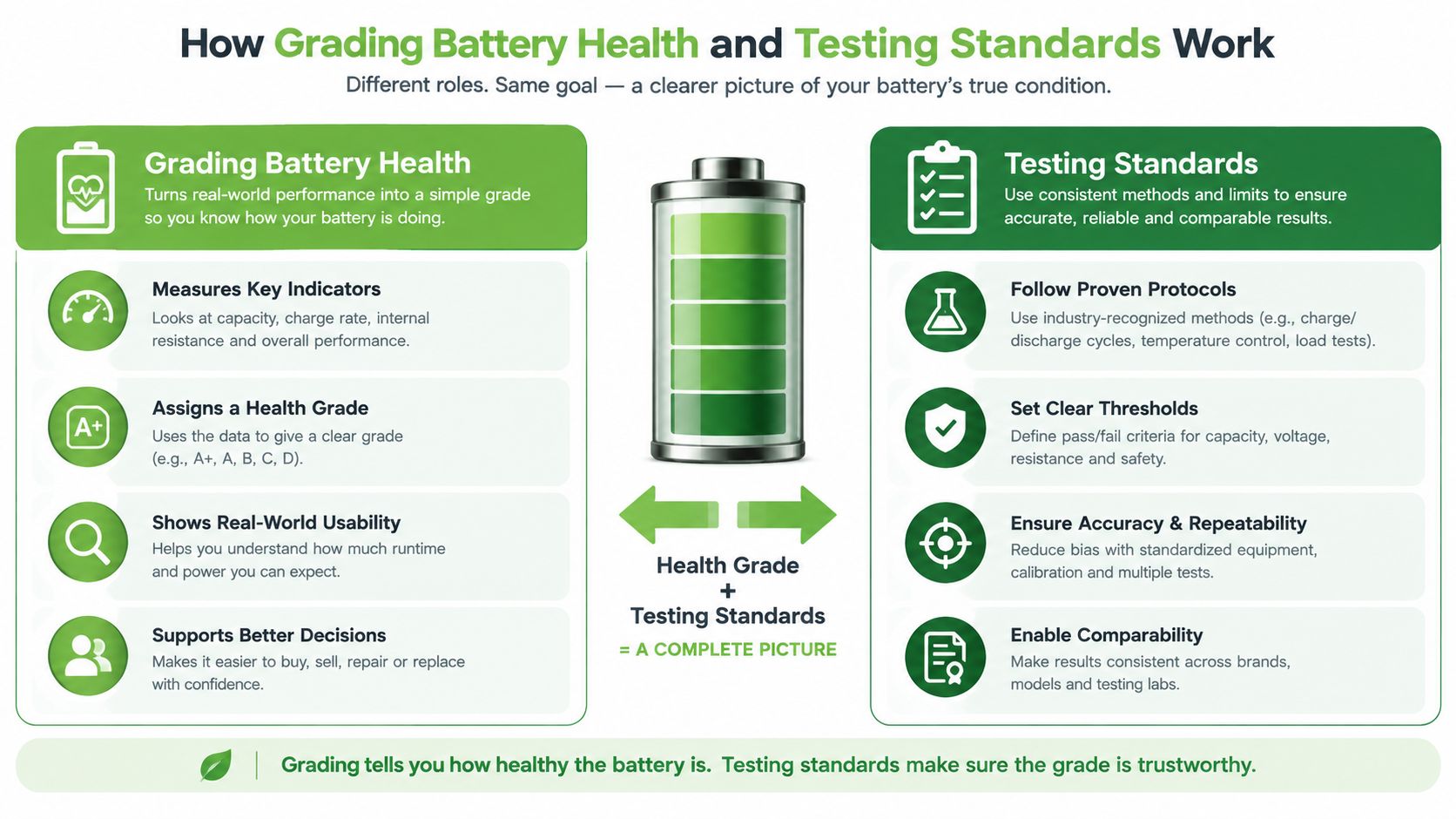
A cosmetic grade tells you how an iPad looks. It doesn't tell you everything about how it performs.
One seller may use terms such as pristine, mint and satisfactory, while another may use letter grades or its own condition labels. The labels aren't universal, so read the seller's definitions instead of assuming that “A” means the same thing everywhere.
Battery health is more useful when the seller provides an actual threshold. A Singapore reseller's grading example sets a minimum battery health of 90% for pristine units and 85% for mint or satisfactory units, according to its Apple iPad collection. These thresholds help you compare listings, but they still need context.
Why the percentage isn't the whole story
Battery health is a percentage of the battery's original capacity. It doesn't represent a universal amount of energy across every iPad generation. One Singapore-certified tablet listing specifies a 28.6 Wh non-removable lithium-ion battery, illustrating why the original watt-hour capacity matters alongside the percentage.
Two iPads can both show 85% battery health yet deliver different practical runtime because their original batteries, chips, displays and workloads differ. Reading downloaded videos, joining a video call, using a drawing app and browsing lightly all place different demands on the battery.
Ask the seller these questions:
- What was measured? Is the figure based on a capacity test, a system reading or a warranty threshold?
- Was the battery replaced? A replacement battery and an original battery that passed testing are different situations.
- What was tested besides the battery? Confirm the screen, touch response, charging port, buttons, cameras, speakers, microphone, Wi-Fi and cellular functions where applicable.
- What does the warranty cover? Find out whether battery faults, charging problems and functional defects qualify for repair, exchange or refund.
A seller's quality assurance and testing information can help you understand what a meaningful test process looks like.
A practical grade comparison
| Grade | Battery Health Threshold | Typical Condition and Best For |
|---|---|---|
| Pristine | 90% minimum | Very clean appearance, suitable for gifting or buyers who want a near-new look |
| Mint | 85% minimum | Light signs of previous use, suitable for study, work and everyday family use |
| Satisfactory | 85% minimum | More visible wear, suitable when function and value matter more than appearance |
The table reflects the grading example above, not a universal industry rule. Treat vague phrases such as “excellent battery” as an invitation to ask for a measurable threshold.
The video below offers another visual way to think about how testing and condition fit together.
Refurbished vs New Price Performance and Long Term Value
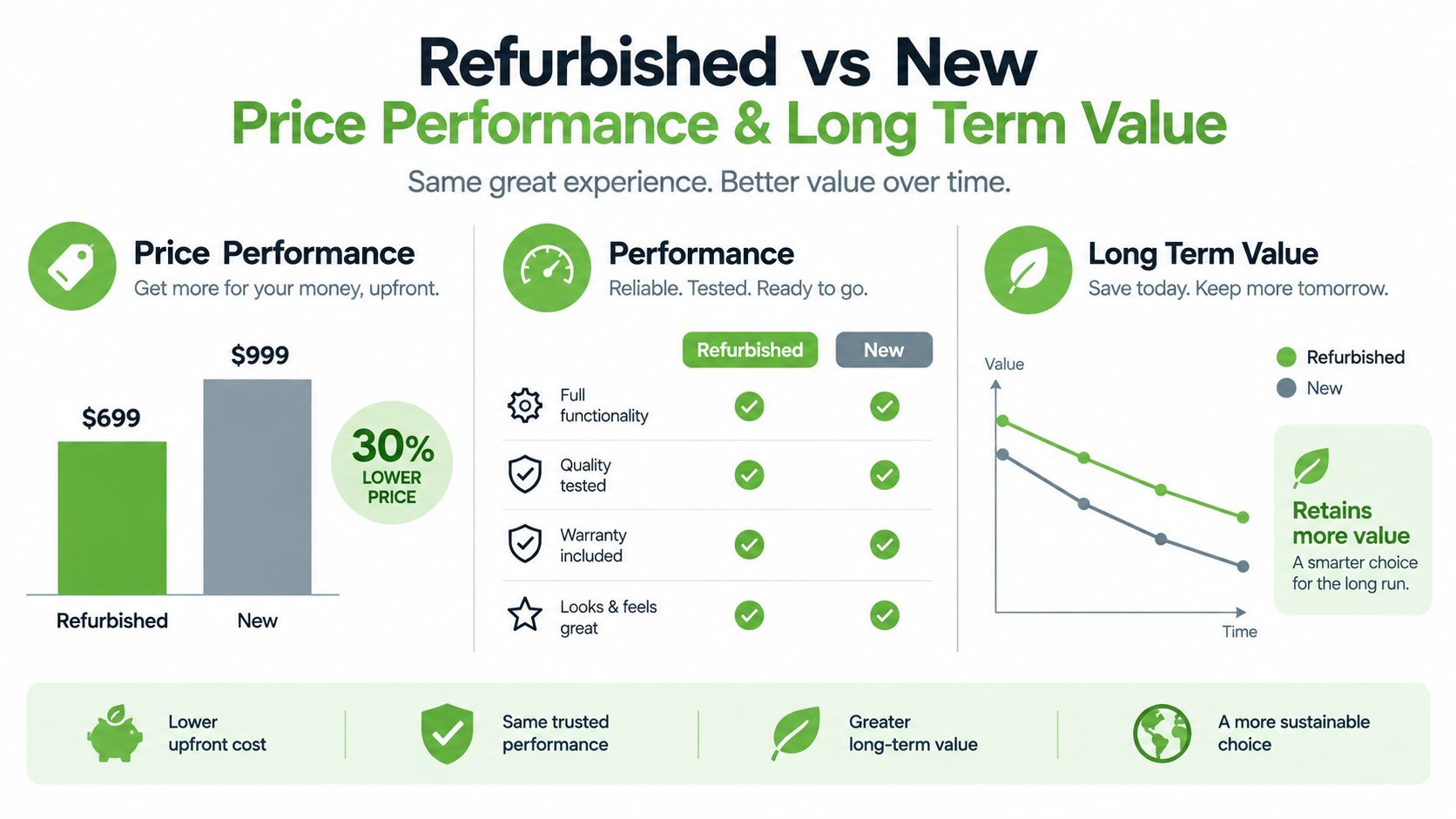
The cheapest iPad isn't always the best value, and the newest iPad isn't always the best fit. Singapore buyers should compare the complete package, including model generation, chip, storage, connectivity, battery condition, warranty and expected use.
Apple's own Singapore certified-refurbished store provides a useful local reference. Current listings include a refurbished 11-inch iPad Air with M3, Wi-Fi plus Cellular and 128GB at S$1,089, while other refurbished 11-inch models range from S$549 to S$1,449. These examples appear on Apple's Singapore refurbished iPad storefront.
Compare the device, not just the condition label
A refurbished iPad with a higher-tier chip or more storage may offer better value than a newer, lower-spec model. Conversely, a lightly used base iPad may be enough for reading, web browsing, video streaming and simple school tasks, so paying extra for a Pro model could add little practical benefit.
Model generation matters because it affects software compatibility, accessories, camera features and performance. Connectivity matters too. A Wi-Fi plus Cellular version can be useful for commuting, field work or travel without depending on a hotspot, while Wi-Fi may be perfectly adequate for a home, school or office environment.
Storage deserves careful attention. A device with limited space may become frustrating when you add downloaded videos, creative files, games and offline documents. A slightly older iPad with more storage can be more comfortable than a newer model that constantly needs files removed.
| Factor | Refurbished option | New option |
|---|---|---|
| Upfront cost | Often gives access to higher specifications within a set budget | Usually carries the current retail premium |
| Model choice | May include previous generations and discontinued configurations | Centres on current models and configurations |
| Cosmetic condition | Can range from near-new to visibly used | Normally arrives in new condition |
| Battery | Must be checked against the seller's stated threshold | Comes with a new-device battery baseline |
| Warranty | Depends on the seller or certification programme | Covered by the manufacturer's new-product terms |
| Environmental role | Extends an existing device's useful life | Adds demand for newly manufactured hardware |
Refurbished is especially sensible when you're comfortable comparing specifications and want more capability for a fixed budget. New may suit buyers who want the latest design, a particular configuration or the simplest possible purchase with no previous-use considerations.
Think of the price as the entry point, not the conclusion. The right value comes from matching performance, storage and connectivity to the work you'll do.
How to Choose the Right Refurbished iPad for Your Needs
Start with your routine, not the product name. An iPad for reading recipes in the kitchen has different requirements from one used for digital illustration, video editing or university notes.
Step one is matching the model to the workload
The standard iPad suits everyday browsing, streaming, reading, video calls and general family use. The iPad Air gives students and creative users more performance headroom for demanding apps and multitasking. The iPad Pro makes the most sense for power users who need a high-performance workflow, advanced display features or heavier creative work.
A smaller iPad mini can be convenient for commuting, reading and one-handed use. If you choose that form factor, a protective case matters because the smaller body will still face the same knocks in a bag. This guide to best iPad mini folio protection is useful for comparing compact folio-style protection.
Step two is choosing storage and connectivity
Storage should reflect what stays on the iPad:
- Light use: Browsing, cloud documents and streaming require less local space.
- Study and work: Notes, presentations, downloaded references and productivity apps need more breathing room.
- Creative use: Photos, video projects, illustration files and music libraries can fill storage quickly.
Choose Wi-Fi if you'll usually use the iPad at home, school or work. Consider Wi-Fi plus Cellular if you need independent connectivity while travelling around Singapore or working away from reliable Wi-Fi.
Step three is checking the practical details
Before buying, run through this checklist:
- Confirm the exact model generation, storage and connectivity.
- Check the stated battery health and original battery capacity.
- Ask whether the battery was replaced or capacity-tested.
- Inspect the screen for touch issues, bright spots and visible damage.
- Test cameras, microphones, speakers, buttons and charging.
- Confirm iPadOS compatibility for the apps you use.
- Check whether the charger and accessories are included.
- Read the warranty, exchange and return terms.
For a focused look at smaller Apple tablets, see this guide to an iPad mini refurbished purchase. A good decision feels less like guessing and more like matching a tool to a job.
Warranty Data Security and the Zero E-Waste Benefit
A warranty protects your purchase, but trust also depends on what happens to the previous owner's data and to the iPad if it cannot be reused. Read the coverage period, eligible faults, repair or replacement process, exclusions and claim steps. The terms should separate cosmetic wear from functional failure. If a seller describes testing but gives no clear remedy, ask before checkout.
Data security is a required part of responsible reuse. Under Singapore's Extended Producer Responsibility framework, licensed e-waste recyclers must permanently erase or destroy data stored on data-bearing devices before those devices are prepared for reuse, recycled, disposed of or transferred elsewhere. The NEA's EPR guidance-system-for-e-waste-management-system) sets out this requirement.
Privacy and reuse belong in the same conversation
A secure wipe removes photos, messages, documents, account sessions and saved credentials. For a plain-language explanation of secure data destruction, check how certified processes support safe reuse. Reuse then keeps a working iPad in circulation instead of sending it to waste treatment. Both steps matter before the device reaches another person.
Singapore's Resource Sustainability Act established a regulated e-waste management system from 2021 under an Extended Producer Responsibility model. Producers are responsible for collecting and properly treating regulated electrical and electronic products. Collected e-waste must be channelled to licensed e-waste recyclers for proper treatment, as explained by the Ministry of Sustainability and the Environment.
Privacy check: Ask who performs the wipe, whether the process is documented and what happens if the device fails refurbishment.
For broader repair logistics, this overview of reliable iPad shipping repair may help when comparing service arrangements.
myhalo's Safe data approach and Declutter your e-clutter programme connect secure disposal with practical reuse. Certified ReLoved devices apply the same principle on the buying side, returning tested, previously owned hardware to useful circulation. For buyers, that means the iPad is treated like a room being prepared for a new occupant: the hardware is checked, and the previous occupant's private information is cleared first.
Where to Buy a Refurbished iPad in Singapore With Confidence
You have several routes to explore. Apple's Singapore certified-refurbished storefront gives buyers a manufacturer-backed reference point for available models and pricing. Reputable local sellers can offer another route, especially when they provide clear grading, testing records, warranty support and convenient collection.
A local seller should make the important details easy to find:
- Model clarity: The listing should state the exact iPad family, generation, storage and connectivity.
- Testing transparency: Look for information about display, charging, cameras, speakers, buttons, wireless functions and battery assessment.
- Condition definitions: “Mint” or “excellent” should have a written meaning, not just attractive product photography.
- Data handling: The seller should explain how previous-user data is permanently erased before resale.
- After-sales terms: Check warranty duration, exchange rules, return conditions and who pays for service logistics.
- Collection options: Online ordering is convenient, while physical inspection can help you judge the screen and casing before taking the device home.
myhalo offers certified ReLoved iPads through online and retail channels, with collection points at Bugis Junction, #03-25/26, and Sim Lim Square, #03-40. Its operating model includes tested resale, buyback, repair, secure data handling and an AI-backed pricing process designed to produce fair, transparent, real-time quotes. Treat these features as verification points, not substitutes for reading the individual listing.
When collecting an iPad, confirm the serial or model details match your order. Check the screen, charging port, speakers, cameras and buttons, then verify the battery information and included accessories. Sign out of any previous Apple Account before accepting the device, and make sure the iPad starts cleanly without an activation lock.
The wider market is becoming more organised. More than 34,000 tonnes of e-waste were collected nationwide from 2021 through October 2025, with close to 10,000 tonnes collected in 2025 alone, a 60% increase compared with the same period a year earlier, according to The Straits Times' report on Singapore's e-waste collection system. Choosing a tested refurbished iPad and responsibly passing on your old device supports that shift from idle drawers to useful reuse.
Ready to feel lighter and do good? myhalo helps you buy certified ReLoved iPads, declutter unused devices and protect your privacy through secure data handling. Visit myhalo to explore refurbished options or arrange a convenient trade-in, repair or responsible device handover.