
You dropped the Galaxy between the bus seat and the floor, or it met the tiles outside the lift. It still rings. The crack just sits there, and your first move is to hunt a Samsung phone screen repair price on your lunch break. That instinct is normal. A number feels like an answer.
It isn't one yet. In Singapore the useful question is whether this handset should be repaired, traded in, or replaced. Each path changes the bill, the wait, and whether a working processor, camera and battery become waste.
Treat this as the walk-through I'd give a neighbour. You'll see what the crack hit, which part should be swapped, how warranty and Samsung Care+ change who pays, and how to keep photos and chats private before the phone leaves your hands.
Table of Contents
- Why a Cracked Samsung Screen Is a Bigger Decision Than It Looks
- What Actually Breaks When a Samsung Screen Cracks
- OEM, Aftermarket and Display-Only Repairs Compared
- Warranty, Samsung Care+ and Out-of-Warranty Repairs
- Protecting Your Data Before and After the Repair
- Repair or Replace and Where Trade-In Fits In
- Your Next Steps for a Samsung Screen Repair in Singapore
Why a Cracked Samsung Screen Is a Bigger Decision Than It Looks
The phone still opens. Messages still land. You're annoyed, not stranded, so a cheap glass quote looks like the whole job. I'd slow that down. A cracked Samsung display is a choice between keeping the device, passing it on, or buying another one. Those options don't share a cost, a timeline, or an environmental result.
Repair is the strong default when the rest of the Galaxy is healthy. You keep the processor, camera, battery and casing you already paid for, and you postpone the day the handset becomes waste. Trade-in makes sense when the repair would swallow what's left of the phone's value. Replacement fits a bent chassis, several failed parts, or a device you were already planning to leave.
Singapore's electronics footprint makes that choice concrete. An NEA-commissioned study published in 2018 estimated the country generated more than 60,000 tonnes of electrical and electronic waste a year. That worked out to about 11 kilograms per resident, roughly 73 mobile phones each. Only around 6% of consumer e-waste entered recycling channels, while 26% was discarded with general waste. These figures aren't Samsung-specific, and they don't count cracked screens. They do show why a working handset is worth keeping alive.
Mobile phones also fall under the information and communications technology equipment covered by extended producer responsibility for regulated e-waste from July 2021. For a Galaxy owner, screen replacement sits in a longer sequence: repair first, then trade-in, reuse, parts recovery, or regulated recycling when continued use no longer makes sense.

What to pin down before you book
Damage scope: Glass and display only, or a frame that's bent, dented or chipped.
Who pays: A manufacturing fault, Samsung Care+, or an out-of-warranty bill in your name.
Your files: Photos, chats and banking apps travel with the phone unless you prepare them.
The handover test: Touch, biometrics, cameras, charging and the seal, checked before you walk off.
Practical rule: An online price is a guess until someone has held the phone. Don't approve work from a photo and a forum average.
Sort those four points and the quote you eventually accept will mean something.
What Actually Breaks When a Samsung Screen Cracks
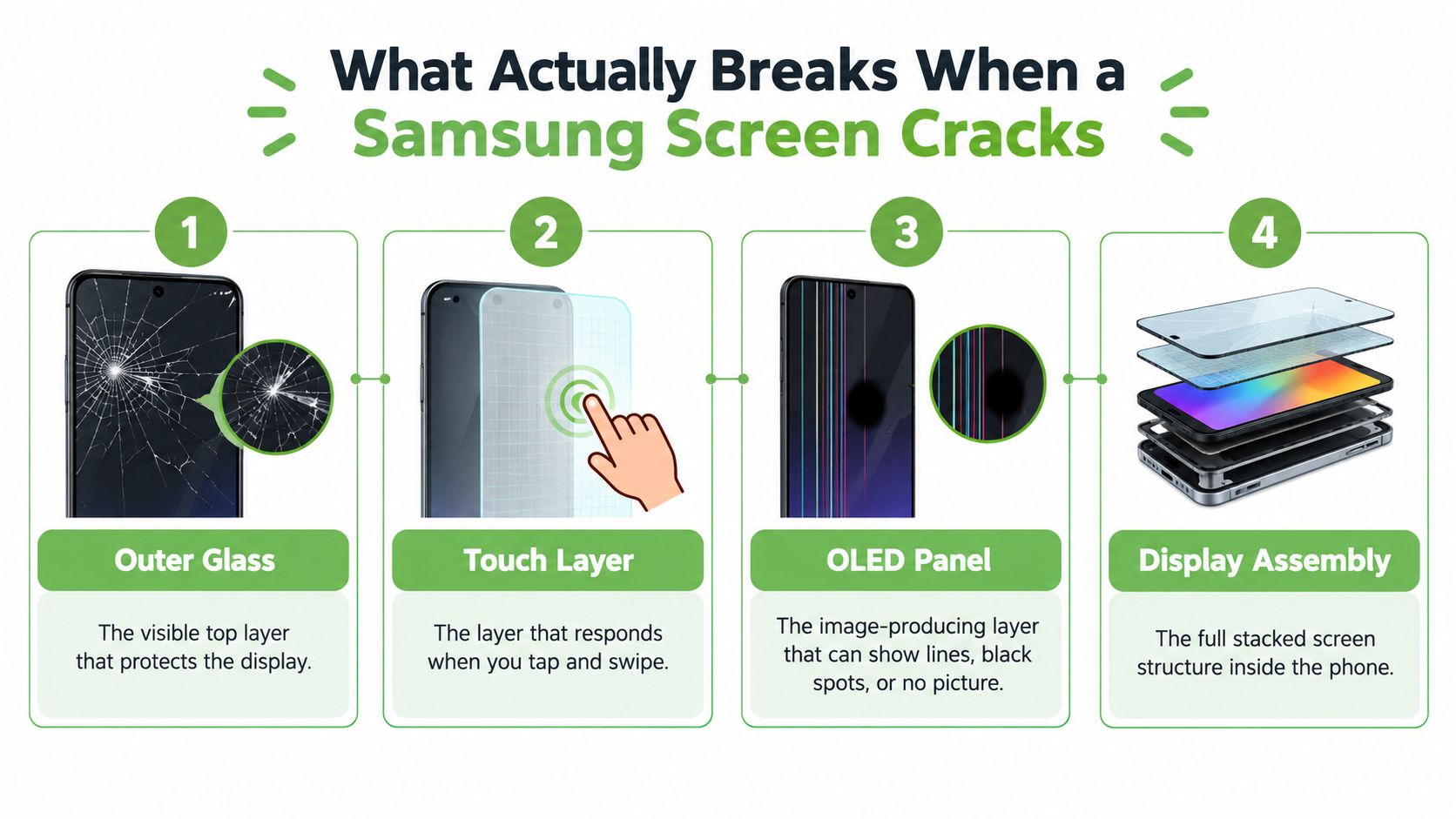
Think of the display as a window. The outer glass is the pane you see. Under it, a touch layer reads taps and swipes. The OLED panel beneath paints the picture. The frame is the surround that holds the stack straight. A crack in the pane doesn't prove the surround has failed, and a tidy surround doesn't prove the layers inside are fine.
Samsung's Singapore repair-pack notes draw a hard line between an OLED Screen Repair (without Frame) and a broader component replacement. A technician can keep the original frame when the OLED or display assembly is damaged and the chassis isn't bent, dented or chipped. Display-only work uses less material and leaves more of your phone intact. A full screen-module replacement fits when the frame, touch layer, display or alignment is compromised. The final quotation and parts list come only after an authorised technician inspects the phone, so don't treat a web estimate as a diagnosis.
Say what failed, not just that it's cracked
Glass-only: Cracks or chips, with an even image and accurate touch. This is the job that can stay on the original frame.
Touch faults: Dead zones, ghost taps, or swipes that jump. The picture can look perfect while the layer under the glass has already failed.
OLED faults: Black spots, coloured lines, a dim patch, or no picture. A hairline crack can hide this. If brightness looks patchy, say so before anyone quotes "glass only".
Frame faults: A bent corner, a lifted edge, a chip in the metal, or a panel that no longer sits flush. That's module territory, not a tidy display swap.
Two Galaxies can look equally cracked and still need different repairs. One keeps its frame. The other needs the whole module because the chassis has moved.
Before you approve the job, ask whether it is display-only or includes the frame, whether the part is genuine, and whether biometrics, touch, brightness uniformity, adhesive sealing and calibration will be tested after reassembly.
On a Galaxy Z, split the problem again. The cover screen, the main foldable panel and the hinge are not one repair. A crease you already lived with isn't the same as a new black band after a drop. Name which screen failed, or the quote will be for the wrong part.
OEM, Aftermarket and Display-Only Repairs Compared
There isn't one Samsung phone screen repair. There are three routes, and they trade money, consistency and how much of the original phone you keep.
Genuine parts through an authorised channel cost more. Colour, brightness and touch usually track the panel Samsung fitted, and warranty handling stays inside Samsung's process. I'd pick this when the phone is new, Care+ is active, or you rely on an in-screen fingerprint and, on Ultra or Note models, the S Pen.
Aftermarket parts pull the quote down, and quality swings. Some assemblies are close on resolution and refresh. Others dim the panel, drop smooth scrolling, or leave the fingerprint reader unreliable. On an Ultra, ask specifically what happens to the stylus layer. A cheap screen that kills the S Pen isn't a saving.
Display-only repair keeps the original frame when the chassis is straight. You replace the stacked display, not the metal body, so you use less material and usually spend less than a full module. It stops being the right plan the moment the frame is twisted, because alignment and the seal won't hold.
| Repair Route | Typical Cost Level | Part Quality | Warranty Impact | Best For |
|---|---|---|---|---|
| Authorised OEM | Highest | Closest to the original panel | Stays inside Samsung's process when the job qualifies | New phones, Care+ claims, fingerprint or S Pen use |
| Aftermarket | Lower, uneven | Varies by supplier | Shop warranty only, and it may not match Samsung's | Older phones where the quote must stay modest |
| Display-only, original frame | Often the leanest of a sound repair | Depends on the panel fitted | Confirm in writing; frame damage is excluded | Straight chassis, display or touch failure only |
What to ask before you agree
Get the answers on the job sheet, not in a WhatsApp voice note.
Part identity: Genuine, OEM-equivalent, or an unnamed aftermarket assembly.
Scope: Display only, or frame, hinge and adhesive as well.
Cover after the job: Who warranties it, for how long, and what a second visit costs.
Seal: Everyday splash protection may be restored with fresh adhesive. Don't expect anyone to promise the original water-resistance rating once the phone has been opened.
If you want a plain look at how those parts differ before you compare quotes, read this guide to phone repair parts. Then put two written quotes side by side and ignore the headline that doesn't list the part.
Warranty, Samsung Care+ and Out-of-Warranty Repairs
Paperwork decides who pays, and a crack is usually your bill unless a plan says otherwise.
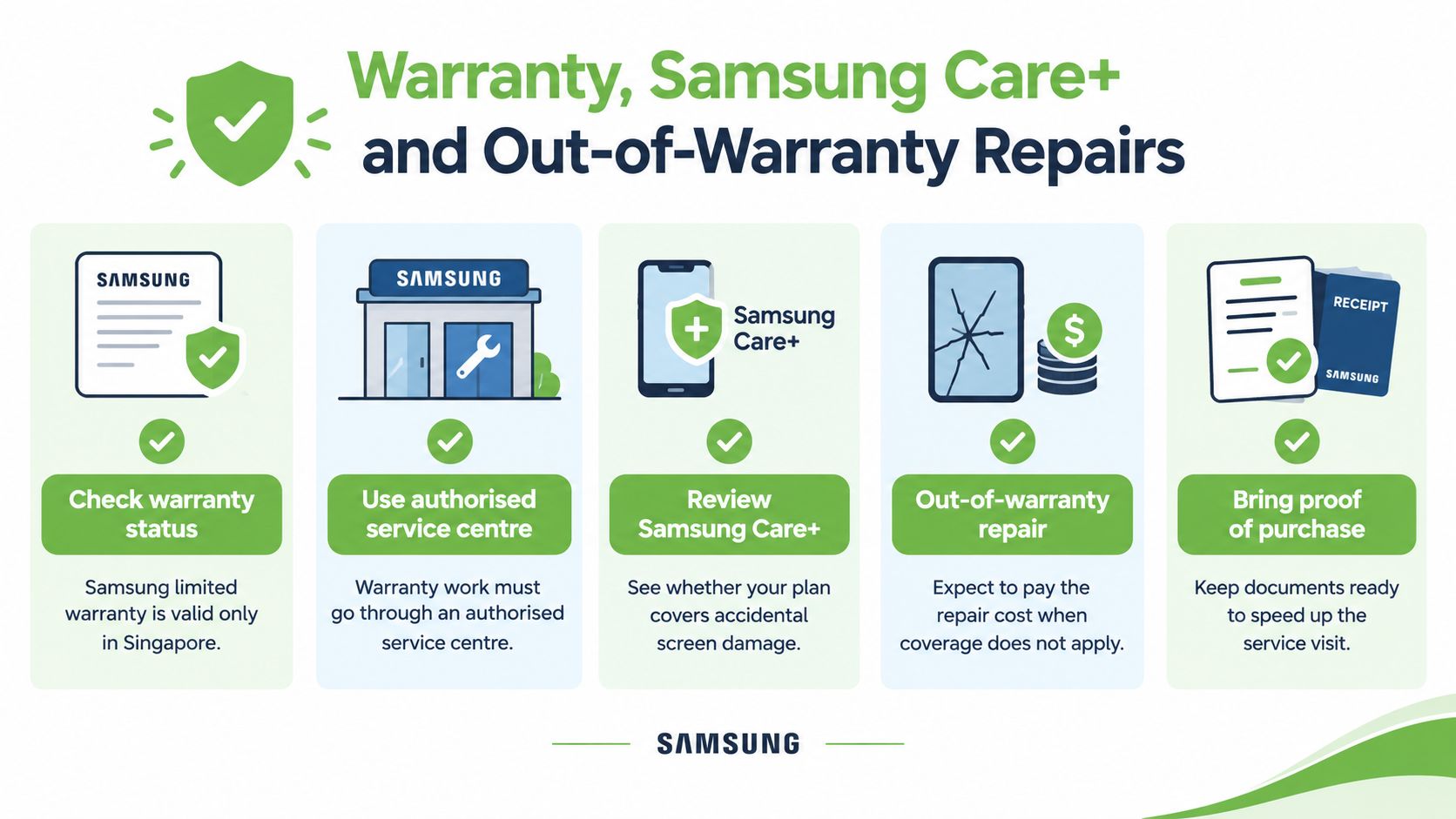
Samsung states that its limited warranty is valid only in Singapore, doesn't offer international warranty service, and allows warranty work only at a Samsung-authorised service centre. The start date is generally the purchase or delivery date on the authorised reseller's invoice, receipt or delivery order. If that paperwork is missing, Samsung may treat the warranty as starting 90 days after the manufacturing date.
Warranty service is generally limited to products bought in Singapore. An overseas Galaxy may be repairable here only when the device can be repaired and the parts and expertise are available. Physical damage such as a cracked screen is normally out of warranty unless a protection plan covers it. Check eligibility before you authorise paid work.
Care+ is not the same door as warranty
Samsung Care+ is accidental-damage cover with its own fees, and those fees aren't one number. Samsung's Care+ terms show that some plans offer one screen repair at S$50, while Z-series cover or main-screen claims can cost S$100. Certain 24-month plans also allow up to two discounted out-of-warranty repairs. The plan and the device decide which line applies.
The cheap advertised fee isn't automatically the lowest total. You still need valid cover, claim approval, eligible parts and an open service slot. A quoted screen price can leave out the frame, the hinge, liquid damage, or any other failed part. Ask for that split before you nod.
Run this triage before anyone starts
- Write down the model and IMEI.
- Confirm the phone was bought in Singapore, and find the invoice date.
- Note whether the fault is glass, touch, OLED, frame, or more than one of those.
- Check whether Care+ is active, and which screen it covers on a Fold or Flip.
- Take a written quotation, with exclusions, before paid work begins.
Imported phones are the awkward case. "Will Samsung repair it, and what will I pay?" has a conditional answer: only if it's repairable here, and only if parts and skill are on hand. Don't assume a local Care+ fee applies to a set bought overseas.
Bring the invoice, photos of every face of the phone, and the plan name. A missing receipt can move the warranty start, and a missing plan name can turn a S$50 claim into a full out-of-warranty bill.
Protecting Your Data Before and After the Repair
A lock screen is not a privacy plan once the Galaxy leaves your hands. Someone may need access to the phone to test touch, cameras and the fingerprint reader. That's enough access to photos, chats and banking apps if you haven't prepared the phone.
Singapore's Personal Data Protection Commission sets a clear bar for organisations. Personal data must be securely wiped, sanitised or destroyed before hardware is repaired, redeployed, exchanged or disposed of. The PDPC's ICT guidance treats mobile devices as assets that can store or process personal data, and it recommends an up-to-date inventory so devices stay accounted for. One method it gives is cryptographic erasure: discard or erase the full-disk-encryption key, then reformat and overwrite the storage where that's appropriate. Data you no longer need should be erased as soon as possible.
You're not that corporate rule if this is a personal phone. Copy the habit anyway.
Before it goes on the bench
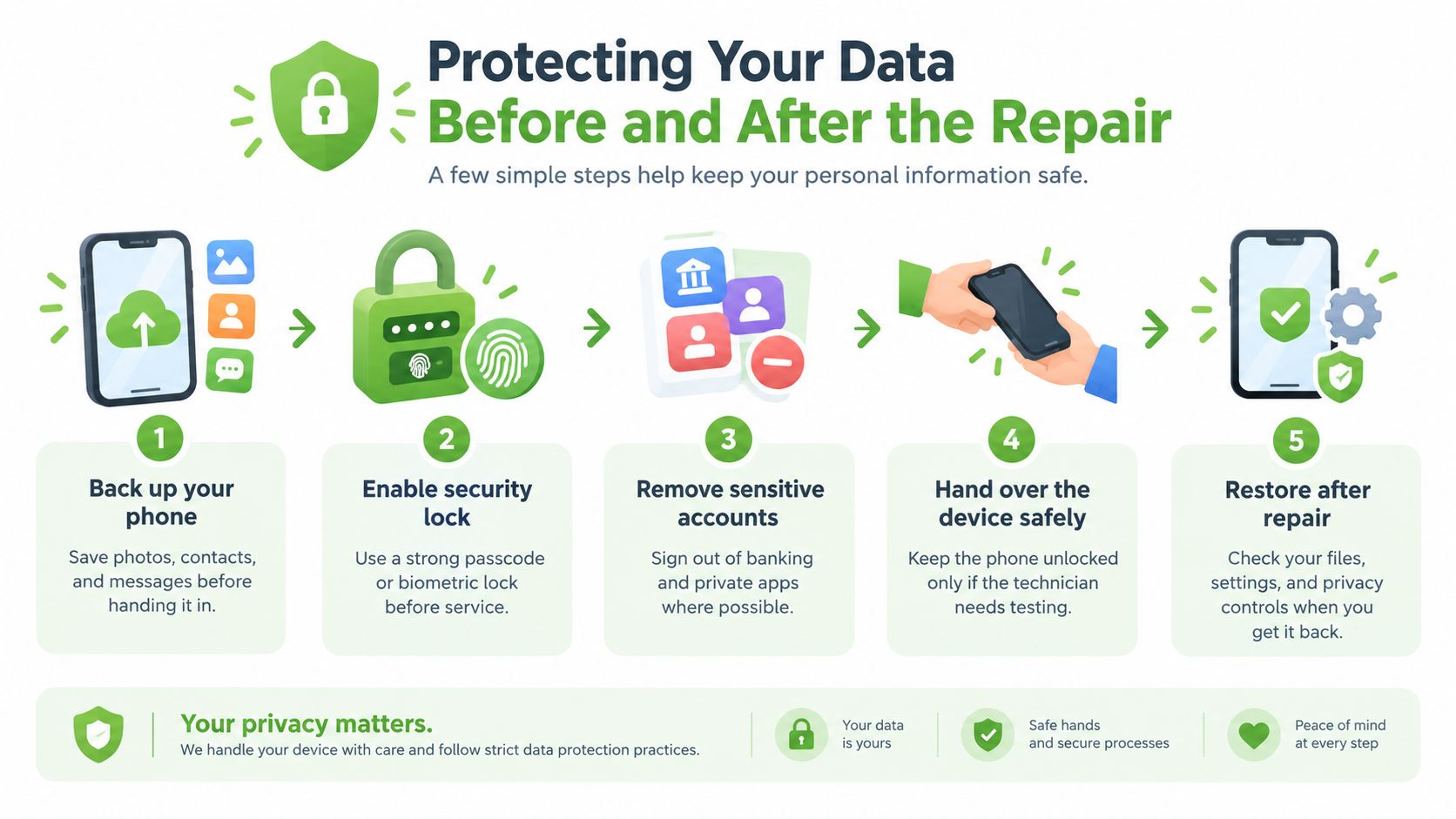
Back up first. Photos, WhatsApp, contacts and work files. A screen job shouldn't touch storage, and you still don't want the only copy sitting in a workshop.
Sign out of what you can. Banking, email and private apps. Leave a strong passcode or biometric lock on.
Ask how the shop handles data. Who accesses it, whether they need your passcode, and whether they wipe anything.
If the panel is dead, don't assume a new display solves a storage problem. PDPC disposal guidance says data stored electronically must be securely deleted, erased or destroyed so it can no longer identify a person. For a company handset, that duty covers the whole device, not just the glass. If your own files are stuck behind a black screen, look at Android data recovery before anyone wipes the phone.
Five minutes after you collect it
Touch: Drag across every edge, including corners and the area near the hinge on a Fold.
Cameras, speakers, charging: Front, rear, loudspeaker, wired charge, and wireless charge if the model has it.
Biometrics and radios: Re-enrol the fingerprint, then test Wi-Fi, mobile data and the S Pen where you use one.
Paper: Leave with the part type, the scope, and the warranty terms in writing. "Screen repaired" doesn't mean the phone is back to the day you bought it.
Repair or Replace and Where Trade-In Fits In
Put the threads together and the rule is blunt. Repair when the Galaxy is otherwise healthy and the damage is display-only. Trade in or replace when the frame is bent, several parts have failed, or the quote is close to what the phone is still worth.
A repair also protects the next decision. A working screen keeps residual value, so the phone can still be traded in or donated later. Tossing it now sends a usable processor and camera down a path where those parts are easy to lose.
Singapore's broader e-waste picture shows those paths aren't theoretical. A Singapore Management University summary of NEA research reported that, each year, about 35% of e-waste was removed by delivery personnel, 24% was traded in, and 9% was donated. The percentages cover electronics generally, not Samsung phones alone. They still show trade-in and donation as real alternatives to a drawer or a general bin. If the repair doesn't pay, use one of those routes, or a parts harvest, rather than household rubbish.
Timing and what "fixed" should mean
Same-day service is possible, not promised. Samsung has said same-day repair may be available only for eligible devices, and it depends on claim approval, parts availability and technician scheduling. Galaxy Z models are the slow case: cover screen, main panel, hinge and frame can be separate faults, and parts aren't always on the shelf.
A repaired screen is not a restored phone unless the job sheet says what was replaced, what was tested, and what is excluded.
In Singapore you can book Samsung's authorised channel, an independent workshop, or a lifecycle counter such as myhalo, which does Galaxy screen work and also buys devices back. Judge them on the written scope. If you're weighing a sale instead of a fix, this look at Samsung phone trade-in value shows how condition changes the offer. Fixing a straight, otherwise healthy phone before a trade-in often beats handing over a cracked one. Walking away from a bent frame and a tired battery is just as rational.
Your Next Steps for a Samsung Screen Repair in Singapore
Do this in order, then stop second-guessing the headline price.
Name the damage. Glass, touch, OLED, frame, or a foldable's cover screen, main panel or hinge.
Check who pays. Invoice, Singapore purchase, and whether Care+ covers this screen.
Get the quote in writing. Part type, frame or not, exclusions, and how long the work is covered.
Back up and lock the phone. Then test touch, cameras, biometrics, sound, charging and wireless after pickup.
If you want a place to start looking, these shops that repair phones cover drop-off options around Singapore. A repaired Galaxy can move to trade-in later. A phone that isn't worth fixing should go to buyback, donation or proper recycling, not the back of a drawer.
If you're stuck between a Samsung screen repair and letting the phone go, myhalo can look at the display, help when files are trapped behind a dead panel, and route devices into reuse instead of the bin. Bring the handset and your proof of purchase, and you'll get a clearer choice than a headline price. Visit myhalo when you want that sorted without the runaround.