
Sixty per cent of Singapore consumers keep old devices after replacing them, so there's a substantial supply of pre-owned phones. Yet 32% of those kept devices are left unused indefinitely, creating an opportunity for savvy buyers to find capable phones that still have plenty of life left.
That opportunity comes with a catch. The advertised price rarely tells the whole story. Battery health, condition grading, account locks, component quality and data security can change whether a second-hand mobile phone in Singapore is a smart purchase or an expensive headache. A phone that looks spotless may need a battery replacement soon, while a visibly worn device may work perfectly and offer better value.
The good news is that you don't need to be a technician to shop wisely. You need a simple way to understand where the value comes from, what to inspect, and which questions to ask before handing over your money.
Table of Contents
- Why the Second-Hand Market in Singapore is Booming
- Where to Buy and Sell, Online Marketplaces vs. Certified Retailers
- Understanding Condition Grading, What Do the Labels Really Mean?
- The Secret Factor, Why Battery Health Dictates Your Price
- Your Safety Checklist, Data Wiping and Hardware Checks
- Making a Sustainable Choice with myhalo
Why the Second-Hand Market in Singapore is Booming
A familiar Singapore household scene looks like this: someone upgrades to a newer iPhone or Samsung Galaxy, moves their photos across, and places the old phone in a drawer “just in case”. The phone stays there through several house clean-ups. Eventually, its battery weakens, its software becomes outdated, and nobody remembers whether the charging cable is still around.
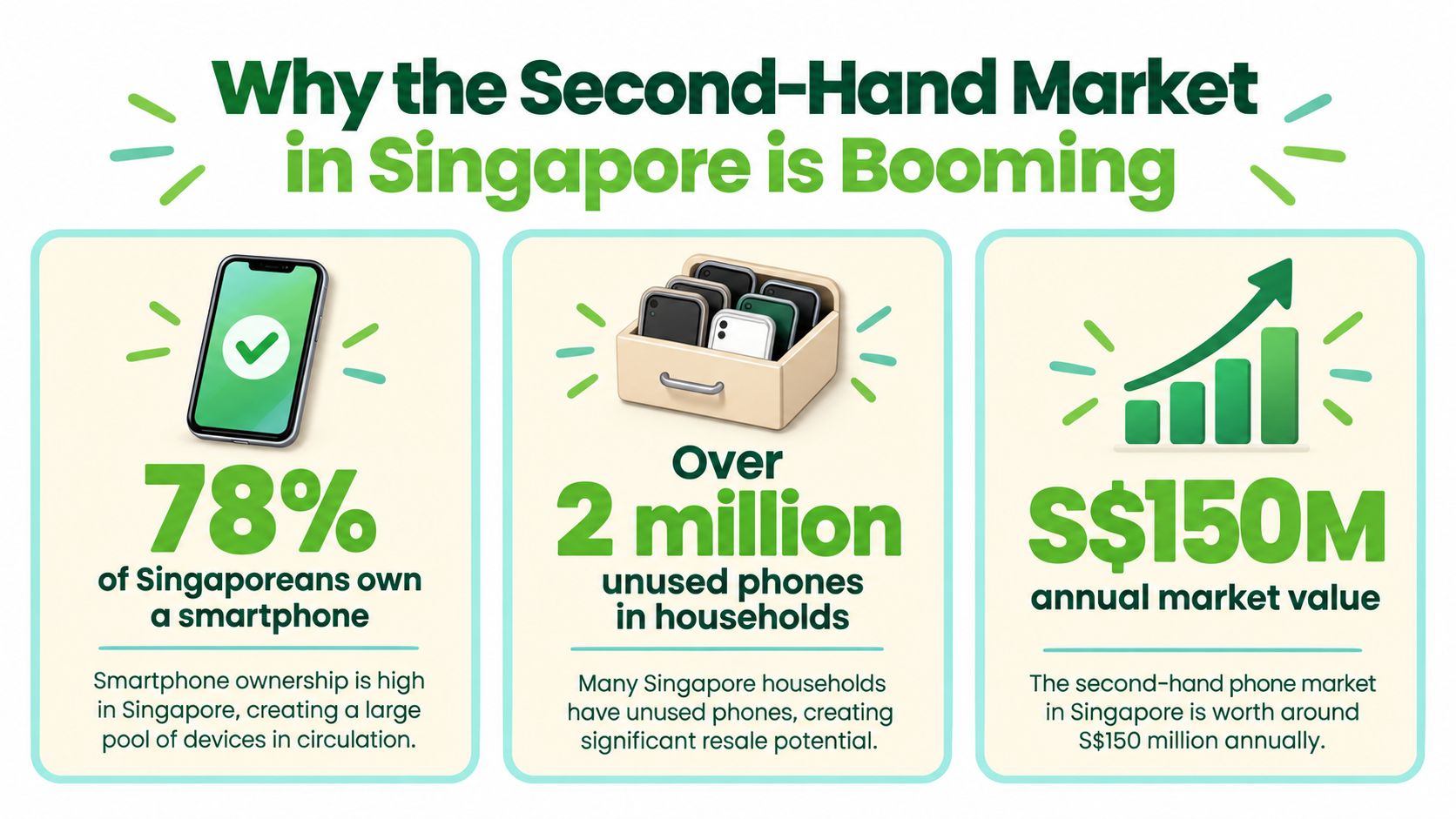
That drawer is part of Singapore's second-hand supply pipeline. Local survey data indicates that 60% of consumers keep old devices after replacement. Among those people, 32% leave the devices unused indefinitely, while another 32% resell or trade them in, according to Singapore Business Review's coverage of old-device reuse. Many phones aren't broken. They're just waiting for a trusted route back into circulation.
Singapore's active device base keeps feeding that route. SingStat reported 9,831.5 thousand total mobile phone subscriptions in 2025, about 1.8% fewer than the prior year, but still roughly one subscription per resident in a country of about 6 million people. Subscriptions aren't the same as individual handsets, but the scale helps explain why upgrades, trade-ins and resale inventory keep appearing.
Why reuse makes practical sense
Singapore consumers also replace phones relatively quickly. One Singapore-focused report puts the typical upgrade cycle at roughly 2.7 years, compared with a global average of 3.5 years, and says Apple and Samsung together hold 73% of the local market. That combination sends recent-generation, premium-brand phones into resale channels, where demand is often easier to predict.
The same report on the hidden costs of constant phone upgrades says 32% of respondents resell phones through re-commerce platforms and 12% pass them to friends or family. It also states that refurbishing one smartphone can avoid 24 kg of carbon emissions and displace extraction of 77 kg of materials.
For buyers, this means a second-hand phone isn't automatically a compromise. You may get a familiar model, broad accessory availability and a lower entry price. For the community, each reliable resale keeps a working device useful for longer.
A useful mindset: Don't ask only whether a phone is cheap. Ask whether its remaining battery life, condition and support justify the price.
Where to Buy and Sell, Online Marketplaces vs. Certified Retailers
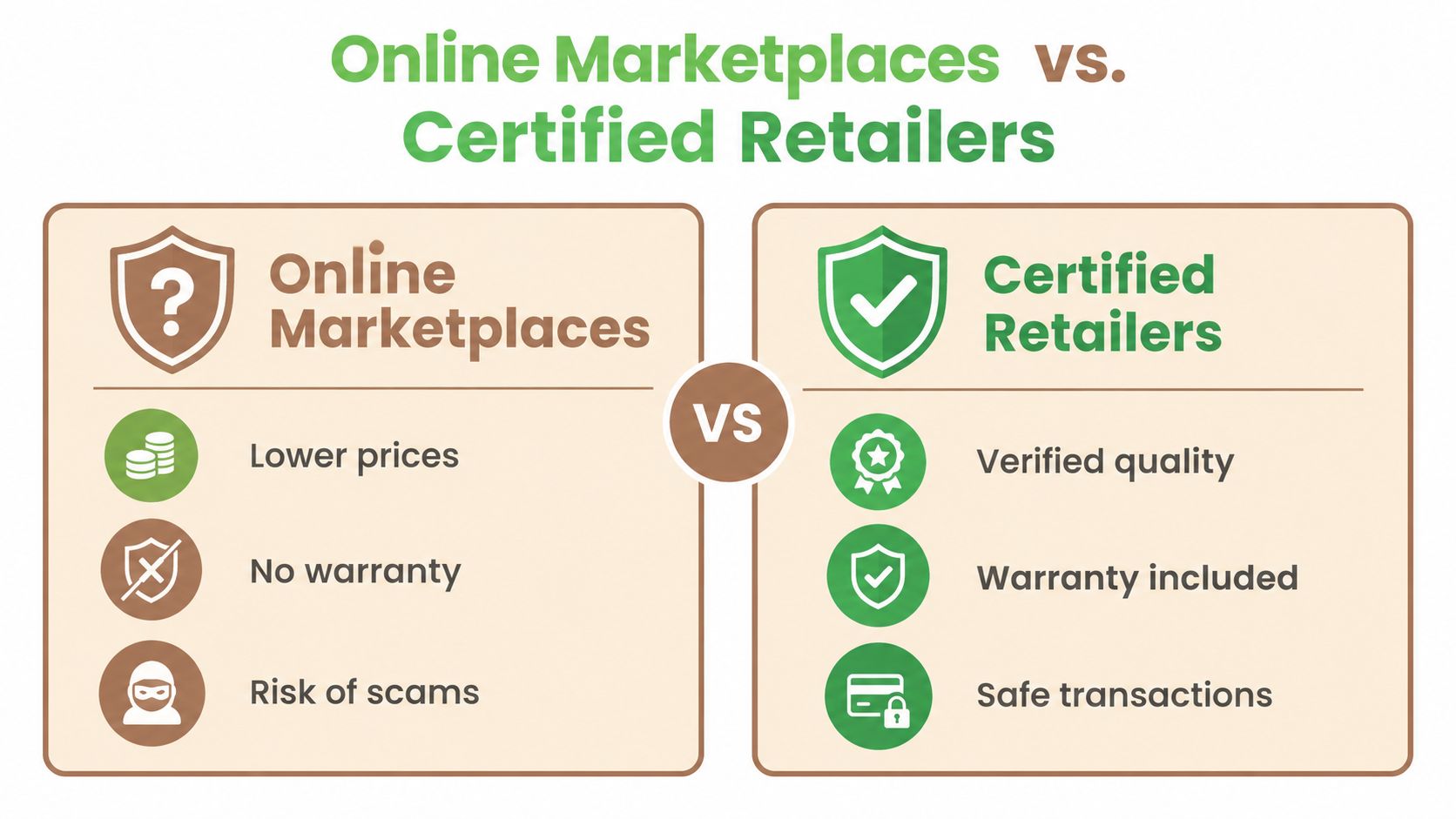
There are two broad ways to enter Singapore's pre-owned phone market. You can buy directly from an individual through an online marketplace, or you can choose a certified retailer that checks, grades and supports the device before resale.
The marketplace route may offer a lower asking price and a wide choice of models. You can message sellers, negotiate and sometimes inspect the phone in person. But the transaction usually depends on your own testing, judgement and willingness to accept uncertainty. If the phone develops a fault after payment, your options may be limited.
A certified retailer adds process to the purchase. The device should have documented diagnostics, a clear condition grade, a stated warranty or exchange policy, and a defined approach to data erasure. You're paying for more than the handset itself. You're paying for someone to reduce the unknowns.
A simple comparison
| Buying route | What can work well | What you need to verify |
|---|---|---|
| Online marketplace | More direct negotiation and potentially lower prices | IMEI status, account lock, battery health, hardware function, seller accountability |
| Certified retailer | Diagnostics, condition grading and after-sales support | What the warranty covers, how the phone was tested, battery policy and return terms |
The right choice depends on your comfort with inspection. A technically confident buyer who can test every function and walk away from a suspicious deal may accept more marketplace risk. Someone buying a phone for daily work, school or family use may prefer a documented process.
For sellers, the same distinction matters. An individual listing may take time to prepare and manage, while a structured trade-in service can assess the device, quote it and handle data sanitisation. Before you decide, use this practical guide to trading in a phone in Singapore to understand the information a proper assessment should cover.
Before paying: Get the battery health, condition grade, warranty terms and account-lock status in writing or clearly recorded in the listing. A vague answer is useful information too.
Understanding Condition Grading, What Do the Labels Really Mean?
Condition grades are meant to translate wear into a buying decision. The trouble starts when sellers use labels such as “Like New” without defining what buyers should see or what functionality has been checked.
A trustworthy grade describes two separate things: how the phone looks and how the phone works. A device can have scratches and still function reliably, while a clean-looking handset can contain a weak battery or an unreliable charging port.
A practical grading guide
New: The device is unused or sold in new condition, with no expected signs of previous ownership. Confirm what “new” means, especially if the box has been opened.
Like New: The phone should look close to unused under normal inspection, with minimal cosmetic marks. The screen, frame and camera glass should be free from damage that affects everyday use.
Good: Light signs of handling are expected, such as small marks on the frame or back. The phone should remain fully functional, but ask whether the grade allows visible scratches, dents or replaced parts.
Fair: More noticeable wear is acceptable, including scuffs or cosmetic marks. The important question is whether the phone's performance remains dependable and whether the lower price fairly reflects its appearance.
A clear seller should explain whether grading includes screen condition, frame damage, camera glass, ports and signs of repair. Ask for photographs taken in good light, not only polished product images. If a screen protector hides the display, request a view without it.
Why grading changes value
Condition affects more than appearance. Deep frame damage may suggest a drop, bent housing can put pressure on internal components, and a damaged charging port can turn a cheap phone into a repair project. That's why a proper inspection should include physical checks as well as software diagnostics.
You can also review how a certified process approaches quality assurance testing for used devices. The principle is straightforward: the grade should help you predict what you'll receive, not make you guess.
Ask this exact question: “What visible marks and functional limitations are included in this grade?” If the answer is specific, you can compare prices fairly.
The Secret Factor, Why Battery Health Dictates Your Price
Battery health is often the hidden value trap in a second-hand phone. Two devices can share the same model, storage capacity and cosmetic grade, yet deserve different prices because one battery is closer to replacement.
Battery capacity describes how much charge the battery can hold compared with when it was new. It is similar to the size of a water bottle that has gradually shrunk. The phone may still work normally, but you'll refill it more often as the available capacity falls.
A phone at 85% battery capacity can remain usable, but the remaining 15% capacity loss signals faster degradation and is commonly reflected in a discount of about S$40 to S$80 compared with a similar unit at around 90% battery health, according to SellUp's explanation of battery health and trade-ins. Below 80%, quotations typically fall more sharply because buyers are pricing in battery service or replacement risk.
How to read the number
On an iPhone, open Settings, select Battery, then Battery Health & Charging. Look for the maximum capacity figure and any service warning. On Android, the exact menu varies by manufacturer, so ask the seller to show the device diagnostics or provide a documented battery assessment.
Don't treat the percentage as the only battery clue. Check whether the phone becomes unusually warm, shuts down unexpectedly, charges intermittently or loses power quickly during ordinary use. A battery reading is a useful signal, not a complete medical report.
Turn health into a price decision
Use battery health alongside the condition grade. A lightly marked phone with a stronger battery may offer better value than a spotless phone that needs service soon. If you're comparing two listings, estimate the likely cost and inconvenience of battery work before deciding which is cheaper.
For iPhone owners, a separate explanation of iPhone battery service can help you understand why battery condition affects ownership costs. The key question is not “Does it turn on?” It's “How much useful daily life am I buying?”
Your Safety Checklist, Data Wiping and Hardware Checks
A safe transaction protects both sides. Buyers need to confirm that the phone belongs to the seller, isn't locked to someone else's account and works as described. Sellers need to remove personal information before handover, because a factory reset is a privacy step, not just a tidy-up.
Five checks before you commit
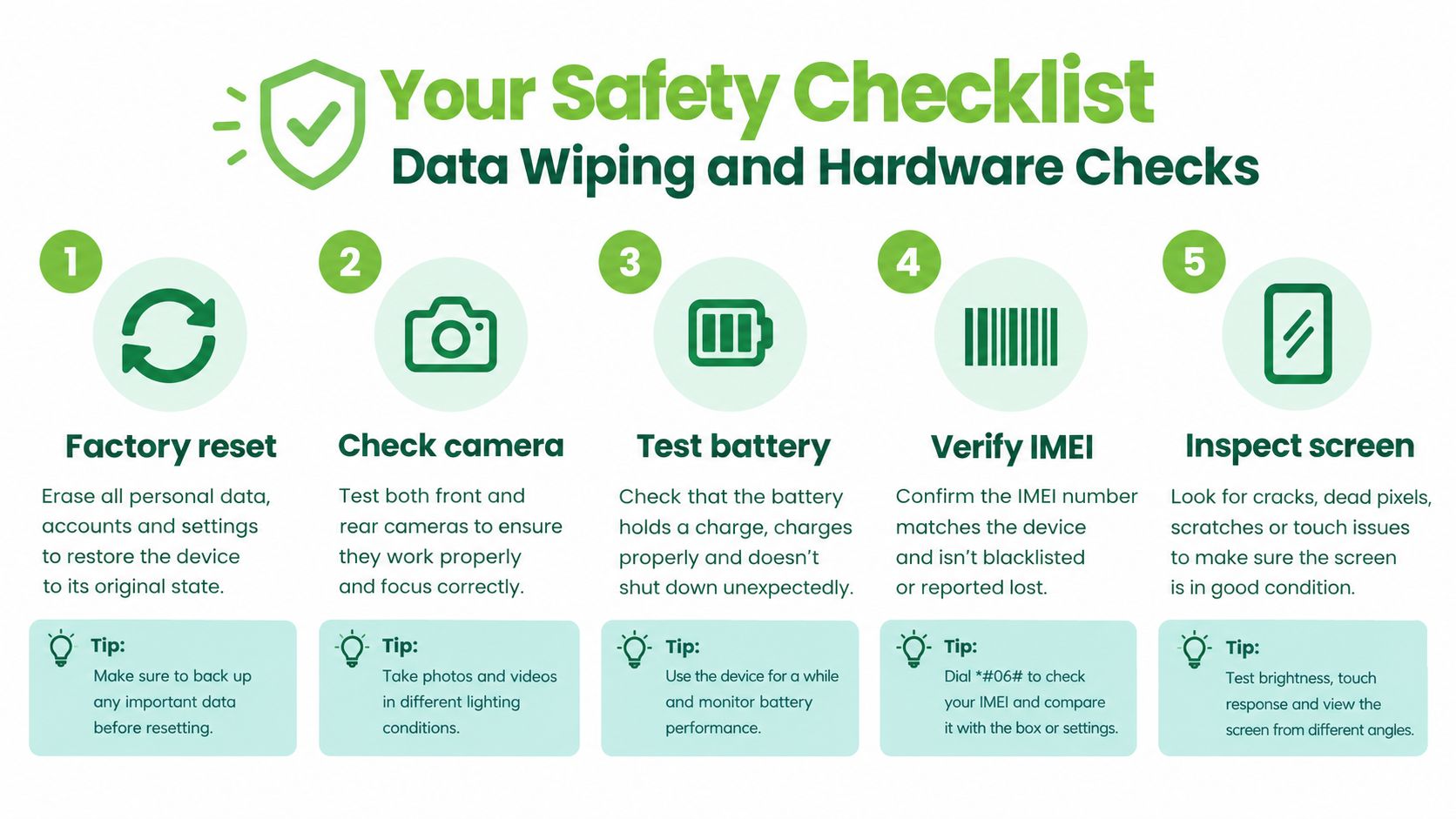
Confirm the phone's identity. Find the IMEI, the handset's unique identity number, and compare it with the phone's settings or packaging where available. A mismatch deserves an explanation before you continue.
Check account locks. The seller should sign out of Apple or Google accounts and disable security features linked to the previous owner. After reset, the phone should let you begin setup with your own account.
Test the screen and body. Open a white image to look for discolouration or dead pixels, then drag an app icon across the display to test touch response. Inspect the frame, camera glass and SIM tray for damage or signs of liquid exposure.
Try the essential hardware. Take photos with the front and rear cameras, record sound, play audio through the speakers, press every physical button and connect a charging cable. Test Wi-Fi, Bluetooth and mobile connectivity if you're meeting in person.
Review the battery and reset process. Ask to see the battery health or diagnostic result. If you're selling, back up your data, sign out of accounts, remove security locks and perform a factory reset before handover.
Singapore trade-in operators specifically require users to back up data, sign out of accounts, remove security locks and factory reset devices. The Samsung Singapore trade-in FAQ also explains that devices undergo a data wipe or secure erasure process intended to delete stored personal information.
A structured secure data management process can make selling less stressful. If you have confidential work files, family photos or saved credentials, don't assume that deleting a few apps is enough.
Here's a short visual walkthrough to keep nearby while checking a phone:
Making a Sustainable Choice with myhalo
The smartest second-hand purchase balances three forms of value: what you pay, what you receive and what stays in use. Reuse matters in Singapore because the country generates about 60,000 tonnes of e-waste each year, described as equivalent to discarding about 70 mobile phones per person in Samsung Singapore's trade-in information. A household phone left in a drawer has not reached its full useful life.
The Singapore government's e-waste information reports that about one-quarter of household e-waste is traded in or sold, with mobile phones among the higher-value items commonly entering that route. That makes a properly assessed resale or trade-in more than a convenient handover. It's a way to keep materials and working components circulating.
myhalo offers certified ReLoved devices, buyback and trade-in services, repair, data recovery and secure data handling for devices that are being resold, repaired or retired. Its AI-backed pricing approach is designed to produce transparent real-time quotes, while testing and condition grading help buyers understand what they're receiving.
The wider aim is simple: make a zero e-waste lifestyle feel convenient, safe and responsible. You can declutter unused tech, protect private information with Safe data, and recover valuable files through Save data when a damaged device still holds important memories or documents.
Ready to feel lighter and do good? Let's clear out those old devices together with myhalo's buyback, repair and certified ReLoved options, supported by secure data handling. Visit myhalo to explore a convenient way to buy, sell or extend the life of your next device.