
That drawer of old phones, laptops, tablets, and tangled chargers is easy to ignore. You may keep the devices because they contain family photos, work files, saved passwords, or customer information, and the thought of handing them to a stranger feels risky. At the same time, unused electronics take up space and delay the repair, reuse, and recycling journey that supports a zero e-waste Singapore.
Secure data management removes that fear by treating data protection as part of the entire device lifecycle, not as a last-minute deletion task. It connects sensible policies, encryption, verified erasure, documented custody, and responsible recovery or recycling. For households, schools, and businesses, that means you can clear out e-clutter with confidence while keeping personal information out of the wrong hands.
Table of Contents
- Why Your Old Devices Hold More Secrets Than You Think
- Understanding the Three Pillars of Secure Data Management
- The Secure Data Destruction Process Step by Step
- Choosing the Right Erasure Method for Your Devices
- How Secure Data Management Supports Singapore Compliance
- Why Certified ITAD Providers Are Worth the Investment
- Making Secure Data Part of Your Zero E-Waste Journey
Why Your Old Devices Hold More Secrets Than You Think
You replace an old laptop, sign out of a few apps, delete some files, and slide it into a bag for resale or recycling. It feels finished. In many cases, it is not.
A retired device can look clean while still holding pieces of your digital life. Deleting a photo, emptying the recycle bin, or doing a quick format often removes your view of the file, not the file itself. Data can remain on the drive like writing rubbed off a whiteboard that still shows through under the right light. Until the storage is properly sanitised, someone with the right tools may still recover it.
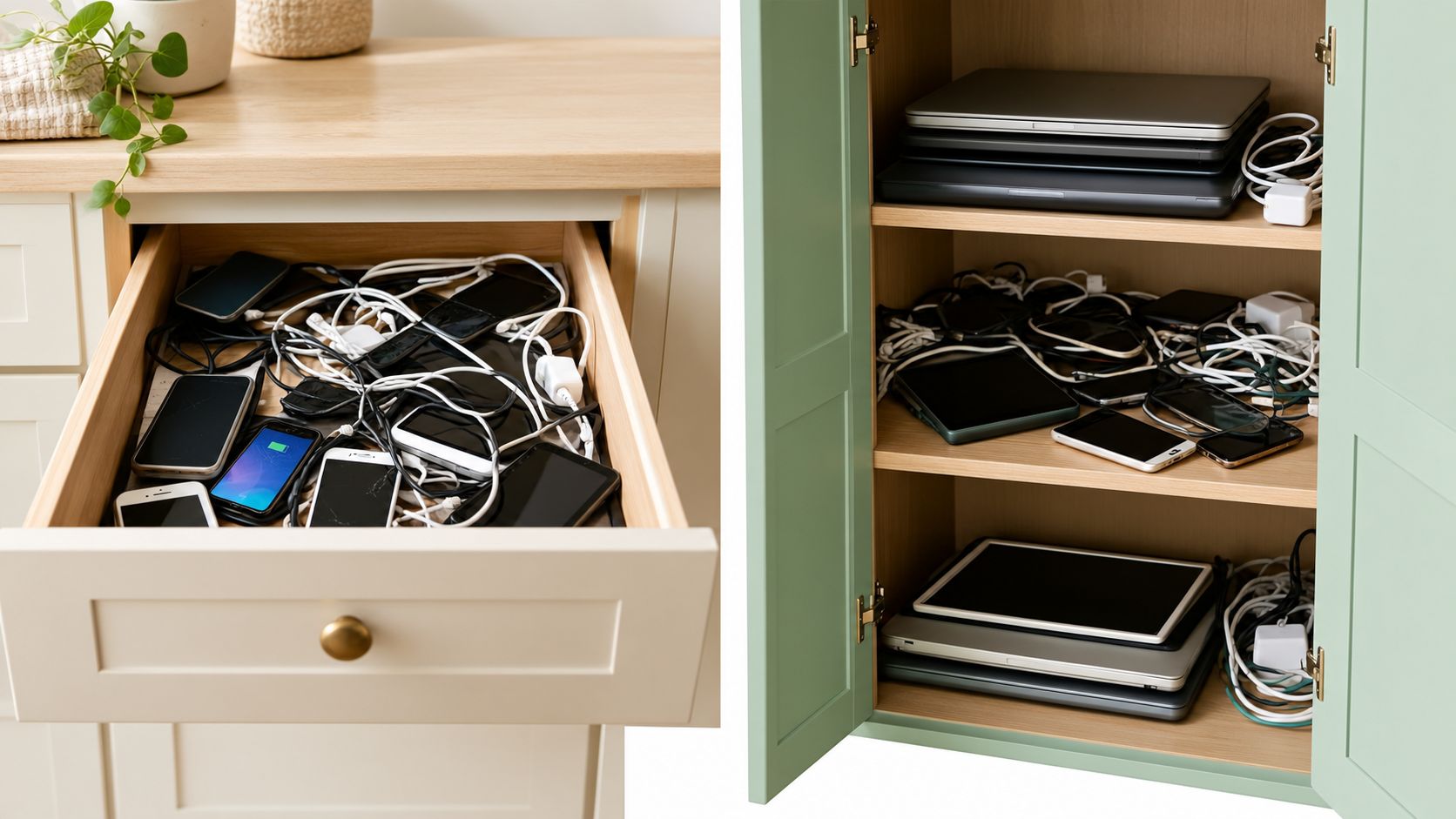
The risk stays with the hardware
Consider a small business replacing an ageing laptop. An employee deletes a few folders, signs out of email, and hands the machine to an informal collector. The laptop may still hold browser cookies, saved passwords, downloaded files, local user profiles, cached attachments, and recovery partitions. The screen looks empty. The storage may not be.
The same problem shows up at home. An old phone can store messages, family photos, health records, banking app data, and tokens that keep cloud accounts signed in. A child's tablet may contain school logins and shared family credentials.
These are ordinary devices carrying ordinary routines, which is exactly why they are easy to underestimate.
Practical rule: Treat every retired device as a data-bearing asset until its storage has been sanitised and the result recorded.
This is also where privacy and sustainability meet. People often keep unused electronics because disposal feels risky, or they pass them into informal channels without a clear process. Both choices slow reuse and recycling. If you want to understand why leaving old tech at home creates both security and e-waste problems, this guide on why home isn't the place to dump old devices explains the trade-offs clearly.
A safer disposal decision does more than protect personal information. It also helps devices move into the right next stage, whether that is reuse, parts recovery, or recycling. That connection matters in Singapore, where secure data management supports not just privacy, but a cleaner and more accountable zero e-waste journey.
Understanding the Three Pillars of Secure Data Management
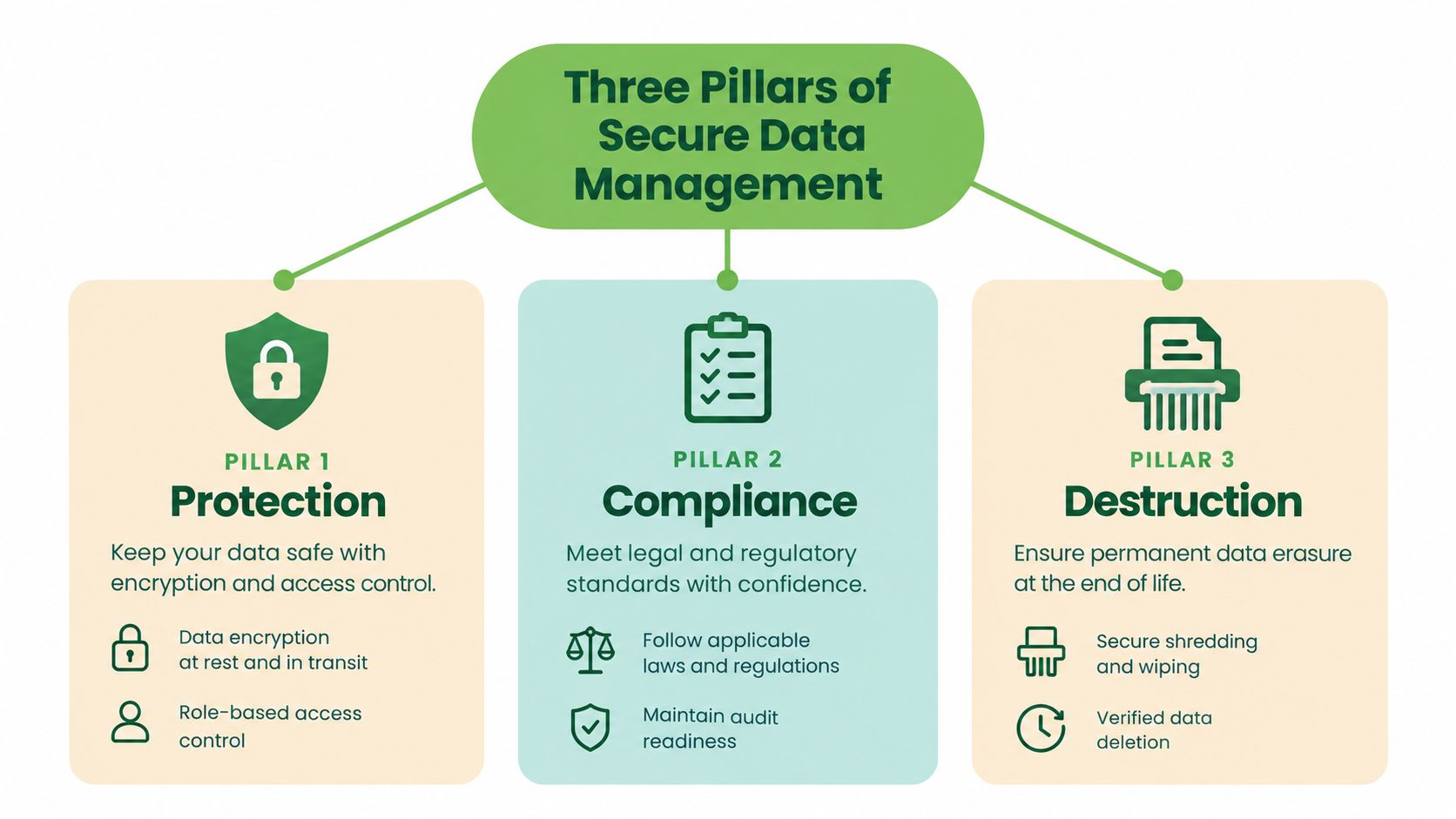
Secure data management works like a three-legged stool. Policies set the rules, encryption reduces the value of exposed files, and secure destruction closes the lifecycle when a device is retired. Remove one leg and the process becomes harder to control.
Policies create consistent habits
A policy answers practical questions before someone makes a rushed disposal decision:
- What counts as sensitive data: Identify personal, financial, health, customer, student, and confidential business information.
- Who owns the decision: Assign responsibility for approving reuse, resale, recycling, or destruction.
- What evidence is required: Record asset identifiers, custody transfers, sanitisation methods, verification results, and final outcomes.
- When retention ends: Align device handling with the point at which an organisation no longer needs the data.
A policy isn't useful if it sits in a folder no one consults. Staff need a simple workflow that covers procurement, deployment, repair, replacement, collection, and end-of-life handling. Asset registers and lifecycle planning help teams know which devices exist and what should happen to them next. (IT asset management practices for organisations)
Encryption protects data while a device is in service
Encryption converts readable information into scrambled text that requires a key to access. Think of it as placing documents in a locked safe. If someone finds the laptop, the files should remain unreadable without the correct credentials or recovery key.
Encryption doesn't replace erasure. It lowers exposure during daily use, transport, repair, and temporary loss, while a separate sanitisation process handles retirement. Strong access controls matter too. A device shared by many people, or protected by a weak account, can still expose data even when its storage is encrypted.
Destruction ends the storage relationship
At end of life, the organisation must choose a method that makes data unrecoverable or inaccessible for the intended outcome. A working device planned for reuse may need verified logical or cryptographic erasure. A failed drive may require physical destruction because the organisation can't reliably run or verify an erasure process.
These pillars reinforce each other. Policy determines the required outcome, encryption protects the device along its journey, and verified sanitisation prevents old information from travelling with the hardware.
The Secure Data Destruction Process Step by Step
A secure disposal process should read like a clear travel log for each device. At every handoff, you should be able to see where the laptop, phone, or server went, who handled it, what happened to the storage, and whether the hardware was prepared for reuse, recycling, or destruction. That visibility protects privacy and supports better end-of-life choices, which matters if you want to reduce e-waste instead of sending useful equipment straight to the shredder.
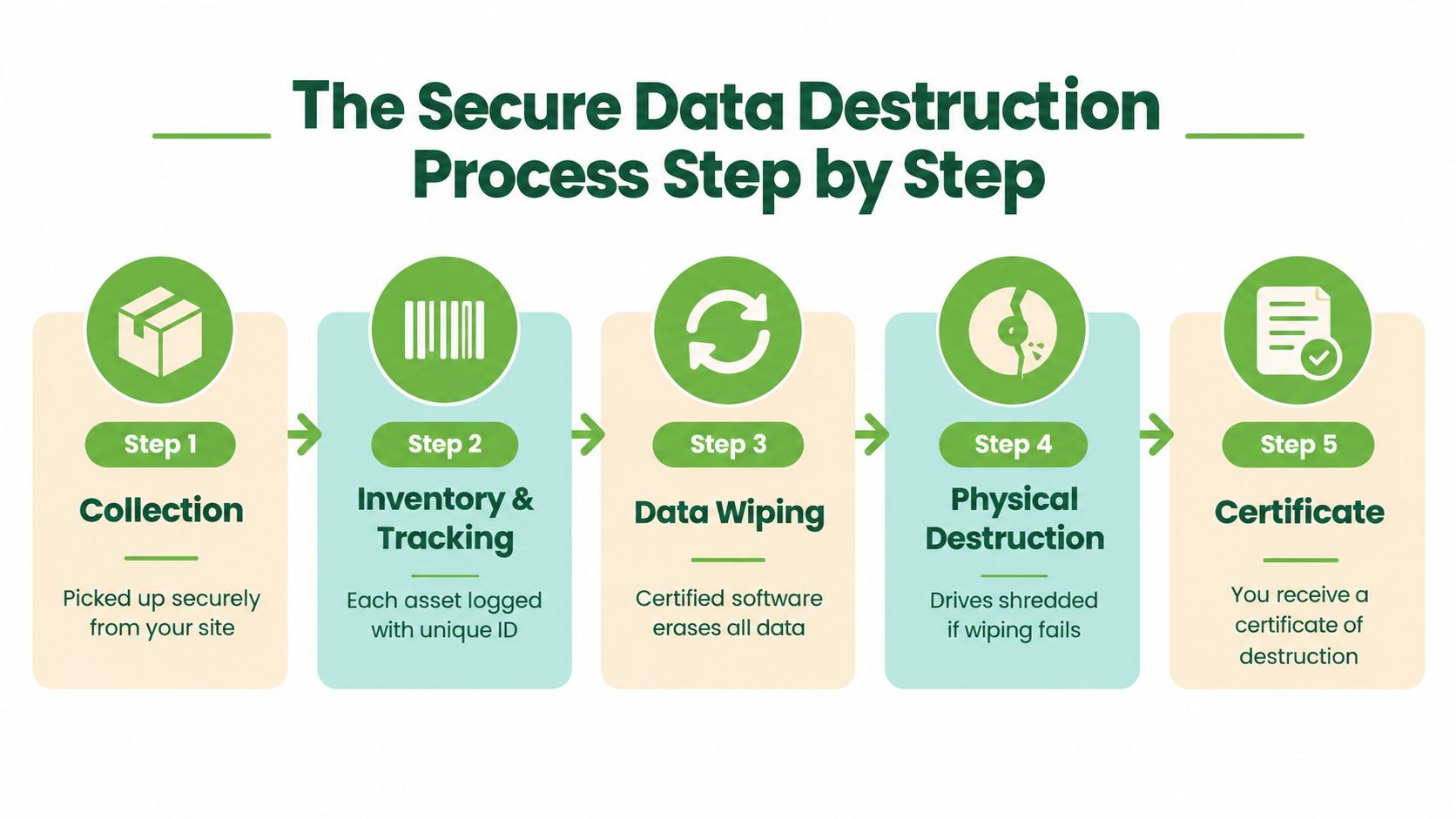
1. Identify every asset
Start with a full inventory before anything leaves the office.
Record the device type, serial number or internal asset ID, storage media, condition, owner, and intended outcome. A simple list does more than keep things organised. It stops devices from drifting into an unmarked pile, and it lets the final report match each physical item to its data treatment and final destination.
2. Protect the chain of custody
Next, document every handoff. If a device changes hands without a record, you lose the story of what happened to it.
A good chain of custody shows who released the device, who transported it, when it moved, and where sanitisation or destruction took place. It works like a signed relay baton. Each person who touches the asset becomes part of a traceable record, which helps during audits, internal reviews, and investigations into missing equipment or exposed data.
3. Select the method
Now the provider chooses the right sanitisation method for the actual device in front of them, not a one-size-fits-all routine.
That decision usually depends on five practical questions. What kind of storage does it use? Does the device still work? Is the drive encrypted? How sensitive is the data? Does the organisation want the hardware reused, or is destruction the safer path? A working encrypted laptop may be suitable for verified erasure, while a failed drive may need physical destruction because there is no reliable way to run or confirm a software process.
4. Verify the result
Verification is the checkpoint many teams overlook.
A success message on a screen is not enough by itself. The provider should confirm that the selected method worked and tie that result back to the specific asset record. If verification is not possible, for example because a drive is damaged, the safer decision is often physical destruction. This is one reason secure data destruction services and reporting workflows matter so much. They turn a private promise into evidence you can keep.
5. Issue the records
The last step is paperwork, but it is not just admin.
A certificate of destruction, asset list, method report, and final disposition record create the audit trail. These documents show whether equipment was wiped for reuse, dismantled for parts recovery, recycled, or destroyed. That distinction matters for two reasons. It proves that data was handled safely, and it shows whether your disposal choices supported Singapore's zero e-waste goals by preserving usable equipment where possible instead of treating every device as scrap.
Before choosing a provider, ask what evidence you will receive. A useful checklist includes:
- Asset traceability: Does each device appear by serial number or another unique identifier?
- Method clarity: Does the record state whether the provider wiped, degaussed, crushed, or shredded the media?
- Verification details: Does the provider show how completion was checked?
- Final destination: Does the report distinguish reuse, resale, parts recovery, recycling, and destruction?
A certificate supports a sound process. It does not replace one.
Choosing the Right Erasure Method for Your Devices
“Secure erase” isn't one universal button. The right method depends on the storage technology, device condition, sensitivity of the data, and whether the hardware needs to remain usable.
| Device situation | Suitable direction | Why the choice matters |
|---|---|---|
| Functional hard disk drive planned for reuse | Verified overwrite or wipe | The drive can remain useful when the process is completed and checked properly |
| Encrypted working device planned for reuse | Cryptographic erasure or key destruction | Removing the encryption key can make the stored ciphertext effectively unrecoverable while preserving the hardware |
| Magnetic media requiring a stronger control | Degaussing | A magnetic field can disrupt data stored on suitable magnetic media |
| Failed, inaccessible, or highly sensitive storage | Physical destruction | Crushing or shredding avoids relying on software that cannot run or be verified |
| Mixed fleet with unknown condition | Assessment-led method selection | One process may not suit every drive in the same collection |
Wiping and cryptographic erasure
A verified wipe removes data from functional, rewritable media according to an approved sanitisation process. Cryptographic erasure takes a different route. If the drive is encrypted, destroying the relevant encryption key can make the remaining ciphertext unusable, allowing the device to move towards reuse without exposing its previous contents.
Simple deletion and formatting don't provide the same assurance. Singapore's PDPC guidance describes sanitisation methods such as purging or wiping rewritable media, degaussing magnetic disks, and physically destroying media when secure erasure isn't possible. (PDPC guidance on disposing personal data on physical media)
Why SSDs need careful treatment
Solid-state drives and modern devices manage storage differently from traditional hard disk drives. Their controllers may move data between memory cells, which means a generic overwrite routine may not address every location in the same way. The provider should identify the medium and use a sanitisation approach suited to its architecture.
Physical destruction makes sense when a drive has failed, can't be accessed, or contains information that demands the strongest available outcome. It may reduce the chance of reuse, but secure material recovery can still support responsible recycling. The sustainable decision isn't always “shred everything”. It is preserve reuse when erasure is verifiable, destroy the media when it isn't.
How Secure Data Management Supports Singapore Compliance
Singapore organisations need to connect technical controls with their legal and environmental responsibilities. The PDPA requires organisations to protect personal data and stop retaining it when the purpose for keeping it has ended. That means a retired laptop isn't merely an old asset. It may remain part of the organisation's data retention and protection responsibilities until the information is made irretrievable or inaccessible.
Singapore's official cybersecurity reporting states that eight in ten organisations encountered a cybersecurity incident within a 12-month period in 2023. (Singapore cybersecurity reporting on organisational incidents) The broad nature of that exposure reinforces why disposal should sit inside business continuity and governance planning, rather than being left to ad hoc clear-outs.
The disposal route matters
NEA rules require licensed e-waste recyclers to permanently erase or destroy data stored on data-bearing devices before reuse, recycling, disposal, or transfer outside Singapore. This creates two responsibilities: choose an appropriate sanitisation method, and control the pathway through which the device reaches the party performing that work.
Handing equipment to an unlicensed collector or informal resale channel before sanitisation can break the evidence trail. Your organisation may be unable to show who handled the device, whether the data was removed, or where the asset ultimately went. (Singapore IT compliance requirements for retired devices)
Evidence supports accountability
Keep records that connect the policy to the physical asset:
- Retention decision: Why the data no longer needs to remain on the device.
- Asset identity: Which serialised device or storage medium was processed.
- Custody history: Who collected, transported, received, and handled it.
- Sanitisation result: What method was used and how it was verified.
- Final disposition: Whether the hardware was reused, resold, dismantled, recycled, or destroyed.
The same discipline applies to paper records and physical storage held off-site. Teams reviewing document retention may find this guide by Standby Self Storage useful for thinking about access, organisation, and controlled handling beyond the device itself.
Why Certified ITAD Providers Are Worth the Investment
You can wipe a personal laptop yourself, but a household clear-out and a corporate device fleet have different demands. An IT Asset Disposition provider adds structured collection, specialist equipment, documented handling, verification, and reporting. That matters when several people, locations, device types, or compliance obligations are involved.
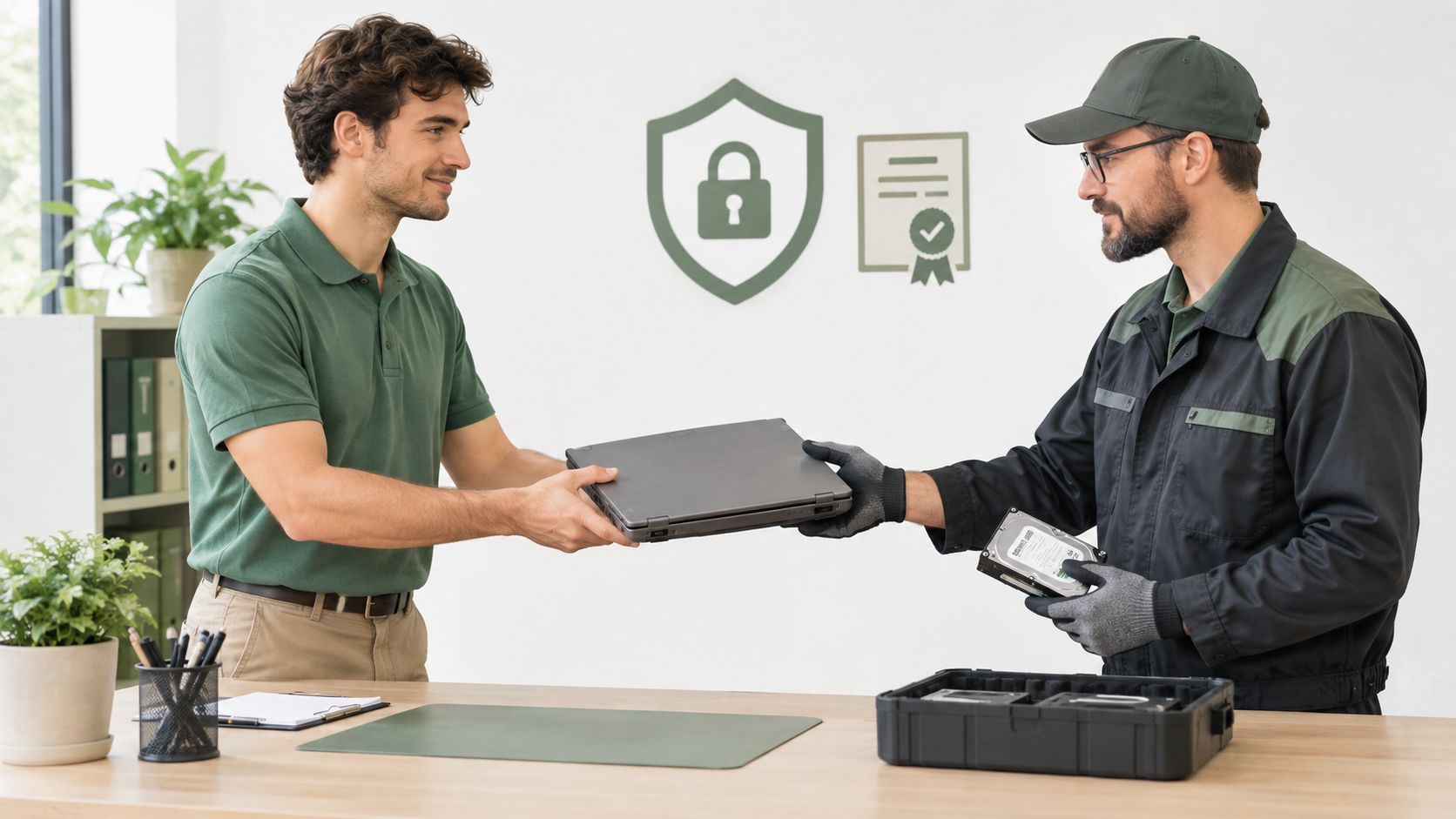
An informal collector may offer convenience, but convenience without traceability leaves important questions unanswered. Was the device sanitised before resale? Did the collector pass it to another party? Can you prove the storage was destroyed when the device was damaged? A certified provider should answer those questions through process records rather than reassurance alone.
What to check before handing over equipment
Look for a provider that can demonstrate:
- Controlled collection: Devices move through an identifiable custody process from your site to the processing location.
- Method matching: Technicians select wiping, cryptographic erasure, degaussing, crushing, or shredding according to the media and intended outcome.
- Serialized reporting: The certificate connects each storage medium to an asset identifier and outcome.
- Licensed downstream handling: E-waste flows through the required licensed recycler pathway.
- Reuse before destruction: Functional devices are assessed for repair, refurbishment, resale, or parts recovery where secure sanitisation is possible.
A useful test: If a provider can't explain what happens to your device after collection, you don't yet have a secure disposal process.
myhalo offers secure data management and destruction for consumer and corporate devices, with ISO-aligned data handling and certificates available on request. It also operates a zero e-waste-oriented lifecycle model that considers repair, reuse, buyback, parts harvesting, and recycling alongside secure erasure.
The documentary side deserves as much attention as the technical side. A certificate of destruction and asset report can support internal governance, customer assurances, procurement checks, and audit preparation. The paperwork doesn't make data secure by itself, but it shows that people followed a defined process and gives reviewers a way to test what happened.
This video provides a visual introduction to the kind of controlled handover and destruction service organisations may consider when retiring data-bearing equipment.
Making Secure Data Part of Your Zero E-Waste Journey
Privacy and sustainability aren't competing goals. A device can only enter a responsible reuse pathway when its previous data has been handled properly. Once storage is verified as safe, a laptop, phone, tablet, or desktop may be repaired, refurbished, resold, donated, or returned to service instead of being destroyed prematurely.
That decision supports a circular approach to electronics. Repair keeps the existing hardware useful. Refurbishment gives another person access to a tested device. Parts harvesting helps restore other equipment. If reuse isn't technically or securely possible, physical destruction and material recycling provide a controlled final route.
One device, several responsible outcomes
A practical lifecycle decision can follow this order:
- Recover what matters: If the device is damaged, assess whether important files, photos, or work documents need data recovery before disposal.
- Classify the device: Check its condition, storage type, encryption status, and data sensitivity.
- Sanitise appropriately: Use verified erasure for suitable reuse assets, or physical destruction for failed and high-risk media.
- Choose the next life: Direct the hardware towards repair, refurbishment, resale, parts recovery, or licensed recycling.
- Keep the evidence: Retain the asset record, sanitisation result, certificate, and final disposition.
This approach makes decluttering less intimidating. The Safe Data initiative addresses the privacy concern, while Declutter your e-clutter creates a convenient route for unused electronics. Save Data can help when precious files or memories need recovery before the device moves on. Together, these choices turn an unwanted device into a managed resource rather than a forgotten risk.
The wider aim is simple: protect information, extend useful device life, and keep recoverable materials in circulation. Secure data management gives Singapore homes, schools, and businesses the confidence to participate in a zero e-waste lifestyle without sacrificing privacy.
Ready to feel lighter and do good? myhalo helps you manage old devices through secure data erasure, repair, recovery, trade-in, refurbishment, and responsible recycling. Visit myhalo to find a convenient, safe, and responsible next step for your electronics.