

Your tablet is sitting at 1%, the cable is wedged at a very specific angle, and the charging icon disappears the moment you reach for your coffee. That small failure can derail a work call, a child's homework, an MRT top-up, or a Grab driver's navigation. It's frustrating, but it doesn't automatically mean you need a new tablet.
Tablet charging port repair in Singapore is a triage decision, not a single service. The fault may be lint, a worn cable, a damaged connector, a flex-board problem, or a charging IC on the mainboard. Each requires a different level of work and carries a different cost. This guide helps you identify the sensible next step before anyone replaces a part unnecessarily. If your device is an iPad, you can also review the available iPad repair service options before committing to a repair.
Table of Contents
- When Your Tablet Refuses to Charge
- Why Tablet Charging Ports Actually Fail
- Quick Checks You Can Do at Home First
- Repair Options and What They Really Cost
- Why Professional Component-Level Repair Wins
- Repair, Trade In, or Replace Your Tablet
- Your Next Step Toward a Working Tablet
When Your Tablet Refuses to Charge
The familiar sequence usually starts harmlessly. You plug in the tablet, see the battery icon, and expect it to recover while you answer messages. Instead, the percentage stays frozen. You turn the cable over, try another socket, then hold the connector upwards or downwards until the lightning bolt returns.
That angle-dependent charging is useful information. It often points to contamination, worn internal pins, or a connector that has lost its grip. Continuing to force the cable can make the mechanical damage worse, especially if the tablet is being charged repeatedly beside a coffee-shop table, in a car mount, or while being carried around Singapore.
Treat the symptom as evidence
A tablet that refuses every charger needs a different response from one that charges slowly or disconnects whenever you touch the cable. A port that looks clean may still have damaged solder joints. A cable that fits perfectly may still lead to no battery increase because the charging circuit has failed further inside the device.
Practical rule: Don't approve a port replacement until the technician has tested the cable, adapter, port stability, and charging path.
The right approach is simple. Start with the safest checks, then move from cleaning to connector replacement, and only then consider board-level work. A tablet with a replaceable charging flex may be a relatively straightforward job. A board-mounted USB-C port with damaged pads or traces needs a technician who can perform controlled micro-soldering.
Singapore urgency without panic
A tablet can become essential in ordinary moments. You may use it to display a delivery route, access a work dashboard, entertain a child during a journey, or keep a school assignment available when a laptop isn't practical. That urgency makes people buy the first replacement part they find or keep wiggling the cable until the port gives up completely.
You don't need to guess. The sections ahead cover five quick checks, the common failure patterns, three repair depths, realistic Singapore pricing information, and the point where trade-in or a certified refurbished device makes more sense than repair.
Why Tablet Charging Ports Actually Fail
A dead tablet port is often blamed too quickly. Local repair guidance identifies several possible causes, including debris, a damaged connector, a faulty cable or adapter, wear, water damage, and incompatible chargers. Singapore tablet repair listings support the more useful conclusion: “won't charge” describes a symptom, not a confirmed part failure.
Common failure patterns
Pocket lint is the easiest culprit to miss. Fibres compress at the back of a USB-C or Lightning port, stopping the connector from seating fully. The tablet may appear to charge only when you press the plug in, but the problem is a blocked contact rather than a broken socket.
A worn port behaves differently. The cable feels loose, charging cuts in and out when the tablet moves, or the device charges only at a particular angle. A damaged flex or daughterboard may appear after a drop or pressure on the tablet's corner. The connector can look normal from outside while the internal connection has been strained.
A cable or adapter can create the same symptoms. Test a known-good cable that matches the tablet, whether it uses Lightning, USB-C, or an older 30-pin connector. For practical cable and charger guidance, use this USB-C charging guide before assuming the tablet needs opening.
| Cause | Classic symptom | Repair depth |
|---|---|---|
| Compacted lint or debris | Connector won't seat fully, intermittent contact | Cleaning and diagnosis |
| Worn or bent pins | Charges only at an angle or disconnects with movement | Port or connector replacement |
| Faulty cable or adapter | Tablet works with another charging setup | No tablet repair required |
| Damaged flex or connector board | Port feels loose after impact or pressure | Flex-board or connector replacement |
| Charging IC or damaged board traces | Cable seats correctly, but the battery doesn't climb | Board-level diagnosis and micro-soldering |
Why the deepest fault matters
The charging IC is a control component on the board that manages power entering the tablet. If it fails, replacing the visible socket won't restore charging. Damaged traces can produce the same result, particularly after a port has been pulled, twisted, or repeatedly used while loose.
A Singapore charging-port repair guide describes the sensible escalation, from cleaning and diagnosis to replacement and board-level work. Guessing wrong can damage solder pads, tear a flex, or turn a cleanable port into a more involved repair. Diagnosis protects both your money and the tablet.
Quick Checks You Can Do at Home First
Before approving a tablet charging port repair, rule out the cheap causes. Work from the safest test to the most hands-on one. Stop immediately if you notice a swollen battery, liquid damage, burning smell, or heat around the port.
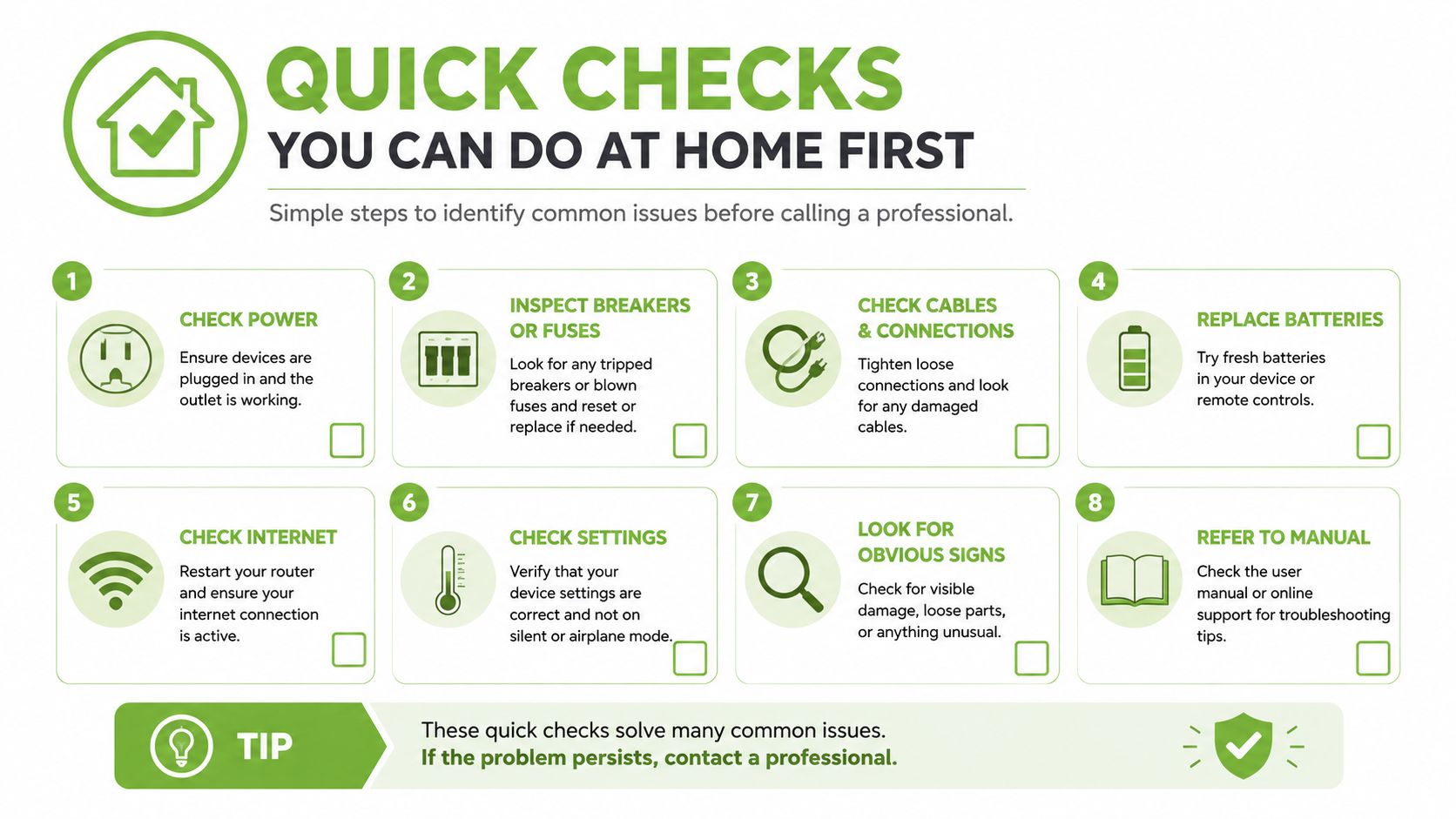
Follow this sequence
Use a torch. Shine a light into the port and check for compacted lint, dust, greenish corrosion, or bent pins. Debris may need cleaning. Bent metal or corrosion calls for a professional inspection, not more poking.
Swap the cable. Try a known-good cable made for your tablet. If charging returns to normal, replace the cable rather than the port. For cable and charger compatibility, see this USB-C cable and charger guide. If the symptom remains, continue testing.
Change the power source. Test another wall adapter and socket, without an extension lead or power bank. If the result changes, the charging setup may be at fault.
Check wireless charging if supported. Wireless charging with no wired charging points towards the wired charging path. It does not confirm that the socket itself has failed, but it helps narrow the diagnosis.
Clean gently. Power the tablet down first. Use a non-conductive plastic toothpick to lift loose debris. Never use a metal pin, SIM ejector, paper clip, or anything that can short contacts or scrape delicate surfaces. Do not push material deeper into the port.
Read the result, not just the tests
A successful cable swap is the cheapest outcome. A stable charge after gentle cleaning suggests contamination. If all five checks fail, loose lint or a bad accessory is unlikely to be the whole problem.
At that point, request a diagnosis before approving a port swap. A loose port may need a connector or flex replacement, while a tablet that still will not charge with a properly seated cable may need board-level inspection. A clear diagnosis keeps a simple cleanable fault from becoming a larger repair.
Repair Options and What They Really Cost
Singapore repair shops generally separate tablet charging-port work into three paths: cleaning and diagnosis, connector or flex-board replacement, and board-level repair. Published local pricing places cleaning at about S$0 to S$30, replacement at about S$25 to S$120, and board-level work at about S$120 to S$300 or more. Local charging-port repair pricing also notes that micro-soldering can add roughly S$30 to S$80 when the port is mounted directly to the board instead of using a replaceable flex assembly.
These are useful benchmarks, not guaranteed quotes. Model, part availability, corrosion, access difficulty, and damage around the connector all change the final price.
| Repair option | Typical cost | Typical turnaround | Best suited for |
|---|---|---|---|
| Cleaning and diagnosis | S$0 to S$30 | Short service visit | Lint, debris, cable or adapter checks |
| Connector or flex replacement | S$25 to S$120 | Often same-day when parts are available | Loose, worn, or physically damaged port assemblies |
| Board-level repair | S$120 to S$300+ | Longer than a simple swap | Damaged traces, charging IC faults, board-mounted ports |
What a proper service should include
A fast repair listing can be a useful benchmark. Local services advertise same-day or within-the-hour Samsung tablet charging-port replacement, including a Galaxy Tab S4 10.5 example at S$55 nett, usually within the hour, while another Singapore service says an iPad port replacement can take about 30 minutes. Samsung tablet charging-port service information also stresses checking part stock, because procedures vary by model.
Ask the shop to test charging after the repair, then check data transfer where the port supports it. Microphones, accessories, and the charging connection should also be verified when relevant. A service warranty is valuable because a port that works for a few minutes but fails under normal plugging isn't a finished repair.
A suspiciously low quote may exclude diagnosis, use an unsuitable flex, or ignore damage to the board. For a broader explanation of why component quality matters, see this guide to phone repair parts. The sensible choice is the smallest repair that restores stable charging without hiding a deeper fault.
Why Professional Component-Level Repair Wins
A tablet that shows a charging icon can still have a serious fault. Some models use a small daughterboard or flex for the port, while the mainboard contains the charging control and protection circuits. A technician should test both areas before choosing cleaning, a port swap, or board-level micro-soldering.
The visible port is not always the problem
A proper inspection follows the cable path, port contacts, charging IC, capacitors, and relevant power rails. This identifies a shorted charging circuit, damaged trace, or failed controller that a replacement socket cannot fix. It also protects nearby solder pads by limiting unnecessary removal and heat.
DIY work creates avoidable risks. A port swap can crack solder joints, tear a flex, damage the battery connector, or leave metal debris inside the tablet. An inexpensive board repair can cause another fault if it restores basic charging without checking current draw, temperature, and supported data transfer.
A working charging icon isn't enough. The connection should stay stable when the tablet moves, accept the correct accessories, and perform its supported data functions.
Component-level repair earns its place when the tablet is otherwise in good condition and the board fault is repairable. It is the right call when a simple cleaning will not solve the issue, but replacing the entire tablet would waste a sound screen, battery, and motherboard.
Component-level work supports longer use
Singapore's National Environment Agency reports that the country generates about 60,000 tonnes of e-waste each year, equal to roughly 11 kg per person annually or about 70 to 73 mobile phones per person. The figures appear in Singapore's national e-waste information. Tablets belong to the same ICT waste stream as phones, laptops, printers, and routers, so extending a usable tablet's life delays disposal.
Singapore introduced a regulated extended producer responsibility framework in July 2021. Official reporting recorded more than 16,000 tonnes of regulated consumer e-waste collected by December 2023, with more than 800 collection points across the island, as reported by The Straits Times. Repair does not replace responsible recycling. It keeps a workable device in service until replacement is justified.
myhalo combines component-level diagnosis with data-safe handling. Ask for a clear fault explanation, the repair depth, protection for the tablet's contents, and responsible disposal of damaged parts.
Repair, Trade In, or Replace Your Tablet
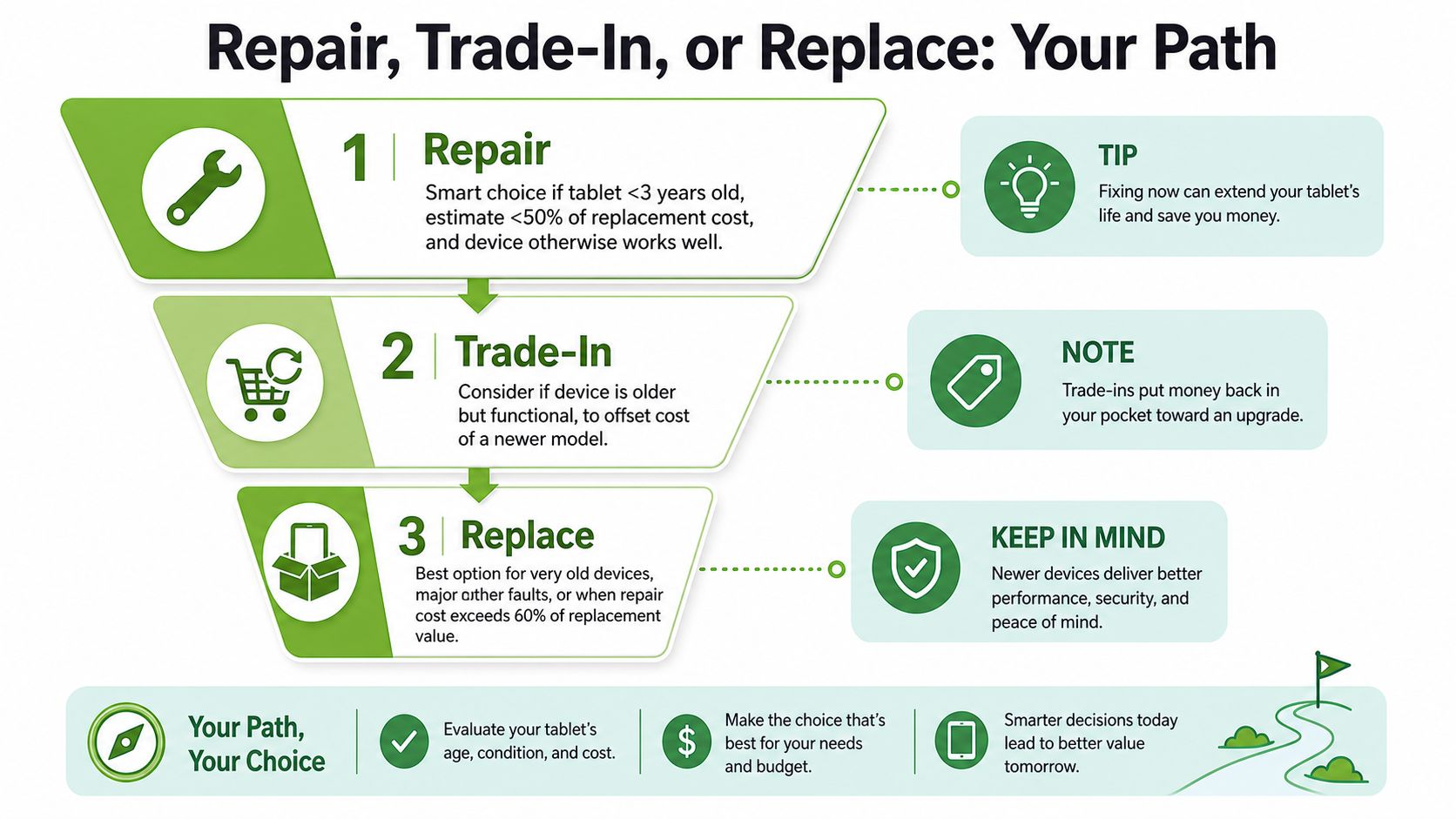
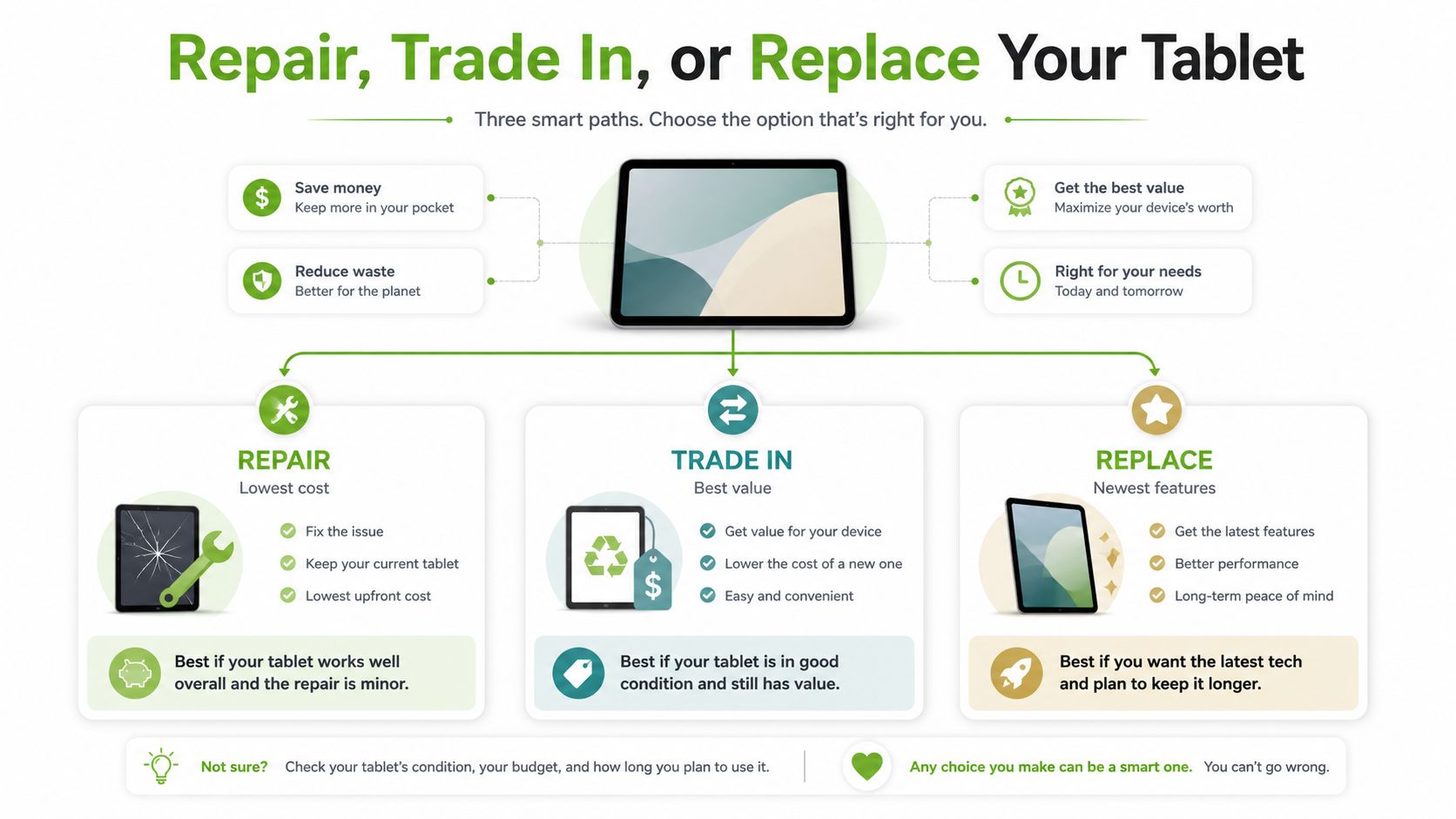
Don't decide based on the charging port alone. Decide based on device age, overall condition, repair depth, and the cost of a dependable alternative.
Choose repair when the tablet still earns its place
Repair usually makes sense when the tablet is under three years old, works well apart from charging, and the estimate is below roughly half the cost of a comparable certified refurbished device. It's also a sensible choice when the tablet holds important data, runs familiar apps, or continues receiving security updates.
Get the technician to state whether the job is cleaning, a flex replacement, or board-level work. Ask which parts are compatible with the exact model and whether the repaired charging path has a warranty. Don't accept “port replacement” as a complete diagnosis if the tablet charges only at an angle or never gains battery despite a secure connection.
Trade in when reliability is acceptable
Trade-in suits an older but functional tablet, especially when its value can reduce the price of a newer model. Check the device carefully. A tablet with a working screen, responsive touch, and stable software may retain useful value even if you're ready to move on.
You can review tablet trade-in options before paying for a repair. Compare the trade-in offer with the repair estimate, but remember that a device with a serious charging fault may be assessed differently from one that only needs cleaning.
Replace when the repair solves only one of many problems
A certified refurbished tablet becomes more attractive when the current device has several faults, needs deep board work, or has a swollen battery or severe liquid damage. Replacement is also safer when the tablet is unsupported, unreliable, or likely to need another major intervention soon.
Use S$350 as a practical benchmark when thinking about value, not as a universal rule. A large repair spend on an old tablet can leave little financial benefit, while a tested refurbished device may offer more dependable daily use and a fresh service pathway. The important comparison is the total cost of reliable ownership, not the cheapest initial quote.
Your Next Step Toward a Working Tablet
Start with the symptom, not the repair label. Note whether the tablet charges only at an angle, disconnects when moved, charges slowly, or shows no response. Photograph the port, and bring the cable and adapter you normally use. A damaged accessory can look like a failed port.
Use this short preparation list
- Log the symptom: Record when charging stops and whether movement changes it.
- Test a known-good setup: Try another compatible cable, adapter, socket, and power source.
- Protect your data: Back up important files while the tablet still turns on. For sensitive work or personal information, ask how the shop handles device access and privacy.
- Request repair depth: Confirm whether the quote covers cleaning, a connector or flex swap, or board-level micro-soldering.
- Compare the decision: Weigh the written quote against trade-in value and a tested refurbished alternative.
- Plan the fallback: If repair is not sensible, use a formal reuse, trade-in, upcycling, or recycling pathway instead of leaving the tablet in a drawer.
Diagnosis should leave you with a clear choice. Lint and accessory faults are usually simple fixes. A worn flex or connector sits in the middle. Charging IC faults and damaged traces require board work, while an older tablet with several failures may be better suited to trade-in or replacement.
The best outcome is a working device or a responsible next step. Keep the tablet in use when a clean, properly scoped repair makes financial sense. If the quote approaches the device's practical value, compare it with trade-in and tested refurbishment before approving work.
If you are unsure whether to repair, trade in, or replace, bring the tablet to myhalo for a diagnosis. Ask the technician to explain the fault, separate cleaning from component replacement, and provide a clear quote before work begins. That information lets you choose based on the device's condition and your budget, rather than on a low headline price.