
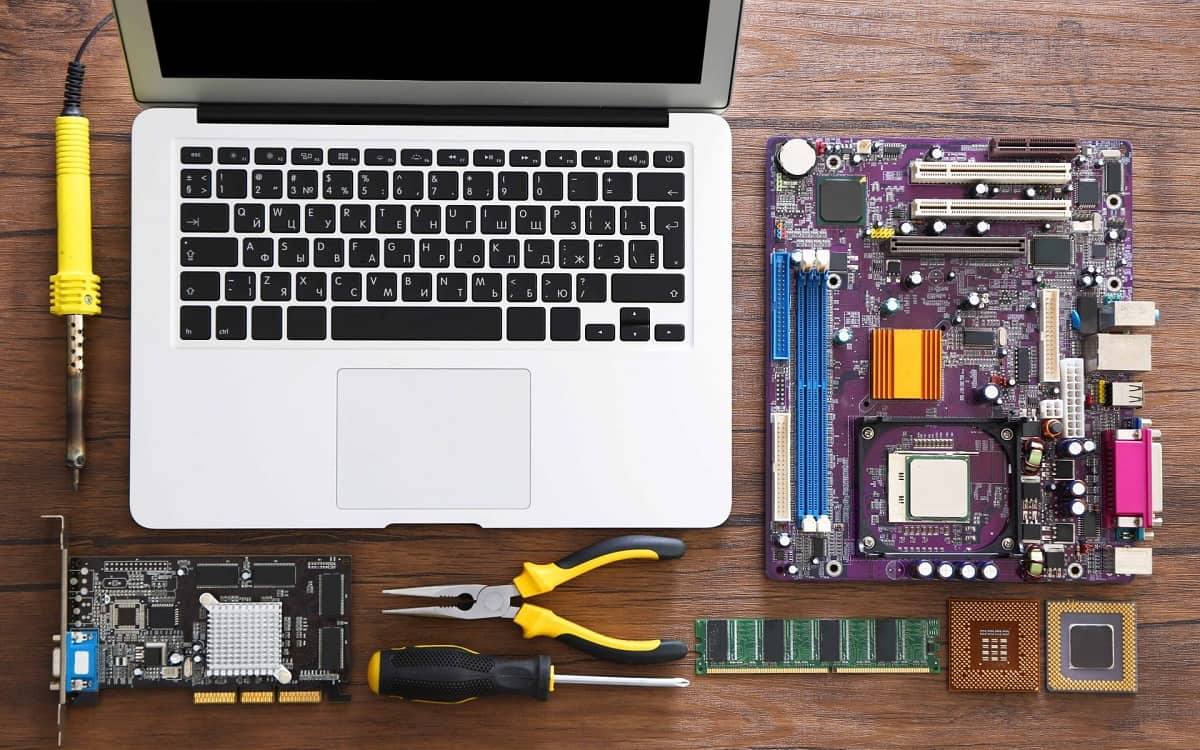
In today’s digital age, a laptop is more than just a device; it’s a gateway to productivity, entertainment, and connection. To ensure your trusty laptop continues to serve you well, embracing regular maintenance is key. Let’s explore why regular check-ups are not just a good idea but a necessity for prolonging your laptop’s lifespan and keeping it running smoothly.
Importance of Regular Computer Maintenance
The importance of regular computer maintenance is crucial, especially for laptops, in keeping them in top shape. Regular maintenance helps ensure your device continues to run smoothly and efficiently. Over time, laptops accumulate unnecessary files, outdated software, and potential malware that can slow them down and create performance issues. A checkup can identify these problems early.
Understanding Regular Maintenance
Regular computer maintenance involves a series of maintenance tasks designed to keep your computer in optimal condition. These tasks include regular cleaning of both the hardware and software, such as removing unnecessary files, updating software, and running antivirus software to protect your computer from viruses and malware. This can help prevent major problems.
Why Regular Check-Ups Matter
Regular check-ups are crucial for identifying and addressing potential issues before they escalate into costly repairs. A computer repair might be needed if you don’t have a regular computer maintenance plan. Regular check-ups can detect hardware issues, security vulnerabilities, and software conflicts that could compromise your laptop’s performance and the security of your important data.
Impact on Laptop Lifespan
One of the most significant benefits of regular maintenance is its impact on the laptop’s lifespan, ensuring it stays in top shape for years to come. Regular maintenance helps ensure that the components of your computer are functioning correctly, which is one of the important aspects of computer maintenance. By preventing overheating, addressing hardware issues, and ensuring optimal performance, regular servicing can significantly extend the life of your laptop, saving you money and hassle in the long run.
Benefits of Regular Laptop Check-Ups
Improving Performance
One of the key benefits of regular maintenance is the potential to improve the performance of your laptop. A check-up can help identify and resolve issues that may be slowing down your system, such as unnecessary files, outdated software, or malware infections. By addressing these problems, regular servicing ensures your laptop runs smoothly and efficiently.
Speeding Up Your Computer
If your laptop feels sluggish, regular computer maintenance can offer a significant speed boost. Regular cleaning, removing unnecessary files, defragmenting the hard drive, and optimizing system settings through professional computer maintenance can all contribute to faster boot times and improved application responsiveness. The importance of regular defragging is often overlooked but has great importance in running your PC. Regular updates can also provide better responsiveness to your computer.
Preventing Future Repairs
Investing in regular computer maintenance is a proactive approach to preventing costly repairs down the line. By identifying and addressing minor issues early on, you can avoid major problems that could lead to hardware failure or system instability. Regular check-ups help ensure that the components of your computer are functioning correctly, preventing overheating and extending its lifespan. Early malware detection is a key too.
Software Maintenance for Laptops
In addition to hardware maintenance, software maintenance is equally important for keeping your laptop running smoothly. This involves ensuring your operating system, applications, and drivers are up to date, as well as regularly scanning for and removing malware to ensure your computer remains secure.
Keeping Software Up to Date
One of the most crucial aspects of software maintenance is keeping your software up to date. Regular updates often include performance improvements, bug fixes, and security patches that help protect your laptop from security vulnerabilities and malware threats, emphasizing the need for professional computer maintenance. Outdated software is a prime target for cyberattacks, so staying up to date is essential for protecting your important data.
Importance of Regular Software Check-Ups
The importance of regular software check-ups cannot be overstated. These check-ups involve scanning your system for outdated software, malware infections, and other potential issues that could compromise your laptop’s performance and security. Regular maintenance helps ensure that your software is running smoothly and efficiently, preventing performance issues and protecting your data.
Enhancing Security Through Maintenance
Regular maintenance plays a vital role in enhancing the security of your laptop. By keeping your software up to date and scanning for malware, you can significantly reduce your risk of falling victim to cyberattacks and data breaches, which is a key part of computer maintenance services. Regular servicing is crucial for protecting your sensitive information and maintaining the overall security of your system through proactive maintenance. Having and running antivirus software on a regular basis is one of the most important maintenance tasks you should consider.
Hardware Maintenance and Check-Ups
Regular Hardware Inspections
Regular hardware inspections are a key aspect of regular maintenance for your laptop. These inspections involve physically examining the device to identify any potential hardware issues, such as loose connections, damaged components, or signs of overheating. Pay close attention to the vents, ensuring they are free from dust and debris to prevent overheating, an important aspect of physical maintenance. A visual check-up can often reveal problems before they escalate into costly repairs.
Signs Your Hardware Needs Attention
Here are some signs that indicate your laptop’s hardware may require regular maintenance or a check-up. Keep an eye out for important aspects of computer maintenance, such as unusual noises or performance issues.
- Unusual noises, such as grinding or clicking sounds, may indicate a need for laptop repair or further inspection.
- Frequent crashes or freezes
- Overheating
- Display problems
If you notice any of these issues, it’s essential to address them promptly to prevent further damage and ensure the longevity of your laptop. This regular computer maintenance can save your important files.
Professional Maintenance vs DIY
Deciding between professional maintenance and DIY regular computer maintenance depends on your technical skills and comfort level. While some maintenance tasks, such as cleaning the exterior and running antivirus software, can be easily performed at home, more complex hardware repairs or software troubleshooting may require the expertise of a professional. Attempting to repair your laptop yourself without the necessary knowledge could lead to further damage and costly repairs. If you notice regular overheating, have a check-up.
Creating a Maintenance Schedule
Setting Up Regular Check-Up Intervals
Establishing a regular maintenance schedule is crucial for maintaining your computer in optimal condition. The frequency of check-ups may vary depending on your usage habits and environment, but a general guideline is to perform basic maintenance tasks, such as cleaning and software updates, on a monthly basis. More thorough check-ups, including hardware inspections and performance optimization, should be conducted every six to twelve months. This regular servicing helps to extend the life of your computer.
Tools for Effective Maintenance
Here’s how you can maintain your laptop effectively. A few essential tools can assist you in this process, such as:
- Compressed air and microfiber cloths are essential tools for physical maintenance and cleaning.
- Software utilities for tasks like disk defragmentation and malware scanning.
Investing in these tools makes laptop maintenance more efficient and helps prevent future repairs.
Tracking Performance Improvements
Tracking performance improvements after performing regular maintenance can help you assess the effectiveness of your efforts. Use performance monitoring tools to measure metrics such as boot time, application responsiveness, and CPU usage before and after maintenance. This will allow you to identify areas where maintenance has had the greatest impact and adjust your schedule accordingly to ensure your laptop continues to run smoothly and efficiently and extend the life of your machine.