
You reach into your bag, hear the dreaded clink, and pull out your Samsung phone with a spiderwebbed screen. Perhaps the glass is cracked but the display still looks perfect. Perhaps green lines, black patches, flickering, or dead touch zones have appeared. The first question is usually, “How much will this cost?” The more important question is, what exactly needs repairing?
A glass-only fix, a screen repair, and a complete display assembly replacement aren't interchangeable services. The right decision depends on the Galaxy model, its display technology, the frame and hinge condition, and whether the panel, touch layer, fingerprint reader, or sensors still work. A careful diagnosis before samsung display replacement can protect your budget, preserve resale value, and prevent a repair that solves only half the problem.
Table of Contents
- That Moment Your Samsung Screen Breaks
- Understanding Samsung Display Replacement Costs in Singapore
- How to Diagnose Your Samsung Display Problem Before Repair
- Samsung Care+ Versus Out-of-Warranty Repair
- What Happens During a Professional Samsung Display Replacement
- Why Repairing Your Samsung Phone Matters for Singapore's E-Waste Goals
That Moment Your Samsung Screen Breaks
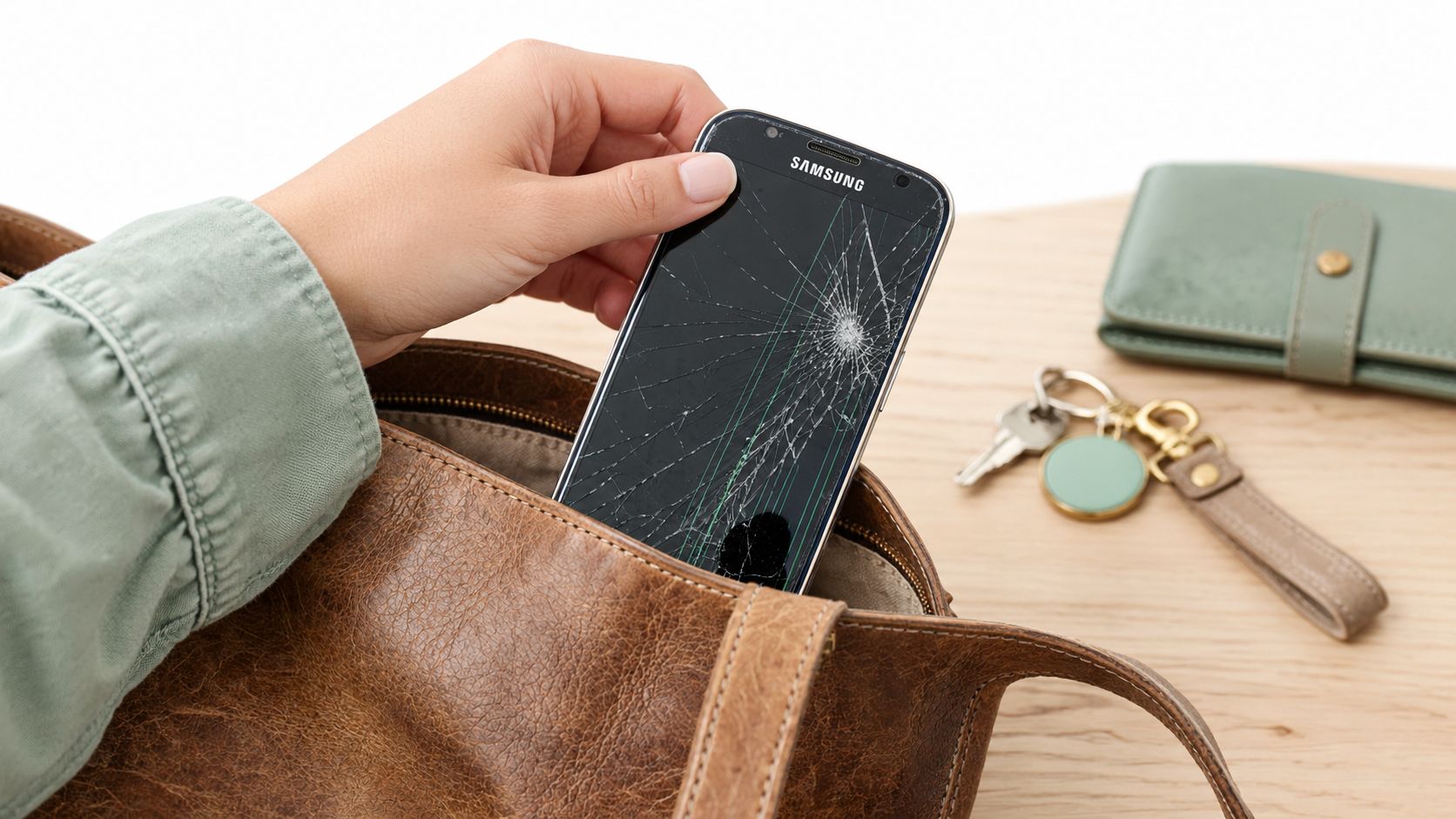
A Galaxy phone can look badly damaged while remaining perfectly usable. The outer cover glass may be cracked from corner to corner, yet the image stays sharp, touch responds normally, and the fingerprint sensor works. In that situation, a glass-focused repair may be technically suitable, depending on the model and the repair centre's equipment.
Another phone can look almost fine and still need a complete assembly. A short drop may leave the cover glass intact while damaging the AMOLED panel underneath. Green or coloured lines, black blotches, flickering, discolouration, dead pixels, or touch failure point to damage deeper than the surface.
The first decision is technical
Samsung Singapore distinguishes screen repair from screen replacement. Screen repair addresses the display panel on selected models when the LCD is damaged without other physical damage, while replacement generally includes the display, frame, and peripheral components. Samsung's explanation of screen repair and screen replacement makes clear why two shops can quote very different amounts for what sounds like the same job.
The decision becomes more demanding with Galaxy Z Fold and Z Flip devices. A technician must assess the inner display, outer display where relevant, hinge movement, frame alignment, and signs of pressure or moisture. A foldable with a damaged hinge or inner-screen assembly isn't a routine flat-screen repair.
Practical rule: A crack alone doesn't tell you the repair type. The image, touch layer, frame, sensors, and device history do.
Before accepting the first quote, note the exact Galaxy model and regional variant. Photograph the phone from the front, back, and sides, then record whether it boots, displays an image, accepts touch input, and charges. Those simple details help a technician separate cosmetic glass damage from a panel fault and explain why the proposed part is necessary.
The same decision affects whether repair makes financial sense. A lower-cost repair may preserve a phone with a healthy battery and usable motherboard, while a complete replacement on an older device with several other faults may be harder to justify. Compare the repair price with the phone's age, remaining resale value, battery condition, and availability of suitable parts before authorising work.
Understanding Samsung Display Replacement Costs in Singapore
Samsung display replacement pricing in Singapore isn't one universal figure. Samsung Singapore provides model-specific estimates and warns that displayed amounts are estimates rather than final quotations. The final amount can depend on the exact model, damage found after inspection, labour, GST, part grade, and whether the repair uses a complete assembly.
| Galaxy Series | Display Type | Estimated Cost (SGD) |
|---|---|---|
| Galaxy A-series | LCD-type assemblies on many models | S$80–S$180 |
| Galaxy S-series | AMOLED assemblies, often curved on flagship models | S$220–S$350 |
| Galaxy Z Fold and Z Flip | Foldable inner-screen assemblies | Several hundred dollars, sometimes above S$700 |
These 2026 market estimates are described in the Singapore pricing guidance and should not be treated as Samsung's final service quotations. The Samsung Singapore screen replacement pricing page is the right place to check the model-specific route before visiting a service point. For additional local repair-price context, see this guide to phone screen repair pricing in Singapore.
Why the display technology changes the quote
Many Galaxy A-series phones use LCD-type assemblies, while flagship Galaxy S and Note devices generally use AMOLED. AMOLED panels deliver strong contrast and slim construction, but flagship assemblies can be costly, especially when the panel is curved and bonded to the frame. In those designs, replacing only the outer glass isn't usually a practical repair once the panel or frame has been damaged.
Part grade matters as much as the model. Ask whether the quote uses an original service-pack part, refurbished original assembly, or aftermarket panel. Lower-grade parts can differ in brightness, colour accuracy, refresh rate, touch latency, fingerprint performance, and power consumption. A cheap quote that omits part provenance isn't transparent enough to approve.
Foldables sit in their own category. Their inner displays and hinge-related construction require more specialised handling, so an inner-screen repair can reach several hundred Singapore dollars and sometimes exceed S$700, as reflected in the market estimates above. At that level, compare the repair with the device's remaining resale value and overall condition rather than looking at the screen price alone.
A credible quote names the exact model, display type, part grade, included components, labour, GST treatment, and warranty terms.
Curved AMOLED assemblies can also carry greater alignment and dust-ingress risk during installation. A technician who proposes a full assembly isn't necessarily upselling you. If the panel shows lines, black patches, or touch failure, the complete assembly may be the safer technical choice.
How to Diagnose Your Samsung Display Problem Before Repair
Start with the phone switched on and, if possible, with the screen accessible. A cracked cover lens doesn't automatically mean the display has failed. The aim is to identify which layer is affected before anyone removes adhesive or orders a part.
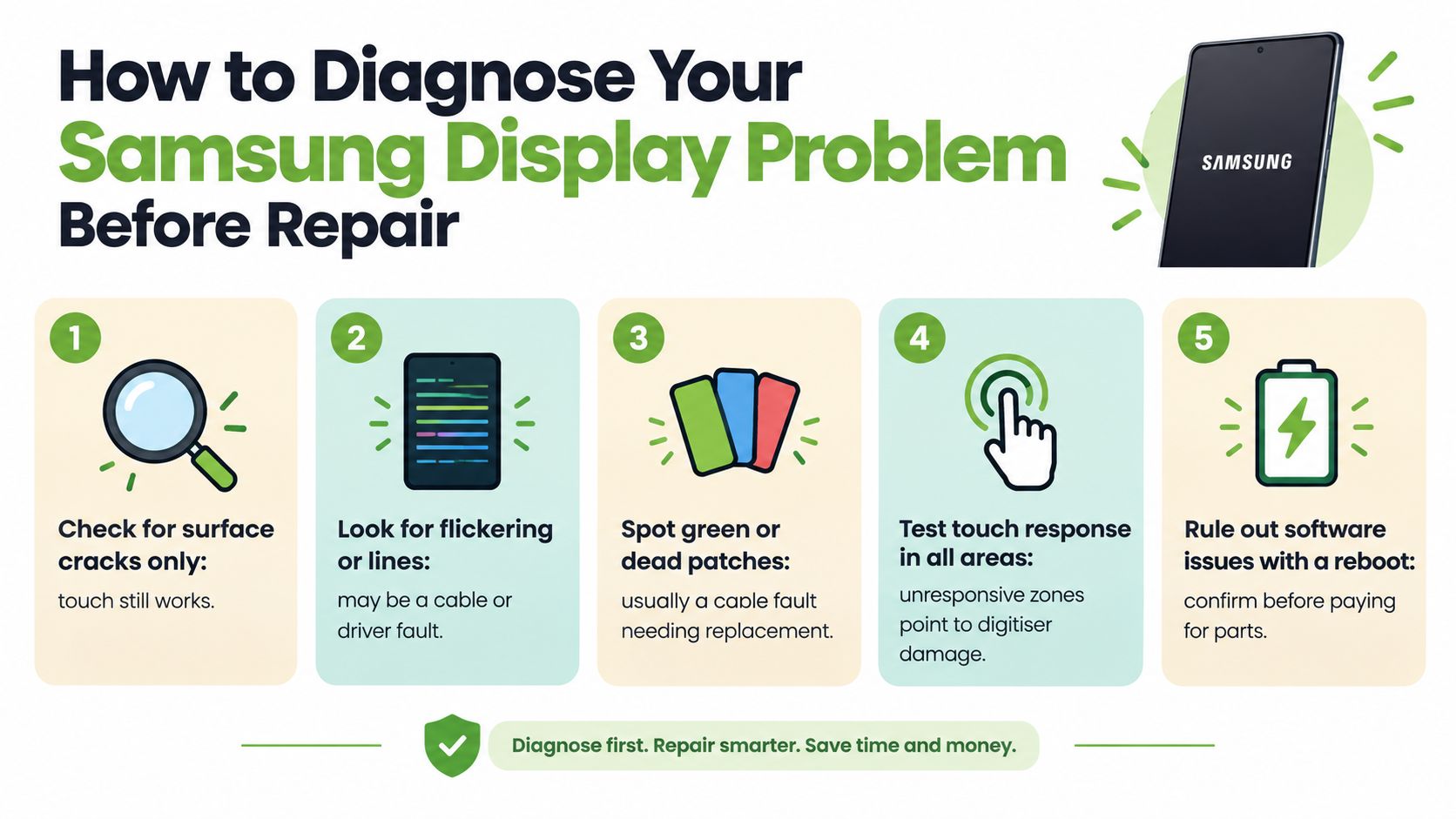
A practical pre-repair checklist
Inspect the image. Open light and dark screens. Look for dead pixels, coloured lines, black patches, flickering, uneven brightness, or discolouration. A clean image supports a possible glass-only route, while panel symptoms usually require display replacement.
Trace touch across the panel. Drag an app icon slowly through every edge and corner. Unresponsive zones suggest digitiser damage, even if the picture remains visible.
Test the biometric and sensors. Check the fingerprint reader where fitted, proximity sensor during a call, ambient-light response, cameras, speakers, and charging. A screen quote that ignores these functions is incomplete.
Inspect the frame and, on foldables, the hinge. A bent frame can prevent a new assembly from seating correctly. On Z Fold and Z Flip models, check for abnormal resistance, uneven closing, lifting layers, or damage around the inner display.
Rule out a temporary software symptom. Reboot once if the phone remains stable and responsive. If the issue began after impact or liquid exposure, don't keep forcing restarts or charging attempts. A technician should check the connector, panel, and motherboard before recommending parts.
Samsung's screen repair pack information shows that selected repair routes can restore the display without replacing the frame and other peripheral components. That option is model- and damage-dependent, not a guarantee that every cracked Galaxy qualifies.
| Check | What to Look For | Likely Repair Needed |
|---|---|---|
| Surface glass | Cracks only, with clear image and normal touch | Possible glass-focused repair |
| Display image | Lines, dead pixels, black patches, flicker, or colour changes | Display assembly replacement |
| Touch layer | Unresponsive areas or ghost touches | Digitiser or display assembly repair |
| Frame and hinge | Bending, separation, pressure marks, or abnormal fold movement | Frame, hinge, or assembly assessment |
| Sensors and fingerprint | Failure after impact or screen damage | Calibration, connector diagnosis, or compatible assembly |
Back up photos, messages, authentication details, and work files before handing over the phone. Photograph its condition and record your consent for the work. Samsung display replacement itself doesn't require a factory reset on its own, but a secure backup protects you if the diagnostic reveals motherboard or storage problems.
For a second explanation of panel-level symptoms and repair choices, compare the LCD screen repair guide.
Samsung Care+ Versus Out-of-Warranty Repair
Samsung Care+ can change the economics completely, but the coverage terms must match the damage and device. The published Samsung Care+ FAQ states that eligible customers receive one main-screen repair at S$50 during the coverage period. Certain cover-screen or main-screen claims are priced at S$100, and the policy lists a 50% saving on out-of-warranty repairs, available up to two times for a 24-month policy. These are Care+ service fees, not universal walk-in prices.
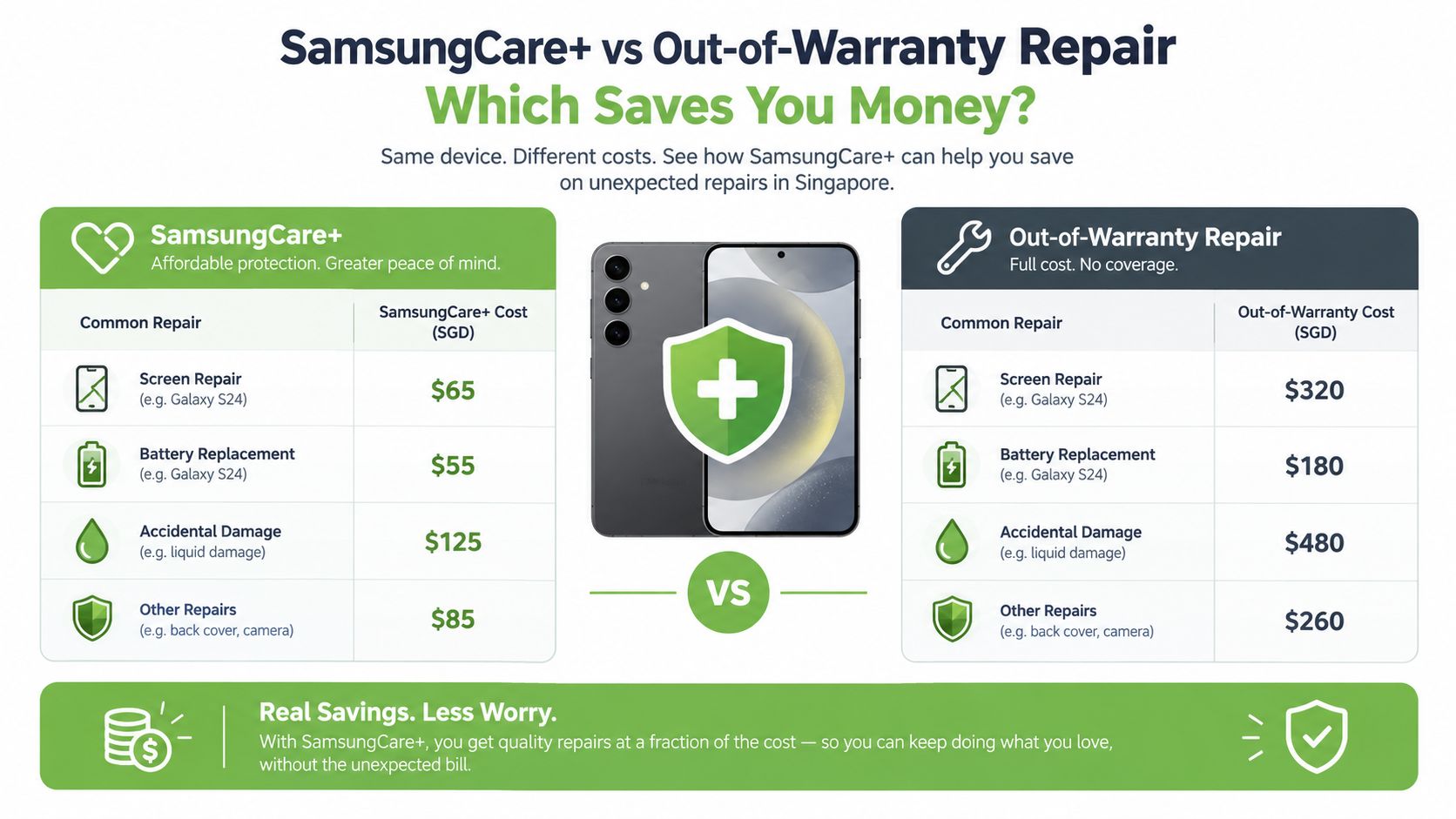
| Repair Scenario | With Samsung Care+ | Out-of-Warranty Cost |
|---|---|---|
| Eligible main-screen repair during coverage | S$50 | Model-specific estimate |
| Certain cover-screen or main-screen claim | S$100 | Model-specific estimate |
| Out-of-warranty repair under eligible policy benefit | 50% saving, up to two times within a 24-month policy | Standard Samsung rate |
The Samsung Care+ Singapore FAQ sets out the published fees and limits. Check the exact policy, model, damage type, and claim eligibility before assuming the lower service fee applies. A foldable inner-screen claim, a damaged frame, liquid exposure, or an excluded condition may follow a different route.
Compare the total, not just the headline fee
Without applicable coverage, Samsung's estimator provides a model-specific amount and warns that displayed figures are estimates that may exclude GST and labour. That means an online amount shouldn't be treated as the final counter quotation. Ask whether the quote includes the display assembly, frame, adhesive, calibration, labour, GST, and post-repair testing.
Care+ usually deserves serious consideration when the phone is relatively new, the display is expensive, or the policy fee is far below the cash repair estimate. Out-of-warranty repair may still make sense when the handset is older, the damage is limited, or a reputable independent centre can provide a clearly specified compatible part and warranty.
Money-saving check: Confirm coverage before authorising disassembly. Once a phone is opened, changing repair routes may become less convenient.
For people comparing non-insurance options, a Samsung phone repair service should explain the diagnosis and part choice before work begins. Don't accept a price that gives no indication of whether the part is original, refurbished original, or aftermarket.
What Happens During a Professional Samsung Display Replacement
A reliable repair starts before the cracked panel is touched. The technician should verify the model, record the visible condition, check for liquid or pressure damage, and test the phone while the original screen is still installed. This prevents a display fault from being confused with a charging, motherboard, camera, or sensor problem.
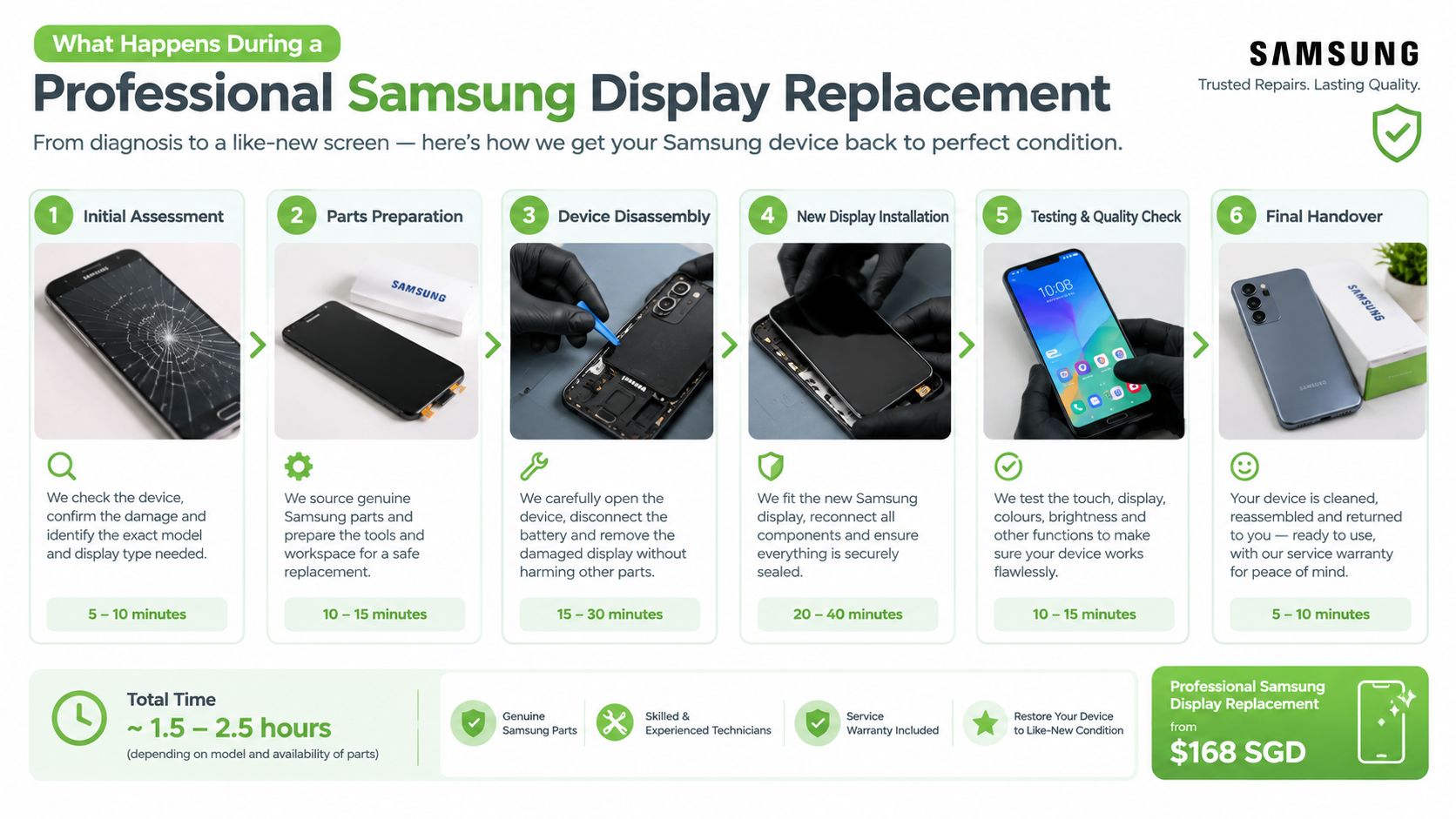
The repair workflow
| Stage | What Happens | Why It Matters |
|---|---|---|
| Initial assessment | The technician confirms the model, symptoms, frame, hinge, and liquid or pressure damage | Prevents the wrong part or repair route |
| Data and condition record | The customer backs up data, and the device condition is photographed and documented | Protects privacy and clarifies pre-existing damage |
| Safe shutdown and preparation | The phone is powered down and prepared before adhesive removal | Reduces electrical and handling risk |
| Adhesive removal | The damaged assembly is separated carefully and glass fragments or contaminated adhesive are removed | Supports clean bonding and accurate alignment |
| New assembly installation | The selected display assembly is fitted and connected using suitable fresh adhesive | Restores the screen while preserving fit and function |
| Post-repair verification | Image, touch, fingerprint, sensors, cameras, speakers, charging, wireless charging, and seal condition are checked | Catches defects before handover |
Many conventional models can take approximately 30 to 90 minutes for a practical display replacement benchmark, while curved AMOLED and foldable assemblies may require more disassembly and carry greater alignment and dust-ingress risk. The time depends on the model, damage, part route, and technician's process, not just on how large the crack looks.
Testing should include uniformity at low and high brightness, black and white screens, colour reproduction, multi-point touch across all quadrants, fingerprint recognition where fitted, proximity and ambient-light sensors, cameras, speakers, wireless charging, and the frame seal. A phone that lights up at the counter hasn't necessarily passed a proper test.
Data protection belongs in the job scope
A Samsung phone may contain photographs, messages, authentication data, business files, and account credentials. Singapore's Personal Data Protection Commission says organisations must take reasonable security arrangements under Section 24 of the Personal Data Protection Act to prevent unauthorised access, use, disclosure, copying, modification, disposal, and similar risks involving personal data. The PDPC guidance on disposing of personal data also says data should be securely deleted, erased, or destroyed before electronic storage media is redeployed, exchanged, or disposed of.
A responsible provider should limit who handles the handset, avoid unnecessary access to personal content, and preserve the storage unless the repair conditions require otherwise. For corporate devices, document the device identity, pre- and post-repair condition, test results, part provenance, customer consent, and data-handling status.
Why Repairing Your Samsung Phone Matters for Singapore's E-Waste Goals
A cracked display can turn a working phone into unwanted waste long before its motherboard, cameras, battery, and storage have reached the end of their useful lives. Repair doesn't make every device worth keeping, but it creates a sensible decision point between continued use, resale, trade-in, and responsible retirement.
The National Environment Agency reported that Singapore generated more than 60,000 tonnes of electrical and electronic waste annually, equivalent to approximately 11 kilograms, or around 73 mobile phones, disposed of per person each year. The NEA study on shared responsibility for sustainable e-waste management also found that 60% of Singapore residents didn't know or were unsure how to recycle e-waste.
Repair is one link in a longer lifecycle
Consumers are more likely to trade in or sell higher-value items such as mobile phones, while lower-value electronics are more often discarded with general waste. A display repair can help preserve residual value when the rest of the phone remains usable, particularly when the repair cost is proportionate to the model's age, battery condition, and resale market.
Singapore introduced a regulated e-waste management system based on Extended Producer Responsibility in 2021. That policy context makes the end of the repair decision important too. If the phone is eventually retired, it should enter a regulated collection and recycling pathway rather than general waste. Guidance on where to recycle electronics in Singapore can help households choose the next step.
The myhalo Promise: A zero e-waste lifestyle should feel convenient, safe, and responsible. Repairing a usable phone, protecting its data, and directing it into proper reuse or recycling all support that goal.
Data security remains part of environmental responsibility. The PDPC's physical-medium guidance recommends specialised software for overwriting selected files or an entire USB drive, hard disk, or SSD, while read-only optical media may require crushing, drilling, shredding, or another physical destruction method. Organisations should also stop retaining personal data when there's no longer a legal or business purpose for doing so. Those principles matter when a damaged phone is exchanged, resold, dismantled, or sent for recycling.
myhalo offers device repair, trade-in, buyback, upcycling, data recovery, and secure data-management pathways for individuals and organisations. That gives a damaged Samsung phone more than one possible future, from display repair and continued use to responsible reuse or certified end-of-life processing.
Your precious files and memories matter to us. Whether you need to protect your privacy with Safe data or rescue lost files with Save data, our caring team is right here to help. Reach out to myhalo today to assess your Samsung display, compare repair with trade-in, and keep usable technology in circulation.