
You might have a small pile of paper sitting on a desk right now. Old bank statements. Printed invoices. Expired insurance forms. Maybe a letter with your full address on it. None of it looks dramatic, but it still feels wrong to toss it straight into the bin.
That instinct is a good one. Paper can carry more personal information than we realise, and once it leaves your hands, control goes with it. For many people in Singapore, paper shredding machines are the first tool they think about when they want a safer, tidier, more responsible way to deal with sensitive documents.
There's another layer often overlooked. The same logic that makes you careful with paper should make you even more careful with old phones, laptops, tablets, and hard drives. A stack of printed documents might expose a few details. An old device can hold years of messages, photos, saved passwords, work files, and financial records. That's why it helps to think about paper security and digital security as part of the same habit: safe data, then responsible disposal.
Table of Contents
- Your First Step to Total Data Security
- Strip-Cut vs Cross-Cut vs Micro-Cut
- DIN 66399 Security Standards Explained
- Capacity Throughput and Maintenance Costs
- The E-Waste Impact of Your Shredder
- When to Use a Professional Shredding Service
- Securely Disposing of Digital Data with myhalo
Your First Step to Total Data Security
Why paper still matters
If you've ever paused with a document in your hand and thought, “I probably shouldn't throw this away whole”, you're already thinking like someone who cares about data security.
Paper shredding machines matter because paper still carries sensitive information in a very readable form. Names, addresses, account details, signatures, internal memos, and contract terms don't need hacking tools to be misused. They just need to be found. That's why shredding is often the first practical step in building a stronger privacy habit at home or in the office.
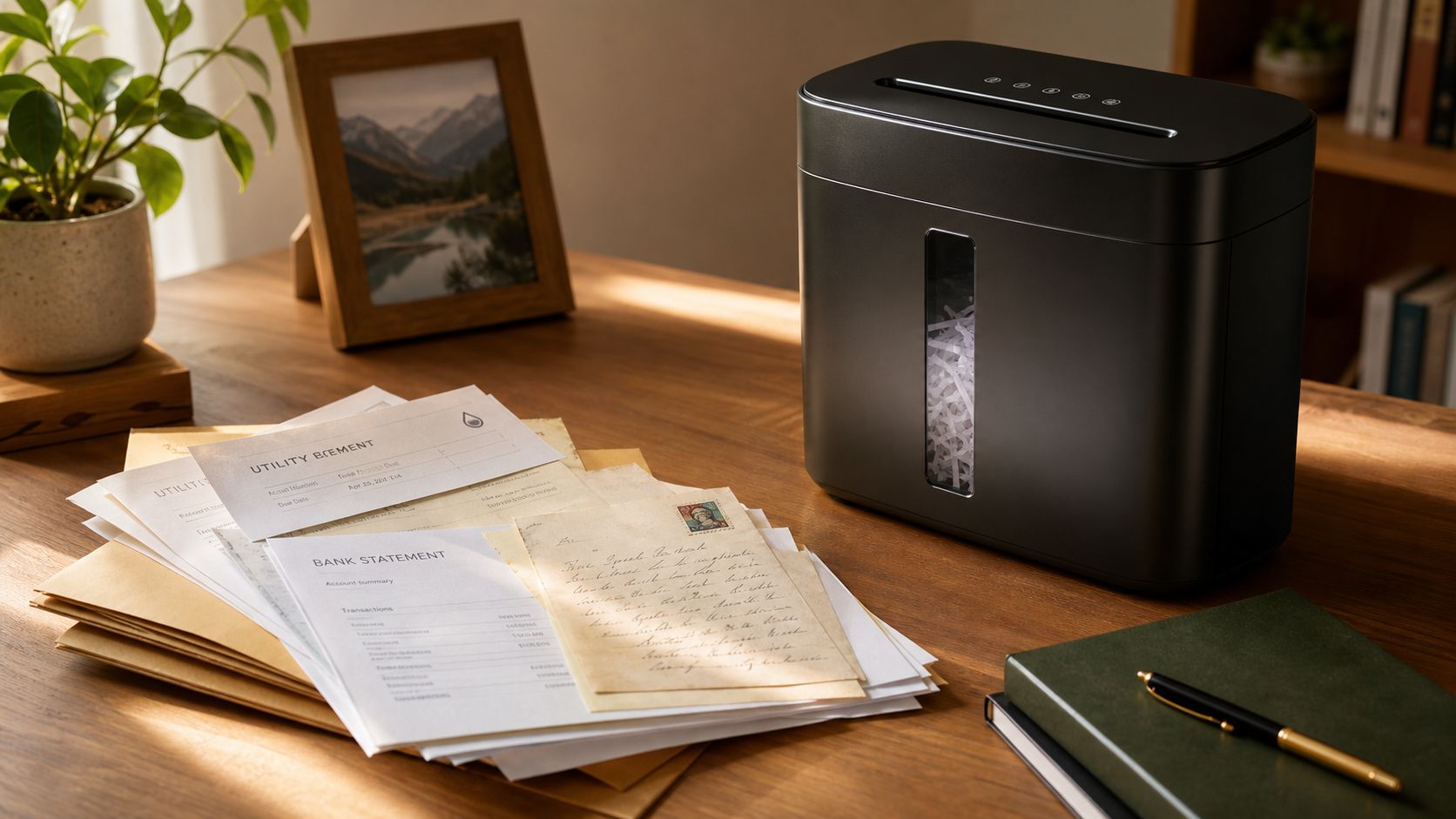
Across the region, interest in better document protection is clearly growing. The Asia Pacific small business paper shredders market is estimated at USD 1.5 billion in 2024 and is projected to reach USD 2.8 billion by 2033, growing at a CAGR of 7.5%, according to this Asia Pacific market projection. That doesn't mean everyone needs to buy a machine. It does show that more people and businesses are taking document security seriously.
Practical rule: If a document includes information you wouldn't happily post on a noticeboard, don't bin it intact.
A simple safe-data habit
A useful routine is to sort paper into three quick groups:
- Recycle normally if it's harmless, like empty packaging inserts or generic flyers.
- Review first if it contains partial personal details.
- Shred or securely destroy if it includes confidential, financial, legal, medical, or work-related information.
That same mindset applies beyond paper. If you're building stronger privacy habits in general, this guide on data security and how to ensure it is a helpful next read. It connects the everyday choices people make with the bigger goal of protecting personal and business information.
For teams handling records, process matters as much as hardware. If you want a broader operational view, this article on protecting client data securely is useful because it frames document handling as part of a larger compliance culture, not just a one-off clean-up task.
Strip-Cut vs Cross-Cut vs Micro-Cut
How each cut looks and feels
Not all paper shredding machines protect data in the same way. The cut pattern changes how easy it is for someone to reconstruct the original page.
Strip-cut is the simplest. It slices paper into long vertical strips. Think of spaghetti. The document is broken up, but the pieces still keep much of their original layout. For everyday low-risk disposal, that may feel “good enough”. For anything confidential, it's not the strongest option.
Cross-cut takes the page and chops it into much smaller pieces. It's closer to diced vegetables than spaghetti. The text gets broken in two directions, so reassembling the page becomes much harder. This is the point where many people start feeling they're getting practical security, not just neat waste management.
Micro-cut goes further. It turns pages into tiny confetti-like particles. At that stage, reconstruction becomes extremely difficult in real-world conditions. If you handle highly sensitive paperwork, this is usually the cut style people look at first.
A shredder's “security” isn't about how loud or heavy it feels. It's about the shape and size of what comes out.
Some readers get confused because machines are often advertised with dramatic language like “high performance” or “office security”. Those phrases don't tell you much on their own. The cut type tells you far more.
Shredder cut types at a glance
| Cut Type | Particle Shape | Security Level | Best For |
|---|---|---|---|
| Strip-Cut | Long strips | Basic | Low-risk paperwork, general decluttering |
| Cross-Cut | Small fragments cut in two directions | Medium to high | Personal records, bills, internal office documents |
| Micro-Cut | Tiny confetti-like particles | Higher | Sensitive personal data, legal or financial paperwork |
A simple way to choose is to ask one question: How bad would it be if someone rebuilt or read this document?
If the answer is “not a big deal”, strip-cut may be enough. If the answer is “that would be a privacy problem”, cross-cut or micro-cut makes more sense.
DIN 66399 Security Standards Explained
What P-levels actually mean
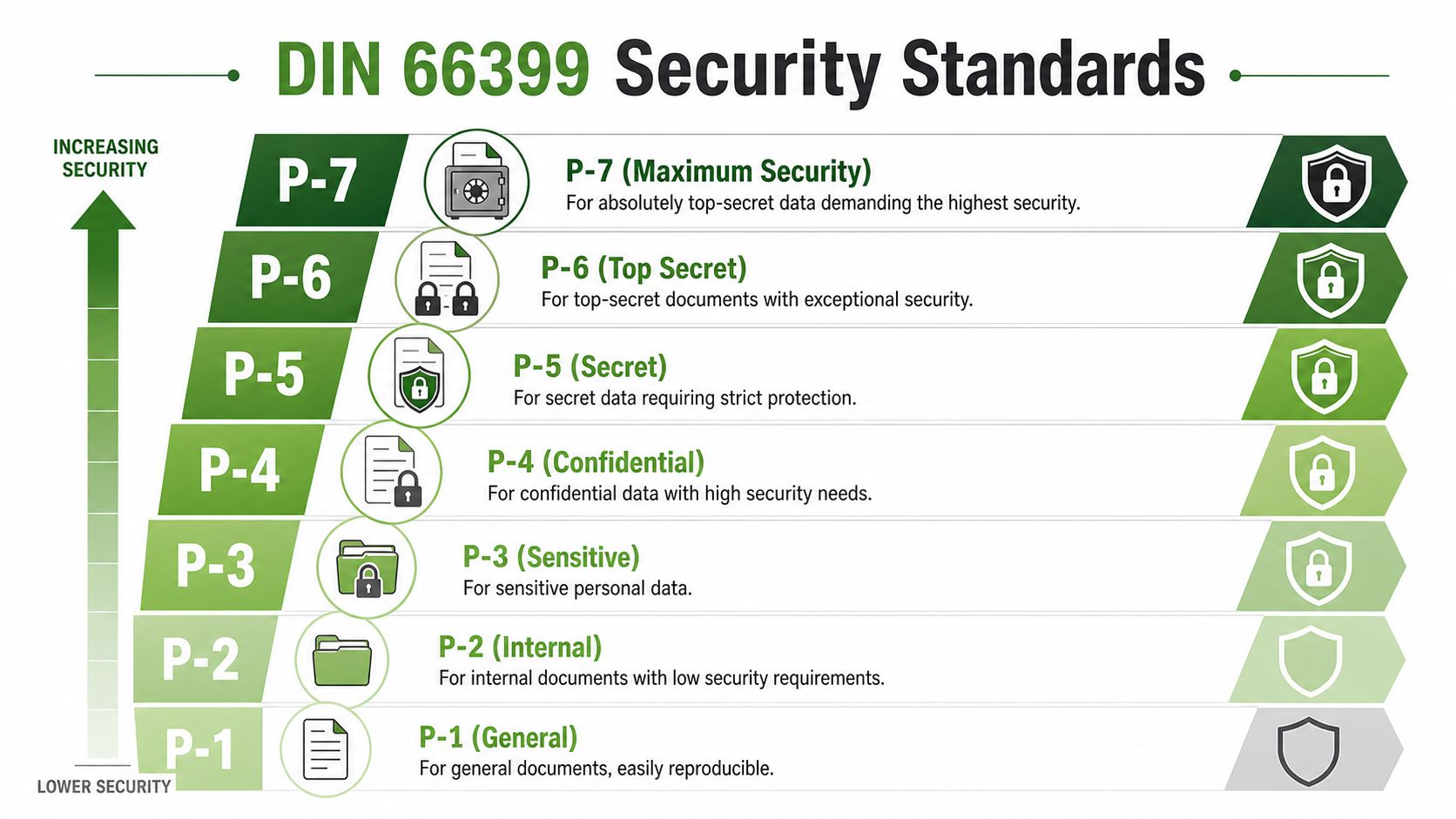
When you shop for paper shredding machines, you'll often see labels like P-2, P-4, or P-5. These come from DIN 66399, a standard used to classify how thoroughly a shredder destroys paper.
You don't need to memorise every technical detail. The easiest way to understand it is by grouping the levels into broad use cases.
P-1 to P-2
These are lower-security levels. They suit general documents and low-risk internal paper. If the contents are mildly private but not deeply sensitive, this range may be acceptable.P-3 to P-4
This is where many people feel more comfortable for personal and business use. Sensitive information is cut into smaller pieces, which makes reconstruction harder.P-5 to P-7
These are for stricter security needs. The particles become much smaller, and the destruction standard becomes far more demanding.
What confuses buyers is that cut style and P-level are related, but not identical. Strip-cut machines usually sit at the lower end. Cross-cut often falls into the mid range. Micro-cut usually supports higher levels. The exact level still depends on the machine's output size.
How to match a level to real-life documents
A practical way to think about P-levels is to match them to the impact of exposure.
General paperwork
Junk mail, duplicate printouts, rough drafts, and non-sensitive internal notes usually don't need top-tier destruction. Lower P-levels can be enough.
Sensitive personal records
Bank statements, payslips, policy documents, medical letters, and forms with identification details deserve a stronger standard. For many people, a P-4 rating or higher is considered appropriate.
High-security corporate material
Confidential records, regulated material, and disposal workflows tied to formal asset handling need more than a casual office shred. For high-security use, the benchmark gets very specific. To meet high-security standards required for corporate IT Asset Disposition, shredders must reduce documents to a maximum particle size of 1×5 mm, as stated in these NSA paper shredder requirements.
That's a useful reminder that “secure” isn't a vague feeling. It can be a measurable physical result. If you want to see how secure destruction principles translate into digital media too, this page on data erasure methods helps connect paper disposal standards with device data handling.
Higher security levels usually mean slower shredding, smaller bins, and more maintenance. That trade-off is normal.
Capacity Throughput and Maintenance Costs
The buyer checklist that saves frustration
Security gets most of the attention, but daily usability decides whether a shredder becomes helpful or annoying.
If you're comparing paper shredding machines, look beyond the cut type and ask practical questions:
Sheet capacity
How many pages can it handle at once without frequent jams? A machine that only works smoothly with tiny stacks can feel slow very quickly.Run time
Some shredders are built for short bursts. Others can handle longer sessions before needing a cool-down break.Bin size
Smaller particles fill bins differently from larger strips. A compact machine may need more frequent emptying than you expect.Noise level
This matters more in homes, shared offices, and reception areas than many buyers realise.
These details shape the experience. A shredder that offers strong security but overheats during a routine clean-up can become a machine people avoid using.
The hidden costs people forget
Ownership brings a second layer of decisions: maintenance and total cost over time.
Paper shredding machines need routine care. Cross-cut and micro-cut models often need more attention because their cutting pattern is more demanding. Blades need proper lubrication. Sensors can get dusty. Overfeeding leads to jams. Repeated strain can shorten the life of the motor.
A good pre-purchase checklist includes:
- Lubrication needs
Some machines need regular oiling to keep cutting smoothly. - Jam recovery
Reverse mode is helpful, but it doesn't solve every blockage. - Duty cycle limits
If the motor needs frequent rest periods, large shredding jobs become slow. - Repair practicality
Not every machine is built with easy servicing in mind.
Buy for your real workload, not your most optimistic one. The wrong capacity shows up as friction almost immediately.
For a home user, a smaller machine may be perfectly reasonable if shredding happens only now and then. For a small business, buying too small often means repeated downtime, user frustration, and replacement earlier than expected.
The E-Waste Impact of Your Shredder
A shredder is also an electronic device
There's a sustainability question that almost never appears in shredder buying guides. What happens when the machine itself breaks, becomes unreliable, or gets replaced?
It becomes e-waste.
That matters because a shredder isn't just a paper tool. It's an electrical product with a motor, wiring, plastics, and metal components. Yet much of the conversation around paper shredding machines focuses only on document security. The environmental side is often left out. In fact, existing content on shredders often ignores how these machines contribute to Singapore's e-waste stream, which creates a real information gap for people trying to align purchases with zero e-waste goals, as noted on this Singapore shredder product category page.
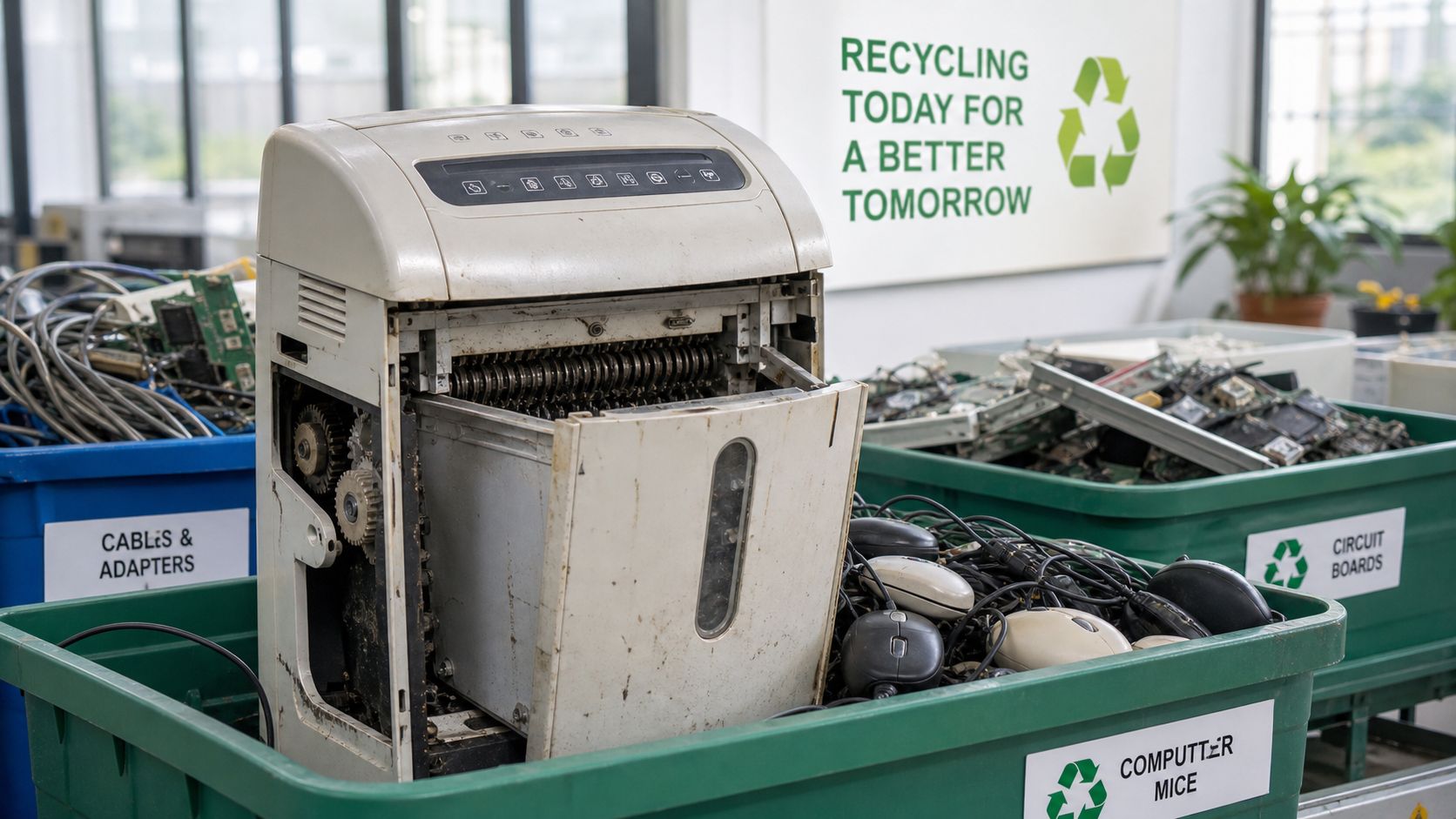
That gap matters even more in offices trying to make smarter procurement choices. Secure disposal shouldn't create a second disposal problem that nobody planned for.
What to look for before you buy
A more responsible buying mindset asks different questions from the start:
Can it be repaired?
If a jammed sensor or worn component ends the machine's life too early, the environmental cost rises.Is it sized correctly?
An undersized shredder often gets replaced sooner because it's used beyond what it was built for.Can your workplace avoid ownership altogether?
For some teams, outsourced shredding can reduce the need to own and later discard another electronic device.Do you already have an end-of-life plan?
Many offices only think about disposal when a machine stops working.
If you're looking at the bigger device lifecycle, not just one machine purchase, this article on secure ITAD and e-waste disposal in Singapore is useful because it frames secure disposal and environmental responsibility as part of the same decision.
Responsible disposal starts before you buy. It begins with choosing tools and workflows that won't become tomorrow's forgotten hardware.
When to Use a Professional Shredding Service
Owning versus outsourcing
For a home office or light personal use, owning a shredder can be convenient. You get immediate access. You can deal with a few documents whenever they appear. There's no scheduling and no waiting.
But ownership works best when the workload is small, the security need is manageable, and someone is willing to handle jams, maintenance, noise, storage, and eventual disposal of the machine itself.
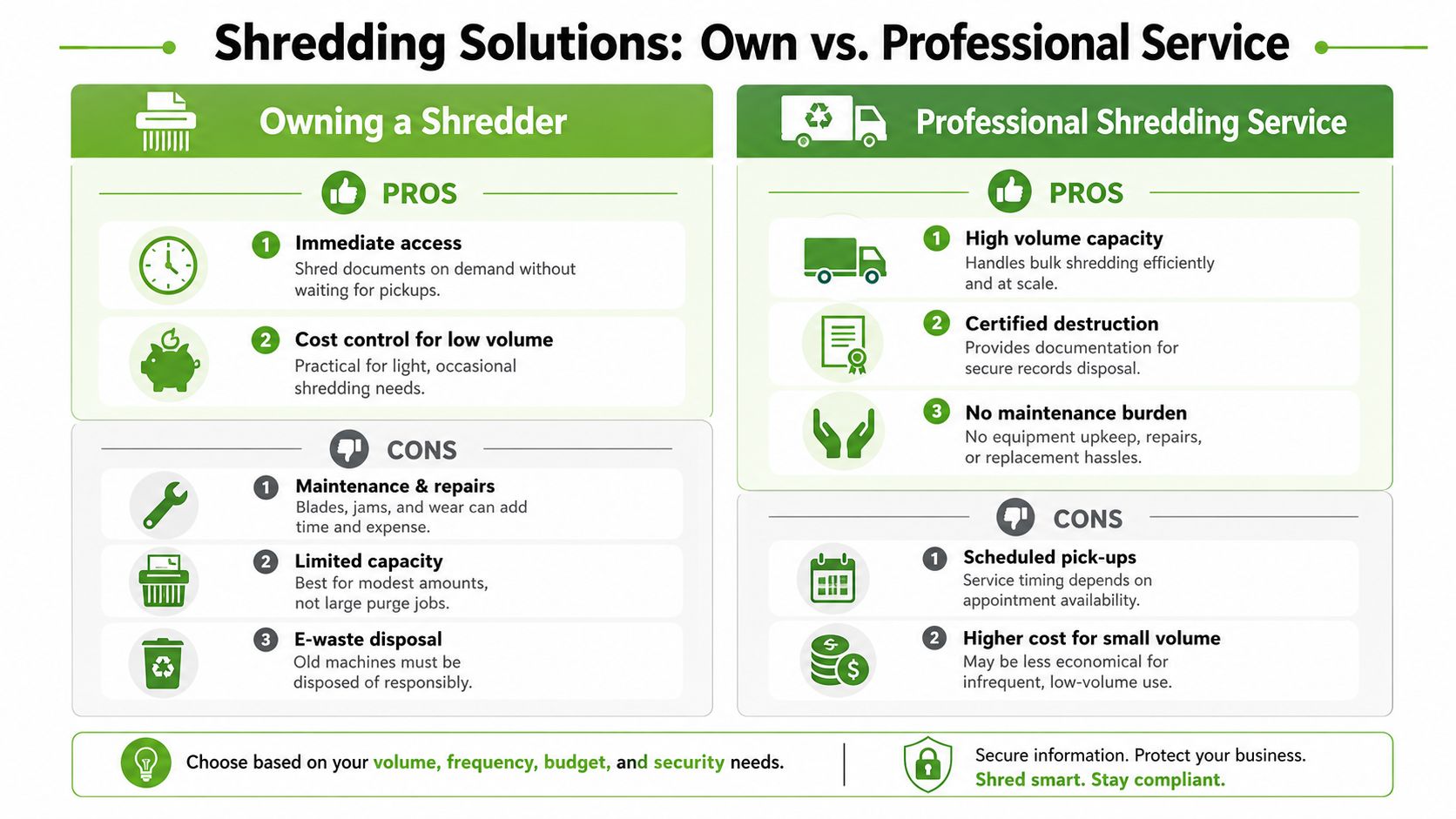
Professional shredding services solve a different problem. They're built for volume, controlled handling, and documented destruction. That changes the decision if you're a business, school, clinic, or any organisation handling regular confidential paper.
Here's a simple comparison:
| Option | Best Fit | Main Strength | Main Limitation |
|---|---|---|---|
| Own a shredder | Low volume, occasional use | Immediate access | Maintenance, capacity limits, end-of-life disposal |
| Use a professional service | Regular or high-volume confidential disposal | Scalable handling and formal process | Requires scheduling and workflow planning |
A short video can help make the trade-offs more visual:
Why many Singapore organisations outsource
In Singapore, the decision is often shaped by compliance, not just convenience. The document security market is dominated by professional services, not consumer devices, due to strict PDPA regulations that mandate secure disposal, making outsourced shredding a key compliance activity for businesses, according to this guide to shredder machine services in Singapore.
That changes the role of paper shredding machines. For individuals, they're often a practical household or small-office tool. For organisations, they may be only part of the picture or not the right choice at all.
Professional services are especially worth considering when you need:
Bulk handling
Archive rooms, old files, and periodic clean-outs can overwhelm smaller office machines.Consistent process
Staff don't need to guess what can be shredded, when to do it, or how to manage overflow.Formal records
In Singapore, certificates of destruction are an important part of auditable disposal practice.Less equipment burden
No machine maintenance, no noise on-site, and no extra e-waste from a unit you no longer need.
If you're comparing local options and trying to understand where outsourced destruction fits, this article on shredding services in Singapore gives a practical overview.
Securely Disposing of Digital Data with myhalo
Paper security is the small version of digital security
Once you start treating printed records carefully, it's hard not to notice the bigger issue sitting in your drawer or backpack. Old devices don't just hold “some” information. They often contain years of it.
A retired phone can store chats, photos, saved logins, banking apps, email access, personal documents, and copies of files you forgot were there. A laptop can hold work folders, tax records, browser history, and synced cloud access. In other words, secure paper disposal is important, but secure digital disposal is even more critical.
That's where a lot of people get stuck. Deleting files doesn't always feel reassuring. Factory resets can feel incomplete. And handing over a device without confidence in the data process is stressful for good reason.
What safe digital disposal looks like
A trustworthy process should answer basic questions clearly. Who can access the device? Where does the erasure happen? Is there a record? Is the method aligned with recognised security practice?
With myhalo, data erasure is aligned with ISO 27001 standards, and the process takes place in a restricted, locked area accessible only to appointed, trained staff. Their erasure records are also stored and encrypted for up to two years, and an official data erasure certificate is available for $10 upon request, as described in myhalo's guide to selling your old phone, tablet or laptop in Singapore and this feature on how myhalo handles device privacy at its Bugis store.
That matters because secure disposal isn't only about getting rid of a device. It's about letting go of it with confidence.
If your device has already failed and you're trying to rescue information before disposal, there's also a different path. myhalo's data recovery guide for Singapore explains that logical recovery starts from $199 with a 7–14 working days turnaround, while physical recovery requiring a clean-room environment starts from $699 and includes a backup drive provided free by the service provider.
Your precious files and memories matter to us. Whether you need to protect your privacy with Safe data or rescue lost files with Save data, our caring team is right here to help. Reach out to myhalo today!