
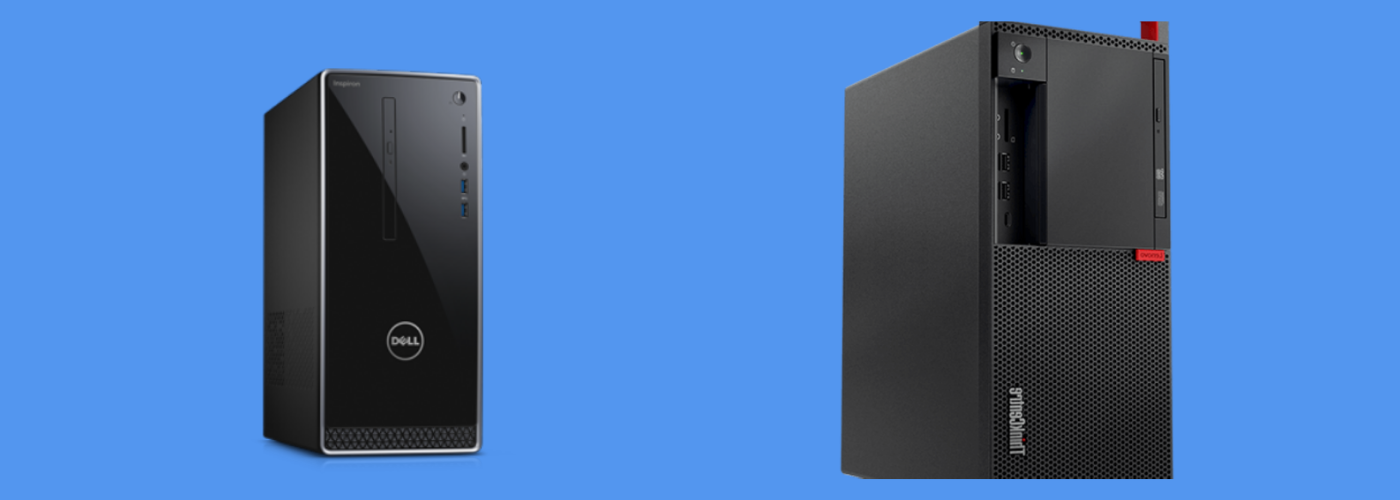
Welcome to Laptop Factory Outlet, where finding the best desktop or laptop feels easy, friendly, and fun. We help you match the right PC to your needs and budget with honest specs, caring guidance, and refurbish programs that support zero e-waste. With caring guidance, honest specs, and options that support our zero e-waste community through refurbish programs, we make choosing a new PC or laptop joyful, transparent, and convenient.
Overview of Desktop and Laptop Options
From traditional desktop towers to sleek all-in-one PCs and thin, travel-ready laptops, our lineup covers every form factor. Compare desktops and laptops by CPU/GPU, RAM, storage, and OS to find the best fit fast. We stock windows PCs, business PCs, gaming PCs, and creator-ready configurations, all clearly labeled so you can find the best desktop or laptop without fuss.
Understanding Desktops and Laptops
Desktops offer upgradable power; laptops offer portability; AIOs save space with integrated displays. All-in-ones (AIO, all-in-one desktop, AIO desktop, all-in-ones, all-in-one PCs) like Lenovo’s Yoga AIO 27 blend a tidy display with integrated graphics or discrete GPU options via HDMI. Visit our desktop and laptop collections to compare configurations side by side.
Benefits of Choosing a Desktop PC
Desktops deliver best value, cooling, and easy upgrades for CPU, GPU, RAM, and SSDs. Add more RAM—8GB for light tasks, 16GB of RAM for creative work, 32GB for workstation workloads—swap in faster SSDs, or pick a dedicated graphics card for high-end gaming and PC games that consume more power. Traditional desktop and ThinkCentre models like Lenovo ThinkCentre and Lenovo’s business PCs deliver reliable operating system support, peripherals expansion, and future-ready configuration choices.
Choosing a Laptop from Laptop Factory Outlet
Filter by condition (Brand New, As-New, ReEco, ReLoved), pick the right CPU/GPU, and choose RAM from 16GB to 64GB with warranty-backed confidence. Pick RAM from 16GB, 24GB, 32GB, up to 64GB, match a processor like Intel Core Ultra (core ultra 7, core ultra 9), Intel Core i9, Intel Core 7-2, Intel Core 7-1, AMD Ryzen 7 or Ryzen 7 Pro, or Snapdragon X Elite and X Plus. Explore Mobile Workstation, Gaming & Creator, Thin & Light, MacBook and Surface, plus Lenovo, Dell, and new Lenovo favorites—so you can confidently find the best PC for your workload.
Best Desktop Computers in the Market
When you’re ready for a new desktop that feels fast, quiet, and dependable, our team at Laptop Factory Outlet makes it easy to find the best desktop computers for your need and budget. Choose from towers, mini PCs, and AIOs—each curated with transparent specs and pricing. Whether you prefer a desktop computer with upgradable parts, an AIO desktop with integrated graphics, or a high-performance tower for pc gaming, we guide you with honest specs, friendly advice, and transparent starting price.
Top Picks for Desktop PCs
Everyday: Intel Core/Ultra + 8–16GB RAM + SSD; Creators/Gamers: 16–32GB + dedicated GPU; Simplicity: AIO with HDMI. Each configuration is tested, backed by warranty, and offered in new desktop or refurbish options to reduce e-waste.
| Use Case | Key Specs |
|---|---|
| Everyday | Intel Core/Ultra, 8–16GB RAM, SSD |
| Creators/Gamers | 16–32GB RAM, dedicated GPU |
| Simplicity | AIO with HDMI |
All configurations are tested, covered by warranty, and available as new desktops or refurbished options to reduce e-waste.
Lenovo ThinkCentre Series
ThinkCentre desktops are reliable, quiet, and easily upgradable (RAM and SSD) for home or business. Lenovo’s ThinkCentre towers and small form factor models pair efficient CPU choices with flexible RAM slots for 8GB, 16GB, or 32GB upgrades, plus fast SSDS for quick launches. Choose integrated graphics for light use cases or add a dedicated graphics card for design and light PC gaming, especially if you use software like Photoshop and Premiere. For clean desks, explore Lenovo’s Yoga AIO and Lenovo’s Yoga AIO 27, an all-in-one PC with bright display, HDMI connectivity, and modern Intel Core options. With Lenovo ThinkCentre, you truly find the best desktop balance of durability, security, and easy peripheral expansion.
Best Dell Tower Models
Dell tower desktops offer strong airflow, bigger GPUs, and straightforward long-term upgrades. Start with Intel Core Ultra processors, scale RAM from 16GB to 32GB, and select an SSD for your primary drive, then add more SSDS as your projects grow. Opt for integrated graphics for office tasks or a dedicated graphics card for high-end gaming and heavy PC games, depending on your available desk space. We also offer compact alternatives like Apple Mac mini and Mac mini with an M4 or mini with an M4 Pro for quiet desks running a different operating system. With clear configurations and caring guidance, we help you find the best desktop fast and fuss-free.
Key Features to Consider
Focus on CPU, RAM, storage (SSD), GPU, and OS—these define performance, value, and upgradability. Whether you lean toward a traditional desktop tower, an AIO desktop, or a thin laptop, we help you find the best balance for your workload and need and budget. With clear specs and caring guidance, you can confidently find the best desktop or new PC.
Importance of RAM in Performance
8GB works for everyday tasks; 16GB is the sweet spot for multitasking; 32GB suits heavy workflows like video editing. RAM pairs with your CPU and SSD to reduce slowdowns, so your desktop PC or laptop stays snappy. Because desktops and many AIOs are upgradable, you can scale RAM later, protecting best value as your workload grows.
| RAM Capacity | Recommended Use |
|---|---|
| 8GB | Everyday tasks |
| 16GB | Sweet spot for most users |
| 32GB | Heavy workflows |
Choosing a Powerful Graphics Card
Integrated graphics for basic use; dedicated GPU for gaming, editing, and 3D. In a desktop tower or traditional desktop, you can upgrade to stronger GPUs over time, making it easy to find the best desktop longevity. Pair a modern Intel Core or Intel Core Ultra processor with a capable GPU, ensure good airflow, and use HDMI for peripherals. Creators and pc gamers often love balanced configurations that keep noise low and performance high.
Operating System Options for PCs
Windows fits most gaming/business needs; macOS (Mac mini) suits creatives; Linux is great for developers. We’ll walk you through compatibility, drivers, and updates so you can find the best fit—honest, down-to-earth, and tailored to your configuration, workload, and comfort, whether you prefer a tower desktop or a compact model.
All-in-One Computers
AIOs combine screen and PC to save space and simplify setup while staying fast and quiet. An all-in-one desktop or AIO desktop reduces cable clutter while still offering modern CPUs, integrated graphics or a discrete GPU in some models, fast SSD storage, and HDMI for peripherals. They’re friendly for family rooms, small studios, and sleek home offices. Explore best all-in-one computers at https://shop.myhalo.com.sg/collections/all-in-one to compare starting price, RAM and storage options, and operating system support. We’ll help you find the best desktop feel in a single, easy package.
Advantages of All-in-Ones
Quick setup, minimal cables, built-in peripherals, and efficient performance in compact designs. Because these desktops are compact, they’re perfect for shared spaces, and some aios still allow RAM upgrades for extra headroom. With thoughtful configurations, you enjoy best value, low energy use, and a desk that looks joyfully uncluttered.
Lenovo Yoga AIO Features
Yoga AIO offers a bright display, modern CPUs, fast SSDs, and HDMI—great for clean, productive workspaces. Lenovo’s design blends integrated graphics for quiet efficiency, while certain configurations pair well with creator use cases like video editing and light PC gaming. Expect fast SSD storage, ample RAM options like 16GB or 32GB, and reliable ethernet for smooth meetings. Explore all-in-ones at https://shop.myhalo.com.sg/collections/all-in-one to compare configuration and starting price. With Lenovo’s care for detail, Yoga AIO keeps your workspace clean, your workflow simple, and your day delightfully productive.
Apple Mac Mini Overview
Mac mini delivers powerful macOS performance in a tiny, quiet desktop—ideal for creatives and small spaces. Pair it with an SSD-based workflow, choose RAM that fits your workload, and enjoy a clutter-light, best value alternative to a larger desktop tower.
Refurbished vs. New Laptops
Choose refurbished for maximum value and sustainability, or brand-new for latest designs—both with clear specs and pricing. At Laptop Factory Outlet, we make it friendly to find the best fit across desktops and laptops, with honest labels on condition, clear starting price, and transparent specs like processor, RAM, and SSD. Whether you prefer a thin Lenovo, a creator-ready Dell, or a mobile workstation, our caring team helps you find the best desktop or laptop that feels joyful, dependable, and great value.
Benefits of Buying Refurbished Laptops
Refurbished (ReEco, ReLoved) units are tested, warrantied, and eco-friendly—great performance at lower cost. Each laptop is tested for CPU health, SSD performance, RAM stability, and battery wellness, then cleaned and reset to a fresh operating system for a like-new feel. You can also filter As-New for units in top cosmetic condition. Expect honest configuration details—8GB, 16GB, or 32GB RAM, Intel Core or Intel Core Ultra processors, and integrated graphics or a dedicated graphics card where applicable, suitable for a range of budgets. It’s a warm win for your wallet, our planet, and your everyday browsing the web or multitask flow.
| Aspect | Details |
|---|---|
| Testing & Prep | CPU health, SSD performance, RAM stability, battery wellness; cleaned and reset to a fresh OS |
| Configurations | 8GB/16GB/32GB RAM; Intel Core or Intel Core Ultra; integrated or dedicated graphics |
| Condition Options | “As-New” filter for top cosmetic condition |
| Benefits | Tested, warrantied, eco-friendly; lower cost with great performance |
Exploring New Lenovo Laptops
Brand New Lenovo laptops offer modern CPUs, speedy SSDs, and thin-and-light or creator-ready options. Filter by Brand New condition to see models powered by Intel Core Ultra, AMD options, and speedy SSD or SSDS storage. Choose thin-and-light designs for commuting, or creator-ready aios and mobile workstation class laptops with GPU strength for rendering and pc gaming. Lenovo’s ThinkCentre spirit of reliability carries into laptops, while all-in-one desktop companions like Lenovo’s Yoga AIO 27 keep home desks tidy with HDMI for a second screen when you’re back from the road.
Value for Money: Best Deals on Laptops
Match your workload to specs—often Intel Core/Ultra + 16GB RAM + SSD is the sweet spot for value. Creators and pc gamers may step to 32GB and a dedicated graphics card GPU, while everyday users can save with 8GB and integrated graphics. Our filters make it easy to find the best desktop replacement laptop or thin traveler quickly, with caring guidance at every click.
Frequently Asked Questions
We love making tech feel simple and kind. Get clear, honest answers on specs, performance, and pricing so you can buy with confidence. Whether you’re browsing the web, building a workstation, or seeking best desktop computers for home, we’re here to help you find the best path with joy and confidence.
What is the Best Desktop for Gaming?
For gaming: Intel Core/Ultra CPU, 16GB+ RAM, fast SSD, and a dedicated GPU in an upgradable tower. A traditional desktop tower or Dell Tower Plus gives airflow and upgradable room for future GPUs and SSDS, keeping best desktop longevity high. For creators who also game, a workstation-grade desktop PC balances rendering and high-end gaming, with HDMI for easy peripheral swaps and a tidy configuration.
How to Choose the Right Laptop?
Define your use case, then choose CPU, RAM (16–64GB), and graphics; filter by condition to fit your budget. Choose integrated graphics for everyday tasks or a dedicated graphics card for editing and pc gaming. Filter by condition—Brand New, As-New, ReEco, or ReLoved—and explore MacBook and Surface too. Our caring filters help you find the best fit fast, whether you’re looking for a ThinkPad or a tower desktop.
Where to Find the Lowest Prices?
Compare conditions (ReEco, ReLoved, As-New, Brand New) and sort by starting price to spot the best deals. Sort by starting price, then fine-tune processor, RAM, and SSD to match your workload. We highlight best desktop and laptop deals across Lenovo, Dell, and more, with transparent specs and friendly guidance. If you need a nudge, chat with our team—we’ll help you find the best desktop or laptop value that meets your need and budget, happily and honestly.