
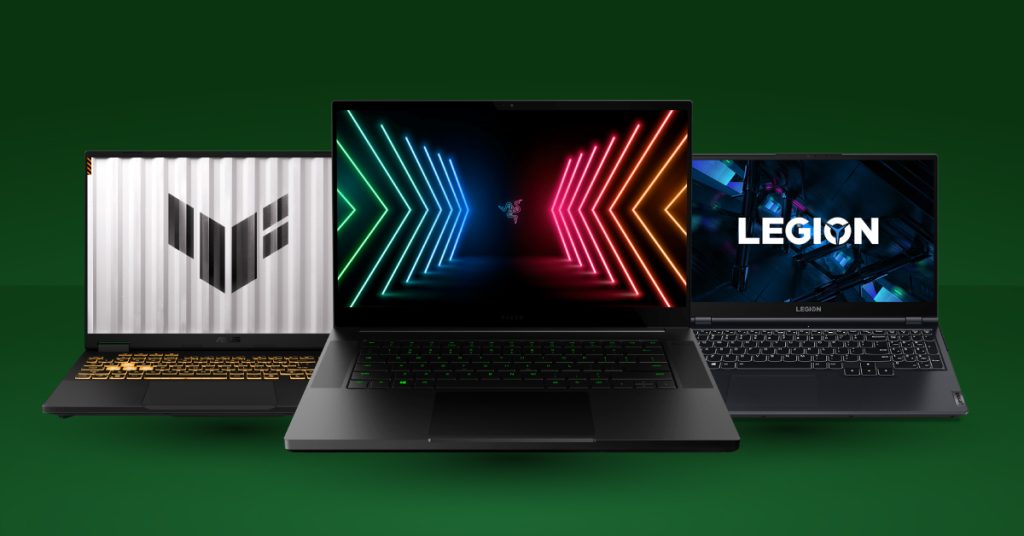
Gaming laptops are awesome—until you realise how much you’re paying for “brand new”. In Singapore, new gaming laptops are often priced at a premium, and they also take a big hit in value the moment they leave the store.
That’s why more buyers are going for reloved gaming laptops. You skip the painful early depreciation and put your budget where it actually matters: better performance, better specs, better value.
In this guide, you’ll learn:
- what GPUs are good for which games (including RTX 4080/4090 and RTX 5080/5090)
- how to pick a sensible CPU + GPU pairing (so you don’t waste money)
- what to check when buying reloved—and how myhalo reduces the risk
- the popular 2025–2026 model lines you’ll commonly see, so you can browse with confidence
Quick glossary:
FPS, refresh rate (Hz), 1440p (resolution) and ray tracing
FPS (Frames Per Second)
FPS means frames per second—how many images your laptop can render every second in a game. Higher FPS usually feels smoother and more responsive.
Refresh rate (Hz)
Your screen refresh rate (e.g., 60Hz, 144Hz, 240Hz) is how many times the display can refresh per second. A 144Hz screen can show up to 144 frames per second.
Important: your laptop can render 200 FPS, but a 60Hz screen can only display up to 60 frames visually.
1440p
1440p refers to resolution (pixel count), which affects sharpness:
- 1080p = 1920 × 1080
- 1440p = 2560 × 1440 (sharper, but more demanding on the GPU)
Simple rule:
- Higher Hz = smoother motion
- Higher resolution = sharper visuals
- Doing both (1440p + high Hz) needs a stronger GPU
Ray tracing
Ray tracing is a graphics feature that simulates how light behaves in the real world—so you get more realistic lighting, reflections, and shadows.
It looks great, but it’s demanding:
- Turning on ray tracing usually lowers FPS
- That’s why higher-tier GPUs (like RTX 4080/4090/5080/5090) matter more if you want ray tracing and smooth performance
Buying used/open-box gaming laptops (mistakes to avoid)
If you want a practical overview of what people usually get wrong when buying used/open-box gaming laptops, this one fits perfectly with the “what to check” section below:
Jarrod’sTech — Save Money Buying a Used/Open Box Gaming Laptop (And Mistakes to Avoid!)
What graphics card is good for what games?
If there’s one component that decides how your games feel, it’s the graphics card (GPU). Here’s a simple, real-world way to choose.

Esports & competitive games (1080p, high FPS)
If you mainly play Valorant, CS2, Dota 2, League, Overwatch 2, Fortnite, you’ll usually do great with:
- RTX 4050 / RTX 5050: solid entry for smooth 1080p
- RTX 4060 / RTX 5060: the “sweet spot” for 144Hz+ gaming
- RTX 4070 / RTX 5070: if you want higher settings while still chasing very high FPS
Tip: competitive games often become CPU-limited at very high FPS, so don’t overspend on GPU and underbuy the CPU.
AAA & graphics-heavy games (1080p to 1440p)
AAA games are big-budget, graphics-heavy titles like Cyberpunk 2077, Elden Ring, Hogwarts Legacy, Helldivers 2, Baldur’s Gate 3.
For these, GPU matters most:
- RTX 4060 / RTX 5060: sensible baseline
- RTX 4070 / RTX 5070: stronger 1440p performance
- RTX 4080 / RTX 5080: high settings + smoother 1440p
- RTX 4090 / RTX 5090: max headroom for high resolution + ray tracing
Where RTX 4080 / 4090 / 5080 / 5090 are worth it (gaming + beyond)
These GPUs shine when you do one or more of the following:
- 1440p Ultra + high refresh (165Hz/240Hz) and you hate frame drops
- 4K gaming (especially with an external monitor/TV)
- ray tracing without turning settings down
- creator work (editing, 3D, motion graphics) where time savings are real
- local AI tools where extra GPU headroom helps
How to choose the correct processor and graphics card (CPU + GPU pairing)
People get this wrong all the time, so here’s the simplest way to think about it:

Competitive games = high FPS = CPU matters more
AAA games = heavy graphics = GPU matters more
What CPU names should you look for? (simple examples)
To keep this practical for shopping, here are “common good tiers” you’ll see in listings:
| Brand | Series | Details |
|---|---|---|
| AMD | Ryzen 5 / 7 / 9 (7000 Series) | High performance processors suitable for multitasking, gaming, and productivity workloads. |
| Intel | Core i5 / i7 / i9 (13th & 14th Gen) | Powerful CPUs with hybrid architecture, ideal for high-performance computing and modern applications. |
| Intel | Core Ultra 5 / 7 / 9 | New AI-era processors with improved efficiency and integrated NPUs for AI workloads. |
(Exact model numbers vary across laptops, but these ranges are a solid shorthand when comparing listings.)
Competitive gaming (Valorant/CS2/Fortnite competitive)
Goal: 144–240+ FPS, low latency, consistent frames
- GPU: RTX 4060/5060 is often the best value
- CPU: aim for at least Ryzen 7 7xxx or Core i7 13xxx/14xxx (or Core Ultra 7) if you’re pairing with a 144–240Hz screen
Why: at very high FPS, esports titles can become CPU-limited
AAA gaming (Cyberpunk-style titles)
Goal: higher settings and smoother visuals (often 1440p)
- GPU: prioritize RTX 4070/5070+ for comfortable 1440p
- CPU: Ryzen 5 7xxx / Core i5 13xxx/14xxx / Core Ultra 5 is usually enough, and stepping up to Ryzen 7 7xxx / Core i7 / Ultra 7 is great if budget allows
Why: AAA titles are often GPU-limited
Gaming + creator / AI work
- GPU: prioritize higher tiers (especially RTX 4080/4090/5080/5090)
- CPU: go stronger if you render, encode, or multitask heavily (think Ryzen 7/9 7xxx, Core i7/i9 13xxx/14xxx, or Core Ultra 7/9)
Do you need an “AI processor” (NPU)? What’s a good combo?
An “AI processor” usually means an NPU inside newer CPUs (common on many Intel Core Ultra models and newer AMD “AI” lines). It’s useful for on-device AI features—especially when you’re on battery.

Get a laptop with an AI CPU/NPU if you:
- do lots of video calls and want better background blur / noise removal
- want newer Windows AI features that run locally
- care about efficiency while unplugged
If your “AI” means local AI tools…
For local image generation or running models, the NVIDIA GPU matters more than the NPU.
Good combinations to look for
| Category | Processor Options | GPU Options | Best For |
|---|---|---|---|
| Best Value | Core Ultra 5 / 7 or Ryzen 5 / 7 (7000 Series) |
RTX 4060 / 5060 or RTX 4070 / 5070 |
Gaming + AI features at a balanced price point |
| High-End Balance | Core Ultra 7 / 9 or Ryzen 7 / 9 (7000 Series) |
RTX 4080 / 5080 | Content creation + AI + high-end gaming |
| Maximum Performance | Core Ultra 7 / 9 or Ryzen 9 (7000 Series) |
RTX 4090 / 5090 | 4K gaming, ray tracing, advanced AI workloads, and heavy content creation |
Why buy reloved? Because depreciation is real
Gaming laptops lose value quickly right after purchase. Many models drop sharply once they’re no longer “brand new”, even if they’re still basically the same machine.

So when you buy reloved, you’re usually getting:
- more performance for the same budget
- access to higher GPU tiers
- better value overall in the Singapore market
Put simply: you’re paying for performance—not packaging.
What should you worry about when buying reloved?
Concern 1: “Was it maintained properly?”
Gaming laptops run hot. Poor maintenance can mean dust buildup, overheating, throttling, and noisy fans.
What myhalo does:
- 30-point check
- battery testing
- thermal repasting for each unit that comes in
Concern 2: “What if I buy the wrong model?”
It happens—someone buys a laptop that doesn’t match their needs.
myhalo makes this easier:
- 14 days, no question asked
- if your unit can’t perform up to your expectations, you can switch to another higher-end one with myhalo
Concern 3: “Are reloved laptops too old?”
Not necessarily. myhalo carries a super wide range—from devices that are about 2 weeks old to around 4 years old, including premium options—even with RTX 4090 and RTX 5090 graphics.
3 more reasons buyers choose myhalo
- better performance-per-dollar
- a wide range of options (from near-new to premium)
- lower-risk buying thanks to checks + service + a swap-friendly policy
Popular gaming laptop series you’ll see (and real 2025–2026 examples)

| Brand | Series | Example Models |
|---|---|---|
| Acer | Nitro Predator |
Nitro: Nitro V 16 (ANV16-72), Nitro V 16 AI, Nitro V 16S AI
Predator: Predator Helios Neo 16 AI, Predator Helios Neo 16S AI |
| ASUS | ROG TUF |
ROG: ROG Strix SCAR 16 (2025) G635, ROG Zephyrus Duo (2026)
TUF: TUF Gaming A16 (2025) |
| MSI | Gaming Series | MSI Raider A18 HX, MSI Crosshair 16 Max HX (2026 refresh line) |
| Razer | Blade Series | Razer Blade 14 (2025), Razer Blade 16 (new-gen refresh line) |
| Alienware | Gaming Series | Alienware m16 R2, Alienware 16 Area-51, Alienware 16X Aurora |
| Lenovo | Legion 5 / 7 / 9 LOQ |
Legion: Legion 9i Gen 10, Legion Pro 7i Gen 10, Legion 7i Gen 10, Legion 5i Gen 10
LOQ: Lenovo LOQ (2026 line) |
(Tip: don’t stress if a listing uses slightly different naming—brands often have region-specific SKUs. What matters is recognising the series and matching CPU/GPU tier to your games.)
Good CPU + GPU pairs for the top 5 gaming titles in 2025
Below are safe, laptop-friendly pairings that work great for the most-played titles in 2025: Fortnite, Call of Duty, GTA V, Roblox, and Minecraft.
1) Fortnite (competitive FPS, high refresh)
Best value:
-
- CPU: AMD Ryzen 7 7xxx or Intel Core i7 13xxx/14xxx (or Core Ultra 7)
- GPU: RTX 4060 / RTX 5060
Higher headroom:
-
- CPU: Ryzen 9 7xxx or Core i9 13xxx/14xxx (or Core Ultra 9)
- GPU: RTX 4070 / RTX 5070
2) Call of Duty (heavier, benefits from stronger GPU)
Best all-round:
-
- CPU: Ryzen 7 7xxx or Core i7 13xxx/14xxx (or Core Ultra 7)
- GPU: RTX 4070 / RTX 5070
Higher settings / 1440p:
-
- CPU: Ryzen 9 7xxx or Core i9 13xxx/14xxx (or Core Ultra 9)
- GPU: RTX 4080 / RTX 5080
3) GTA V (runs great on mid-range)
Best value:
-
- CPU: Ryzen 5 7xxx or Core i5 13xxx/14xxx (or Core Ultra 5)
- GPU: RTX 4060 / RTX 5060
Mods / 1440p headroom:
-
- CPU: Ryzen 7 7xxx or Core i7 13xxx/14xxx (or Core Ultra 7)
- GPU: RTX 4070 / RTX 5070
4) Roblox (mostly CPU-bound)
Best sensible pairing:
-
- CPU: Ryzen 5 7xxx or Core i5 13xxx/14xxx (or Core Ultra 5)
- GPU: RTX 4050 / RTX 5050
5) Minecraft (vanilla vs shaders/ray tracing)
Vanilla / light mods:
-
- CPU: Ryzen 5 7xxx or Core i5 13xxx/14xxx (or Core Ultra 5)
- GPU: RTX 4050 / RTX 5050
Shaders / heavy mods:
-
- CPU: Ryzen 7 7xxx or Core i7 13xxx/14xxx (or Core Ultra 7)
- GPU: RTX 4060 / RTX 5060
Ray tracing:
-
- CPU: Ryzen 7/9 7xxx or Core i7/i9 13xxx/14xxx (or Core Ultra 7/9)
- GPU: RTX 4070 / RTX 5070 (minimum), ideally RTX 4080/5080+
Ready to shop reloved gaming & creator laptops?
If you want the best value on reloved gaming laptops in Singapore, browse our latest Gaming Laptop Collection: