

Is your Windows laptop slow when running AI tools like ChatGPT, Copilot, or AI image generators?
You’re not alone. Over time, laptops tend to slow down — not because the hardware is “broken,” but due to software clutter, too many startup apps, and poor system settings.
In our earlier guide on laptop lifespan in Singapore, we covered hardware tips like RAM upgrades, SSD swaps, and fan cleaning. But today, let’s focus on the software side.
Here are 10 simple and effective tips to make your laptop faster, so it runs AI tools smoothly and lasts up to 8 years.
1. Uninstall Programs You Don’t Use
Unnecessary apps take up disk space and slow down AI performance.

Steps:
- Press Windows + I → Settings → Apps → Installed apps
- Select apps you don’t use → Uninstall
Pro Tip: Remove trial software, old games, and duplicate apps to make your laptop faster immediately.
2. Disable Startup Apps with Task Manager
Too many startup apps = slow boot + sluggish AI performance.
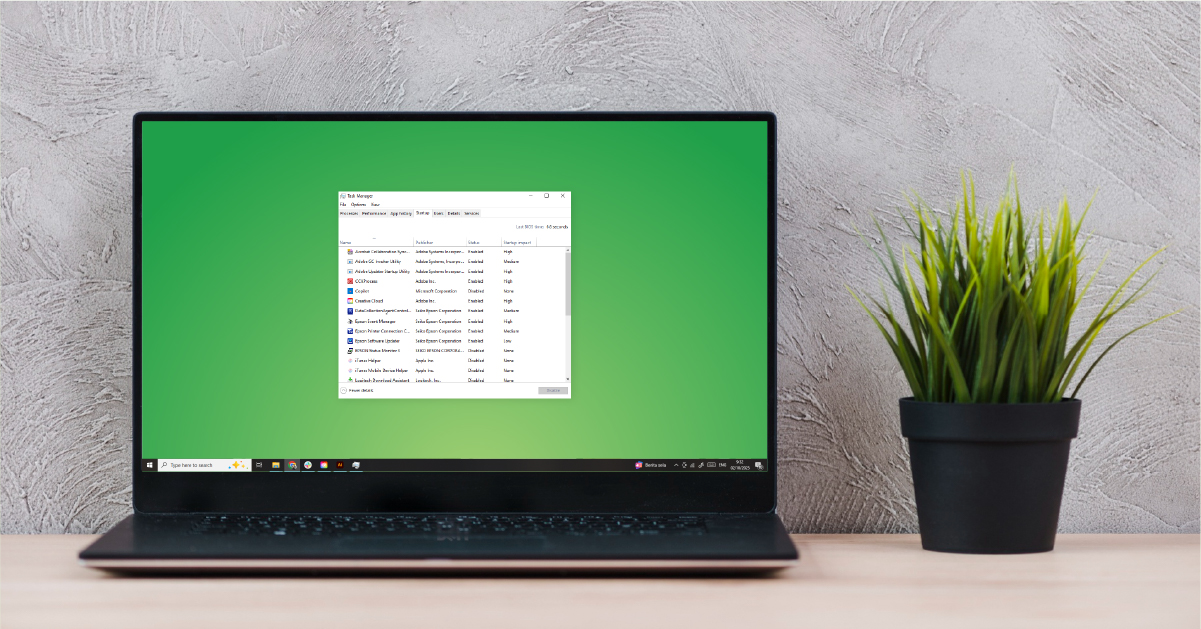
Steps:
- Press Ctrl + Shift + Esc → Task Manager
- Go to Startup tab → Right-click unwanted apps → Disable
3. Use MSCONFIG for Extra Control
Some apps bypass Task Manager. Use msconfig for deeper startup control.
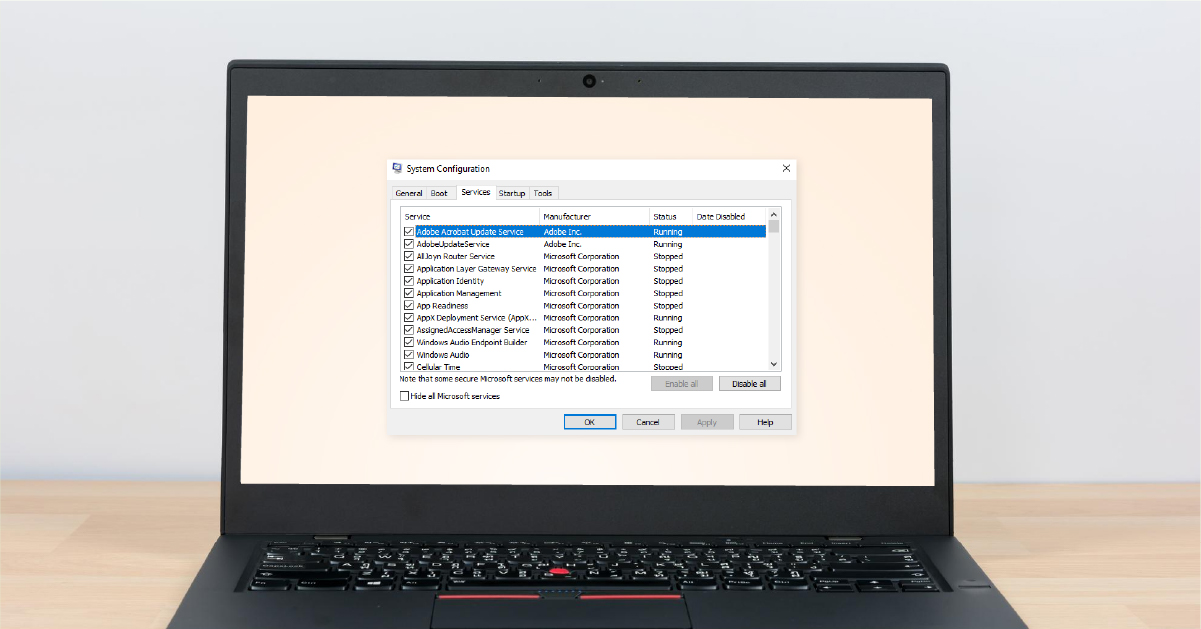
Steps:
- Press Windows + R → type msconfig → Enter
- Open Task Manager under “Startup”
- Disable non-essential apps (leave system-critical items on)
4. Keep Windows & Drivers Updated
Outdated drivers = laggy AI tools.
Steps:
- Windows + I → Update & Security → Windows Update
-
Device Manager → Right-click drivers (Display, Network, Storage) → Update
5. Clean Up Disk Space
A nearly full hard drive slows everything.

Steps:
- Windows + E → Right-click C: → Properties → Disk Cleanup
- Clear temp files, Recycle Bin, and old updates
- Turn on Storage Sense for auto-cleanups
6. Limit Browser Tabs & Extensions
AI tools like ChatGPT run in your browser — every tab/extension eats memory.

- Keep under 10 tabs open
- Remove unused extensions
- Use a dedicated browser window for AI
7. Adjust Visual Effects for Speed
Windows animations = slower performance on older laptops.
Steps:
- Press Windows + S → type Performance → Adjust appearance and performance of Windows
- Select “Adjust for best performance”
8. Scan for Malware & Viruses
Malware eats up CPU/RAM silently.

Steps:
- Windows + I → Update & Security → Windows Security
- Run Quick Scan weekly & Full Scan monthly
9. Clear Browser Cache Regularly
Old cache = laggy ChatGPT and browsers.

Steps:
- Press Ctrl + Shift + Del → Clear cache + cookies
- Restart your browser monthly
10. Use AI Wisely Without Slowing Down
AI runs in the cloud, but multitasking impacts your laptop.

Use ChatGPT in browser (not multiple desktop apps)
Keep 1–2 AI tabs only
For smooth use: 8GB RAM minimum, 16GB RAM ideal
Bonus: Pair Software Care with Hardware Upgrades
Even after tweaks, upgrades matter:

- Add RAM → smoother multitasking with AI
- Upgrade to SSD → faster boot & app load times
With these, you can make your laptop faster and extend its life up to 8 years.
Rescue Your Laptop with MyHalo
Still slow after following these tips? Your device may need professional servicing.

At MyHalo Rescue Advise, we provide:
- RAM & SSD upgrades for AI performance
- Malware & software cleanup
- Thermal servicing & fan repair
- Pro laptop repairs
Get MyHalo Rescue Advise to make your Windows laptop AI-ready.
FAQ: How to Make Laptop Faster for AI Tools
Q1. Why does my laptop slow down with AI tools like ChatGPT?
Because AI runs in your browser, and each tab/extension uses RAM. Too many tabs or low memory = lag.
Q2. How do I make my laptop faster for AI use?
Uninstall unused apps, disable startup programs, update drivers, clear cache, limit tabs, and upgrade to SSD/RAM.
Q3. How much RAM do I need for ChatGPT?
-
Basic chatting & writing: 8GB RAM
-
AI coding/design/research: 16GB RAM
Q4. What laptops are good enough for ChatGPT?
Any laptop from 2017 onward (Intel i5 7th Gen / Ryzen 3) with SSD is fine. For heavy AI tasks, go newer with 16GB RAM.
Q5. Can my laptop last 8 years with daily AI use?
Yes — with regular cleanups, proper settings, and upgrades, your laptop can last 7–8 years even with AI workloads.