

Losing important files can feel like a mini-crisis — family photos, work documents, client data, years of memories. The moment a hard drive won’t open or a laptop says “disk not detected,” the worry is real.
At myhalo, we’ve helped thousands of people through that stressful moment. This guide explains data recovery in a simple, honest way: what causes data loss, what recovery can (and can’t) do, why it takes time, how our pricing works, and what you can do to prevent it next time.
Our goal is to help you feel informed, calm, and confident.
What Is Data Recovery?
Data recovery is the process of retrieving data from a storage device that has failed, been damaged, or become unreadable. This can include:

- Hard disks (HDD)
- SSDs
- External drives
- USB drives
- Memory cards
- Laptops/desktops
There are two main types of recovery depending on what went wrong.
Logical vs Physical Recovery (Simple Explanation)
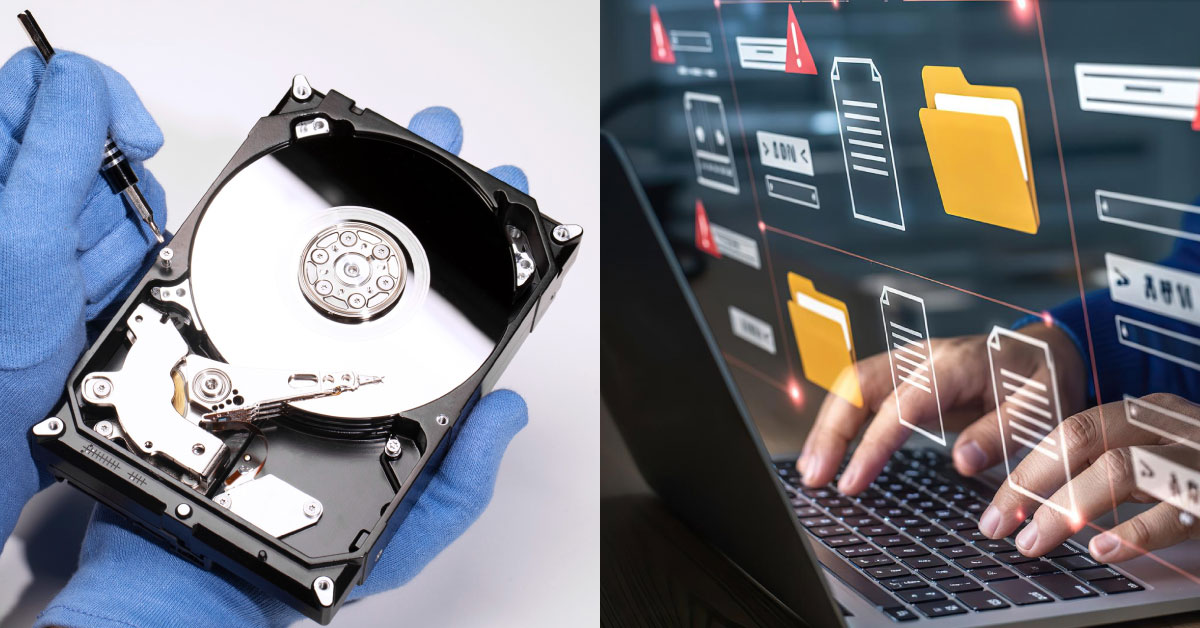
Logical Recovery
Logical recovery happens when the storage device is physically fine, but something in the software or file structure is damaged.
Think of it like:
The “library” is still standing, but the catalog system is messed up.
Physical Recovery
Physical recovery is needed when the storage media itself is damaged.
Think of it like:
The “library” building is damaged — shelves collapsed, doors jammed, wiring burnt.
This often needs clean-room tools, component work, and advanced extraction methods.
Common Types of Data Loss (and Why They Happen)

Logical Data Loss & Causes
These are software or usage-related issues:
- Accidental deletion
- File system corruption (power outage, unsafe shutdown)
- Operating system failure (virus, corruption, hardware interaction)
- Software malfunction
- Virus or malware attacks
- Human errors like overwriting or formatting
Physical Data Loss & Causes
These involve damage to the hardware:
- Hard drive failure (crashed heads, burnt controller board)
- Dropping or impact damage
- Water or liquid exposure
- Power surges damaging electronics
- Natural disasters (fire, flooding, etc.)
- Wear and tear over years of use
Why Data Recovery Takes Time (and Costs More Than Normal Repairs)
Data recovery isn’t the same as a simple repair. It’s more like a careful rescue mission.

Recovery often involves:
- Deep scanning and reconstruction
- Sector-by-sector extraction
- Multiple verification passes
- Controlled environments for physical repair
- Certified technicians trained to minimise further loss
It’s precise work — and when data is precious, precision matters.
What Equipment Is Used for Recovery?
Depending on whether it’s logical or physical:
For Logical Recovery
- Licensed data recovery software to scan, rebuild, and extract files.
For Physical Recovery
- Clean-room environment to safely open drives and work on internal components without dust contamination.
- Specialised tools to stabilise and image damaged media.
These tools and environments are a big part of why physical recovery costs more — but they’re also what prevent further damage.
myhalo’s Recovery Policy: Outcome-Based Pricing
We understand recovery can be expensive — and we believe pricing should be fair.

myhalo is the only data recovery centre in Singapore that charges based on outcome.
How it works:
- Free evaluation & diagnosis
You’ll receive a projected outcome:
- Estimated % of data recoverable
- Estimated cost based on that outcome
- Estimated % of data recoverable
- You decide whether to proceed
No pressure. You choose. - You pay only if the outcome is achieved
- If we achieve the full outcome: you pay the quoted amount.
- If the full outcome isn’t achievable: you pay prorated based on what is actually recovered.
- If we achieve the full outcome: you pay the quoted amount.
That means the risk isn’t only on you — we share it with you.
Cost, Levels, and Turnaround Time
Level 1: Logical Recovery
- Uses software-based recovery methods
- Price range: from $199 and above
- Backup drive: customer provides own backup drive
- Turnaround time: 7–14 working days
Level 2: Physical Recovery
- Clean-room and hardware extraction
- Price range: from $699 and above
- Backup drive: provided by myhalo at no charge
- Size options: 1TB / 2TB / 4TB / 8TB depending on recovered data
- Turnaround time: 7–14 working days
If you prefer to provide your own backup drive for physical recovery, we can reduce costs on a prorated basis.
Can We Guarantee 100% Recovery?
We want to be honest.
We cannot guarantee 100% recovery before diagnosis.
No reputable recovery centre can.
But we can guarantee a result after evaluation:
- Once we diagnose your drive, we give a projected recoverable outcome
- That projected outcome becomes the guaranteed outcome
- If we don’t meet it, pricing is prorated fairly
myhalo Recovery Success Rate
Based on previous case records, our recovery success rate is about: 90–95%
Every case is different, and success depends on:
- how severe the damage is
- how early recovery is attempted
- whether the drive has been tampered with
Early evaluation always improves chances.
How We Protect Your Data Privacy
Your files are personal — we treat them that way.
- myhalo follows ISO-certified procedures
- Our processes are audited
- We do not keep backups or copies of your data after delivery
- Data is transferred securely and managed only for recovery
Why Choose myhalo Instead of Other Repair Shops?
People come to us because:

- We specialise in data recovery (not general repair only)
- We have a high success rate and long track record
- We provide free evaluation
- We charge based on outcome, not promises
- Our technicians are certified and experienced
- We can handle both logical and clean-room physical recovery
In short: we focus on getting your data back safely, not just “trying and charging anyway.”
How to Prevent Future Data Loss (Simple, Sustainable Habits)
Data loss is often preventable. Here are gentle habits that help:
- Back up regularly
Use cloud + one external drive if possible.
- Use reliable drives
Avoid unknown brands. SSDs are generally more reliable than old HDDs.
- Monitor drive health
Simple tools can warn of failure early.
- Keep devices cool
Heat speeds up drive aging.
- Use surge protection
A small surge protector or UPS prevents power damage.
- Handle drives gently
Drops and shocks are a top physical failure cause.
- Replace drives before they fail
If it’s old and acting slow/noisy, don’t wait.
The greenest data recovery is the one you never need — because your backups are ready.
FAQs
1) What if I only want one specific folder or file recovered?
Yes — we can recover specific folders/files if you tell us what you need. The request still depends on what is recoverable after free evaluation, and outcome-based charging applies.
2) Can a hard disk be repaired instead of data recovery?
Generally no. In local markets, hard disks aren’t repaired — manufacturers replace components, and that process usually risks data loss. Recovery focuses on saving data, not rebuilding the drive to be reused.
3) Why do some recovered files look “recent” even if they’re old?
During recovery, file metadata can change. That may update “modified” or “created” timestamps, so files can appear newer than they really are.
4) What software does myhalo use for data recovery?
We use licensed professional recovery tools and certified processes. Specific software names are confidential, but our technicians are trained to industry standards.
5) Can you guarantee 100% recovery?
We cannot guarantee results before diagnosis. After free evaluation, we provide a guaranteed projected outcome — and if we don’t reach it, pricing is prorated based on the final recovered amount.