
Best Refurbished Laptops: Use This Guide
Looking for the best laptop for video editing? Consider a refurbished laptop. It’s an affordable way to get a high-performance machine with hours of battery life. This guide helps video editors and students find the ideal device for their needs. Let’s dive into why a refurbished laptop might be the best choice for your video editing projects.
Introduction to Refurbished Laptops for Video Editing
What is a Refurbished Laptop?
A refurbished laptop is a second hand device that has been returned to the manufacturer or a third-party refurbisher. They certify that it is in good working condition. Unlike a used laptop, a refurbished laptop undergoes testing and repairs. This ensures it offers reliable performance, often with a warranty, making it a smart buy.
Benefits of Using a Refurbished Laptop for Video Editing
Refurbishing a video editing laptop comes with several advantages.
- It can save you a lot of money.
- It allows access to high-end specs in a budget-friendly laptop.
- It helps to reduce electronic waste.
This makes it an environmentally conscious decision, minimizing the impact of new laptop manufacturing, especially in Singapore.
Factors to Consider When Buying a Refurbished Laptop
When purchasing a refurbished laptop for video editing, several factors should be considered. Start by checking the processor, where options like Intel Core or AMD Ryzen are good choices. The GPU is also crucial, with NVIDIA GeForce RTX or AMD Radeon being desirable. Additionally, pay attention to these key features:
- Ensure it has at least 16GB of RAM and a fast SSD.
- Check the battery life and available ports.
Having a warranty included is a plus.
Top Brands for Refurbished Video Editing Laptops
Dell: A Reliable Choice for Video Editing
Dell offers a range of refurbished laptops ideal for video editing. These laptops often come with powerful Intel processors and NVIDIA GPUs. This makes them capable of running demanding software like DaVinci Resolve. Dell is known for its durability and reliability, making it a strong contender in the pre-owned market. Therefore, it’s a great choice for video editors needing robust performance.
Lenovo: Affordable Options with Great Performance
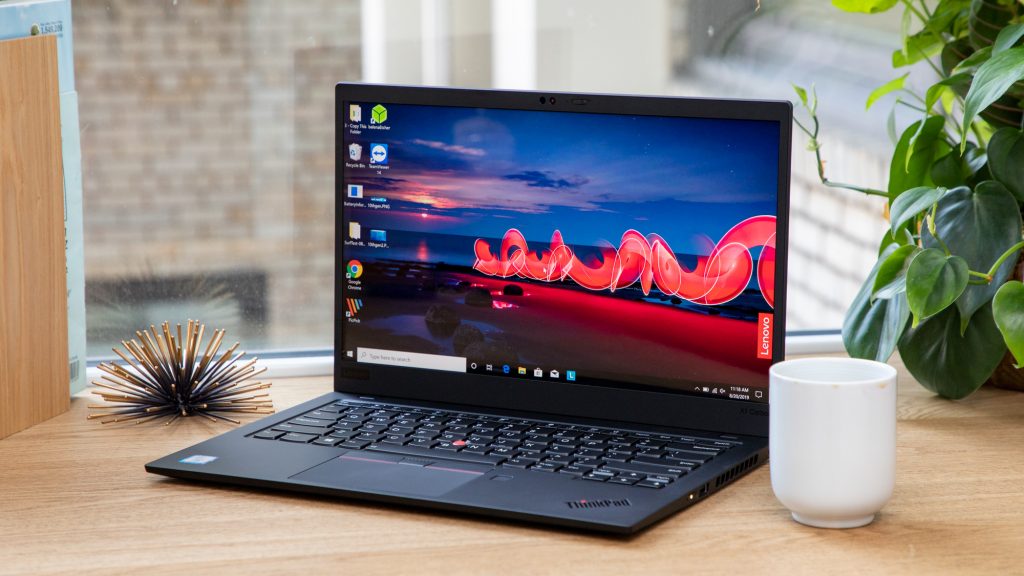
Lenovo provides affordable refurbished laptops that don’t compromise on performance. Models like the ThinkPad series offer excellent value, especially for students. These laptops often feature capable CPUs and GPUs. They are sufficient for most video editing tasks. Lenovo’s commitment to quality makes them a popular option for a Windows laptop.
HP EliteBook: Premium Features for Editing
HP EliteBook laptops are known for their premium features and build quality. Getting a refurbished HP EliteBook gives you access to high-end specs at a lower price, making it a smart choice for tech enthusiasts. These laptops often include features like high resolution displays, fast SSDs, and long battery life. All of these are essential for video editing.
Key Specifications for Best Video Editing Laptops
Choosing the Right CPU for Video Editing
When you buy a laptop for video editing, the CPU is important. An Intel Core or an AMD Ryzen processor is ideal. High end CPUs Processors like the Intel Core Ultra 9 or the XPS 15 7590 offer better performance for demanding tasks. If you use DaVinci Resolve, a powerful CPU ensures smooth editing. For students or those on a budget, a slightly older, yet capable CPU can still do the trick when considering a pre-owned option.
Importance of a Powerful GPU
The GPU is essential for video editing. NVIDIA GeForce RTX or AMD Radeon GPUs enhance performance. They help in tasks like rendering and applying effects in full HD. A good GPU makes a big difference, especially with software like DaVinci Resolve and other tech applications. These graphic cards To ensure a smooth video editing process, consider buying a laptop with a high color gamut. Consider a gaming laptop if you use graphically intensive tasks.
Why SSD Storage is Essential for Editing
An SSD is crucial for fast data access. This speeds up loading times and overall performance. It is ideal to have at least a 512GB SSD for video editing. It allows you to store large project files. Instead of a traditional hard drive, an SSD offers a significant boost in speed and hours of battery life. This is particularly noticeable when working with high resolution videos.
Best Refurbished Laptops for Video Editing
Top Picks for Students on a Budget
For students needing a laptop for video editing, there are affordable refurbished options. Consider brands like Lenovo and Dell. These brands offer good used laptops. These laptops have reliable performance. Aim for at least 16GB of RAM and a decent CPU and GPU. A refurbished laptop can be a budget-friendly choice for video editing, especially if you look for full HD options.
Best Budget Options for Video Editing
Finding the best budget laptops for video editing involves balancing cost and performance. A good used laptop from laptop brands and models like Acer or Dell can offer good value. Look for laptops with a capable CPU and GPU. Also, check for sufficient RAM and an SSD. Refurbished laptops provide an affordable way to access essential features for video editing.
High-End Refurbished Laptops Worth Considering
If you need high-end performance, consider a refurbished Macbook Pro or Dell XPS. These laptops offer powerful processors and dedicated GPUs. These are ideal for demanding video editing tasks. Although they are a second hand device, they can provide near new performance. It comes at a fraction of the cost of new laptops.
Using Refurbished Laptops with Video Editing Software
Running DaVinci Resolve on Refurbished Laptops
Many video editors rely on DaVinci Resolve for professional grade projects, and a refurbished laptop can absolutely use this software. To ensure smooth performance, buy a refurbished laptop with a powerful CPU and GPU. Intel Core or AMD Ryzen processors, coupled with an NVIDIA GeForce RTX or AMD Radeon GPU, will handle DaVinci Resolve’s demands efficiently. Also ensure 16GB of RAM.
Other Video Editing Software Compatibility
Beyond DaVinci Resolve, a refurbished laptop is compatible with many other electronics. video editing software options. Whether you use Adobe Premiere Pro, Final Cut Pro, or Filmora, the key is to ensure that your used laptop meets the minimum system requirements. A laptop equipped with a fast SSD and a capable CPU and GPU ensures smooth editing, no matter the software.
Optimizing Performance for Video Editing Tasks
To optimize the performance of your refurbished laptop for video editing tasks, start by ensuring your drivers are up to date. Regularly clear cache files and unnecessary programs. Upgrading to an Apple MacBook Pro can enhance your video editing capabilities. SSD Upgrading to an SSD can significantly boost speed and extend hours of battery life. When use editing software, close other resource intensive applications. These steps will help maintain a smooth workflow, making your video editing experience more enjoyable.
Conclusion: Is a Refurbished Laptop Right for You?
Evaluating Your Needs for Video Editing
Before you choose an ideal laptop, consider your editing needs. buy a refurbished laptop for video editing, it’s essential to evaluate your specific needs. Are you a student working on small projects, or a professional needing to edit high resolution videos? Your requirements will influence the specifications you need, such as M2 storage for faster processing. CPU power, GPU capabilities, RAM, and SSD storage. Match your device to your workload.
Final Thoughts on Buying a Refurbished Laptop
In summary, opting for a best convertible can enhance your video editing experience. refurbished laptop can be a smart, affordable choice for video editing. You can get a second hand laptop with high end specifications at a lower cost. Always prioritize components like the CPU, GPU, RAM, and SSD. By doing your research, you can find the best laptop to fit your video editing needs without breaking the bank.
Where to Buy Quality Refurbished Laptops
When looking to buy quality refurbished laptops, several options are available. You can find reliable sources through:
- Online retailers such as Myhalo, which offer certified refurbished laptops with a warranty.
- Manufacturers like Dell, Lenovo, and Acer often have official refurbish programs for pre-owned devices.
Always check the seller’s reputation and warranty terms to ensure a safe and satisfactory purchase of your video editing laptop.